
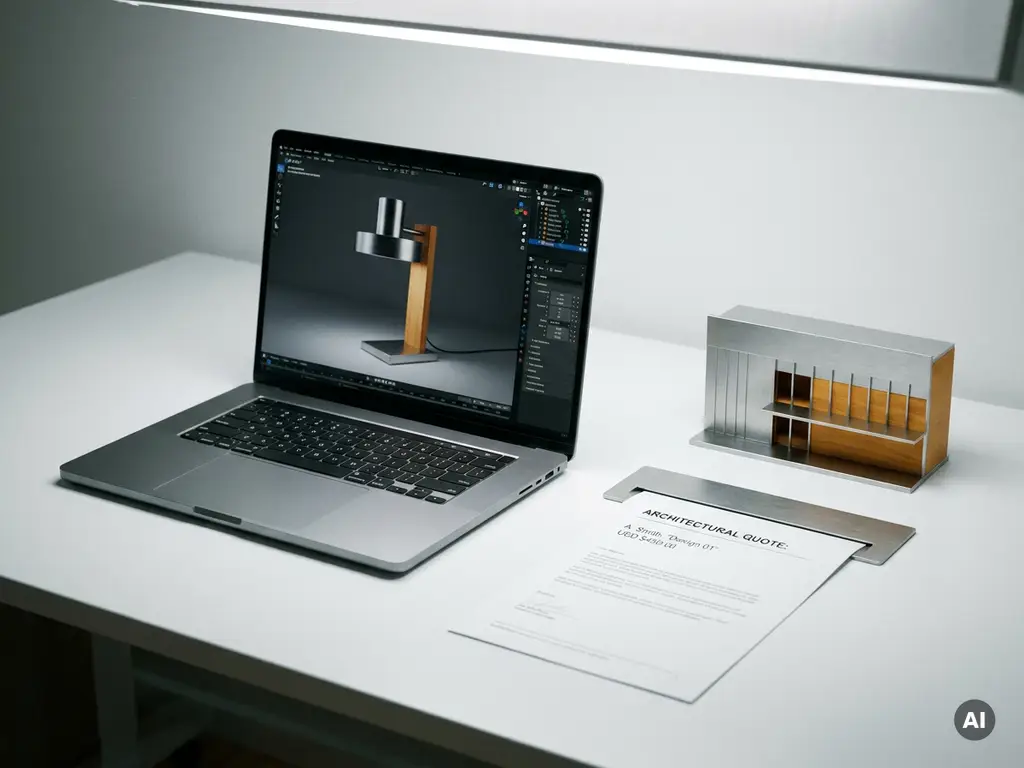
A CPQ tool helps create quotes by automating three core steps: configuring a product based on customer requirements, applying the correct pricing rules, and generating an accurate, professional quote document. The result is a fast, error-free quotation process that replaces slow manual calculations and back-and-forth approvals. Below, we answer the most common questions about how CPQ software works in practice.
What steps does a CPQ tool follow to generate a quote?
A CPQ tool generates a quote by guiding a sales representative or customer through a structured process: first selecting and configuring the right product, then calculating the price based on defined rules, and finally producing a formatted quote document ready to share or approve. This process typically completes in minutes rather than days.
Here is the standard sequence a CPQ tool follows:
- Product selection: The user selects the product or product category they want to quote.
- Configuration: The tool guides the user through valid options, materials, dimensions, or features, preventing incompatible combinations automatically.
- Pricing calculation: Based on the chosen configuration, the CPQ software applies the correct pricing logic, including discounts, margins, or volume rules.
- Quote generation: A complete, branded quote document is produced, including line items, totals, terms, and any relevant product visuals.
- Approval and delivery: The quote is routed through any required approval workflows before being sent to the customer.
Each step reduces the risk of human error and ensures that every quote reflects the most current pricing and product data.
What types of pricing rules can a CPQ tool apply automatically?
A CPQ tool can automatically apply a wide range of pricing rules, including list prices, volume discounts, customer-specific pricing, bundle pricing, and margin thresholds. This eliminates the need for manual price lookups and ensures every quote is accurate and consistent, regardless of who creates it.
Common pricing rules handled by CPQ software include:
- Tiered or volume pricing: Prices that decrease as order quantity increases
- Customer segment pricing: Special rates for specific accounts, regions, or channels
- Bundle or package pricing: Discounted rates when certain products are ordered together
- Margin protection rules: Automatic alerts or blocks when a discount would push a deal below a minimum margin
- Time-sensitive pricing: Promotional prices that activate or expire on set dates
- Configuration-based surcharges: Additional costs triggered by specific options, materials, or custom features
Because these rules are defined centrally and applied automatically, sales teams spend less time chasing approvals and more time closing deals.
How does a CPQ tool handle complex or configurable products?
A CPQ tool handles complex or configurable products by using constraint-based logic to control which combinations of options, materials, and features are valid. Instead of relying on a salesperson to memorize every rule, the software enforces them automatically, guiding users toward configurations that are technically possible and commercially viable.
This is particularly valuable for manufacturers and brands selling products with high degrees of customization, such as furniture, interiors, or modular systems. A CPQ solution can manage hundreds or thousands of possible combinations without exposing the user to that complexity. The interface presents only the relevant choices at each step, making the process intuitive even for customers who are unfamiliar with the product range.
For design-led or premium product categories, CPQ software can also connect directly to visual configuration tools, so every choice the customer makes is reflected immediately in a realistic product visualization. This bridges the gap between configuration and conviction, helping customers commit to a purchase with confidence.
What’s the difference between a CPQ tool and a standard quoting tool?
The key difference is intelligence. A standard quoting tool is essentially a document builder: it helps you format and send a quote, but it does not validate configurations, enforce pricing rules, or prevent errors. A CPQ tool actively manages the logic behind the quote, ensuring that what is quoted is always accurate, deliverable, and correctly priced.
Standard quoting tools work well for simple, fixed-price products where the salesperson already knows the correct price and specification. CPQ software becomes essential when products are configurable, pricing is conditional, or the volume of quotes makes manual processes unsustainable.
In practical terms, a standard quoting tool asks: what do you want to include in this document? A CPQ tool asks: what does the customer need, and what is the right price for exactly that? The distinction matters most for businesses selling complex or premium products, where a single quoting error can damage both a deal and a brand relationship.
How does a CPQ tool integrate with other sales and commerce systems?
A CPQ tool integrates with other systems by connecting to CRM platforms, ERP systems, e-commerce environments, and product information management tools through APIs or native connectors. This means customer data, product catalogs, and pricing information flow automatically between systems, without manual re-entry or duplication.
Typical integrations include:
- CRM integration: Quotes are created and stored directly within the customer record, giving sales teams full visibility of the pipeline
- ERP integration: Approved quotes can trigger order creation, inventory checks, or production planning automatically
- E-commerce integration: CPQ logic can be embedded directly into an online product configurator, allowing customers to self-configure and request or complete a purchase without leaving the webshop
- Product catalog and PIM integration: Product data, images, and specifications stay synchronized across all sales channels
Modern CPQ platforms are increasingly built with headless integration in mind, meaning they can power quote and configuration functionality across multiple touchpoints, whether that is a website, a retail point of sale, or a sales representative’s tablet, without requiring a complete system rebuild.
When should a business start using a CPQ tool?
A business should start using a CPQ tool when manual quoting is creating errors, slowing down the sales cycle, or making it difficult to scale. Common trigger points include launching a new product line with many variants, experiencing inconsistent pricing across the sales team, or losing deals because quotes take too long to produce.
Other clear signals that it is time to adopt CPQ software:
- Sales reps are spending significant time building quotes instead of selling
- Quotes regularly require corrections after approval due to configuration or pricing mistakes
- The business sells through multiple channels and needs consistent pricing across all of them
- Customers expect to configure and price products themselves online
- Rapid product range expansion is making it impossible to keep price lists updated manually
For premium or design-led brands, the business case is particularly strong. The cost of a quoting error, whether that is an under-priced custom order or a delay that loses a high-value customer, is simply too high to leave to manual processes.
How 3Dimerce helps you quote smarter with CPQ
We built our Ensemble Suite to solve exactly the challenges described in this article. Whether you sell highly configurable products or simply need accurate, fast quotations at scale, our CPQ solution gives your team the tools to quote with confidence every time. Here is what sets our approach apart:
- Always-accurate pricing: Advanced pricing logic ensures every quote reflects the correct price, no matter how complex the configuration
- Visual configuration built in: Customers and sales teams see a photorealistic representation of every configured product, making the quote tangible before it is even sent
- Flexible deployment: Our CPQ functionality works as a standalone quoting solution or as part of a fully integrated visual product experience platform
- Seamless integration: Headless architecture means our solution connects to your existing webshop, CRM, or ERP without disrupting what already works
- Designed for premium brands: We understand the design and luxury market, and our platform is built to reflect the quality your brand represents
If your sales team is spending too much time on quotes and not enough time closing deals, we would love to show you what is possible. Get in touch with us and let us walk you through how our CPQ solution can work for your business.
Frequently Asked Questions
How long does it typically take to implement a CPQ tool and get the sales team up and running?
Implementation timelines vary depending on the complexity of your product catalog and the number of integrations required, but most businesses can expect a basic CPQ setup to be operational within a few weeks, with more complex deployments taking two to three months. The onboarding process typically involves mapping your pricing rules, configuring your product logic, and connecting to existing systems like your CRM or ERP. Choosing a CPQ platform with pre-built connectors and strong onboarding support can significantly reduce that timeline and minimize disruption to your sales team.
What happens if our pricing rules or product catalog changes after the CPQ tool is set up?
One of the core advantages of a CPQ tool is that pricing rules and product configurations are managed centrally, meaning updates are made once and automatically reflected across every quote generated from that point forward. There is no need to manually update spreadsheets or brief individual sales reps on new pricing. Most modern CPQ platforms allow product and pricing managers to make changes through an admin interface without requiring developer involvement, keeping your quoting logic current as your business evolves.
Can a CPQ tool support both B2B sales reps and B2C customers who want to configure products themselves online?
Yes, and this is one of the most valuable capabilities of a well-architected CPQ solution. The same underlying configuration and pricing logic can power a sales rep’s internal quoting workflow and a customer-facing online product configurator simultaneously. This ensures pricing consistency across all channels and allows customers to self-serve, generating accurate quotes or placing orders directly without needing to involve a salesperson for every interaction. For brands with both trade and retail audiences, this flexibility is particularly important.
What are the most common mistakes businesses make when first adopting CPQ software?
The most frequent mistake is underinvesting in the initial setup of pricing rules and product logic, leading to a system that does not reflect real-world complexity and quickly loses the trust of the sales team. Another common pitfall is treating CPQ as a standalone tool rather than integrating it with existing CRM and ERP systems, which forces reps to work across multiple platforms and reduces adoption. Finally, businesses sometimes roll out CPQ without adequate training, missing the opportunity to show sales teams how the tool actively saves them time and reduces the risk of costly quoting errors.
How does a CPQ tool help with discount control and protecting profit margins?
CPQ software enforces margin protection rules automatically, meaning discounts beyond a defined threshold can be flagged, blocked, or escalated for manager approval before the quote is ever sent to a customer. This removes the risk of a sales rep accidentally under-pricing a complex order under competitive pressure. Because the system applies these guardrails consistently across the entire team, businesses gain much tighter control over deal profitability without having to manually review every quote.
Is a CPQ tool only suitable for large enterprises, or can smaller businesses benefit from it too?
CPQ software is increasingly accessible to businesses of all sizes, and the return on investment can actually be more immediate for smaller teams where a single quoting error or a slow sales cycle has a proportionally larger impact. If your business sells configurable or complex products, experiences inconsistent pricing, or has sales reps spending significant time building quotes manually, a CPQ tool addresses real operational pain regardless of company size. Many modern platforms offer scalable pricing and modular deployment, so you can start with the functionality you need and expand as your business grows.
Can a CPQ tool support visual or 3D product configuration, or is it purely a pricing and document tool?
Modern CPQ platforms, particularly those built for design-led or premium product categories, can integrate directly with visual configuration engines that render photorealistic 2D or 3D representations of a product as the customer or sales rep builds it. This means every configuration choice, whether it is a material, finish, dimension, or feature, is reflected visually in real time, not just as a line item in a document. This combination of accurate pricing logic and visual confidence is especially powerful for high-value purchases where customers need to see exactly what they are buying before committing.
Related Articles
- Can CPQ software automate the quoting process?
- How does 3D product rendering fit into a content marketing strategy?
- What volume of products can 3D product rendering support?
- How does 3D product rendering increase sales conversion?
- What is the difference between 3D product rendering and a product configurator?