
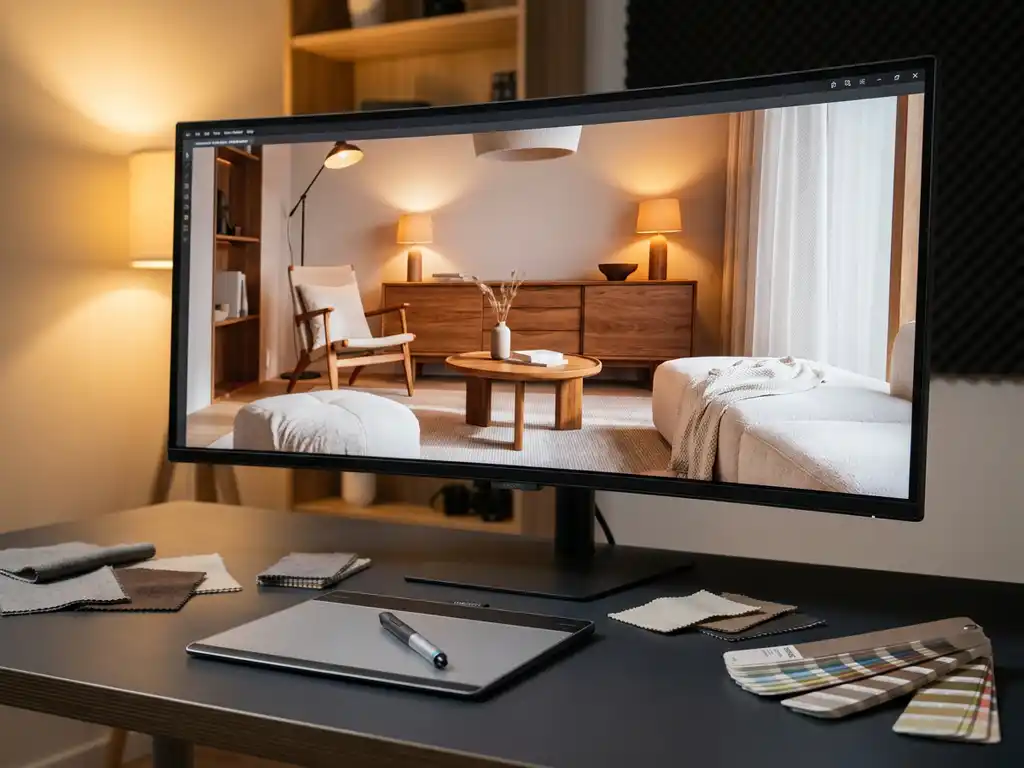
This corona render engine comparison covers everything you need to know to make a confident tool selection decision for your product visualization workflow. Whether you are evaluating Corona for the first time or looking to validate your current engine choice, this render compare guide walks through performance, materials, licensing, and workflow differences across all major rendering engines so you can move forward with clarity.
Corona Render vs the competition: a quick render compare overview
Use this render compare table to identify which engine fits your studio’s workflow at a glance. The six engines below represent the most widely used options in professional product visualization and architectural rendering today, and understanding how they differ across key dimensions will save you significant time in your evaluation process.
| Engine | Render Method | Ease of Use | Licensing Model | Render Speed (Product Scenes) | Memory Efficiency | Animation Suitability | Best Use Case |
|---|---|---|---|---|---|---|---|
| Corona Render | CPU / Hybrid | Beginner-Friendly | Perpetual / Subscription | High | High | Moderate | Product and architectural visualization (the engine we use at 3Dimerce for all client work) |
| V-Ray | CPU / GPU / Hybrid | Intermediate | Subscription | High | Moderate | High | Architecture, film, VFX |
| Arnold | CPU / GPU | Intermediate | Subscription (Autodesk) | Moderate | Moderate | High | Film and animation pipelines |
| Octane | GPU | Intermediate | Subscription | Very High (GPU) | Lower (VRAM-limited) | Moderate | Real-time iteration, motion graphics |
| KeyShot | CPU / GPU | Beginner-Friendly | Perpetual (Premium) | High | Moderate | Moderate | Product design, industrial design |
| Blender Cycles | CPU / GPU | Intermediate | Free (Open Source) | Moderate | Moderate | High | Generalist 3D, indie production |
For product visualization projects where material accuracy and turnaround speed are non-negotiable, Corona Render is the engine we rely on at 3Dimerce.
Why is slow rendering costing you more clients than you realize?
When your rendering pipeline takes hours or even days to produce final images, you’re not just losing time — you’re losing competitive advantage. Clients in today’s market expect rapid turnarounds for product visualizations and design iterations. Every hour spent waiting for renders is an hour your competitors could be presenting finished concepts to the same prospects. The hidden cost extends beyond lost opportunities: extended render times force you to limit the number of design variations you can explore, ultimately constraining creativity and reducing the quality of your final presentations. In the render compare sections below, we break down exactly how Corona Render’s speed and efficiency stack up against V-Ray, Arnold, Octane, and other leading engines, so you can make a confident decision for your studio’s workflow.
What does poor material accuracy signal about your rendering workflow?
Inaccurate material representation in your renders often indicates deeper workflow inefficiencies that extend far beyond visual aesthetics. When materials don’t behave realistically under different lighting conditions, it suggests your rendering engine lacks the sophisticated algorithms needed for complex product visualization scenarios. This limitation becomes particularly costly when working with high-end products where material authenticity directly impacts purchasing decisions. Poor material accuracy forces you into time-consuming manual adjustments and multiple render iterations, creating bottlenecks that slow project delivery. Below, we compare how Corona Render’s physically based material system measures up against the material handling capabilities of V-Ray, Arnold, Octane, KeyShot, and Blender Cycles, giving you a complete picture of where each engine excels.
Visual Commerce Solutions
Talk to our team about your project.
What is Corona Render and how does it work?
Corona Render is an unbiased, physically based rendering engine that simulates real-world light behavior using path tracing algorithms. It calculates how light bounces between surfaces to produce photorealistic images with accurate shadows, reflections, and global illumination. Corona’s core strength lies in its simplified, node-based material system, which allows artists to create complex materials without extensive technical knowledge. Actively developed and maintained by Chaos Group, Corona Render continues to evolve with each release, with recent versions expanding GPU acceleration support and refining the denoising system to deliver cleaner results at lower sample counts, making it an increasingly competitive choice for studios that demand both quality and efficiency.
The rendering process begins with scene preparation, where Corona analyzes geometry, materials, and lighting setups. The engine then traces light paths from the camera through each pixel, calculating interactions with surfaces throughout the scene. This physically accurate approach is particularly valuable for product visualization projects where material authenticity and lighting precision matter most.
How does the Corona Render engine compare to V-Ray in speed and quality?
Corona Render and V-Ray are both industry-standard rendering engines, but they represent different philosophies. V-Ray offers extensive customization through numerous parameters and settings, making it powerful but complex for new users. Corona prioritizes simplicity, providing fewer controls while ensuring those available produce excellent results with minimal adjustment.
Performance-wise, Corona typically renders faster for scenes with complex lighting scenarios, particularly those involving global illumination and caustics. V-Ray excels in scenes requiring targeted optimization for specific elements such as hair, fur, or complex particle systems. For architectural visualization and product rendering, Corona often delivers comparable quality with significantly less setup time.
In typical product visualization scenes featuring complex global illumination and layered reflective materials, Corona Render can complete final-quality renders in meaningfully less time than V-Ray on equivalent CPU hardware, primarily because Corona requires fewer manual parameter adjustments before reaching production-ready quality. For studios rendering dozens of product variants per week, this difference in setup-to-output time compounds into significant workflow savings. Memory efficiency also favors Corona in most product rendering scenarios: scenes that push V-Ray into high RAM usage often run comfortably within standard workstation limits in Corona. In our work at 3Dimerce, this efficiency advantage consistently translates into faster client delivery without any compromise on photorealistic quality.
Memory usage differs substantially between the two engines. Corona generally requires less RAM during rendering, making it accessible for smaller studios or individual artists working on standard workstations. V-Ray’s memory requirements scale with scene complexity, sometimes demanding high-end hardware for optimal performance.
Corona Render vs Arnold: what are the key differences for production workflows?
Corona Render and Arnold are both physically based rendering engines, but they serve different primary markets. Arnold, developed by Autodesk, focuses heavily on production pipeline integration — particularly within film and animation workflows. Corona targets architectural visualization and product rendering with streamlined workflows designed for still image production.
The user interface philosophy differs significantly. Arnold integrates deeply with host applications like Maya and 3ds Max, appearing as native rendering functionality within those tools. Corona maintains a more consistent standalone approach across different 3D applications, preserving its simplified workflow regardless of the host software.
Licensing models also distinguish these engines. Arnold typically requires subscription-based licensing tied to specific software packages. Corona offers more flexible options, including perpetual licenses that appeal to smaller studios and freelance professionals — making it particularly attractive for businesses that need predictable, stable software costs.
How do rendering engine licensing costs compare?
Licensing cost is a strategic decision that shapes your studio’s long-term profitability, not simply a line item in a software budget. The engine you choose affects not only your monthly outgoings but also your render farm compatibility, your ability to scale seats as your team grows, and your exposure to price changes over time.
Corona Render offers both perpetual and subscription licensing options, making it one of the more flexible choices on the market. Studios can opt for node-locked perpetual licenses for predictable long-term costs, or choose monthly subscriptions for project-based flexibility. Render farm compatibility is generally straightforward, and the overall cost tier sits in the mid-range, representing strong value given the quality of output.
V-Ray operates on a subscription model with costs that scale depending on the number of seats and the host application. It is a mid-range to premium option, and render farm licensing adds further cost. For larger teams, floating licenses are available, which improves flexibility but increases the total investment.
Arnold is tied to Autodesk’s ecosystem, meaning its licensing is often bundled with or dependent on an existing Autodesk subscription such as Maya or 3ds Max. This makes it a premium-tier commitment that can be cost-effective for studios already embedded in the Autodesk pipeline, but expensive for those who are not. Standalone Arnold licensing exists but adds a separate cost layer.
Octane uses a GPU-seat licensing model, where each license is tied to a specific graphics card. This can create friction when upgrading hardware and adds cost when scaling a multi-seat studio. The subscription tier is mid-range, but the implicit hardware investment required (high-end NVIDIA GPUs with substantial VRAM) pushes the total cost of ownership into the premium category.
KeyShot carries a high per-seat cost and is one of the more expensive perpetual license options in the market. While it offers strong real-time preview capabilities, the licensing model can be a barrier for smaller studios or freelancers evaluating cost per output quality.
Blender Cycles is entirely free and open source, which makes it the most accessible entry point from a pure licensing perspective. However, the absence of commercial support and the longer setup times required to achieve consistent production-quality results mean that the true cost, measured in billable hours, may be higher than it first appears.
Across all these options, Corona Render offers the most predictable and scalable licensing structure for studios of varying sizes. At 3Dimerce, we factor licensing efficiency into every project workflow recommendation we make for clients, because the right engine is not only the one that produces the best image, it is the one that delivers that image sustainably and profitably.
Which rendering engine is best for product visualization?
For product visualization, the ideal rendering engine must deliver material accuracy, consistent lighting, and efficient iteration across multiple product variants. Corona Render excels in this domain: its physically based material system ensures surfaces behave predictably under different lighting conditions, and its strength in handling complex reflective and translucent materials makes it well-suited for high-end product work.
KeyShot is another strong contender, offering real-time preview capabilities and extensive material libraries. However, Corona provides greater flexibility for custom material creation and complex lighting setups. Blender’s Cycles engine offers cost advantages through its open-source nature but requires more technical expertise to achieve professional results consistently.
For high-end product visualization requiring photorealistic quality with efficient workflows, Corona Render strikes an optimal balance. Its simplified interface allows artists to focus on creative decisions rather than technical parameters, while its physically accurate rendering ensures materials appear authentic across different viewing conditions and output formats.
How does Corona Render compare to KeyShot for product visualization?
The Corona render engine and KeyShot approach product visualization from meaningfully different directions, and understanding those differences is essential for studios choosing between them. KeyShot’s primary strength is its real-time preview capability: materials and lighting update almost instantly as you make changes, which makes it appealing for product designers who need fast visual feedback during early concept stages. Its extensive built-in material library also lowers the barrier to entry for users who want polished results quickly.
However, KeyShot’s material system relies heavily on proprietary formats, which limits interoperability and restricts the depth of customization available to artists working on complex briefs. Corona’s physically based material system, by contrast, is built on open, industry-standard principles, giving studios full control over every parameter, from layered reflections to subsurface scattering, without being locked into a closed ecosystem. For studios producing high-end product imagery where a client’s specific material finishes, textures, and surface behaviors must be replicated with precision, this flexibility is not optional.
Licensing cost is another meaningful distinction. KeyShot carries a high per-seat price that places it in the premium tier, and its perpetual license model, while appealing in principle, represents a significant upfront investment. Corona’s more flexible licensing structure, combining perpetual and subscription options, makes it a more accessible and scalable choice for studios of different sizes. For studios that need deep material customization, complex lighting control, and a licensing model that grows with the business, Corona Render consistently outperforms KeyShot as a long-term production tool.
How does Corona Render compare to Blender Cycles?
The Corona render engine and Blender Cycles occupy very different positions in the professional rendering landscape, and the right choice depends on how your studio values time against cost. Blender Cycles’ most compelling advantage is its zero licensing cost: as a fully open-source engine, it removes the software budget barrier entirely, which makes it an attractive starting point for freelancers and small studios operating with tight margins.
That advantage comes with trade-offs that matter significantly in professional production environments. Cycles has a steeper learning curve than Corona, and achieving consistently production-quality results requires more manual configuration of sampling, noise thresholds, and material parameters. Setup times for complex product scenes tend to be longer, and without dedicated commercial support, troubleshooting falls entirely on the user or the community. For studios where every hour is a billable resource, these inefficiencies accumulate quickly across a project pipeline.
Corona’s streamlined workflow, simplified material system, and reliable default settings mean that artists spend less time configuring the engine and more time producing high-quality output. The denoising system in recent Corona versions further reduces the sample counts needed to reach clean, client-ready renders, compressing turnaround times in ways that Cycles, despite its ongoing development, has not yet matched at scale. For professional studios where time is a direct measure of profitability, Corona Render delivers a better return than Blender Cycles across the majority of product visualization scenarios.
How do GPU renderers like Octane compare to Corona Render?
GPU-based renderers like Octane Render use graphics card processing power to achieve significantly faster render times than CPU-based engines. Octane can produce preview renders almost instantly, enabling real-time creative feedback during iterative design phases where multiple variations require quick evaluation.
However, GPU renderers face inherent limitations in scene complexity and memory capacity. Graphics cards typically offer less memory than system RAM, restricting the size and detail level of scenes that can be rendered effectively. Corona Render, which operates primarily on CPU with optional GPU acceleration, handles complex scenes with extensive geometry and high-resolution textures more reliably than GPU-only solutions.
Quality differences emerge in specific rendering scenarios. GPU renderers excel at direct lighting and simple global illumination but can struggle with complex caustics or subsurface scattering effects. Corona’s unbiased path tracing ensures accurate light simulation regardless of scene complexity, making it more suitable for projects where absolute photorealism is non-negotiable.
Which rendering engine is right for you?
If you are a freelancer prioritizing ease of entry and a short learning curve, Corona Render is your strongest option because its intuitive interface and reliable default settings allow you to produce professional-quality output quickly, without spending weeks mastering complex parameter systems. That said, if budget is the primary constraint, Blender Cycles offers a zero-cost starting point, though you should factor in the additional time investment required to reach consistent results.
If you run a small studio managing software costs across multiple seats, Corona Render’s flexible licensing, combining perpetual and subscription options, makes it the most predictable and scalable choice. That said, V-Ray is worth evaluating if your pipeline already includes other Chaos Group tools, as bundling can reduce the per-seat cost at scale.
If you lead a large studio that needs deep pipeline integration with film or animation tools, Arnold is a strong option because of its native integration with Autodesk applications and its proven track record in complex production environments. That said, Corona Render remains highly competitive for the product visualization and architectural visualization workstreams within larger studios, where its speed and material accuracy deliver consistent results without requiring heavy pipeline customization.
For product visualization specialists who need consistently photorealistic output with efficient turnarounds, Corona Render is the engine we use across all our client projects at 3Dimerce. Its physically based material system, streamlined workflow, and predictable licensing make it the most complete solution for studios where quality and delivery speed are both non-negotiable.
If your team needs GPU speed for rapid iterative previews during early creative stages, Octane Render delivers exceptional real-time feedback. That said, for final production renders where scene complexity, material depth, and absolute photorealism take priority, Corona Render’s CPU-based path tracing remains the more reliable and versatile choice. The section below explains exactly how we put these advantages to work for our clients.
How 3Dimerce helps with rendering and product visualization
We specialize in creating stunning 3D product visualizations that bring products to life through advanced rendering technology and sophisticated configurators. Our comprehensive solutions are built for the design, luxury, and high-end market — delivering the photorealistic quality and blazing-fast performance that leading brands demand. Every project is tailored to the specific visual and commercial requirements of the brand we work with.
- Photorealistic rendering: We create visually stunning product images with perfect lighting, shadows, and reflections that showcase every detail.
- Interactive 3D configurators: We allow customers to customize products in real time with immediate visual feedback.
- Omnichannel consistency: We ensure identical high-quality visuals across web, mobile, and in-store environments.
- Scalable content production: We generate unlimited product variations without additional photoshoot costs.
- Seamless integration: We connect effortlessly with existing e-commerce platforms and sales systems.
We have delivered Corona Render-based product visualization projects for luxury brands and e-commerce businesses across fashion, furniture, jewelry, and consumer electronics. Our clients consistently report a dramatic reduction in physical photoshoot dependency and significantly faster time-to-market for new product launches. By combining Corona Render’s physically accurate material system with our tailored production workflows, we produce visuals that are indistinguishable from studio photography, at a fraction of the cost and timeline.
Ready to transform your product visualization strategy with cutting-edge 3D technology? Contact our team today to discover how we can elevate your brand’s digital presence with stunning, interactive product experiences.
Frequently Asked Questions
What hardware requirements are needed to run Corona Render effectively?
Corona Render is primarily CPU-based, so a multi-core processor (Intel i7/i9 or AMD Ryzen 7/9) with at least 16GB RAM is recommended for professional work. While Corona can utilize GPU acceleration for certain tasks, it’s not as GPU-dependent as other engines, making it accessible on standard workstations without requiring expensive graphics cards. By contrast, GPU renderers like Octane require a high-end NVIDIA graphics card with substantial VRAM (typically 8GB or more) to handle complex product scenes, which adds significant hardware cost. Arnold and V-Ray can leverage both CPU and GPU but often demand more total system RAM than Corona for equivalent scene complexity. For studios looking to maximize rendering capability without a major hardware investment, Corona Render’s CPU-based architecture offers the most accessible entry point into professional-grade photorealistic rendering.
How long does it typically take to learn Corona Render for someone new to 3D rendering?
Due to Corona’s simplified interface and minimal parameter setup, most users can produce quality renders within 2-3 weeks of regular practice. The learning curve is significantly shorter than complex engines like V-Ray, as Corona focuses on intuitive controls and produces good results with default settings, allowing beginners to focus on composition and lighting rather than technical configurations.
Can Corona Render handle animation projects, or is it only suitable for still images?
While Corona excels at still image rendering, it does support animation through its integrated denoising and distributed rendering capabilities. However, for complex animation projects with moving cameras and dynamic lighting, engines like Arnold or V-Ray might be more suitable due to their advanced motion blur and temporal sampling features.
What's the best workflow for transitioning from V-Ray to Corona Render?
Start by converting existing materials using Corona’s material converter tools, then gradually adapt lighting setups to leverage Corona’s simplified approach. Focus on learning Corona’s Interactive Rendering mode for real-time feedback, and take advantage of Corona’s fewer but more intuitive parameters to streamline your workflow rather than trying to replicate V-Ray’s complex setups.
How does Corona Render's licensing work for small studios and freelancers?
Corona offers flexible licensing including perpetual licenses, monthly subscriptions, and educational discounts. Small studios benefit from node-locked licenses that don’t require internet connectivity for rendering, while freelancers can use monthly subscriptions for project-based work. The licensing is generally more affordable and predictable than subscription-only alternatives.
What are the most common mistakes when setting up materials in Corona Render?
The most frequent errors include using incorrect IOR values for materials, over-complicating material setups when simple approaches work better, and not utilizing Corona’s built-in material presets as starting points. Many users also forget to enable proper color management, which can result in washed-out or overly saturated materials in final renders.
How can I optimize Corona Render scenes for faster rendering without losing quality?
Use Corona’s adaptive sampling to automatically optimize render times, enable denoising to reduce required sample counts, and utilize render regions for testing specific areas. Additionally, optimize geometry by using Corona Proxy for complex objects, limit subdivision levels where high detail isn’t visible, and use Corona’s Performance Profiler to identify bottlenecks in your scenes.