
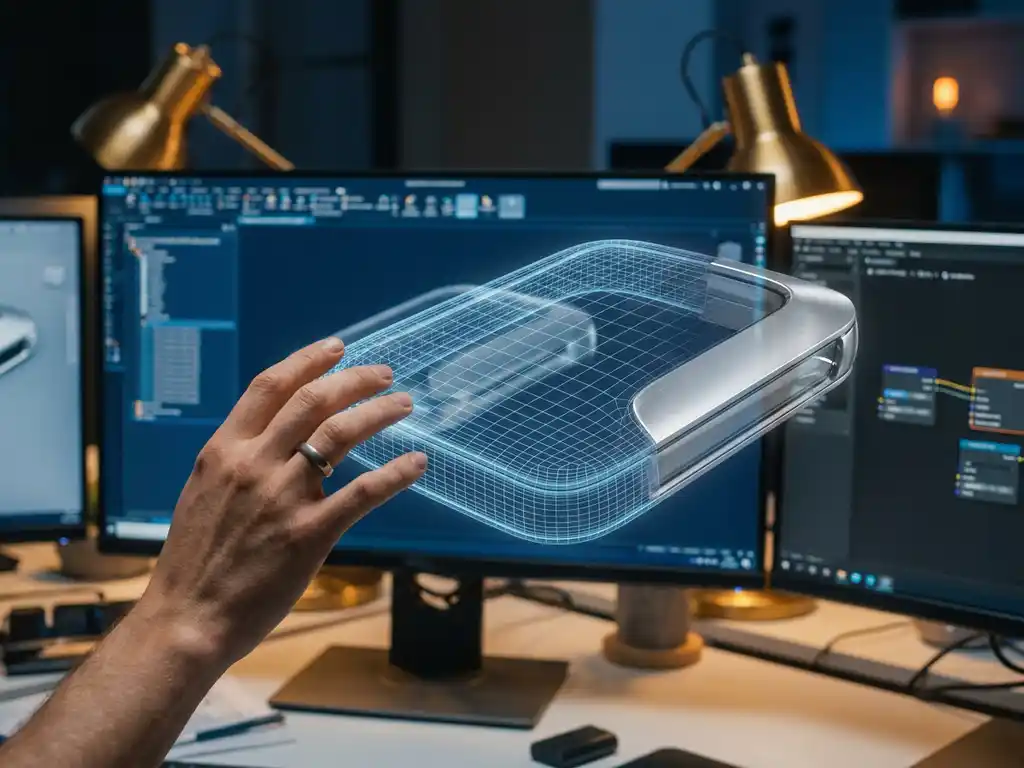
3D modeling software is a digital application used to create, edit, and visualize three-dimensional objects and environments on a computer. Understanding what 3D modeling software is and how it works is essential for anyone evaluating it for product design, marketing, or e-commerce visualization. These programs use mathematical algorithms to represent objects through geometric data, enabling everything from architectural blueprints to photorealistic product visuals and interactive configurators. This guide covers how 3D modeling software works, the main techniques, the tools most widely used, and how businesses can apply this technology to drive real commercial results.
What is 3D modeling software and why is it important?
3D modeling software is a specialized digital application that enables users to create, modify, and visualize three-dimensional objects and environments on a computer. These programs use mathematical algorithms to represent objects through vertices (individual points in 3D space), edges (lines connecting those points), and faces (polygons that form the object’s surface), creating digital models that can be manipulated, textured, and rendered with realistic lighting and materials.
The importance of 3D modeling software extends across numerous industries. In product development, it allows designers and engineers to prototype and test concepts before physical production, significantly reducing costs and development time. For marketing and e-commerce, 3D models enable the creation of photorealistic product visualizations, interactive configurators, and virtual showrooms that increase customer engagement and drive conversions.
Modern businesses rely on 3D modeling software to produce consistent, high-quality visual content at scale. Unlike traditional photography, which requires physical products and expensive studio setups for every variation, 3D modeling generates unlimited product configurations and viewing angles from a single digital asset. This scalability is particularly valuable for companies with large product catalogs or configurable product lines.
3D design vs. 3D modeling: what is the difference?
3D design is the broader creative discipline that spans the full process from initial concept through modeling, texturing, lighting, and final rendered output. 3D modeling is the foundational step within that process: the construction of the three-dimensional geometry that everything else builds upon. A 3D designer oversees the complete visual outcome, while 3D modeling refers specifically to building and refining the object’s geometry. Understanding this distinction helps when evaluating what is 3D design software versus what is 3D modeling software, since some tools specialize in one stage and others cover the full pipeline.
What does a 3D modeler do professionally?
A professional 3D modeler constructs digital three-dimensional assets used in product visualization, animation, gaming, architecture, and industrial design. They work with software such as Blender, Autodesk Maya, ZBrush, or SolidWorks, depending on the industry and output required. Unlike CAD engineers, who focus on dimensional precision and manufacturing specifications, 3D modelers prioritize surface quality, material fidelity, and visual realism. Unlike graphic designers, who work in two dimensions, 3D modelers build geometry that can be rendered, animated, and interacted with from any angle. Their output feeds directly into marketing assets, product configurators, and immersive digital experiences.
The global 3D modeling software market is experiencing rapid growth, driven by rising demand from e-commerce, gaming, architecture, and product design sectors. Industry analysis consistently points to accelerating adoption through the mid-2020s and beyond, with e-commerce as one of the fastest-growing demand drivers as brands shift from physical photography to scalable digital product presentation. Consumer expectations for interactive, immersive product experiences are rising, and businesses that invest early in professional 3D visualization gain a measurable competitive edge. We built our platform at 3Dimerce specifically to serve premium brands at the leading edge of this shift.
How does 3D modeling software work? A technical overview
3D modeling software creates digital representations of objects using coordinate geometry in three-dimensional space. Every model is built from points defined by X, Y, and Z coordinates, which form the foundation for more complex geometric shapes.
Core geometry: vertices, edges, faces, and meshes
The software builds models through a hierarchy of geometric elements. Vertices are individual points in 3D space. Those vertices connect to form edges — straight lines between two points. Multiple edges combine to create faces or polygons, typically triangles or quadrilaterals, which define the object’s surface. The complete collection of vertices, edges, and faces is called a mesh.
Materials, textures, and lighting
Once the base geometry is established, the software applies materials and textures to give objects realistic appearances. This involves mapping 2D images onto 3D surfaces and defining material properties such as reflectivity, transparency, and surface roughness. Lighting systems simulate real-world illumination, casting shadows and creating highlights that enhance visual realism.
Rendering: converting geometry into images
The rendering engine processes all geometry, material, and lighting data to generate the final visual output. Modern 3D modeling software uses sophisticated algorithms to calculate how light interacts with surfaces, producing photorealistic images that can be indistinguishable from photographs. Real-time rendering lets users see changes instantly during modeling, while high-quality offline rendering produces final images for presentations or marketing assets.
What are the main 3D modeling techniques and when are they used?
3D modeling encompasses several distinct techniques, each suited to different applications and workflows. The five primary approaches are polygonal modeling, NURBS modeling, subdivision surface modeling, sculpting, and procedural modeling.
Polygonal modeling is the most widely used technique, building objects from individual polygons or faces. Artists manipulate vertices, edges, and faces to sculpt detailed models, making it well suited for game assets, product visualization, and architectural elements.
NURBS modeling (Non-Uniform Rational B-Splines) uses mathematical curves and surfaces to create smooth, precisely defined shapes. This technique is the standard in automotive and industrial design, where perfect surface continuity and dimensional accuracy are essential. NURBS models maintain their smoothness at any scale.
Subdivision surface modeling combines the control of polygonal modeling with the smoothness of NURBS. Artists start with a low-resolution polygonal mesh and apply subdivision algorithms to generate smooth, organic surfaces, a technique widely used in character modeling and organic shape creation.
Sculpting mimics traditional clay sculpting, allowing artists to push, pull, and shape digital surfaces using brush-like tools. This approach is best suited for highly detailed organic models, characters, and complex surface textures that would be difficult to achieve through polygon manipulation alone.
Procedural modeling uses algorithms and parameter-driven rules to generate geometry automatically. By adjusting parameters, users can rapidly produce variations of complex patterns, architectural details, or natural elements such as trees and terrain, without manually modeling each element.
Which 3D modeling software programs are most widely used?
Visitors researching 3D modeling software will encounter a wide range of tools, each optimized for a different discipline and user type. The programs most widely used fall into three broad categories: professional 3D modeling and animation, industrial and product design, and product visualization for e-commerce.
Professional 3D modeling and animation
This category covers the tools most commonly used by artists, animators, and visualization studios. Blender is a free, open-source 3D modeling software that has become a genuine professional-grade option, covering modeling, sculpting, rigging, animation, and rendering in a single package. It suits beginners learning the fundamentals and experienced artists working on production-quality output. Autodesk Maya is an industry standard in film and television animation, used by professional studios for character animation, visual effects, and complex scene rendering. Cinema 4D is widely adopted in motion graphics and product visualization, valued for its accessible interface and strong rendering integration. ZBrush specializes in digital sculpting, enabling artists to create highly detailed organic surfaces and character models at a level of detail that polygon-based tools cannot easily match.
Industrial and product design
For engineering-driven workflows, a different set of 3D design software tools dominates. SolidWorks is the leading parametric CAD platform for mechanical and product engineers, used extensively in manufacturing and industrial design. Fusion 360 by Autodesk combines CAD, CAM, and simulation in a single cloud-connected environment, making it a popular choice for product designers and small engineering teams. Rhino 3D (Rhinoceros) is widely used in industrial design, jewelry, and architecture for its precision NURBS modeling and flexibility across freeform surfaces. These tools prioritize dimensional accuracy and manufacturing readiness over visual rendering quality.
Product visualization and e-commerce
General-purpose 3D modeling tools produce the geometry and assets, but delivering photorealistic product visualization at commercial scale requires a specialist layer on top. Dedicated visualization platforms build on professional-grade 3D modeling pipelines to produce the rendering quality, configurator interactivity, and performance that e-commerce environments demand. We built 3Dimerce specifically for this purpose: our platform takes the output of professional 3D modeling workflows and transforms it into blazing-fast, photorealistic product experiences tailored for premium brands. The result is commercial-grade visual quality delivered as a managed service, without requiring clients to operate complex 3D software themselves.
What’s the difference between CAD software and 3D modeling software?
CAD (Computer-Aided Design) software and 3D modeling software both create three-dimensional objects, but they serve fundamentally different purposes. CAD is optimized for engineering precision and manufacturing; 3D modeling software is optimized for visual quality, artistic expression, and rendering output.
CAD software: precision and engineering specifications
CAD software prioritizes exact measurements, technical specifications, and parametric design. CAD models carry detailed dimensional data, material properties, and manufacturing constraints intended for engineers, manufacturers, and production teams. CAD applications typically use a parametric workflow, where changes to base features automatically update all dependent elements. Widely used CAD applications include SolidWorks, AutoCAD, and Fusion 360.
3D modeling software: visual quality and rendering
3D modeling software prioritizes creating compelling visuals, realistic materials, and engaging presentations. While these programs can maintain dimensional accuracy, the focus is on appearance and interactivity rather than manufacturing specifications. 3D modeling software excels at producing marketing materials, product visualizations, and interactive configurator experiences. It typically uses direct manipulation rather than parametric constraints, giving artists greater freedom to sculpt and modify surfaces.
For product visualization and e-commerce applications, 3D modeling software generally provides superior rendering capabilities, advanced material systems, and better integration with visual commerce workflows. CAD software remains essential for technical documentation, manufacturing planning, and engineering analysis.
Where is 3D modeling used? Industry applications and real-world examples
3D modeling is applied across a wide range of industries, but its commercial impact is most immediate and measurable in sectors where product presentation directly influences purchasing decisions. Understanding where 3D modelling delivers the greatest value helps businesses assess whether and how to invest in this technology.
E-commerce and product visualization
In e-commerce, 3D product modelling replaces or supplements traditional photography with digital assets that can be rendered from any angle, configured in real time, and updated without a new photoshoot. Customers can interact with a product, selecting colors, materials, and dimensions and seeing an accurate photorealistic preview before purchasing. This capability is particularly powerful for configurable or high-value products, where purchase hesitation is highest. We deliver this capability at 3Dimerce through photorealistic CGI and 3D configurators purpose-built for premium brands, combining visual quality with the performance speeds that e-commerce environments require.
Furniture and interior design
3D modelling allows furniture brands to present every configuration of a product without producing a physical sample for each variant. A customer configuring a sofa can select fabric, leg finish, and dimensions and see an accurate photorealistic preview in real time. Room planner tools built on 3D modeling let customers place products in a virtual version of their own space, significantly reducing purchase uncertainty and return rates.
Fashion and apparel
Fashion brands use 3D modelling to simulate fabric drape, texture, and color across garment designs before physical samples are produced. Virtual try-on tools built on 3D geometry allow customers to preview how a product looks on a representative body shape. This reduces the number of physical samples needed during design and gives online shoppers a more accurate sense of fit and finish.
Automotive
Automotive manufacturers and dealerships use 3D modeling software to build interactive exterior and interior configurators that let buyers select paint colors, wheel designs, trim levels, and upholstery in photorealistic detail. These configurators operate at a level of visual fidelity that matches or exceeds physical showroom displays, and they scale across global markets without the logistical complexity of physical product variants.
Architecture and real estate
Architects and property developers use 3D modelling to produce building walkthroughs, material and finish visualizations, and BIM (Building Information Modeling) assets that communicate design intent to clients and stakeholders before construction begins. Real estate platforms use rendered 3D environments to market properties that are not yet built, enabling pre-sales with a level of visual confidence that 2D plans cannot provide.
How do you choose the right 3D modeling software?
Selecting the appropriate 3D modeling software depends on your primary use case, your team’s skill level, integration requirements, performance needs, and budget. Evaluating each factor before committing reduces the risk of costly tool changes later.
Define your primary use case. Different software excels in different areas. For product visualization and marketing, prioritize programs with strong rendering capabilities and advanced material systems. For technical documentation, focus on CAD-oriented solutions with precise measurement tools. For creative or organic work, look for robust sculpting and artistic features.
Evaluate your team’s skill level. Some 3D modeling software requires extensive training and technical expertise, while others offer more accessible interfaces for less experienced users. Consider the learning curve and the availability of training resources. Professional-grade software typically offers more capabilities but demands higher skill levels to use effectively.
Consider integration requirements. Modern production workflows involve multiple software applications. Ensure your chosen 3D modeling software integrates with your existing tools, whether e-commerce platforms, rendering engines, or collaboration systems. Look for robust import/export format support and API capabilities for custom integrations.
Assess performance and scalability needs. Large, complex models require software with efficient performance optimization. Consider your typical project size, level of detail, and available hardware. Some applications handle simple models well but degrade with complex scenes; others are purpose-built for large datasets and high-polygon environments.
Budget considerations extend beyond the initial software cost. Factor in training time, ongoing support contracts, hardware requirements, and the productivity gains that more capable tools can deliver. Free and low-cost options exist, but professional applications typically offer better long-term support, regular feature updates, and advanced capabilities that justify their cost through improved efficiency and output quality.
Testing software through free trials or educational versions allows hands-on evaluation before committing to a purchase. Many vendors provide demonstration projects that showcase capabilities relevant to specific industries or use cases.
Free vs. paid 3D modeling software: what are your options?
One of the most common questions from businesses and individuals entering the 3D modeling space is whether free tools are sufficient or whether paid software is necessary. The answer depends on the complexity of your workflow, the quality of output required, and the level of support your team needs.
Free and open-source 3D modeling software
Blender is the leading free and open-source 3D modeling software, and it is a genuinely professional-grade tool. It covers the full 3D pipeline: modeling, sculpting, texturing, rigging, animation, rendering, and compositing, all within a single application. Blender suits both beginners learning the fundamentals of 3D modelling and experienced artists producing production-quality output. Its active development community means regular updates and a large library of tutorials and extensions. For individuals and small teams with the time to invest in learning, Blender is a highly capable starting point for 3D design software at no cost.
Professional and paid 3D modeling software
Paid 3D modeling tools typically add capabilities that matter most in commercial and enterprise environments: dedicated technical support, advanced rendering engines, parametric design workflows, cloud collaboration, and enterprise-grade scalability. Software such as Autodesk Maya, Cinema 4D, ZBrush, and Rhino 3D each carry licensing costs that reflect the depth of their specialized capabilities and the professional ecosystems built around them. For businesses with complex product lines, tight production timelines, or demanding visual quality standards, the investment in professional 3D design software is typically justified by the efficiency gains and output quality it delivers.
For e-commerce businesses that require photorealistic product visualization at scale, there is a third path: partnering with a specialist like us at 3Dimerce. Our managed platform delivers the output of professional-grade 3D modeling without requiring your team to operate complex software internally. You get stunning, blazing-fast visual results without the overhead of software licensing, hardware investment, or specialist hiring.
How do you get started with 3D modeling?
Getting started with 3D modeling is more accessible than it has ever been, but having a clear starting point makes the difference between productive progress and early frustration. The following steps provide a practical entry path for both individuals and business teams.
- Define your goal. Before choosing any software, clarify what you need 3D modeling to do. Are you creating product visualizations for e-commerce, prototyping physical products, or exploring 3D modeling as a creative discipline? Your goal determines which tools and techniques are most relevant.
- Choose a starting point. For individuals learning the fundamentals, Blender is the most accessible free 3D modeling software with a large support community. For businesses that need professional-grade photorealistic output quickly, exploring a managed visualization service removes the software learning curve entirely.
- Learn the fundamentals. Before working on complex models, build familiarity with the core concepts: vertices, edges, faces, meshes, and the basic modeling techniques covered in this guide. A solid grasp of these principles transfers across all 3D modeling software.
- Practice with simple objects first. Start with basic geometric shapes before progressing to complex product models. Building a chair, a bottle, or a simple electronic device teaches the workflow more effectively than attempting a detailed model from the outset.
- For businesses: evaluate the build-vs-partner decision. In-house 3D modeling gives you direct control but requires software investment, hardware, and specialist talent. Partnering with a specialist like us at 3Dimerce gives you access to professional-grade photorealistic output, 3D configurators, and a platform built specifically for premium brands, with none of the internal overhead. For businesses competing in high-end markets where visual quality is non-negotiable, this is consistently the faster and more scalable path.
Why is outdated visualization holding back your product sales?
Traditional 2D product images and static photography create invisible barriers between your customers and their purchase decisions. When potential buyers can’t fully understand how a product looks, feels, or functions in their specific context, conversion rates drop and return rates rise. This limitation becomes even more costly for configurable products where customers need to see multiple variations, colors, or customization options before committing.
Without proper 3D visualization, businesses force customers to make expensive purchasing decisions based on incomplete information, leading to hesitation, abandoned carts, and lost revenue. For premium and high-end products in particular, the gap between what static photography can show and what customers need to see is widest, and the cost of that gap is highest.
What does poor product visualization signal about your competitive position?
When product presentation falls short of customer expectations, it signals that a brand may not be keeping pace with modern digital standards. Today’s consumers, especially in premium markets, expect interactive, detailed product experiences that match the quality of the actual offering. Poor visualization suggests a disconnect between product quality and digital presence, potentially positioning a brand as outdated compared to competitors who already leverage advanced 3D technology.
This perception gap is particularly damaging for high-end products, where visual quality directly shapes perceived value and brand trust. Brands that invest in photorealistic, interactive 3D visualization consistently signal confidence in their product and commitment to the customer experience.
Visual Commerce Solutions
Talk to our team about your project.
How 3Dimerce helps with 3D modeling and product visualization
3Dimerce specializes in transforming complex 3D modeling challenges into streamlined, high-quality product visualization solutions for premium and design-led brands. Our visual product experience platform leverages advanced 3D modeling technology to create stunning, photorealistic product configurators that deepen customer engagement and drive measurable sales conversions.
Our comprehensive approach includes:
- High-quality 3D product configurators that enable real-time customization and visualization, purpose-built for high-end and configurable product lines
- Photorealistic CGI imagery that rivals traditional photography at a fraction of the ongoing cost
- Seamless integration with existing e-commerce platforms and sales environments
- Scalable SaaS solution that grows with your product catalog without proportional cost increases
- Blazing fast performance across all devices, ensuring smooth, uninterrupted customer experiences
What we deliver across premium product categories
The value of our platform becomes most concrete when applied to specific product categories. Here are four areas where our 3D modeling and visualization capabilities deliver the greatest commercial impact.
Luxury furniture. Configuring a high-end sofa or dining table involves dozens of upholstery, finish, and dimension combinations that are impossible to photograph exhaustively. We create a single set of professional 3D models that renders every configuration in photorealistic detail, giving customers the visual confidence to commit to a purchase and reducing return rates driven by expectation mismatch.
High-end lighting. Lighting products are highly context-dependent: the same pendant looks entirely different in a minimal Scandinavian interior versus a richly textured traditional setting. Our platform renders premium lighting products in photorealistic room environments with accurate material and finish options, allowing brands to present their products in the contexts that resonate most with their target customers.
Premium fashion accessories. Texture and color fidelity are critical for luxury accessories, where the quality of the material is central to the product’s value proposition. We render handbags, footwear, and accessories at product-detail level, accurately reproducing grain, sheen, and color variation across every available option, giving online shoppers the visual information they need to purchase with confidence.
Architectural materials. Tile, stone, cladding, and surface products are notoriously difficult to present in isolation. We place these materials in photorealistic room and facade contexts, showing how they interact with light and adjacent materials in a way that flat swatches and photography cannot replicate.
With over 20 years of experience in virtual art, design, and CGI, we understand the specific challenges facing premium brands in today’s competitive market. Our solutions eliminate the dependency on costly photoshoots and physical prototypes, while delivering the stunning visuals that maintain your brand’s premium positioning. Explore our use cases to see how leading brands leverage our technology for competitive advantage. Ready to transform your product visualization strategy? Contact us to discuss how our 3D modeling expertise can elevate your customer experience and strengthen your sales performance.
Frequently Asked Questions
How long does it typically take to create 3D models for an entire product catalog?
The timeline varies significantly based on product complexity and catalog size. Simple products like furniture pieces might take 1-2 days per model, while complex configurable products with multiple materials and options could require 1-2 weeks. However, once the initial 3D models are created, generating new variations, colors, or configurations happens almost instantly, making the upfront investment highly scalable for large catalogs.
Can 3D product configurators handle complex customization options like multiple materials, colors, and sizes simultaneously?
Yes, modern 3D configurators excel at managing complex customization scenarios. They can handle unlimited material variations, color options, size adjustments, and even functional modifications in real-time. The key is proper initial setup where all customizable elements are defined as parameters, allowing customers to see instant visual feedback as they make selections without performance degradation.
What's the return on investment for switching from traditional photography to 3D product visualization?
Most businesses see ROI within 6-12 months through reduced photography costs, increased conversion rates, and decreased return rates. 3D visualization eliminates recurring photoshoot expenses for new products or variations, while interactive configurators typically increase conversion rates by 30-40% and reduce returns by up to 25% since customers have a clearer understanding of their purchase.
How do you ensure 3D models accurately represent the actual product quality and materials?
Accuracy requires careful calibration using physical product samples, precise material scanning, and controlled lighting setups that match real-world conditions. Professional 3D artists use specialized tools to capture material properties like texture, reflectance, and surface details. Regular validation against physical products and customer feedback helps maintain accuracy standards throughout the modeling process.
What technical requirements do customers need to view 3D product configurators on their devices?
Modern 3D configurators are designed to work seamlessly across all devices using WebGL technology, requiring no special software or plugins. They run smoothly on smartphones, tablets, and desktop computers through standard web browsers. The technology automatically adjusts rendering quality based on device capabilities, ensuring fast loading times and smooth interactions even on older devices.
How do you handle products with moving parts or functional demonstrations in 3D models?
3D models can incorporate animations and interactive elements to showcase moving parts, assembly processes, or functional features. This includes rotating mechanisms, sliding drawers, folding components, or exploded views that help customers understand product functionality. These interactive demonstrations often prove more effective than static images or videos for complex products with multiple operational features.
Can existing product photography be integrated with new 3D models for a hybrid approach?
Yes, hybrid approaches work well during transition periods or for specific use cases. Existing photography can be used for lifestyle shots and contextual scenes while 3D models handle product configurators and detailed views. This strategy allows businesses to gradually shift to 3D visualization while maximizing their current photography investments and maintaining visual consistency across marketing channels.