
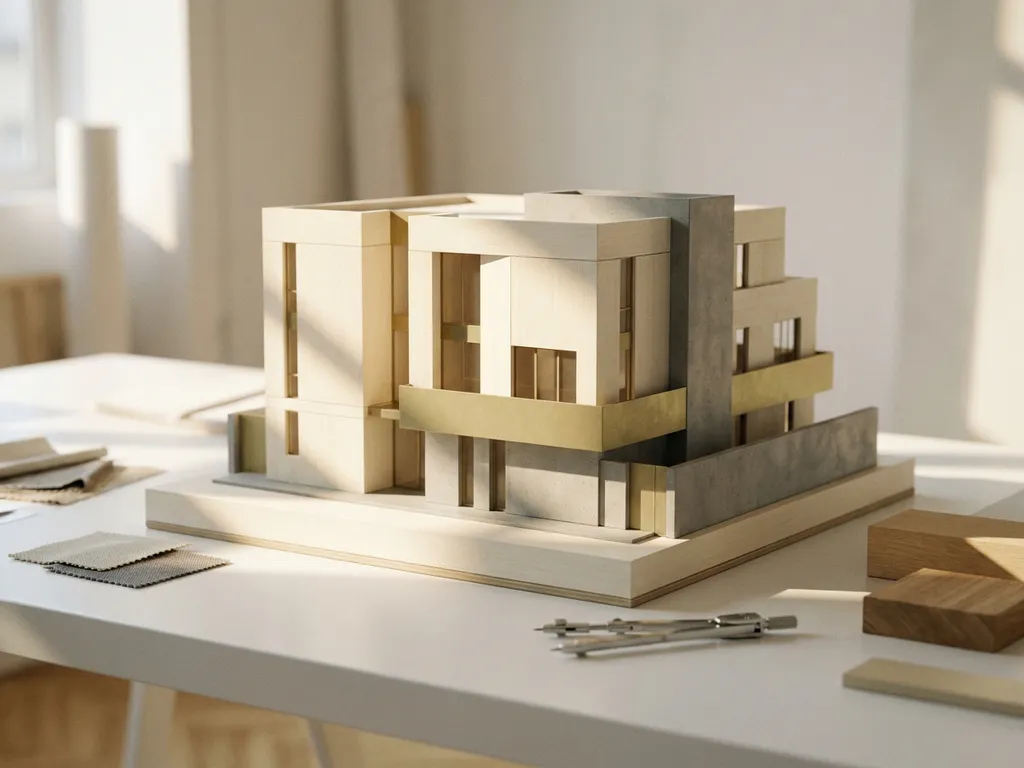
For most architectural projects in 2026, no single AI tool is universally best for architectural rendering. The right choice depends on your use case: generative AI tools like Midjourney or Stable Diffusion are strong for concept exploration and mood boarding, while dedicated platforms like Lumion AI or Enscape suit real-time walkthrough rendering. For high-end product and interior visualization where photorealism and brand precision matter, professional CGI platforms remain the gold standard.
Architects and brands working on design-led projects increasingly find that AI rendering tools serve different stages of the workflow rather than replacing each other. This article unpacks the key questions around AI rendering so you can make an informed decision about where each tool fits.
How does AI actually generate architectural renderings?
AI generates architectural renderings by using machine learning models trained on large datasets of images, 3D geometry, and lighting conditions. When you provide an input — such as a sketch, a text prompt, or a 3D model — the AI interprets that input and produces a photorealistic or stylized image by predicting what the scene should look like based on patterns it has learned.
Most AI rendering tools work through one of four core mechanisms:
- Diffusion models start from noise and progressively refine an image based on your prompt or reference input
- Neural rendering engines take existing 3D geometry and apply AI-driven lighting, material simulation, and denoising to speed up traditional render pipelines
- Style transfer and upscaling use AI to enhance or reinterpret renders produced by conventional software
- Real-time AI denoising (used in NVIDIA DLSS and similar technology) accelerates rendering without sacrificing visual quality
The practical result is that what once took hours of manual rendering and post-processing can now be produced in minutes. However, the trade-off is control: AI models make assumptions about materials, lighting, and spatial relationships that may not align with a specific design intent.
What makes a render visually photorealistic?
Photorealism in a render is not a single setting or slider. It is the combined result of several technical ingredients working together, each of which contributes to the perception that an image could have been captured by a camera rather than computed by software.
Five technical elements determine the quality ceiling of any render:
- Global illumination — Indirect light bouncing off walls, floors, and ceilings fills a scene with the soft, nuanced lighting that makes spaces feel inhabited rather than staged. Without it, renders look flat and artificial.
- PBR materials (Physically Based Rendering) — PBR materials simulate how surfaces actually absorb, reflect, and scatter light. For fabric, metal, and glass in particular, this is the single largest quality jump between a convincing render and a generic one.
- Accurate shadows and reflections — Ray tracing calculates light paths physically and produces precise shadows and reflections. Rasterization approximates these effects at much higher speed, which is why real-time tools like Lumion and Enscape use it as their foundation. The trade-off is physical accuracy versus interactivity.
- Camera realism — Depth of field, exposure values, and lens distortion mimic the behavior of a real camera. Setting these parameters as a photographer would, rather than using software defaults, is what separates professional-looking renders from amateur ones.
- Subtle imperfections — Dust, slight material wear, and uneven surface texture give a render human scale. Perfectly clean surfaces read as synthetic; controlled imperfection reads as real.
Ray tracing and path tracing are the gold standard for photorealistic output because they calculate light behavior physically rather than approximating it. Rasterization remains the foundation for real-time tools because it is fast enough for interactive use, but it requires workarounds such as screen-space reflections and baked shadows to approach the same visual quality. For product visualization where material accuracy is a brand requirement, ray-traced CGI rendering is the technically correct choice.
What are the most widely used AI rendering tools for architects in 2026?
The most widely used AI rendering tools for architects in 2026 include Lumion, Enscape, D5 Render, Chaos Vantage, and generative tools like Midjourney and Adobe Firefly. Each serves a different stage of the architectural workflow, from early concept visualization to final presentation renders.
Before comparing individual tools, it helps to understand that all rendering software falls into one of three conceptual categories, each answering a different question. Artistic AI tools (Midjourney, Stable Diffusion, Adobe Firefly) answer the question: what could this look like? Real-time and hybrid rendering engines (Lumion, Enscape, D5 Render) answer: how does this design look in context? Professional CGI pipelines and configuration platforms (Chaos V-Ray, and platforms like 3Dimerce) answer: how does this product look exactly, for every variant and every channel? Understanding which question you need answered is the fastest way to identify the right category of tool for your workflow.
| Tool | Rendering method | Best use case | 3D model support | Price indication | Suited for |
|---|---|---|---|---|---|
| Lumion | Real-time rasterization | Exterior and landscape visualization, client walkthroughs | Revit, ArchiCAD, SketchUp | Paid subscription (high) | Architects, urban planners |
| Enscape | Real-time rasterization | Live design reviews, VR walkthroughs | Revit, Rhino, SketchUp | Paid subscription (mid) | Architects, interior designers |
| D5 Render | Hybrid GPU rendering | Interior architectural work, material-heavy scenes | Revit, SketchUp, 3ds Max | Paid subscription (low) | Interior designers, architects |
| Chaos V-Ray | Offline path tracing | High-fidelity stills and animations, final deliverables | 3ds Max, Rhino, SketchUp, Maya | Paid subscription (high) | CGI studios, product visualization |
| Midjourney / Stable Diffusion | Generative AI model | Concept mood boards, design exploration | Text prompts, image references | Free / paid subscription (low) | Architects, creative directors |
| Adobe Firefly | Generative AI model | Post-processing, material exploration, marketing imagery | Image references, text prompts | Paid subscription (low) | Designers, marketing teams |
| Blender Cycles | Offline path tracing | High-quality stills, product renders, animations | Native .blend, OBJ, FBX, GLTF | Free / open source | Freelancers, studios, product designers |
The rendering method a tool uses directly determines what level of photorealism is achievable. Path-traced solutions like V-Ray and Blender Cycles produce the highest-fidelity output but require more time and technical setup. For brands that need scalable product visualization across dozens or hundreds of variants, none of these standalone tools provides the automated consistency that a dedicated configuration platform delivers.
AI rendering vs. traditional CGI rendering: what is the difference?
The key difference between AI rendering and traditional CGI rendering is how the image is produced. Traditional CGI rendering uses physically based simulation, calculating how light bounces, refracts, and absorbs across every surface in a scene. AI rendering uses pattern recognition and learned approximations to produce visually similar results far more quickly, but without the same physical accuracy.
Traditional CGI rendering gives artists precise control over every variable: material properties, light temperature, shadow softness, and surface texture. This level of control is what allows professional CGI studios to produce images that are indistinguishable from photography. The trade-off is time and expertise — a high-quality CGI render can take hours to produce and requires skilled artists to set up correctly.
AI rendering sacrifices some of that precision in exchange for speed. It is well-suited for iterating quickly, exploring design directions, and producing visuals for early-stage client communication. However, when a brand’s reputation depends on the visual quality of its product imagery, the approximations made by AI models often fall short of what professionally produced CGI delivers.
Emerging AI technologies reshaping architectural visualization
Beyond the established rendering tools, three newer AI technologies are changing what is possible in architectural and product visualization. Understanding them helps you anticipate where the field is heading and which technology is most relevant to your specific workflow stage.
Neural Radiance Fields (NeRF)
Neural Radiance Fields reconstruct detailed, photorealistic 3D scenes from a collection of ordinary photographs. By training a neural network on images taken from multiple angles, NeRF produces a volumetric representation of a space or object that can be rendered from any new viewpoint. For architectural visualization, this is particularly relevant for creating digital twins of existing buildings and interiors without requiring manual 3D modeling. A completed building can be captured with a camera, processed through a NeRF pipeline, and made available as an explorable 3D environment. The technology is still computationally intensive, but it is advancing rapidly toward practical real-time 3D visualization use.
Gaussian Splatting
Gaussian Splatting is a newer approach to the same reconstruction challenge that NeRF addresses, but it achieves significantly faster rendering speeds. Instead of a neural network, it represents a scene as millions of small, semi-transparent ellipsoids (Gaussians) that together approximate the appearance of surfaces and volumes. The practical advantage is real-time visualization of highly detailed scenes, which makes it directly relevant for spatial streaming in architectural presentations. Where NeRF can take seconds to render a single frame, Gaussian Splatting can achieve interactive frame rates, making it a strong candidate for live client walkthroughs of captured environments.
Text-to-3D generation
Tools like NVIDIA GET3D and Shap-E translate text descriptions or image prompts directly into 3D geometry. For early conceptual development, this AI 3D concept generation approach removes the barrier of needing a 3D model before you can visualize an idea. A designer can generate rough 3D forms from a written brief, evaluate proportions and massing, and iterate before committing to detailed modeling. The output quality is not yet suitable for final production, but as a tool for the earliest phases of design, these platforms are already saving meaningful time.
Each of these technologies serves a different moment in the workflow. NeRF and Gaussian Splatting are most valuable when working with captured real-world environments, particularly for digital twins and spatial streaming of completed or existing spaces. Text-to-3D tools are most useful at the very beginning of a project, when speed of ideation matters more than geometric precision. None of them replaces a controlled CGI pipeline for final product visualization, but together they are expanding what architects and designers can explore and communicate at every stage.
Can AI rendering match the quality of professional CGI studios?
For most high-end applications, AI rendering cannot yet fully match the quality of professional CGI studios. Professional CGI studios produce renders with precise material accuracy, controlled lighting, and brand-consistent styling that AI tools currently struggle to replicate with the same level of repeatability and detail.
AI rendering has made remarkable progress and can produce impressive results, particularly for architectural mood boards and concept images. But there are specific quality dimensions where professional CGI still leads:
- Material fidelity — The exact behavior of fabric weave, lacquered wood grain, or brushed metal requires physically accurate simulation that AI approximates rather than calculates
- Brand consistency — Professional CGI can be configured to reproduce a brand’s exact color standards, finish specifications, and visual language across hundreds of product variants
- Spatial accuracy — For interior visualization, proportions and perspective must be architecturally precise; AI tools can introduce distortion that undermines design intent
- Repeatability — A professional CGI pipeline produces consistent results across an entire product range; generative AI introduces variation that is difficult to control at scale
For brands in the furniture, interior design, or premium product space, the difference between good-enough and genuinely stunning visuals has a direct impact on conversion and brand perception. That gap is where professional CGI earns its value.
Why AI rendering is being adopted across industries: context beyond architecture
AI rendering is not evolving in isolation within the architecture sector. It is being adopted at speed across multiple industries simultaneously, and that broad adoption is raising the baseline expectation for visual quality everywhere.
In product design and e-commerce, AI-assisted rendering is being used to generate product photography at scale, replacing or supplementing traditional photo studios for standard catalog imagery. The speed advantage is significant, but the quality ceiling for complex materials and premium finishes remains a challenge. In real estate and property development, digital twins and NeRF-based reconstructions are enabling virtual property viewings before construction is complete, compressing sales timelines and reducing the cost of physical show homes. In the furniture and interior sector, configurable product visualization is becoming the expected standard for webshops and catalogs, with buyers expecting to see every fabric option, finish, and size combination rendered accurately before making a purchase decision.
This broad adoption is raising the visual quality bar for every sector. Brands operating in the higher segment of the market are finding that generic AI-generated imagery no longer differentiates them. The response from leading brands has been to move toward professional CGI platforms that combine the speed advantages of modern rendering technology with the precision and consistency that only a controlled pipeline delivers.
Which AI rendering tool is best for product and interior visualization?
For product and interior visualization, D5 Render and Chaos V-Ray are the strongest AI-assisted options when working within a structured 3D pipeline. However, for brands that need scalable, photorealistic product imagery across multiple configurations and channels, a dedicated 3D product configuration platform delivers results that standalone AI rendering tools cannot replicate at scale.
The core limitation of AI rendering tools for product visualization is that they are designed for single-scene output. If you need to visualize a sofa in 40 fabric options, 6 leg finishes, and 3 sizes — each rendered consistently and ready for your webshop — AI rendering tools require significant manual effort per variant. A purpose-built visual configuration platform automates that process, generating every combination from a single 3D model setup.
Output consistency as a decisive selection criterion
Output consistency is a tool’s ability to reproduce material details, color accuracy, and visual style identically across different product views, variants, and sales channels. It is one of the most important criteria for any brand managing a substantial product range, and it is where the difference between AI tools and professional CGI pipelines is most visible in practice.
Consider a furniture collection with fifty fabric options. Each fabric must be rendered in the same lighting setup, from the same camera angle, with identical shadow fall, so that a buyer comparing options on a webshop sees a fair and accurate representation of each choice. Generative AI tools structurally fall short here because their inherent variation makes exact reproduction across outputs unreliable. A controlled CGI pipeline, such as the one we provide, solves this problem at its root by generating every variant from a single standardized scene setup, with no manual re-adjustment between outputs.
For interior and architectural visualization where the goal is a single hero image or a walkthrough animation, tools like Enscape or Lumion remain practical and efficient choices. For product-led businesses that need visual content at scale, the calculus is different.
When should architects use AI rendering versus a professional CGI platform?
Architects should use AI rendering tools during early design phases for rapid concept exploration, client communication, and design iteration. A dedicated CGI platform is the better choice when output needs to meet a high photorealism standard, be reproduced consistently across variants, or be integrated into a sales or marketing workflow.
A practical way to think about the decision:
- Use AI rendering when you need speed over precision, are exploring design directions, or producing internal presentations
- Use a professional CGI platform when the render is a final deliverable, will appear in marketing materials, or must represent a product or space with complete accuracy
- Combine both when AI tools are used to prototype and a CGI pipeline is used to finalize and scale the output
For manufacturers and brands working with configurable products, the question shifts further. The goal is not just one great render but a scalable visual content system that covers every product variant, every channel, and every market. That is where architectural rendering services and product visualization platforms diverge significantly in purpose and capability.
Digital twins and automated scene optimization: where AI rendering adds real value
Two of the most significant growth areas for AI rendering technology are digital twins and automated scene optimization. Both are directly relevant to brands and architects who want to reduce manual workload without sacrificing visual quality.
Digital twins in architecture and product visualization
A digital twin is a realistic, fully navigable digital replica of a product, space, or building, built from a single 3D source model and kept in sync with real-world specifications. AI rendering makes it practical to create and maintain these replicas without the cost of repeated physical photography or manual render setups. For architectural projects, a digital twin of a building allows stakeholders to explore and evaluate the design at any stage of development. For product brands, treating a product line as a digital twin means that every variant, every size, and every finish is immediately visualizable from the same source model. That is precisely how we approach product visualization: one rigorously built 3D model becomes the foundation for every image, every channel, and every market, with no new photography required when a variant is added or a finish is updated.
Automated scene optimization: less manual adjustment
Modern AI systems are increasingly capable of optimizing lighting, geometry, and render parameters automatically, based on the characteristics of the scene and the preferences established in previous projects. Rather than manually adjusting exposure, light temperature, and shadow softness for each new render, these systems learn from prior setups and apply consistent parameters without human intervention. For product visualization at scale, this means that the quality of each render is no longer dependent on the availability of a skilled artist to tune every parameter individually. The result is faster delivery, lower cost per image, and more consistent output across large product ranges, particularly relevant for product visualization without manual parameter adjustment across hundreds of SKUs.
How to choose the right rendering tool for your workflow in 2026
Choosing the right rendering tool is not a question of which product has the best marketing. It is a question of matching a tool’s actual capabilities to your specific workflow requirements. The following five steps provide a practical decision framework that applies whether you are an architect selecting a visualization tool for a single project or a brand manager evaluating a platform for an entire product catalog.
- Define your use case — Identify which phase of the workflow the tool needs to serve. Early concept exploration, client presentation, and final production-ready product visualization each have different quality and speed requirements, and no single tool is optimal for all three.
- Assess required output consistency — Determine how many variants you need to produce and how critical visual uniformity is across them. If you are producing a single hero image, consistency is less of a concern. If you are managing a product range of dozens or hundreds of SKUs, it becomes the most important selection criterion.
- Check software compatibility — Verify whether the tool integrates natively with your existing modeling environment. Plugins like Enscape and Lumion work directly inside Revit and SketchUp, eliminating export steps. Tools that require a separate pipeline add friction that compounds across a large project volume.
- Set your quality threshold — Be honest about whether good enough is acceptable for your output context. For internal design reviews, it often is. For marketing materials, webshop imagery, or premium catalog content, the visual standard needs to be indistinguishable from photography, which requires path-traced CGI rather than real-time approximation.
- Consider scalability — If you are managing more than ten variants or SKUs, a dedicated configuration platform is almost always more efficient than a standalone rendering tool. The manual effort required to maintain consistency across variants in a general-purpose tool grows linearly with the number of outputs, while a purpose-built platform generates every combination from a single setup at negligible marginal cost.
For brands that reach step five and recognize that scale and consistency are their primary challenges, that is precisely where we come in. Our platform is built specifically for product ranges that demand photorealistic quality across every variant, every channel, and every market, without the manual overhead that standalone tools require.
How 3Dimerce helps with architectural and product rendering
Where AI tools introduce variation and require ongoing manual quality control, we offer a controlled CGI pipeline that guarantees brand consistency across every variant, every channel, and every market. For brands in the furniture, interior design, and premium product space, that distinction is not a technical detail — it is the difference between visual content that builds brand trust and imagery that undermines it.
3Dimerce works at the intersection of photorealistic CGI and scalable product visualization. Where AI rendering tools offer speed at the cost of control, we offer both: stunning visuals produced with precision, delivered at the scale your product range demands.
Here is what working with us looks like in practice:
- Photorealistic 3D product configuration — Every material, finish, and dimension rendered accurately from a single 3D model setup, eliminating the need for individual photo shoots per variant
- Seamless integration — Our platform connects directly with your webshop, in-store tools, and sales environments through headless integration, so visuals are always live and always consistent
- Virtual photo studio — Generate CGI imagery on demand without scheduling, logistics, or reshoots, at a fraction of traditional photography costs
- Omnichannel consistency — The same visual quality whether your customer is browsing online, using an in-store configurator, or reviewing a digital catalogue
- Scalable by design — Adding new products, variants, or markets does not require starting over; the platform grows with your range
- Automated quality assurance — Every render is generated from a standardized scene setup, which eliminates the lighting inconsistencies, texture problems, and visual artifacts that appear regularly in generative AI output
- Brand consistency at SKU level — From color standards to finish specifications, our renders reproduce the exact visual identity of your brand across hundreds of product variants, ready for webshop, catalog, and in-store use
If your brand depends on visual quality to communicate its value, and you need that quality to scale across every product and every channel, we would love to show you what is possible. Get in touch with our team to explore how we can transform your product visualization.
Visual Commerce Solutions
Talk to our team about your project.
Frequently Asked Questions
How do I get started with AI rendering tools if I have no prior experience?
The easiest entry point is a real-time rendering plugin like Enscape or Lumion, which integrate directly with tools architects already use, such as Revit or SketchUp. Start by importing an existing 3D model, experimenting with lighting presets, and gradually adjusting materials to understand how the tool responds. Most platforms offer free trials and extensive tutorial libraries, making the learning curve manageable even without a CGI background.
How do I make an architectural render more realistic?
Five concrete steps make the biggest difference: (1) Use real photography as a lighting reference rather than generic software presets. (2) Switch to PBR materials instead of flat textures — this is the single largest quality improvement available in any rendering tool. (3) Add subtle imperfections such as dust, light wear, or uneven paint to give the scene human scale. (4) Configure the virtual camera with realistic depth of field and exposure values, the same way you would set up a physical camera on a shoot. (5) Check light temperature and shadow direction for consistency with the mood you want to achieve. These steps require manual expertise and careful setup. A professional CGI platform like ours applies these parameters correctly as standard for every render, so the quality baseline is built in from the start.
Can I use AI-generated renderings for client presentations and official project submissions?
AI-generated renderings are well-suited for early-stage client presentations, design reviews, and concept approvals, where communicating spatial intent matters more than pixel-perfect accuracy. However, for planning submissions, permit applications, or marketing materials where technical precision and brand representation are critical, you should rely on professionally produced CGI or a validated CGI pipeline. Always disclose to clients when imagery is AI-generated, particularly if proportions or material finishes have not been verified against the actual design specifications.
What are the most common mistakes architects make when adopting AI rendering tools?
The most common mistake is treating AI rendering as a direct replacement for a structured CGI workflow rather than a complementary tool for specific stages. Architects often over-rely on AI-generated outputs for final deliverables, only to find that material accuracy, spatial proportions, or lighting consistency fall short of client expectations. Another frequent pitfall is skipping prompt refinement or input quality control — the output of any AI rendering tool is only as good as the 3D model, reference image, or text prompt you feed into it.
How does AI rendering handle complex materials like fabric, glass, or brushed metal?
AI rendering tools approximate complex materials using learned patterns rather than physically simulating how light actually interacts with each surface. For common materials like painted walls or wood flooring, the results are often convincing. However, highly specular or translucent materials, such as brushed metal, sheer fabric, or backlit glass, are where AI approximations tend to break down, producing results that look plausible but not physically accurate. For product categories where material fidelity is a key part of the brand promise, physically based CGI rendering remains the more reliable choice.
Is it possible to maintain brand consistency across a large product range using AI rendering tools?
Maintaining strict brand consistency across a large product range is one of the most significant limitations of current AI rendering tools. Generative AI introduces natural variation between outputs, meaning that rendering the same product twice can yield subtly different results in lighting, shadow, or material tone. For brands managing dozens or hundreds of SKUs, this inconsistency creates visual noise across catalogues and webshops. A purpose-built 3D product configuration platform, built on a controlled CGI pipeline, is specifically designed to solve this problem by generating every variant from a single, standardized model and scene setup.
How much does AI rendering typically cost compared to professional CGI services?
AI rendering tools are generally available on subscription models ranging from free tiers to a few hundred dollars per month for professional plans, making them accessible for individual architects and small studios. Professional CGI services are priced per project or per image and typically reflect the complexity, quality level, and turnaround time required. The cost comparison shifts significantly at scale: for a brand needing hundreds of product images across multiple configurations, a scalable CGI platform often delivers a lower cost-per-image than either AI tools requiring manual effort per variant or traditional photography workflows.
What should I look for when evaluating whether an AI rendering tool fits my workflow?
Start by assessing three things: software compatibility, output quality requirements, and the volume of renders you need to produce. Check whether the tool integrates natively with your existing 3D modeling software, since plugins like Enscape or Lumion eliminate the need to export and re-import geometry. Then evaluate the tool’s output against your quality bar by rendering a representative scene from your actual work, not a demo asset. Finally, consider scalability — if your workflow involves producing visual content across multiple product variants or project phases, prioritize tools or platforms that support batch rendering, scene reuse, and consistent output rather than single-image generation.