
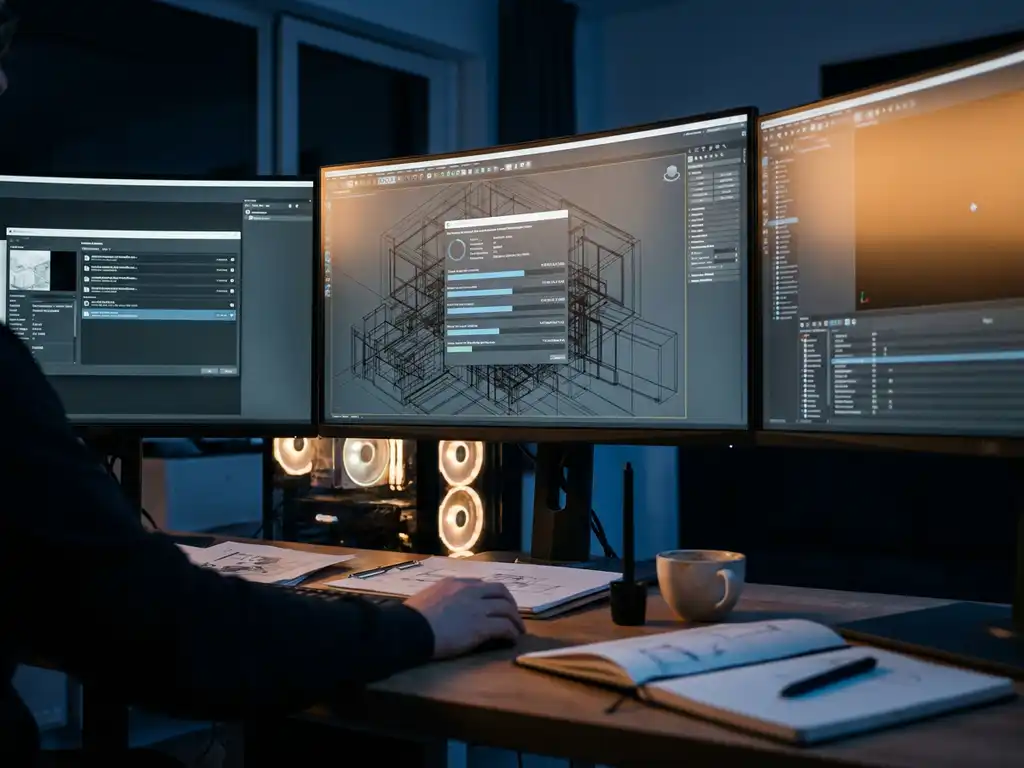
A 3D render can take anywhere from a fraction of a second to several days, depending on the rendering method, scene complexity, and output quality. Real-time engines deliver product images in seconds; production-quality e-commerce renders typically take 30 minutes to 4 hours; and photorealistic high-end renders can run from 8 hours to multiple days per image. Understanding how long a 3D render takes — and what drives those timeframes — helps businesses plan their visual content production and choose the right rendering approach for their needs.
Quick Reference: 3D Render Time Ranges
- Real-time rendering: seconds to 2 minutes per image
- Draft / review renders: 5–30 minutes
- Production e-commerce renders: 30 minutes–4 hours
- Photorealistic renders: 8–48 hours
- Architectural visualization: 24–96 hours
How Slow 3D Rendering Times Affect Your Time-to-Market
Slow 3D rendering pipelines — those taking days or weeks to produce product visuals — directly erode time-to-market advantages. Every day spent waiting for renders is a day competitors can launch new products, respond to market trends, or capitalize on seasonal demand. This delay becomes especially costly for brands launching multiple product variants or seasonal collections, where rendering bottlenecks can push launch dates back by weeks. Optimizing the rendering workflow through real-time engines and cloud-based processing can reduce render times from hours to minutes, enabling product launches that keep pace with market demands.
How Rendering Speed Limits Product Configurator Options
Legacy rendering systems that require hours per image severely restrict the number of product configurations a brand can offer customers. When each color variant or material option requires a separate overnight render, businesses often limit their configurator to a handful of options — missing revenue from customers who want specific customizations. This technical constraint forces brands to choose between comprehensive customization and reasonable production timelines.
Modern real-time 3D rendering eliminates this trade-off by generating unlimited product variants instantly, allowing businesses to offer extensive customization without the time penalties that traditionally limited their product range.
Visual Commerce Solutions
Talk to our team about your project.
What factors determine how long a 3D render takes?
3D rendering speed is determined by a combination of scene complexity, hardware capability, output settings, and the rendering engine used. Scene complexity — measured primarily by polygon count and the intricacy of materials — is the primary driver. High-polygon models with detailed surface geometry require more processing cycles. Realistic materials involving reflections, transparency, or subsurface scattering (such as skin, wax, or translucent plastics) add further computational load. Lighting setup also matters significantly: global illumination and multiple light sources that calculate realistic shadows and inter-reflections are substantially more expensive to compute than simple directional lighting.
Resolution requirements directly affect rendering duration. A 4K image takes substantially longer than a 1080p version of the same scene. The rendering engine choice matters too: GPU-accelerated engines such as Octane or Redshift typically outperform CPU-based alternatives. Hardware specifications — graphics card memory (VRAM), processor core count, and available RAM — set the ceiling for rendering performance.
Output quality settings provide an additional control point. Draft renders for review purposes can complete in minutes, while final production-quality images with anti-aliasing and noise reduction may require hours. The number of samples per pixel, which determines image smoothness and accuracy, creates a direct trade-off between quality and speed.
How Long Does It Take to Render a 3D Product Image? Time Ranges by Quality Level
Render times for a single 3D product image range from seconds to multiple days, depending on the rendering method, scene complexity, and quality requirements. The three main tiers are real-time rendering, mid-range production rendering, and high-end photorealistic rendering.
| Product Category | Real-Time / Draft | Production Quality | Photorealistic / High-End |
|---|---|---|---|
| Jewelry & Watches | Seconds–1 min | 30 min–2 hours | 4–24 hours |
| Furniture & Home Decor | Seconds–2 min | 1–4 hours | 8–48 hours |
| Apparel & Footwear | Seconds–2 min | 30 min–3 hours | 4–24 hours |
| Automotive & Vehicles | Seconds–3 min | 2–6 hours | 12–72 hours |
| Architectural Exterior | 1–5 min | 4–12 hours | 24–72 hours |
| Architectural Interior | 1–5 min | 4–12 hours | 24–96 hours |
Times above assume a mid-range GPU workstation. Cloud rendering can compress these timeframes significantly by distributing processing across multiple machines simultaneously.
Real-time rendering: seconds to minutes
Real-time engines can generate product images in seconds to minutes, making them well-suited for interactive configurators and immediate customer feedback. These engines prioritize speed through optimized approximations, and modern real-time rendering has achieved quality levels suitable for many commercial applications — including e-commerce product displays and sales configurators.
Mid-range production rendering: 30 minutes to several hours
Mid-range production renders typically require 30 minutes to several hours per image. This range covers most e-commerce product photography replacements, where visual quality and reasonable turnaround times need to balance. These renders use optimized settings that maintain commercial appeal without the extreme processing demands of architectural visualization or film-quality output.
High-end photorealistic rendering: hours to days
High-end photorealistic renders can extend from several hours to multiple days per image. Luxury brands or products requiring exceptional detail — such as jewelry metals, automotive paint, or fine fabric textures — often accept these timeframes to achieve results indistinguishable from studio photography. The extended duration reflects the complexity of light bouncing calculations required for these materials.
Cloud rendering services have changed these timelines by distributing processing across multiple machines. A render that takes 8 hours on a single workstation can complete in approximately 30 minutes using distributed cloud rendering, though this approach carries additional per-render costs.
How Long Does It Take to Create a Photorealistic Render?
Creating a photorealistic 3D render typically takes between 2 and 48 hours depending on scene complexity, material detail, and the rendering engine used. For the most demanding projects — complex automotive finishes, multi-layered jewelry, or fully furnished architectural interiors — render times can extend well beyond 48 hours per image. The wide range reflects the fact that photorealism is not a single fixed standard but a spectrum of quality levels, each requiring progressively more computation to achieve.
What Makes a Render Truly Photorealistic
Photorealism in 3D rendering is achieved through physically based rendering (PBR) — a method that simulates how light actually behaves in the real world rather than approximating it. Key techniques include high-sample-count ray tracing, which traces thousands of light paths per pixel to calculate accurate reflections, shadows, and color bleeding; subsurface scattering, which replicates how light penetrates translucent surfaces such as skin, marble, or wax; and HDRI lighting, which uses real-world captured light environments to produce natural, complex illumination. Post-processing steps — color grading, lens effects such as depth of field and chromatic aberration, and compositing — add the final layer of realism that makes a render indistinguishable from studio photography. Each of these elements adds computational cost, and combining all of them is what drives high-quality render times into the multi-hour range.
The Photorealistic Rendering Workflow and Where Time Is Spent
Understanding where time is consumed in the photorealistic rendering workflow helps teams plan production schedules more accurately. The process is not simply a matter of pressing render and waiting — each stage carries its own time cost:
- 3D modeling and UV unwrapping: 2–8 hours per product, depending on geometric complexity
- Texturing and material setup: 1–4 hours, including PBR material calibration and texture mapping
- Lighting setup and HDRI configuration: 1–3 hours to achieve a natural, product-appropriate lighting environment
- Test renders and iteration: 1–4 hours of low-resolution test renders to validate composition and material accuracy
- Final render pass: 4–24 hours for a single high-resolution photorealistic image on a mid-range workstation
- Post-processing and compositing: 30–90 minutes for color grading, retouching, and background integration
For a single photorealistic product image, the total workflow — from a prepared 3D model to a finished, publication-ready image — typically spans 10 to 40 hours. Brands managing large SKU catalogs quickly recognize that this time cost compounds: 50 products at 10 hours each represents 500 hours of production time before a single image goes live.
Photorealistic Render Times by Product Type
Render times for photorealistic output vary considerably by product category, driven primarily by material complexity and the number of light interactions the scene requires. Jewelry and watches sit at the more demanding end of the spectrum: metals, gemstones, and reflective surfaces require extremely high sample counts to render cleanly, pushing final render times to 4–24 hours per image. Furniture and home decor renders are similarly demanding when fabric textures, wood grain, and ambient interior lighting are involved, typically ranging from 8 to 48 hours. Automotive renders — with their complex paint systems, glass, and chrome — are among the most time-intensive, often requiring 12 to 72 hours for a single hero shot. Apparel and footwear fall in a mid-range of 4 to 24 hours, depending on fabric simulation complexity. Across all categories, output resolution and the number of render passes required for clean noise reduction are the two variables most directly within a team’s control.
How Long Do High-Quality Architectural Renderings Take?
High-quality architectural renderings typically take between 4 and 96 hours per image, depending on scene complexity, lighting conditions, and output resolution. This makes architectural visualization one of the most time-intensive categories in 3D production — consistently running 2 to 4 times longer than equivalent product renders due to the sheer scale of the scenes involved. Where a product render may contain a single object with a handful of materials, an architectural scene can include thousands of unique surfaces, complex interior lighting interactions, and detailed landscaping or urban context.
Exterior Renderings
Exterior architectural renderings — covering building facades, landscaping, and environmental context — typically take 4 to 24 hours per image at high quality. The primary time drivers are the complexity of the surrounding environment (trees, terrain, sky simulation) and the accuracy of natural lighting. Scenes with detailed vegetation, realistic sky models, and multiple building elements sit toward the higher end of this range. Output resolution also plays a significant role: print-quality exterior renders at very high resolution can push beyond 24 hours on a single workstation.
Interior Renderings
Interior architectural renderings are generally more demanding than exteriors, with typical high-quality render times ranging from 8 to 48 hours. The complexity of interior lighting — combining artificial light sources, window light, and inter-reflections between surfaces — creates a computationally intensive environment. Fully furnished rooms with upholstered furniture, textured flooring, and layered lighting setups represent the upper end of this range. Architectural visualization render time for interiors is heavily influenced by the number of light bounces required to achieve a natural, shadow-free result.
360-Degree Panoramas
360-degree architectural panoramas require full-sphere rendering, which multiplies single-frame render times by approximately 1.5 to 2 times. An interior scene that takes 20 hours as a standard still image may require 30 to 40 hours as a complete 360-degree panorama. For interactive virtual tours, multiple panoramic nodes must be rendered individually, meaning a five-room tour could represent 150 to 200 hours of total compute time on a single workstation. Cloud rendering and distributed processing are particularly valuable for these projects, compressing timelines dramatically by processing multiple render nodes in parallel.
What’s the difference between real-time and offline rendering speeds?
Real-time rendering and offline rendering represent two fundamentally different approaches to 3D image generation, each optimized for different use cases. Understanding the distinction is essential for choosing the right method — and for knowing when to combine both.
| Dimension | Real-Time Rendering | Offline Rendering |
|---|---|---|
| Render Speed | 30–120 frames per second, interactive | Minutes to hours per frame, non-interactive |
| Visual Quality Ceiling | High — suitable for e-commerce and configurators; approaching photorealistic with ray tracing | Photorealistic — the standard for final marketing assets and print |
| Best For | Product configurators, interactive experiences, design reviews, real-time previews | Final marketing imagery, print catalogs, hero shots, architectural visualization |
| Hardware Dependency | High — requires capable GPU for smooth performance | Moderate to high — can be offloaded to cloud infrastructure |
| Cost Model | Fixed infrastructure or SaaS subscription | Per-render cost (cloud) or hardware depreciation (local) |
| Scalability | Highly scalable — unlimited variants generated on demand | Limited by compute capacity; scales via cloud at additional cost |
The gap between real-time and offline rendering speed continues to narrow as hardware improves and algorithms advance. Current real-time engines support realistic materials, dynamic lighting, and even basic ray tracing effects — capabilities that were exclusive to offline rendering only a few years ago.
Offline Rendering for Animations and 360-Degree Product Views
For animated product sequences or 360-degree turntables, offline rendering time is calculated per frame. A single high-quality frame can take 2 to 30 minutes to render, meaning a 10-second product animation at 30 frames per second requires between 10 and 150 hours of total compute time on a single workstation. This makes animation one of the most resource-intensive applications of offline rendering — and one of the strongest use cases for distributed cloud rendering, which processes multiple frames in parallel and compresses total timelines dramatically. For interactive 360-degree product configurators, real-time engines eliminate per-frame rendering entirely by generating views on demand, making them the far more practical choice for customer-facing applications where responsiveness is essential.
Many businesses now use hybrid approaches: real-time rendering for customer-facing configurators and interactive sales environments, and offline rendering for final marketing assets where visual precision justifies longer production times. At 3Dimerce, we combine both methods to deliver real-time configuration for customers and high-end offline renders for final marketing assets — giving brands the best of both worlds without compromise.
How to Speed Up 3D Rendering: 5 Proven Optimization Strategies
3D rendering speed can be improved through hardware upgrades, scene optimization, render settings tuning, cloud processing, and workflow standardization. Each approach addresses a different part of the pipeline, and the right combination depends on whether your primary constraint is budget, time, or scale.
1. Upgrade Your Rendering Hardware
Modern graphics cards with dedicated ray tracing cores can reduce render times by 50–80% compared to CPU-only rendering — making a GPU upgrade one of the highest-impact investments available. Prioritize a card with at least 8GB VRAM to prevent memory bottlenecks on complex scenes, and pair it with NVMe SSD storage to minimize asset loading times between renders. For teams running consistent high-volume rendering, a workstation built around current-generation GPU architecture delivers a measurable and immediate improvement to 3D rendering time.
2. Optimize Your 3D Scene
Reducing polygon counts on non-visible surfaces, using texture atlases to minimize draw calls, and implementing level-of-detail (LOD) systems can substantially improve performance without visible quality loss. Hidden surface culling — removing geometry that the camera never sees — is one of the most overlooked optimizations in product rendering workflows. Smart lighting setups that avoid unnecessary complexity while maintaining visual quality represent another opportunity that requires no hardware investment and can meaningfully reduce production time.
3. Fine-Tune Your Render Settings
Finding the right balance between quality and speed for each use case is one of the most practical rendering optimization strategies available. Draft renders for client approval can use lower sample counts and simplified shaders; final outputs receive full quality treatment. Progressive rendering allows an early preview of results, enabling faster iteration cycles without waiting for a full render to complete. Maintaining separate draft and final render presets as standard practice eliminates the guesswork and saves hours across a large product catalog.
4. Use Cloud Rendering for High-Volume or Complex Projects
Cloud rendering services provide scalable processing power without capital investment, making them ideal for deadline-driven batch jobs and complex scenes that would take days on a local workstation. These platforms distribute single renders across multiple machines or process multiple images simultaneously, reducing overall project timelines significantly. The pay-per-use model makes high-performance rendering accessible to businesses of all sizes, and it scales instantly when a product launch requires a large volume of images in a short window.
5. Standardize Your Workflow with Templates and Automation
Proper asset management, standardized lighting rigs, material libraries, and camera setups reduce setup time for each new render — often by hours per product. Batch processing capabilities handle multiple products efficiently, while template systems eliminate repetitive manual configuration across product lines. For brands managing hundreds of SKUs, workflow standardization is the single most scalable way to reduce 3D rendering time without touching hardware or cloud spend.
Not sure where to start? Use this as a guide: if budget is your constraint, begin with scene optimization and render settings tuning — both deliver meaningful gains at zero cost. If time is your constraint, cloud rendering delivers the fastest gains by parallelizing your workload. If scale is your challenge — managing hundreds of product variants across multiple materials and configurations — a real-time SaaS platform like ours eliminates the render queue entirely, allowing you to scale faster with 3D rendering and reduce production time in ways that local hardware simply cannot match.
What Does Slow Rendering Actually Cost Your Business?
Render time is not just a technical metric — it is a business cost. For e-commerce managers and brand teams responsible for product visualization, slow rendering workflows translate directly into delayed launches, missed revenue, and constrained configurator options. Understanding the true cost of rendering hours makes the case for investing in faster infrastructure far more concrete.
Time-to-Market Cost
Consider a seasonal collection of 50 SKUs, each requiring 8 hours of render time for final production-quality imagery. That represents 400 hours of compute time — over two weeks of continuous rendering on a single workstation — before a single product image is ready to publish. A two-week delay in a seasonal launch is not a minor inconvenience; it is lost sales during peak demand. For brands in competitive markets, being two weeks behind a competitor’s launch can mean the difference between capturing a trend and missing it entirely.
Configurator Limitation Cost
When each additional color or material variant requires an overnight render, the economics of offering a full product configurator break down quickly. A product with five color options and four material finishes theoretically requires 20 separate renders — a week of production time before a single configurator option goes live. Brands in this situation routinely limit their online configurator to three or four options, leaving revenue from customers who want specific customizations on the table. Every variant that requires an overnight render represents a missed upsell opportunity.
Infrastructure Cost
A high-end render workstation capable of handling photorealistic product imagery represents a significant upfront capital investment, with ongoing costs for maintenance, upgrades, and electricity. As render demands grow with a catalog, the hardware must be upgraded or supplemented — a cycle that compounds cost over time. A pay-per-use cloud or SaaS model eliminates hardware overhead entirely, converting a fixed capital expense into a variable operating cost that scales with actual production volume. For most brands in the orientation phase of evaluating their rendering infrastructure, this shift in cost structure alone justifies a serious look at platform-based alternatives.
These three cost dimensions — delayed launches, limited configurators, and infrastructure overhead — are precisely what our platform is designed to eliminate. By combining real-time visualization with a purpose-built SaaS infrastructure, we give brands the ability to scale faster with 3D rendering while dramatically reducing production time and total cost of ownership.
How 3Dimerce helps with fast 3D rendering
We have built our platform specifically to address the rendering speed and quality challenges that high-end brands face. Our SaaS solution combines advanced real-time visualization technology with optimized workflows designed for premium product visualization — delivering stunning visuals in seconds, not hours. Key capabilities include:
- Real-time configuration: Generate unlimited product variants instantly as customers customize options, with no render queue or waiting time
- Cloud-based processing: Eliminate local hardware limitations through scalable rendering infrastructure that grows with your catalog
- Optimized asset pipeline: Streamlined workflows that reduce setup time from days to hours, purpose-built for luxury and design-led product ranges
- High-fidelity real-time output: Stunning visuals delivered at speeds that support interactive customer experiences, without sacrificing the premium quality your brand demands
To illustrate what this means in practice, consider three representative scenarios from the kinds of brands we work with:
A European luxury furniture brand managing 200+ SKUs across five material finishes previously spent three weeks rendering a single seasonal catalog on a local workstation. By adopting a real-time visualization platform, the same catalog was ready in under 48 hours — allowing the brand to launch two weeks ahead of their previous schedule and expand their configurator from four material options to the full range of finishes. The result was a measurable increase in configurator engagement and a faster product visualization workflow that scaled with their growing catalog.
A high-end jewelry label with a complex product line — rings, bracelets, and pendants each available in multiple metal finishes and stone settings — had previously limited their online product display to a single hero shot per variant due to the render time required for each image. After transitioning to a platform combining real-time previews with cloud-based high-end 3D rendering for final assets, they were able to offer interactive material switching on their product pages, with photorealistic final renders delivered in a fraction of their previous production time. The reduction in render time directly translated into more SKUs live at launch.
A premium fashion and footwear brand facing a tight seasonal launch window needed to visualize 80 new styles across three colorways each — a volume that would have required months of traditional rendering. By standardizing their product visualization workflow on a real-time SaaS platform, they compressed the entire visual production cycle to under two weeks, meeting their launch deadline and going live with the full product range rather than a curated subset. The ability to scale faster with 3D rendering gave their marketing team flexibility they had not previously had.
Our platform enables luxury brands and manufacturers to maintain exceptional visual quality while achieving the rapid turnaround times essential for competitive markets. Contact our team to discover how we can accelerate your 3D rendering process while upholding the premium standard your brand requires.
Frequently Asked Questions
What hardware specifications do I need for faster 3D rendering?
For optimal rendering performance, prioritize a modern graphics card with at least 8GB VRAM (RTX 4070 or better), 32GB+ system RAM, and a multi-core CPU. NVMe SSD storage significantly reduces asset loading times, while dedicated ray tracing cores can cut render times by 50–80% compared to CPU-only rendering.
How do I choose between real-time and offline rendering for my business?
Use real-time rendering for interactive product configurators, customer-facing applications, and when you need instant feedback during design iterations. Choose offline rendering for final marketing materials, print catalogs, and when photorealistic quality is essential and longer production times are acceptable. Many businesses use both: real-time for configurators, offline for final marketing assets.
What's the most cost-effective way to reduce rendering times without buying new hardware?
Focus on scene optimization techniques: reduce polygon counts on hidden surfaces, simplify lighting setups, and tune render settings to match the quality level each use case actually requires. Cloud rendering services also provide scalable processing power on a pay-per-use basis, eliminating upfront hardware investment.
How can I estimate rendering times for project planning purposes?
Create test renders of representative scenes at different quality levels to establish baseline timings for your hardware setup. Factor in scene complexity, resolution requirements, and quality settings. As a general planning benchmark: high-quality offline product renders typically take 2–4 hours per image on a mid-range workstation; real-time renders complete in seconds to minutes.
What are the biggest mistakes that slow down 3D rendering workflows?
Common mistakes include using unnecessarily high-polygon models, over-complicated lighting setups, rendering at higher resolutions than the output requires, and failing to optimize texture sizes. Poor asset organization and the absence of standardized templates also create workflow bottlenecks that compound rendering delays across large product catalogs.
Can I use different rendering approaches for different stages of my product development?
Yes. Real-time rendering is well-suited for early design reviews and client approvals, enabling rapid iteration without render queues. Offline rendering is better reserved for final marketing assets where maximum visual accuracy is required. This hybrid approach matches rendering quality to the specific requirements of each project stage, improving both speed and output quality.
How do cloud rendering services compare to local rendering in terms of cost and speed?
Cloud rendering reduces project timelines by distributing processing across multiple machines simultaneously — a render that takes hours locally can complete in minutes via cloud. Costs vary by usage volume: for occasional high-quality renders, cloud services are typically cost-effective; for consistent daily rendering at scale, local hardware investment may be more economical over time.