
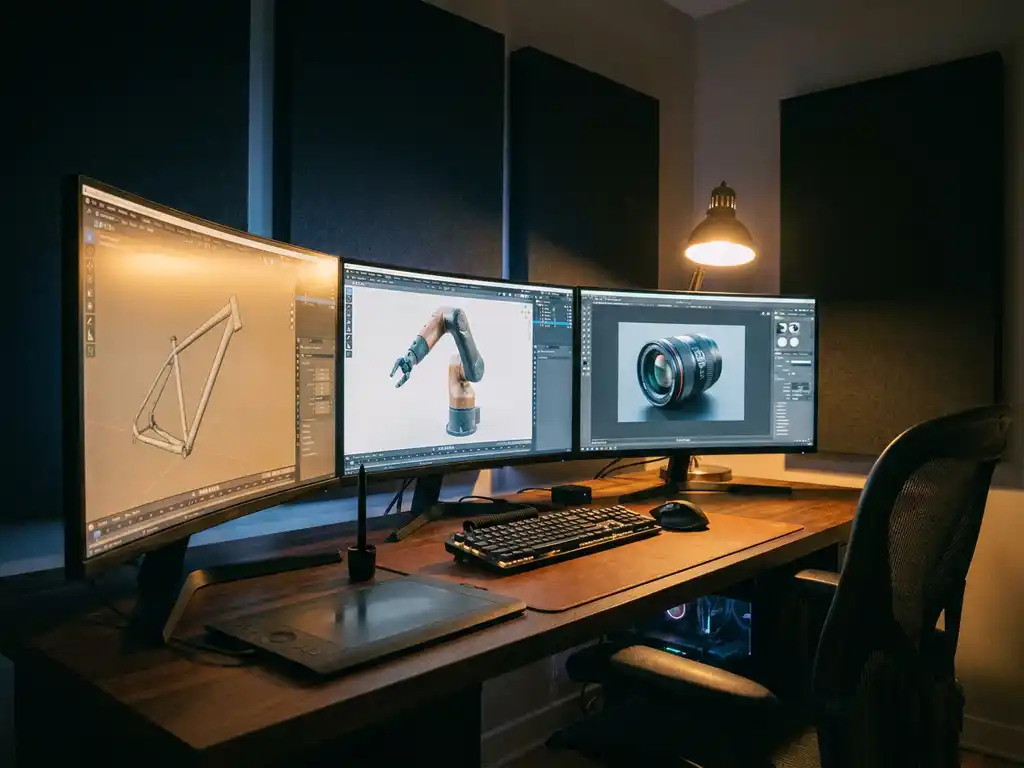
Enterprise brands managing large product catalogs face a growing crisis: traditional photography costs spiral out of control, visual inconsistency erodes brand equity, and time-to-market stretches far beyond what competitive markets allow. The right product 3D rendering software eliminates these challenges by enabling photorealistic visualization, interactive configuration, and omnichannel consistency from a single platform. This guide covers the leading product modeling software options, from open-source tools to fully managed enterprise platforms, and provides a structured framework for selecting the right solution based on your brand tier, team capabilities, and integration requirements. For luxury and high-end brands, the answer is rarely a standalone tool, and this guide explains why.
Why is outdated product visualization costing you competitive advantage?
Traditional product photography and static imagery are becoming increasingly inadequate for modern consumer expectations. When customers can’t interact with your products digitally, you’re losing potential sales to competitors who offer immersive 3D experiences. The cost goes beyond missed conversions: you’re spending thousands on photoshoots for every product variant, dealing with lengthy production timelines, and struggling to maintain visual consistency across multiple sales channels. The solution lies in adopting 3D modeling software that enables dynamic product visualization, allowing customers to explore every angle, configuration, and customization option in real time.
What does inconsistent visual content signal about your brand positioning?
Inconsistent product visuals, mismatched imagery across your website, retail locations, and marketing materials, signal to customers that your brand lacks attention to detail and professional standards. This inconsistency is particularly damaging for premium and luxury brands, where visual quality directly determines perceived value. When your online product images don’t match the in-store experience, or when certain product variants lack proper visual representation, you’re undermining customer confidence and diluting brand equity. Modern 3D modeling software addresses this by creating a single source of truth for all product visuals, ensuring consistent quality and presentation across every touchpoint.
Visual Commerce Solutions
Talk to our team about your project.
What is 3D modeling software?
3D modeling software creates digital three-dimensional representations of objects, allowing designers and businesses to visualize, modify, and present products before physical production begins. These tools use mathematical algorithms to construct virtual objects with precise geometry, textures, and lighting properties that can be viewed from any angle and rendered into photorealistic images or interactive experiences.
Businesses use 3D modeling software to reduce product development costs, accelerate time-to-market, and create compelling visual content for marketing and sales. Instead of relying on expensive photography sessions for every product variant, companies can generate unlimited high-quality images and interactive experiences from a single 3D model. This technology also enables virtual prototyping, reducing the need for physical samples and allowing rapid design iterations without restarting production.
What are the different types of 3D modeling software?
3D modeling software falls into four distinct categories, each designed for specific applications and user skill levels. Understanding these categories helps businesses choose the right solution for their needs.
- CAD (Computer-Aided Design) software focuses on precision engineering and technical design. Programs like SolidWorks and AutoCAD excel at creating detailed mechanical parts and architectural structures with exact measurements and specifications.
- Digital Content Creation (DCC) tools prioritize artistic flexibility and visual appeal. Blender, Maya, and 3ds Max fall into this category, offering advanced sculpting, animation, and rendering capabilities for creative industries.
- Specialized visualization platforms combine ease of use with professional output quality, specifically designed for product marketing and sales applications. These solutions often include built-in product configurators and real-time rendering engines.
- Browser-based solutions provide accessibility and collaboration features, allowing teams to work on 3D projects without installing specialized software. These platforms typically offer simplified interfaces while maintaining professional output standards.
- 3D printing software prepares digital models for physical fabrication rather than visual marketing output. Tools in this category, such as slicing software like Ultimaker Cura or PrusaSlicer, convert 3D geometry into machine-readable instructions for additive manufacturing. This distinguishes them fundamentally from product visualization platforms, which focus on photorealistic rendering for commerce and marketing rather than manufacturing output. While some businesses use both categories, most e-commerce and luxury brands prioritize visualization platforms over fabrication tools. For brands focused on marketing and sales rather than physical production, a dedicated product visualization platform delivers far greater commercial impact than a 3D printing workflow.
When should you move from 2D design tools to 3D modeling software?
Many businesses begin their visual content journey with 2D tools and only recognize the limitations once growth exposes them. There are four clear signals that your organization has outgrown a 2D workflow: you cannot show product variants without commissioning new photoshoots, your design team struggles to communicate intent to manufacturing partners, your visuals look inconsistent across sales channels because each asset was produced separately, and the per-image cost of static photography has become unsustainable at your current catalog scale. When any combination of these conditions applies, the question is no longer whether to adopt 3D, but how quickly you can make the transition.
In practice, many organizations run a hybrid workflow during the transition period, using 2D tools such as Adobe Illustrator for packaging design and brand identity work while adopting a 3D platform for product visualization and configurator experiences. This coexistence is manageable in the short term but introduces coordination overhead and file conversion friction over time. When your product catalog grows beyond what 2D assets can efficiently represent, a purpose-built 3D visualization platform eliminates the bottlenecks that hold premium brands back.
Which 3D software is best for product visualization?
For product visualization, the best 3D software balances visual quality, ease of use, and integration capabilities. The right choice depends on your team’s technical skill level, the complexity of your product range, and whether you need standalone rendering or a fully integrated configurator experience. Several platforms stand out in 2026 for their specific strengths in commercial applications.
| Tool | Pricing Tier | Learning Curve | Rendering Quality | Real-Time Configurator Support | E-commerce Integration | Best For |
|---|---|---|---|---|---|---|
| Blender | Free | High | Good | No | Plugin | Freelancers & small teams |
| Cinema 4D | Mid-range | Medium | Professional | No | Plugin | Marketing & design teams |
| KeyShot | Mid-range | Low | Professional | Partial | Plugin | Product photography replacement |
| Enterprise Platforms (3Dimerce) | Enterprise | Low | Photorealistic | Native | API | Luxury brands & high-end manufacturers (recommended) |
For enterprise-grade visual quality and seamless e-commerce integration, our platform outperforms standalone tools on every dimension that matters to premium brands.
- Blender is a free, open-source product modeling software with professional-grade rendering capabilities powered by two distinct engines: Cycles for physically accurate, photorealistic output and EEVEE for real-time viewport rendering. Basic product renders are achievable within two to four weeks of learning the interface, but consistently photorealistic outputs require three to six months of dedicated practice and expertise. Its material system is highly capable, though building production-ready assets demands significant time investment from your team. Blender has no native product configurator, no built-in e-commerce integration, and no managed support structure, making it unsuitable for brands that need scalable, consistent output across large catalogs. Best for: freelancers and small teams with in-house design talent and the time to develop 3D expertise.
- Cinema 4D excels in user-friendliness while maintaining high visual quality, making it a strong choice for marketing and design teams that need professional output without years of technical training. Its native integration with Adobe After Effects enables seamless motion graphics and animated product content, while pre-built material libraries accelerate the visualization process for common surfaces such as metals, fabrics, and plastics. Cinema 4D supports a wide range of rendering plugins, though photorealistic output at scale still requires rendering farm access or significant local hardware. It lacks a native product configurator, and managing large variant libraries across multiple channels requires additional tooling and manual coordination. Best for: marketing and design teams producing high-quality visual content for campaigns and digital channels.
- KeyShot specializes in real-time rendering and material visualization, with GPU-accelerated previews that allow designers to see lighting and material changes instantly without waiting for render queues. It imports directly from SolidWorks and CATIA, making it particularly strong for CAD-to-visual workflows where engineering files need to be transformed into marketing-ready imagery quickly. Its drag-and-drop material system and straightforward interface mean that non-specialists can achieve professional results faster than with DCC tools. KeyShot does not offer a native product configurator or direct e-commerce integration at the level required for interactive customer experiences, and its licensing costs add up quickly when scaled across a large team. Best for: product designers and engineering teams replacing traditional product photography with rendered imagery.
- Enterprise visualization platforms such as 3Dimerce are the only category in this list that combines photorealistic rendering, a built-in product configurator, and omnichannel publishing in a single managed platform. There is no need to transfer files between a modeling tool, a rendering application, and a distribution system: everything operates within one environment, purpose-built for luxury brands and high-end manufacturers. Our platform delivers blazing-fast performance alongside stunning visual fidelity, and our team handles the technical implementation so your marketing and e-commerce teams can focus on outcomes rather than software complexity. You can explore various use cases to understand how different industries leverage these technologies. Best for: luxury brands and high-end manufacturers that need scalable, consistent, photorealistic product visualization with native configurator and e-commerce integration.
What software do marketing teams use to create 3D product content?
Marketing teams producing 3D product content typically assemble a workflow from multiple specialized tools rather than working within a single platform. Understanding how this toolstack is structured, and where it breaks down, is essential for any business evaluating whether its current approach can scale.
The typical marketing team toolstack
The standard workflow for a marketing team creating 3D product content involves three distinct layers. First, a Digital Content Creation tool such as Cinema 4D or Blender handles the modeling stage, where 3D assets are built and refined. Second, a dedicated product 3D rendering software such as KeyShot processes those models into final imagery, applying materials, lighting, and camera angles to produce output suitable for e-commerce and campaign use. Third, a Digital Asset Management or Product Information Management system handles distribution, ensuring the right visuals reach the right channels in the correct formats. Each layer requires its own expertise, licensing, and maintenance overhead.
Where standalone tools fall short for marketing workflows
The friction in this multi-tool approach compounds quickly at scale. Files must be converted between formats at each handoff, and those conversions introduce quality loss and version control problems. Rendering queues in standalone product 3D rendering software create bottlenecks that extend production timelines, particularly when teams need to produce imagery for hundreds of SKUs or multiple variant combinations. The workflow is also heavily dependent on specialized 3D artists who understand every tool in the chain. When a key team member is unavailable, output stops. For marketing teams under pressure to launch campaigns quickly and maintain visual consistency across channels, this dependency is a structural vulnerability.
How enterprise platforms replace the entire toolstack
A purpose-built enterprise platform consolidates modeling, rendering, configuration, and omnichannel distribution into a single managed environment. Our platform eliminates the file conversion bottlenecks, render queue delays, and multi-tool complexity that slow down marketing teams operating with standalone product modeling software. Marketing managers can update product visuals, add new variants, and publish across channels without waiting for a 3D artist to process each request through a separate rendering pipeline. The result is faster time-to-market, lower operational overhead, and visual consistency that standalone tools simply cannot guarantee at enterprise scale.
Which 3D modeling software is right for your business size and industry?
The most effective way to narrow down your software options is to match the tool’s capabilities against your organization’s actual scale, team structure, and visual quality requirements. A solution that works well for a freelance designer will create bottlenecks for a mid-market e-commerce team, and both will fall short of what an enterprise luxury brand demands.
Small businesses and freelancers
For budget-conscious teams with in-house design talent, Blender offers a capable starting point at no software cost. Its rendering engines can produce professional-quality imagery, and a growing library of community tutorials makes self-directed learning achievable. The trade-off is time: reaching a level of proficiency that delivers consistent, photorealistic product output requires months of dedicated practice, and the absence of a native configurator means interactive customer experiences are not possible without additional development work. Small businesses should weigh the true cost of that time investment against the output they need before committing to a free-but-demanding tool.
Mid-market marketing and e-commerce teams
Mid-market teams that need professional output without a steep learning curve are best served by Cinema 4D or KeyShot. Cinema 4D’s integration with Adobe Creative Suite makes it a natural fit for design teams already working in that ecosystem, while KeyShot’s speed and CAD import capabilities suit product-focused teams that need to move quickly from engineering files to marketing imagery. For teams in this segment, e-commerce integration is the critical evaluation criterion: how easily does the rendered output connect to your product pages, and can your team manage variant libraries without rebuilding assets from scratch for each configuration?
Enterprise luxury and high-end manufacturers
Standalone tools cannot meet the scale, consistency, and configurator requirements of luxury brands managing hundreds of SKUs across multiple channels. The combination of file conversion overhead, render queue delays, and dependency on specialized 3D artists creates compounding inefficiencies that erode the speed and quality advantages 3D visualization is supposed to deliver. Enterprise 3D product visualization demands a platform built for exactly this context: one that handles photorealistic rendering, interactive configuration, and omnichannel publishing without requiring your team to stitch together multiple tools. Our platform is purpose-built for this segment, offering scalable product modeling software capabilities alongside the visual standards and managed implementation support that premium brands require. For luxury brands, the question is not which standalone tool to choose, but which enterprise partner can deliver the visual quality and operational reliability their market position demands.
How do you choose the right 3D modeling software for your business?
Selecting the right 3D modeling software requires evaluating your business requirements, technical capabilities, and long-term goals. Start by identifying your primary use case: creating marketing content, enabling interactive product configuration, or developing technical documentation. From there, assess each platform against five key criteria.
- Budget extends beyond initial software costs. Factor in training time, hardware requirements, and ongoing support. Free solutions like Blender may appear cost-effective, but require significant internal expertise to deliver professional results.
- Integration is critical for business applications. Evaluate how the software connects with your existing e-commerce platform, CRM system, and marketing tools. Seamless integration prevents workflow disruptions and data silos.
- Scalability determines long-term value. Choose software that can handle increasing product complexity and higher output volumes without performance degradation as your catalog grows.
- Output quality must align with your brand standards. Test rendering capabilities with your actual products to verify the software can achieve the visual fidelity your customers expect, particularly important for luxury and high-end product categories.
- Team capabilities significantly influence the right choice. Consider your team’s technical expertise and available training time when comparing complex professional tools against more accessible platforms.
System and software requirements vary significantly between tools and deserve careful evaluation during procurement. CAD-heavy workflows demand high-core-count CPUs and large RAM allocations, while real-time rendering platforms prioritize GPU performance above all other hardware factors. Most professional tools run on Windows and macOS, though Linux support varies considerably between applications. File format compatibility is also a practical requirement: look for support of standard formats including OBJ, FBX, glTF, and STEP for CAD imports to ensure assets can move between tools without quality loss. Meeting 3D modeling software requirements on-premise can represent a significant capital investment. Cloud-based and SaaS platforms like ours eliminate most on-premise hardware constraints, allowing your team to access enterprise-grade 3D capabilities from standard workstations without a dedicated rendering infrastructure.
How we help with 3D product visualization
We specialize in delivering enterprise-grade 3D product visualization solutions that eliminate the complexity of software selection and technical implementation. Our platform, built specifically for luxury brands and high-end manufacturers, combines advanced 3D modeling with intuitive configurator technology, delivering stunning photorealistic visuals at blazing-fast performance.
Our approach delivers:
- Stunning visual output that matches your premium brand positioning with photorealistic rendering and blazing-fast performance
- Seamless integration with your existing e-commerce and sales systems through our flexible SaaS solutions
- Scalable configurator technology that grows with your product range without additional per-variant costs
- Omnichannel consistency across online, in-store, and marketing touchpoints
- Expert implementation support backed by over 20 years of experience in virtual art and CGI
Industry applications: where 3D product visualization delivers the greatest impact
The commercial case for enterprise 3D visualization is strongest in sectors where physical sampling is expensive, product variants are numerous, and visual quality is a direct driver of purchase decisions.
Luxury furniture and interior design brands face the challenge of communicating fabric textures, finish combinations, and dimensional options without shipping physical samples to every showroom and retail partner. Our platform enables customers to configure upholstery, leg finish, and dimensions in real time directly on the product page, replacing a costly and logistically complex sampling process with an interactive digital experience that converts at a higher rate.
High-end fashion and accessories require 3D rendering for luxury accessories that captures the precise behavior of materials: the sheen of leather, the drape of silk, the reflectivity of polished hardware. Static photography cannot efficiently cover every colorway and material combination at launch. A 3D configurator allows brands to present every variant with consistent, photorealistic quality from day one, without a single additional photoshoot.
Premium consumer electronics benefit from an interactive product configurator that lets customers explore finish options, port configurations, and accessory combinations before purchase. Reducing ambiguity at the point of decision directly reduces return rates and support inquiries, both of which represent measurable cost savings alongside the revenue impact of higher conversion.
Luxury automotive and mobility brands have long understood the power of configurator technology, but the same capability is now accessible to manufacturers across the premium segment. Product modeling software for this sector must handle complex geometry, reflective surfaces, and real-time lighting with precision. Our platform is built to meet exactly these demands, delivering the visual fidelity that customers in this segment expect before committing to a high-value purchase.
Whatever your sector, our platform is built to meet the visual and commercial standards that premium brands demand. Contact our team to discuss how our platform can elevate your brand’s digital presence and streamline your sales process.
Frequently Asked Questions
How long does it typically take to implement 3D modeling software for product visualization?
Implementation timelines vary based on product complexity and team size, but most businesses see initial results within 4-8 weeks. Simple product catalogs can be operational in 2-3 weeks, while complex configurators with multiple variants may require 8-12 weeks. The key is starting with your best-selling products and scaling gradually rather than attempting to model your entire catalog simultaneously.
What hardware requirements should I consider when investing in 3D modeling software?
Modern 3D modeling requires dedicated graphics cards (GPU) with at least 8GB VRAM for professional work, 32GB+ system RAM, and fast SSD storage. For real-time rendering and customer-facing configurators, invest in workstation-grade GPUs like NVIDIA RTX series. Cloud-based solutions can reduce hardware demands significantly by handling rendering remotely. On the software side, most professional tools run on Windows and macOS, with Linux support varying by application. Ensure your chosen platform supports the file formats your workflow depends on, including OBJ, FBX, glTF, and STEP for CAD imports. Cloud-based and SaaS platforms can eliminate most on-premise hardware constraints entirely, making enterprise-grade 3D capabilities accessible from standard workstations.
Can 3D models created in one software be used across different platforms?
Yes, but format compatibility varies between software packages. Standard formats like FBX, OBJ, and glTF ensure broad compatibility, though some advanced features may not transfer perfectly. When choosing software, prioritize platforms that support industry-standard export formats to maintain flexibility and avoid vendor lock-in.
How do I measure ROI from 3D modeling software investment?
Measuring ROI from 3D visualization investment is most reliable when you track four distinct dimensions rather than a single headline figure. Photography cost reduction: traditional product photography typically costs between $500 and $2,000 per SKU depending on complexity, and that cost multiplies with every variant. 3D assets eliminate per-variant reshoots entirely, making the savings compounding as your catalog grows. Time-to-market acceleration: 3D workflows typically reduce the visual preparation phase for new product launches from weeks to days, giving commercial teams earlier access to campaign-ready assets. Conversion rate impact: interactive 3D product experiences on e-commerce pages are a documented industry trend associated with higher add-to-cart rates, as customers who can explore a product in detail arrive at the purchase decision with greater confidence. Return rate reduction: customers who interact with accurate 3D configurators before purchase have lower return rates due to better pre-purchase understanding of what they are buying. Tracking these four dimensions across your first 6-12 months gives a clear, defensible picture of your 3D visualization investment.
What's the biggest mistake businesses make when starting with 3D modeling?
The most common mistake is attempting to model every product variant immediately instead of starting strategically. Begin with your highest-value or best-selling products, perfect the workflow, then scale systematically. This approach ensures quality standards, team competency development, and faster time-to-value rather than overwhelming resources with an unmanageable scope.
Do I need to hire specialized 3D artists or can my existing team learn the software?
This depends on your chosen software and quality requirements. User-friendly platforms like Cinema 4D can be learned by existing design team members within 2-3 months with proper training. However, photorealistic product visualization often benefits from experienced 3D artists, especially for complex products. Many businesses start with external specialists and gradually build internal capabilities.
How do I ensure 3D models accurately represent my physical products?
Establish a detailed modeling brief including exact dimensions, material specifications, and high-resolution reference photos from multiple angles. Use color-calibrated monitors and validate renders against physical samples under controlled lighting conditions. Implement a quality control process that includes stakeholder approval at key modeling milestones before final delivery.