
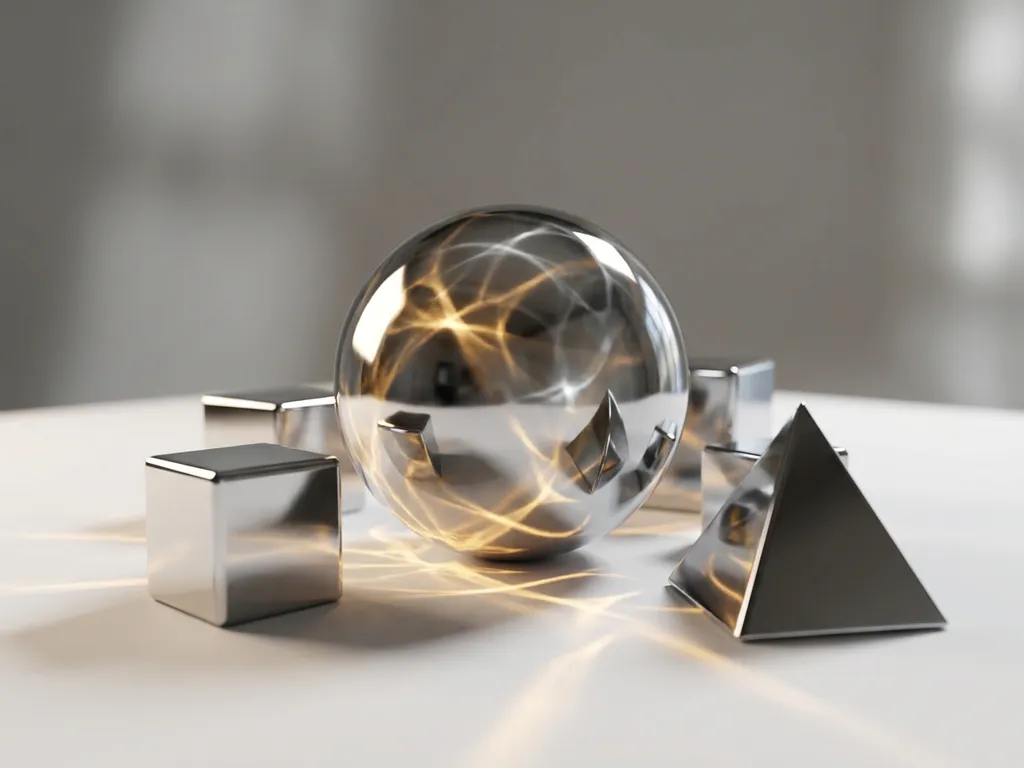
Octane Render is a GPU-based rendering engine that delivers photorealistic results at remarkable speeds, making it a preferred choice for 3D artists, product designers, and visualization professionals. Unlike traditional CPU-based renderers, Octane leverages the parallel processing power of graphics cards to accelerate rendering times by up to 50 times, while maintaining exceptional visual quality through its physically accurate lighting and material systems.
Why is slow rendering killing your creative momentum?
Long rendering times don’t just waste hours of your day — they fundamentally change how you approach creative work. When a single frame takes 30 minutes to render, you stop experimenting with lighting angles, material tweaks, or camera positions. Instead of iterating through dozens of variations to find the perfect shot, you settle for “good enough” because the cost of exploration feels too high. This creative paralysis is especially damaging for product visualization work, where small details like surface reflections or shadow placement can make the difference between a compelling product image and one that fails to convert customers. The solution lies in adopting GPU-accelerated rendering workflows that turn hours of waiting into minutes of active refinement, allowing you to maintain creative flow while achieving superior results.
What does choppy preview feedback reveal about your rendering workflow?
When your viewport struggles to display material changes or lighting adjustments in real-time, it signals a fundamental bottleneck in your creative pipeline. Choppy, delayed feedback forces you to work blind — making adjustments, waiting for updates, then discovering the change wasn’t what you intended. This cycle of guess-and-check wastes time and leads to suboptimal results because you can’t see the cumulative effect of your decisions as you make them. Modern GPU rendering engines solve this by providing near-instantaneous viewport feedback, enabling you to see material properties, lighting changes, and camera movements as they happen. This real-time responsiveness transforms 3D work from a technical exercise into an intuitive, visual process where you can trust your eyes instead of relying on guesswork.
Visual Commerce Solutions
Talk to our team about your project.
What is Octane Render and why is it popular?
Octane Render is a physically-based, unbiased rendering engine developed by OTOY that exclusively uses GPU acceleration to produce photorealistic images. Launched in 2010, it was one of the first commercial renderers to fully embrace GPU computing, making high-quality rendering accessible to artists who previously couldn’t afford expensive CPU render farms.
The engine’s popularity stems from its combination of speed and visual fidelity. Octane uses path tracing algorithms to simulate how light behaves in the real world, resulting in naturally accurate reflections, refractions, and global illumination. What sets it apart is how it achieves these results — by distributing calculations across hundreds or thousands of GPU cores simultaneously, rather than processing them sequentially on CPU cores.
Professional studios and individual artists choose Octane for its predictable workflow. Unlike engines that require extensive tweaking of indirect lighting settings, Octane’s physically-based approach means that realistic lighting often works correctly by default. This reliability, combined with fast iteration times, has made it particularly popular in product visualization, architectural rendering, and motion graphics.
How does GPU rendering differ from CPU rendering?
The fundamental difference lies in processing architecture and how computational tasks are distributed. CPUs excel at complex, sequential calculations with their powerful individual cores — typically 4 to 16 cores in most workstations. GPUs, by contrast, contain hundreds or thousands of simpler cores designed for parallel processing.
In rendering terms, this means a CPU processes one pixel calculation at a time with great sophistication, while a GPU can simultaneously calculate hundreds of pixels with simpler operations. For ray tracing and path tracing — the mathematical foundation of photorealistic rendering — this parallel approach proves dramatically more efficient.
GPU rendering also offers more predictable scaling. Adding a second graphics card can nearly double your rendering speed, while adding CPU cores typically yields diminishing returns due to memory bandwidth limitations. However, GPUs have constraints: they’re limited by video memory capacity and can struggle with extremely complex scenes that exceed VRAM limits.
The workflow implications are significant. GPU rendering enables real-time material editing and lighting adjustments that would be impossible with CPU-based engines, fundamentally changing how artists approach their work.
What makes Octane Render faster than other engines?
Octane’s speed advantage comes from several technical optimizations specifically designed for GPU architecture. The engine uses spectral rendering, which processes light wavelengths more efficiently than traditional RGB calculations, reducing the number of samples needed for clean results.
The software employs adaptive sampling techniques that automatically focus computational power on areas of the image that need more refinement, while quickly resolving simpler areas. This intelligent resource allocation means complex materials and lighting don’t slow down the entire render unnecessarily.
Octane’s memory management is particularly sophisticated. The engine streams texture data and geometry to GPU memory as needed, rather than loading entire scenes upfront. This allows artists to work with larger, more detailed scenes without hitting memory limitations that would force other engines to fall back to slower CPU processing.
Additionally, Octane’s denoising algorithms work during rendering rather than as a post-process step. This integrated approach produces clean results with fewer samples, significantly reducing overall render times while maintaining image quality.
How realistic are Octane Render results?
Octane produces exceptionally realistic results because it’s built on physically accurate light simulation. The engine calculates how photons bounce between surfaces, accounting for properties like surface roughness, subsurface scattering, and spectral reflection. This mathematical accuracy means that materials behave as they would in reality — metals reflect light correctly, glass refracts believably, and fabrics show appropriate light absorption.
The realism extends to lighting behavior. Octane’s global illumination system captures subtle light interactions that many artists don’t consciously notice but that make images feel authentic. Color bleeding from nearby surfaces, soft shadows from area lights, and the natural falloff of illumination all contribute to results that can be difficult to distinguish from photography.
However, realism depends heavily on input quality. Octane can’t compensate for poorly created 3D models or unrealistic material settings. The engine provides the mathematical framework for photorealism, but achieving it requires an understanding of real-world material properties and lighting principles. When used skillfully, Octane consistently produces images that meet professional photography standards for product visualization and marketing applications.
Which 3D software works best with Octane Render?
Octane integrates with most major 3D applications through dedicated plugins, but some partnerships offer deeper integration than others. Cinema 4D provides perhaps the most seamless experience, with Octane’s viewport integration feeling native to the software. The plugin supports all of Cinema 4D’s procedural systems and provides real-time material preview directly in the viewport.
3ds Max and Maya both offer robust Octane integration with full support for animation, instancing, and complex scene hierarchies. The plugins maintain compatibility with native lighting systems and can often render existing scenes with minimal conversion work.
Blender users benefit from Octane’s free plugin, which provides professional-grade GPU rendering capabilities without additional licensing costs. The integration supports Blender’s node-based material system and works well with the software’s modeling and animation tools.
For specialized applications, Octane also supports SketchUp, Rhino, and other design-focused software. The choice often depends on your primary modeling workflow rather than rendering capabilities, as Octane maintains consistent quality across all supported platforms.
What are the main disadvantages of using Octane Render?
The most significant limitation is hardware dependency. Octane requires NVIDIA graphics cards with CUDA support, excluding users with AMD GPUs or older hardware. Additionally, complex scenes can quickly exhaust available VRAM, forcing artists to optimize geometry and texture resolution or upgrade to expensive high-memory graphics cards.
Octane’s subscription-based licensing model can be costly for occasional users or small studios. Unlike perpetual licenses, the ongoing monthly fees add up significantly over time, especially when compared to free alternatives like Blender’s Cycles renderer.
The engine also has specific workflow limitations. Octane doesn’t support all advanced shading techniques available in other renderers, particularly for stylized or non-photorealistic work. Artists working on animated projects may find that certain procedural effects or complex particle systems don’t translate well to Octane’s GPU-focused architecture.
Finally, while Octane excels at photorealistic rendering, it can be overkill for projects that don’t require that level of visual fidelity. Simpler rendering needs might be better served by faster, less resource-intensive engines that don’t require specialized hardware investments.
How 3Dimerce helps with professional 3D rendering
We understand that choosing the right rendering solution is just one piece of creating compelling product experiences. Our visual product configuration platform combines advanced rendering capabilities with interactive customization tools, delivering the photorealistic quality that high-end brands demand while maintaining the performance needed for real-time customer interactions.
Our approach addresses the key challenges of professional product visualization:
- Scalable visual quality: Generate consistent, photorealistic product imagery across unlimited configurations without traditional photography costs
- Real-time performance: Deliver stunning visuals with blazing-fast loading times, ensuring smooth customer experiences across all devices
- Seamless integration: Connect with existing e-commerce platforms and sales tools through our headless architecture
- Premium brand positioning: Maintain the sophisticated visual standards that luxury and design-focused brands require
Ready to transform your product visualization workflow with professional-grade 3D rendering and configuration technology? Contact our team to discover how we can help you create stunning, interactive product experiences that drive engagement and conversions.
Frequently Asked Questions
What GPU specifications do I need to run Octane Render effectively?
For optimal Octane performance, you’ll need an NVIDIA GPU with at least 8GB of VRAM, though 16GB or more is recommended for complex scenes. Popular choices include RTX 4070, RTX 4080, or RTX 4090 for current generation cards. Multiple GPUs can be used simultaneously to increase rendering speed, and Octane scales nearly linearly with additional cards.
Can I use Octane Render with AMD graphics cards or integrated graphics?
No, Octane Render exclusively requires NVIDIA graphics cards with CUDA support. AMD GPUs and integrated graphics are not compatible. If you have AMD hardware, consider alternative GPU renderers like Radeon ProRender or Blender’s Cycles, though you won’t get Octane’s specific advantages.
How do I optimize my scenes when I run out of VRAM during rendering?
Start by reducing texture resolutions and using texture compression in your 3D software. Simplify geometry where possible, use instancing for repeated objects, and enable Octane’s out-of-core geometry feature. You can also render in smaller tiles or regions, though this increases overall render time.
Is Octane Render worth the subscription cost for freelance artists?
This depends on your project volume and client requirements. If you regularly create photorealistic product visualizations or architectural renders where speed and quality directly impact your income, the subscription often pays for itself through faster turnaround times. For occasional use, consider the monthly subscription option rather than annual commitment.
What's the learning curve like when switching from CPU renderers to Octane?
Most artists adapt to Octane’s workflow within 2-4 weeks of regular use. The biggest adjustment is learning Octane’s material system and understanding how physically-based rendering differs from traditional approaches. The real-time feedback actually makes learning faster since you can immediately see the results of your adjustments.
Can Octane handle animation rendering efficiently, or is it mainly for still images?
Octane excels at animation rendering, especially for product reveals and architectural walkthroughs. Its GPU acceleration makes frame-by-frame rendering much faster than CPU alternatives. However, complex particle systems or heavy motion blur effects may require more optimization compared to specialized animation renderers.
How do I troubleshoot common Octane rendering errors and crashes?
Most Octane issues stem from VRAM limitations or driver problems. Update your NVIDIA drivers regularly, monitor GPU memory usage during renders, and check Octane’s log files for specific error messages. Common solutions include reducing scene complexity, closing other GPU-intensive applications, and ensuring adequate system cooling to prevent thermal throttling.