
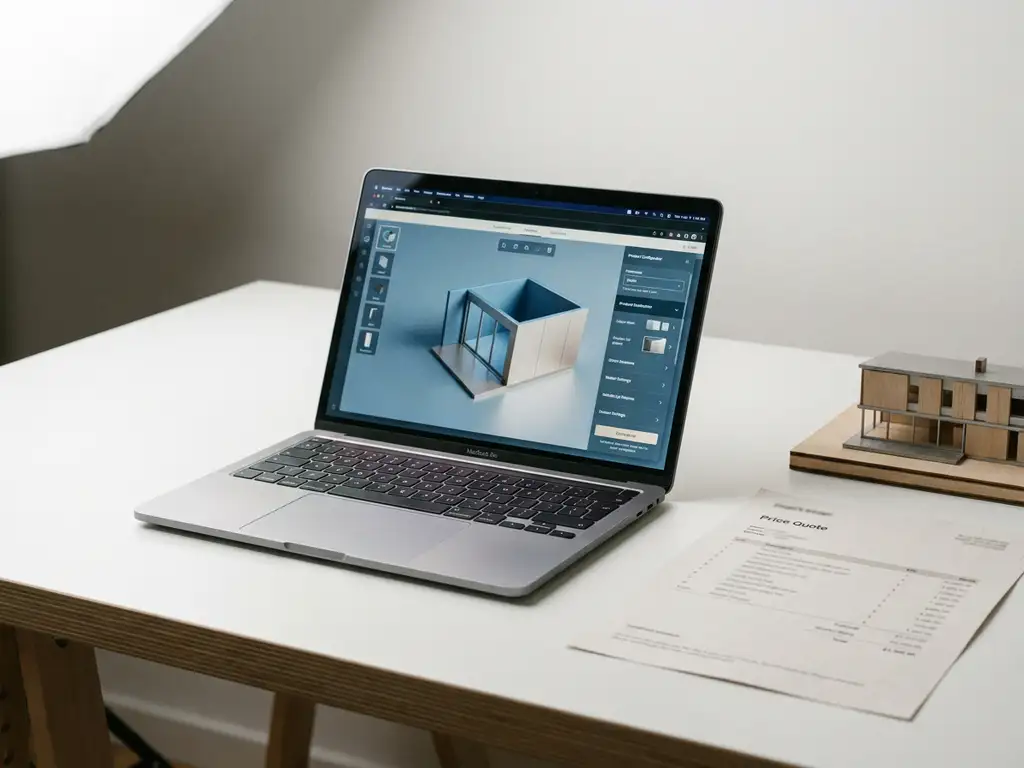
Microsoft Dynamics 365 does include some CPQ-like capabilities, but it is not a full CPQ solution out of the box. The platform offers basic pricing, quoting, and product catalog features through its Sales module, yet it lacks the advanced configuration logic, rules-based pricing engines, and visual product experiences that dedicated manufacturing CPQ software provides. The sections below break down exactly what Dynamics 365 covers, where it falls short, and when it makes sense to extend it with a purpose-built CPQ tool.
What CPQ capabilities does Microsoft Dynamics 365 include natively?
Microsoft Dynamics 365 Sales includes native quoting functionality that allows sales teams to create quotes, manage product catalogs, apply basic pricing rules, and convert quotes into orders. These built-in features handle straightforward sales scenarios reasonably well, but they are designed as general-purpose CRM tools rather than a dedicated configure, price, quote engine.
The native capabilities in Dynamics 365 that touch on CPQ include:
- Product catalog management with unit pricing and price lists
- Basic discount rules and manual price overrides
- Quote generation with PDF output and approval workflows
- Opportunity-to-order conversion within the CRM pipeline
- Bundle pricing for simple product groupings
For businesses selling straightforward products at fixed prices, these features may cover day-to-day quoting needs. However, the moment a product has configurable options, complex pricing dependencies, or variant-specific visuals, the native Dynamics 365 toolset begins to show its limits.
Where does Dynamics 365 fall short as a full CPQ solution?
Dynamics 365 falls short as a full CPQ solution primarily because it lacks advanced configuration logic, dynamic pricing engines, and guided selling capabilities. It cannot handle complex product rules, constraint-based configuration, or the kind of real-time pricing calculations that manufacturers with highly configurable product ranges require.
The most significant gaps become clear in demanding sales environments:
- No constraint-based product configurator — Dynamics 365 cannot prevent incompatible option combinations or guide users through valid configurations automatically.
- Limited pricing complexity — Advanced scenarios such as formula-based pricing, attribute-driven surcharges, or tiered volume pricing require workarounds or custom development.
- No visual configuration — There is no built-in way to show customers a real-time visual representation of their configured product.
- Weak guided selling — Sales reps and customers receive little structured support when navigating a large or complex product range.
- Manual quote accuracy risks — Without automated configuration rules, pricing errors and invalid combinations can slip through into customer-facing quotes.
For manufacturers and premium product brands in particular, these gaps translate directly into slower sales cycles, inconsistent customer experiences, and quotes that occasionally need to be corrected after the fact.
Visual Commerce Solutions
Talk to our team about your project.
What’s the difference between Dynamics 365 and dedicated CPQ software?
The core difference is purpose. Dynamics 365 is a CRM platform with quoting features added on, while dedicated CPQ software is purpose-built to handle the full complexity of configuring products, calculating accurate prices, and generating professional quotes at speed. Dedicated CPQ software for manufacturing is engineered around product logic, not customer relationship management.
Dynamics 365 as a CRM with quoting
Dynamics 365 excels at managing customer relationships, tracking sales pipelines, and coordinating team activity. Its quoting features serve these CRM goals: they help sales reps document what a customer wants and move a deal forward. The product and pricing logic is deliberately kept simple to remain accessible to a broad range of businesses and industries.
Dedicated CPQ software as a configuration engine
A dedicated CPQ platform is built around the product itself. It enforces configuration rules, calculates prices dynamically based on selected attributes, generates accurate quotes automatically, and in advanced solutions, renders photorealistic visuals of the configured product in real time. The result is a faster, more accurate, and far more engaging sales experience, both online and at the point of sale.
For design-led manufacturers selling configurable, high-value products, that distinction matters enormously. A CRM quoting tool and a true CPQ engine are solving fundamentally different problems.
Which CPQ tools integrate with Microsoft Dynamics 365?
Several dedicated CPQ tools integrate with Microsoft Dynamics 365, ranging from enterprise-scale platforms to more focused solutions built for specific industries. The most commonly integrated options include Salesforce CPQ (used in hybrid CRM environments), Tacton CPQ, Infor CPQ, and Experlogix, which is purpose-built for the Microsoft ecosystem. Each connects to Dynamics 365 via an API or native connector to sync product data, pricing, and quote records.
When evaluating integration options, manufacturers and product brands should look beyond the technical handshake and assess whether the CPQ tool also supports:
- Visual or 3D product configuration at the point of sale and online
- Omnichannel deployment across web, in-store, and sales rep environments
- Automated imagery or visual output for configured variants
- Scalability across large product ranges without manual content updates
Explore the full range of visual configuration solutions to understand what a modern CPQ integration can look like for premium product brands.
When should a Dynamics 365 user add a separate CPQ solution?
A Dynamics 365 user should add a separate CPQ solution when their products are configurable, their pricing is complex, or their sales process requires guided selling and visual presentation. If your sales team is spending significant time manually checking configurations, correcting quotes, or struggling to communicate product options to customers, native Dynamics 365 quoting is no longer sufficient.
Specific triggers that signal it is time to add dedicated manufacturing CPQ software alongside Dynamics 365 include:
- Launching a new configurable product line with many variants and options
- Recurring pricing errors or invalid configurations appearing in customer quotes
- Sales reps relying on spreadsheets or manual checks outside of Dynamics 365
- Customers or retail partners requesting self-service configuration online
- A need to reduce dependence on physical samples, showrooms, or printed catalogs
- Pressure to deliver consistent visuals across web, in-store, and printed materials
The decision is not about replacing Dynamics 365. It is about giving it the specialist configuration and pricing engine it was never designed to be on its own.
How We Help with CPQ for Configurable Products
At 3Dimerce, we built our Ensemble Suite specifically for manufacturers and premium product brands that need more than a basic quoting tool. Our CPQ solution goes well beyond price calculation. It combines advanced configuration logic with photorealistic 3D visuals, so every quote your team generates is not only accurate but also visually compelling.
Here is what our approach delivers in practice:
- Accurate pricing, every time — Our CPQ engine applies your product rules automatically, eliminating manual errors and invalid configurations before they reach the customer.
- Visual configuration at the point of sale and online — Customers and sales reps can see exactly what they are configuring in real time, rendered in stunning, photorealistic quality.
- Headless integration — Our platform connects seamlessly into your existing environment, including Microsoft Dynamics 365, without disrupting your current workflows.
- Scalable across your full product range — Add new variants, finishes, and options without triggering a new round of photography or manual content updates.
- Designed for high-end, design-led products — We work with premium manufacturers who need their digital experience to match the quality of what they make.
If your business is outgrowing what Dynamics 365 can handle on its own, we would love to show you what a purpose-built CPQ solution looks like in action. Get in touch with our team and let us walk you through the Ensemble Suite.
Frequently Asked Questions
Can we use Dynamics 365 and a dedicated CPQ tool at the same time without disrupting our existing workflows?
Yes, and this is actually the recommended approach for most manufacturers. A dedicated CPQ solution like the Ensemble Suite integrates with Dynamics 365 via API or native connectors, meaning your sales team continues working within the CRM they already know while the CPQ engine handles all the complex configuration, pricing, and visual output behind the scenes. The key is choosing a CPQ platform that supports headless integration, so it slots into your existing tech stack rather than replacing it.
How difficult is it to migrate our existing product catalog and pricing rules from Dynamics 365 into a CPQ platform?
The complexity of migration depends largely on how structured your current product data is. If your catalog, pricing tiers, and option combinations are already well-documented, most CPQ platforms can ingest that data through structured imports or API connections. Where migration gets challenging is when pricing logic lives in spreadsheets or in the heads of experienced sales reps rather than in a clean data format — in those cases, a discovery and data-structuring phase before implementation is strongly recommended.
What if our products are only moderately complex — is dedicated CPQ software still worth it?
Even moderate complexity can quietly create significant inefficiencies over time. If your sales reps are spending extra time double-checking configurations, manually calculating surcharges, or fielding customer questions that a visual configurator could answer instantly, those costs add up. A good CPQ solution scales with your needs, so you do not need to have a thousand product variants to benefit — even a range with dozens of configurable options and attribute-driven pricing can see meaningful gains in quote speed and accuracy.
How does visual CPQ configuration actually improve the customer experience compared to a standard quote document?
A standard quote document tells a customer what they are buying; a visual CPQ configurator shows them. When customers can see a photorealistic render of their configured product in real time — adjusting finishes, dimensions, or components and watching the visual update instantly — it dramatically reduces uncertainty and accelerates purchase confidence. For premium and design-led products in particular, this visual engagement can be the difference between a customer committing on the spot and requesting yet another sample or showroom visit.
What should we look for when evaluating CPQ vendors to integrate with Dynamics 365?
Beyond the technical integration itself, evaluate four key areas: configuration depth (can it handle your most complex product rules without custom development?), visual capability (does it support real-time 3D or photorealistic rendering?), omnichannel flexibility (can it power both your sales reps and your online storefront from a single source of truth?), and scalability (can you add new variants and options without manual content rebuilds?). A CPQ tool that scores well on the technical handshake with Dynamics 365 but falls short on these dimensions will quickly become a bottleneck rather than an enabler.
How long does a typical CPQ implementation take for a manufacturer already using Dynamics 365?
Implementation timelines vary based on product complexity, the state of your existing data, and the level of visual content required, but most manufacturers should plan for a phased rollout rather than a single go-live event. A focused initial deployment covering your core product range can often be achieved within a few months, with additional product lines and advanced features added iteratively. Working with a CPQ vendor that has direct experience integrating with Dynamics 365 will significantly reduce setup friction and avoid common data-mapping issues.
Can a CPQ solution support both our internal sales team and our retail or dealer network from the same platform?
Yes, and this is one of the strongest arguments for adopting a dedicated CPQ platform over relying on Dynamics 365 alone. A well-architected CPQ solution can serve multiple audiences — internal sales reps, independent dealers, retail partners, and end customers — each with their own access levels, pricing tiers, and configuration permissions, all drawing from the same centralized product and pricing logic. This eliminates the version-control problems and inconsistencies that arise when different channels are working from separate tools or spreadsheets.