
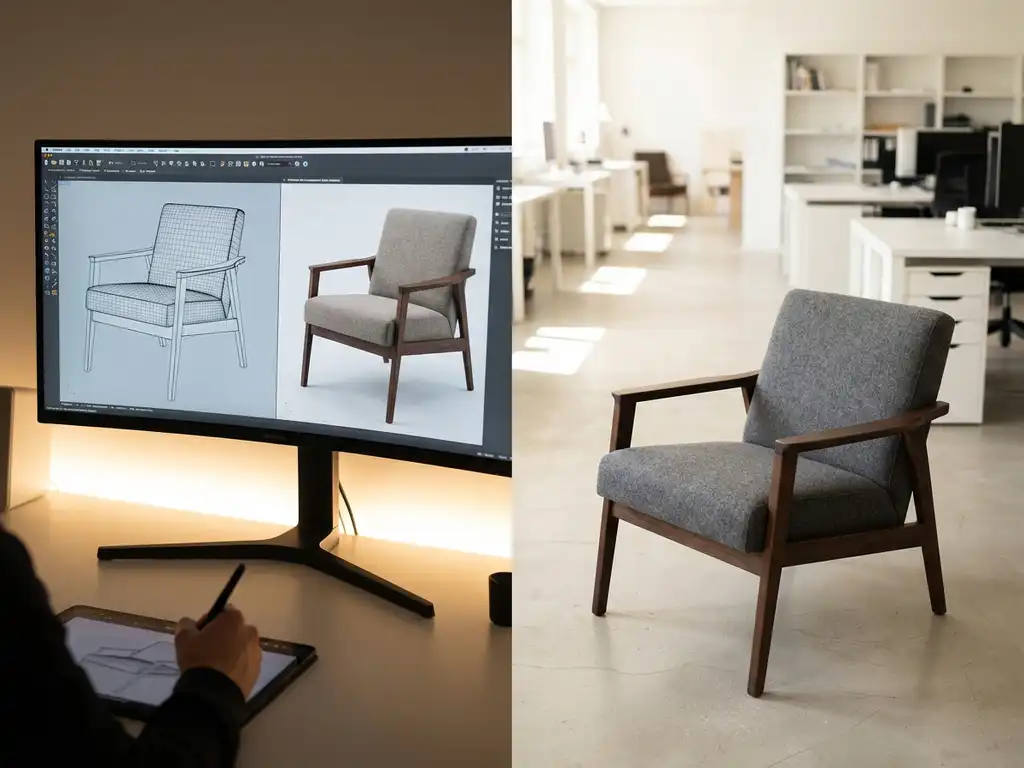
3D product rendering creates photorealistic digital images of products using computer graphics technology. Start by gathering product specifications and 3D models, then choose appropriate software that matches your technical capabilities and business needs. Most businesses can begin implementing basic 3D rendering within 2–4 weeks with proper planning and resources.
What is 3D product rendering and why should businesses use it?
3D product rendering is the process of creating photorealistic digital images from three-dimensional computer models. This technology transforms technical CAD files or 3D models into stunning visual content that showcases products with accurate materials, lighting, and environmental settings.
The core benefits make 3D rendering increasingly attractive for modern businesses. Traditional photography requires physical prototypes, studio setups, and costly reshoots for every product variation. 3D rendering eliminates these constraints by generating unlimited product configurations digitally.
Cost savings represent the most immediate advantage. Once you create a 3D model, you can produce hundreds of product variations without additional photography expenses. This scalability is particularly valuable for businesses offering customisable products or extensive colour options.
Customer engagement improves significantly when shoppers can visualise products accurately. Interactive 3D models allow customers to rotate, zoom, and customise products in real time, creating a more engaging shopping experience that typically leads to higher conversion rates and lower return rates.
What do you need to get started with 3D product rendering?
Essential requirements include accurate product specifications, 3D models or CAD files, appropriate software platforms, and team members with basic technical skills. Most businesses can begin with existing product documentation and learn rendering software through structured training programmes.
Product specifications form the foundation of quality rendering. You need detailed measurements, material information, colour specifications, and high-resolution reference images. The more accurate your source materials, the better your final rendered images will look.
3D models serve as the digital foundation for rendering. If you manufacture products, existing CAD files from your design process work perfectly. Companies without CAD files can commission 3D modelling services or create models using photogrammetry techniques based on multiple product photographs.
Software selection depends on your complexity requirements and budget. Professional options range from user-friendly platforms designed for businesses to advanced rendering engines used by design studios. Many modern solutions offer cloud-based rendering that eliminates the need for powerful local hardware.
Team skills can be developed progressively. Start with one team member learning basic rendering concepts, then expand knowledge across your marketing and product teams. Most platforms provide comprehensive training resources and customer support during implementation.
How do you choose the right 3D rendering software for your business?
The right software balances ease of use, visual output quality, integration capabilities, and budget considerations. Evaluate platforms based on your team’s technical expertise, product complexity, and long-term scalability requirements rather than focusing solely on features or price.
Ease of use determines how quickly your team can become productive. Look for intuitive interfaces, drag-and-drop functionality, and comprehensive learning resources. Some platforms cater specifically to businesses without technical 3D experience, whilst others target professional designers and require steeper learning curves.
Integration capabilities affect workflow efficiency. Choose software that connects with your existing systems, including e-commerce platforms, product information management systems, and marketing tools. Seamless integration reduces manual work and maintains consistency across sales channels.
Visual output quality must match your brand standards. Request sample renders using your actual products before making decisions. Pay attention to material accuracy, lighting quality, and overall photorealism. Higher-end solutions typically produce more convincing results but require greater investment.
Scalability considerations include rendering speed, file-handling capacity, and pricing structures. Consider how the platform will perform as your product range grows and rendering demands increase. Some solutions charge per image, whilst others offer unlimited rendering within subscription models.
What are the most common challenges when starting with 3D product rendering?
Common challenges include technical learning curves, managing quality expectations, integrating with existing systems, and maintaining consistency across product ranges. Most obstacles can be overcome through proper planning, realistic timelines, and a focus on gradual implementation rather than immediate perfection.
Technical learning curves affect teams unfamiliar with 3D concepts. Start with simple products and basic rendering setups before attempting complex materials or lighting scenarios. Invest time in training and consider working with experienced 3D rendering specialists during the initial implementation phases.
Quality expectations often exceed early results. Professional-grade rendering requires practice and refinement. Set realistic expectations for initial outputs and plan iterative improvements. Focus on achieving consistent quality across your product range rather than pursuing perfection immediately.
System integration challenges arise when connecting rendering workflows with existing business processes. Map your current product content creation workflow before implementing 3D rendering. Identify integration points and plan data flow between systems to maintain efficiency.
Maintaining consistency becomes more challenging as product ranges expand. Establish style guides for lighting, materials, and presentation formats early in the process. Document your rendering standards and ensure all team members follow established guidelines for cohesive brand presentation.
How long does it take to implement 3D product rendering for your products?
Implementation timelines typically range from 2–8 weeks for basic setups, extending to 3–6 months for comprehensive systems with full integration. Timeline factors include product complexity, team experience, software selection, and integration requirements with existing business systems.
Initial setup phases involve software selection, team training, and creating your first 3D models. Simple products with existing CAD files can be rendered within days, whilst complex products requiring new 3D models may need several weeks for accurate digital recreation.
Content creation phases depend on your product range size and rendering requirements. Plan approximately 1–3 days per product for initial 3D model creation and basic rendering setup. This timeline decreases significantly once your team develops proficiency with the chosen software platform.
Integration phases involve connecting rendering workflows with e-commerce platforms, content management systems, and marketing tools. Technical integration typically requires 2–4 weeks, depending on system complexity and available development resources.
Full deployment across sales channels requires additional time for content migration, staff training, and process refinement. Budget 4–8 weeks for a complete rollout across all customer touchpoints, including websites, catalogues, and in-store displays.
How 3Dimerce helps with 3D product rendering
We provide comprehensive 3D product visualisation solutions designed specifically for premium brands seeking exceptional visual quality. Our SaaS platform eliminates the complexity of traditional 3D rendering whilst delivering stunning, photorealistic results that enhance your brand positioning.
Our solution offers:
- Turnkey implementation – Complete setup and integration support without requiring in-house 3D expertise
- Premium visual quality – Photorealistic rendering that matches your high-end product positioning
- Seamless integration – Direct connection with e-commerce platforms and existing business systems
- Scalable configuration – Unlimited product variations without additional rendering costs
- Omnichannel deployment – A consistent visual experience across online and retail environments
Our platform transforms complex 3D rendering into an intuitive business tool, enabling you to create stunning product visuals that drive engagement and conversions. Explore our proven implementation examples across the furniture and design industries, then contact our team to discuss how we can elevate your product visualisation strategy.
Related Articles
- What makes 3D product rendering effective for marketing?
- How does 3D product rendering enable product customization?
- What is the implementation timeline for 3D product rendering?
- How do leading interior brands use 3D product rendering?
- How does 3D product rendering benefit furniture and interior brands?