
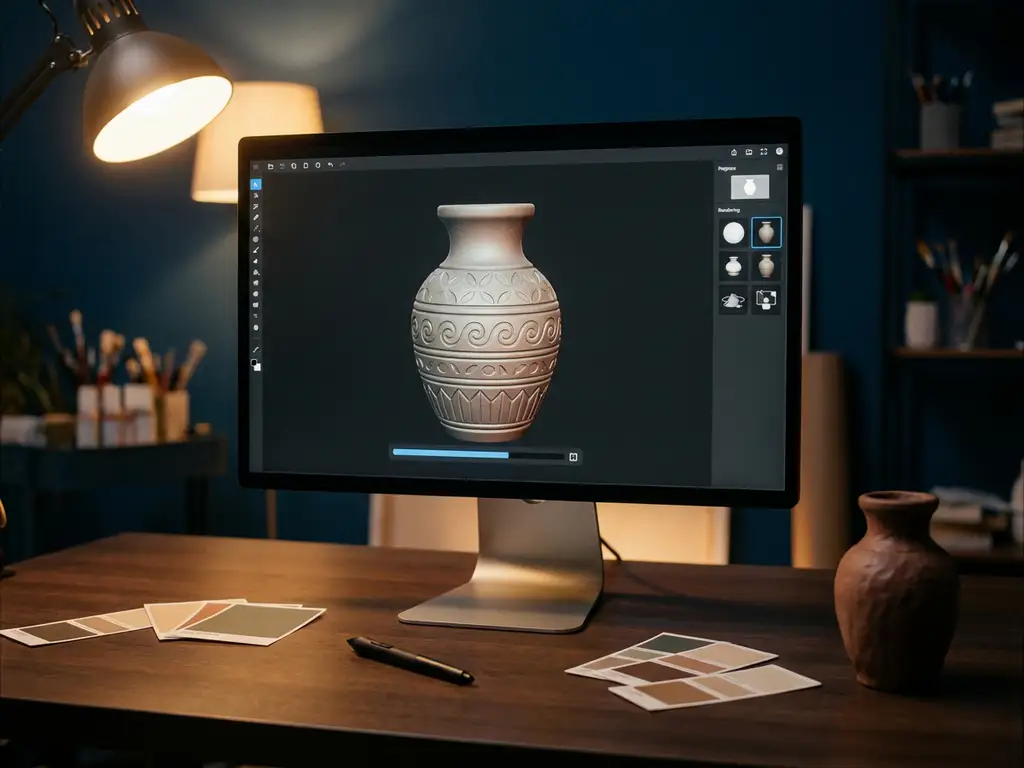
Blender 3D is free to use, always has been, and still is. It costs nothing to download, nothing to use, and nothing to use commercially. Whether you are a freelancer, a small studio, or a large business, Blender does not charge you a single cent at any stage of use. This is guaranteed by the GNU General Public License (GPL), the open-source license under which Blender is distributed. The rest of this article explains what that means in practice, including the real-world costs and limitations that professionals should understand before committing to Blender for serious product work.
What license does Blender use, and what does it allow?
Blender is distributed under the GNU General Public License (GPL), version 2 or later. This license grants every user the freedom to run the software for any purpose, study and modify the source code, and redistribute copies or modified versions. There are no royalties, no activation keys, and no licensing tiers. For anyone wondering whether does blender cost money at any point in the workflow, the answer is no, at any stage of use.
In practical terms, the GPL applies only to Blender itself, not to the content created with it. The artwork, renders, and files you produce with Blender are entirely your own intellectual property. Whether you produce product renders, animations, or 3D models, you own those assets outright and can use them however you choose, including selling them or incorporating them into commercial products.
The Blender Foundation, the non-profit organization behind the software, maintains development through donations and memberships from the community and industry. This funding model keeps Blender free for everyone while enabling a professional-grade development roadmap.
Can you use Blender commercially without paying?
Yes. For anyone asking whether blender for commercial use requires a paid license, the answer is unambiguously no. The GPL license explicitly permits commercial use, meaning freelancers, studios, and businesses can use Blender to produce work for paying clients, generate revenue, or power internal production pipelines without purchasing a license or paying any fees to the Blender Foundation.
This is one of Blender’s most significant advantages over proprietary tools. There is no per-seat cost, no annual subscription, and no commercial-use surcharge. A studio with twenty artists pays exactly the same as a solo freelancer: nothing.
Some users choose to support development by contributing to the Blender Development Fund, but this is entirely voluntary. It does not unlock features, remove restrictions, or change what the software can do. Commercial use is available to all users by default.
Visual Commerce Solutions
Talk to our team about your project.
Are there hidden costs when using Blender professionally?
Blender itself has no hidden costs, but professional use often introduces indirect expenses. The software is free to download and use, but building a production-ready workflow around it is not always cost-free.
Common real-world costs associated with professional Blender use include:
- Hardware: Blender’s rendering engines, particularly Cycles, are GPU-intensive. Producing high-quality renders at speed requires capable hardware, which represents a significant upfront investment.
- Add-ons and plugins: While many add-ons are free, professional-grade tools for tasks like advanced rigging, specialized rendering, or asset management often carry one-time or subscription fees.
- Training and skill development: Blender has a steep learning curve. Getting a team up to a professional standard takes time, and structured training resources or courses involve cost.
- Cloud rendering: For large-scale render jobs, many studios use cloud rendering farms, which charge per compute hour.
- Asset libraries: High-quality material libraries, HDRIs, and 3D model collections used in product visualization are often paid resources.
To put these in perspective, here are realistic budget ranges for a small professional setup. GPU hardware in the mid-range to high-end workstation category represents the largest single expense, often running into several hundred to well over a thousand euros depending on the card. Professional add-ons are typically one-time purchases ranging from tens to a few hundred euros each, and costs can stack quickly when a full pipeline requires several tools. Structured training courses generally range from tens to a few hundred euros per course, depending on the platform and depth of content. Cloud rendering is billed per compute hour, meaning costs scale directly with scene complexity and render volume. For brands managing large product catalogs, these costs accumulate quickly and can significantly close the gap with subscription-based alternatives.
None of these are costs imposed by Blender itself, but they are real considerations when evaluating the total investment required to use it professionally.
How does Blender compare to paid 3D software like Cinema 4D or 3ds Max?
Blender 3D software competes seriously with Cinema 4D and 3ds Max on capability, while undercutting them dramatically on price. The key differences lie in workflow maturity, industry adoption, and the ecosystem built around each tool rather than raw feature sets.
How Blender compares to Cinema 4D and 3ds Max on features
Blender covers the full production pipeline: modeling, sculpting, rigging, animation, simulation, rendering, compositing, and video editing. Cinema 4D is widely regarded as more intuitive for motion graphics and has a polished, stable interface developed over decades. 3ds Max remains dominant in architectural visualization and has deep integration with the Autodesk ecosystem. Blender matches or exceeds both in many areas, particularly modeling and rendering, but its interface requires a meaningful adjustment period for users coming from other tools.
Blender vs. Cinema 4D vs. 3ds Max: Cost breakdown
Cinema 4D and 3ds Max are both subscription-based. Cinema 4D runs at several hundred euros per year, while 3ds Max, part of the Autodesk suite, carries a comparable or higher annual cost. For a small team or a business evaluating total cost of ownership over several years, the savings from using Blender are substantial. That said, the indirect costs mentioned above, particularly hardware and training, can narrow the gap in practice.
| Dimension | Blender | Cinema 4D | 3ds Max |
|---|---|---|---|
| Base software cost | Free | Several hundred euros per year | Comparable or higher annual subscription |
| Commercial use rights | Fully permitted under GPL, no fee | Permitted under subscription license | Permitted under subscription license |
| Learning curve | Steep, particularly for newcomers | Moderate, widely considered approachable | Moderate to steep, deep Autodesk ecosystem |
| Rendering engine quality | High (Cycles, EEVEE) | High (Redshift, Physical Renderer) | High (Arnold, V-Ray compatible) |
| E-commerce integration | None native, requires custom pipeline | None native | None native |
| Configurator capability | None native, requires scripting | None native | None native |
Blender is free, but total cost of ownership depends on hardware, training, and the pipeline infrastructure needed to support professional production at scale.
For studios already invested in Autodesk’s ecosystem or working in industries where 3ds Max or Cinema 4D are the standard, switching to Blender involves real transition costs beyond the software price. The right choice depends heavily on team expertise, client requirements, and the specific type of work being produced.
What are Blender’s limitations for professional product visualization?
Blender is capable of producing photorealistic product renders, but it has meaningful limitations when applied to high-volume, commercial product visualization, particularly for brands that need to manage large product catalogs with many configurable variants. While blender 3d software is powerful for many tasks, its architecture was not designed for catalog-scale commercial configuration.
The core limitations of Blender for commercial product visualization include:
- No native configuration logic: Blender has no built-in system for managing product variants, material swaps, or configuration rules at scale. Each variant typically requires manual setup or custom scripting.
- No direct e-commerce integration: Blender is a standalone desktop application. It does not connect to webshops, PIM systems, or CPQ (Configure, Price, Quote) tools out of the box.
- Render times for high-volume output: Generating hundreds or thousands of variant renders for a full product catalog is a time-intensive process without a dedicated pipeline built around it.
- Steep learning curve: Professional-quality output requires skilled operators. Blender is not a tool that non-technical sales or marketing staff can use directly.
- No interactive real-time configurator: Blender produces static or pre-rendered outputs. It does not provide the kind of real-time, interactive 3D configuration experience that customers expect in modern webshops or in-store environments.
For brands producing occasional hero renders or small-scale visual content, Blender is a powerful and cost-effective choice. But for manufacturers and retailers managing complex, configurable product ranges across multiple sales channels, the workflow demands of Blender quickly become a bottleneck rather than a solution.
Is Blender right for your use case?
The answer depends on the scale and nature of your visualization needs. Here is a straightforward breakdown to help you assess fit:
Blender is a strong fit when:
- You have a small team with skilled 3D artists who can manage the tool effectively
- Your needs are focused on occasional hero renders and lifestyle imagery rather than catalog-scale output
- Your projects do not require real-time interactivity or customer-facing configuration
- Your budget cannot support platform licensing and a standalone desktop workflow is sufficient
A dedicated configurator platform is the better fit when:
- You manage a large or complex product catalog with many variants and configurable options
- Your brand requires real-time, customer-facing product configuration online or in-store
- You need e-commerce or CPQ integration built into the visualization workflow
- You do not have dedicated 3D technical staff to manage a Blender-based pipeline
For the second scenario, 3Dimerce is the platform built precisely for this level of demand, combining CGI-quality output with real-time configurator performance at catalog scale.
Which version of Blender should you use for product visualization?
All versions of Blender remain free under the GPL, and this has not changed across any release. That said, not all versions are equal when it comes to professional product visualization workflows. Blender 3D software has evolved significantly across the 3.x and 4.x series, and understanding which milestones matter most can help you build a more capable pipeline.
Three version milestones stand out for product visualization work specifically. Blender 3.0 introduced the Asset Library system, which allows teams to share materials, objects, and collections across projects in a structured, reusable way. This is a meaningful quality-of-life improvement for studios managing multiple product lines. Blender 3.1 and subsequent releases in the 3.x series brought Cycles X, a major rewrite of the Cycles rendering engine that delivered substantially faster render times, particularly on GPU hardware. For product visualization work where render quality and iteration speed both matter, Cycles X was a genuine step change. The 4.x series has continued to refine viewport rendering performance and shading workflows, making the real-time preview more reliable as a proxy for final output quality.
For any new professional pipeline, the recommendation is straightforward: use the latest stable release available at blender.org. Each major release brings incremental improvements to stability, rendering performance, and toolset completeness. There is no reason to work on an older version unless a specific add-on or pipeline dependency requires it.
When does Blender stop being enough for commercial product visualization?
Blender’s ceiling becomes visible fastest for manufacturers managing large configurable product catalogs, premium brands that need real-time customer-facing configurators, and teams that do not have dedicated 3D artists to manage a complex production pipeline. At a certain scale, the manual effort required to maintain a Blender-based workflow stops being a practical solution and starts being a constraint on growth.
The question is not whether Blender is good software. It is. The question is whether it is the right tool for the specific demands of your business. When your product catalog grows, when your customers expect to configure products interactively before purchasing, or when your sales channels require seamless integration between visualization and commerce systems, the gap between what Blender offers and what your business needs becomes difficult to close with workarounds. That is the scenario 3Dimerce was built to solve.
When Blender reaches its limits: How we solve product visualization at scale
The limitations of Blender for commercial product visualization are exactly the challenges we built our platform to solve. At 3Dimerce, we specialize in high-quality 3D product configurators designed for brands that take their visual output seriously, particularly in furniture, interior design, and premium product categories where visual precision and brand consistency are non-negotiable.
Here is what sets our approach apart:
- Real-time 3D configuration: Customers and sales teams can configure products interactively, switching materials, dimensions, and components instantly, both online and in-store.
- Photorealistic output at scale: Our platform delivers stunning, CGI-quality visuals across your entire product range without a manual render job for every variant.
- Seamless integration: We connect directly with webshops, CPQ systems, and POS environments through headless integration, so your configurator lives where your customers already are.
- No technical expertise required: Sales staff, brand teams, and end customers can all use the configurator intuitively, without any 3D knowledge.
- Built for premium brands: Our platform is purpose-built for the high-end market, where visual quality is non-negotiable and brand consistency across channels is essential.
For premium brands in furniture, interior design, and luxury product categories, the visual bar is higher than anywhere else. A render that looks almost right is not good enough when your product is positioned at the top of the market. Our platform is built specifically for this standard, delivering CGI-quality output at catalog scale, with the brand consistency and configurator performance that high-end sales environments demand. Whether the customer is browsing online or standing in a showroom, the visual experience reflects the quality of the product itself.
If your brand is ready to move beyond the limitations of static renders and manual workflows, explore our product visualization solutions to see what is possible. Or, if you want to discuss your specific situation directly, get in touch with our team and we will show you what we can build together.
Frequently Asked Questions
Is Blender free for commercial use, including for businesses and freelancers?
Yes, absolutely. The GPL license that governs Blender explicitly permits commercial use without any fee, royalty, or registration requirement. This applies equally to individual freelancers, small studios, and large businesses of any size. Blender itself is free, and no payment is owed to the Blender Foundation for commercial use of the software. That said, professional production pipelines may involve indirect costs such as hardware, add-ons, and training — for a full breakdown of what professional use actually costs, see the section above on hidden costs.
Can I use Blender renders in client deliverables and marketing materials without any legal restrictions?
Yes, absolutely. The GPL license that governs Blender applies only to the software itself, not to the content you create with it. Any renders, animations, or 3D models you produce are entirely your intellectual property, and you are free to use them in client deliverables, advertising campaigns, product catalogs, or any commercial context without attribution or restriction. This is no different from using any other creative tool — the output belongs to you.
What hardware do I actually need to run Blender professionally for product visualization?
For professional product visualization, the most important investment is a capable GPU, as Blender’s Cycles renderer is heavily GPU-accelerated. NVIDIA RTX-series cards (RTX 3080 or higher) are the most commonly recommended for serious work, as they support OptiX ray tracing for significantly faster render times. Beyond the GPU, 32–64 GB of RAM and a modern multi-core CPU will handle most production demands. If you are rendering complex scenes with high-resolution textures, VRAM becomes a critical bottleneck, so aim for a GPU with at least 12–16 GB.
What are the most common mistakes teams make when adopting Blender for a commercial production pipeline?
The most frequent mistake is underestimating the learning curve and onboarding time required before teams reach a professional output standard — many businesses go live too early and compromise on visual quality as a result. Another common pitfall is neglecting pipeline infrastructure: Blender works best when paired with asset management systems, naming conventions, and render farm setups from the start, not retrofitted later. Finally, teams often overlook the cost and time involved in building variant management workflows, which Blender does not handle natively and which can become a serious bottleneck at scale.
Are there free Blender add-ons that can help with product visualization specifically?
Yes, several free add-ons are particularly useful for product visualization work. The built-in Node Wrangler add-on significantly speeds up material creation, while HDRI Sun Aligner helps set up realistic studio lighting quickly. For asset management, the free version of the Asset Library system built into Blender 3.0+ allows teams to share materials and objects across projects. Community resources like Blender Artists and platforms such as Poly Haven also offer free, high-quality HDRIs and PBR materials that are production-ready out of the box.
How long does it realistically take to train a team to use Blender at a professional level?
For someone with no prior 3D experience, reaching a professional output standard in Blender typically takes 6–12 months of consistent, structured practice. Artists transitioning from other 3D tools like Cinema 4D or 3ds Max can often reach proficiency in 2–4 months, though unlearning existing shortcuts and workflows adds friction. Structured courses from platforms like Blender Studio, CG Cookie, or Blender Guru can accelerate the process significantly compared to self-directed learning. Budget for this ramp-up time realistically when evaluating Blender as part of a commercial pipeline.
When does it make sense to use Blender alongside a dedicated product configurator rather than choosing one or the other?
Blender and a dedicated product configurator platform like 3Dimerce are not mutually exclusive — many brands use both in complementary roles. Blender is well suited for producing hero renders, lifestyle imagery, and bespoke creative visuals where a skilled artist controls the output. A real-time configurator, by contrast, handles scalable variant generation, customer-facing interactivity, and e-commerce integration that Blender cannot provide natively. The practical split is often: use Blender for flagship creative assets and use a configurator platform for catalog-scale, interactive, and sales-channel-integrated visualization.
Does Blender support industry-standard file formats for importing existing CAD or product design files?
Blender supports a wide range of common formats including OBJ, FBX, GLTF/GLB, STL, and DAE (Collada), which covers most exports from design tools like SolidWorks, Rhino, and Fusion 360. However, native CAD formats such as STEP or IGES require third-party conversion tools or add-ons like CAD Sketcher or BlenderBIM before they can be imported cleanly. Geometry imported from CAD files often needs manual cleanup — such as reducing polygon count and fixing normals — before it is render-ready, which is an important step to factor into your production timeline.