
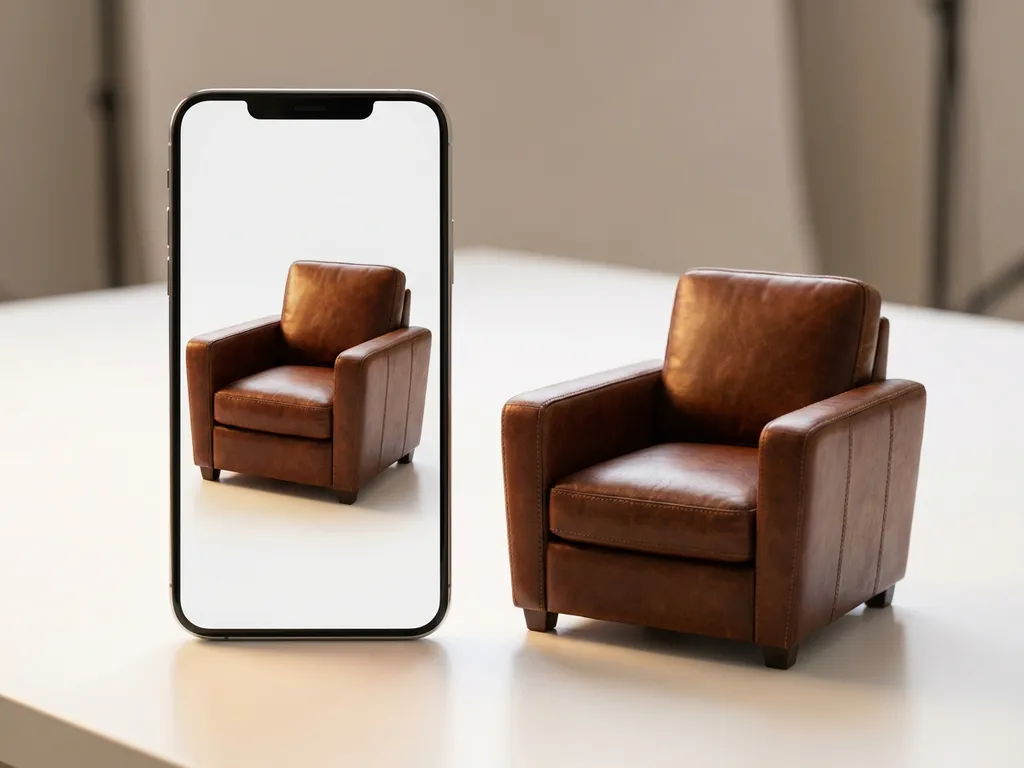
The core difference between PBR and non-PBR materials is how they handle light — PBR (Physically Based Rendering) materials simulate real-world light physics for consistent, photorealistic results, while non-PBR materials rely on manual artistic adjustments that break down under different lighting conditions. Understanding this difference between PBR and non-PBR material is essential for any brand that depends on digital product visualization to drive purchase decisions. The implications extend beyond visual quality alone: they affect workflow efficiency, omnichannel consistency, and ultimately, the confidence your customers feel before they buy.
Why are outdated material workflows costing you customer engagement?
When your product configurators rely on non-PBR materials, customers immediately notice the artificial, plastic-like appearance that undermines your premium brand positioning. These outdated textures create flat, unrealistic surfaces that fail to showcase the true quality of your furniture or interior design products. The result? Potential buyers struggle to visualize how products will actually look in their spaces, leading to hesitation at the point of purchase and abandoned shopping carts. Modern consumers expect photorealistic product visualization that matches the quality they see in high-end retail environments.
The solution lies in upgrading to PBR material workflows that deliver the visual authenticity your brand deserves. By implementing physically accurate materials, you create product experiences that build confidence and drive conversions through stunning, believable visuals.
How do inconsistent material appearances damage your omnichannel strategy?
Non-PBR materials create jarring visual inconsistencies when the same product appears differently across your website, mobile app, and in-store displays. A leather sofa might look glossy and artificial online but appear completely different under showroom lighting, breaking the seamless brand experience customers expect. This disconnect forces your sales teams to spend valuable time explaining discrepancies instead of focusing on closing deals, while customers lose trust in your digital product representations.
PBR materials solve this challenge by maintaining visual consistency regardless of the lighting environment or display device. When your materials respond predictably to different lighting conditions, customers experience the same premium quality perception whether they’re browsing on their phone or examining products in your physical showroom.
Visual Commerce Solutions
Talk to our team about your project.
What is PBR material and how does it work?
PBR (Physically Based Rendering) materials are digital surface definitions that accurately simulate how light behaves when it hits real-world materials. These materials use multiple texture maps working together: albedo maps define base color, normal maps create surface detail, roughness maps control how smooth or textured surfaces appear, and metallic maps determine whether materials behave like metals or non-metals.
The magic happens through mathematical models that calculate light reflection, refraction, and absorption based on real physics. When light hits a PBR material in a 3D scene, the rendering engine processes these texture maps to determine exactly how much light bounces back, what color it becomes, and how it scatters. This creates materials that respond to lighting changes just like their real-world counterparts would.
At the core of every physically based rendering workflow is a mathematical function called the BRDF — the Bidirectional Reflectance Distribution Function. In plain terms, the BRDF describes how light reflects off a surface depending on both the viewing angle and the direction the light comes from. Underpinning this is microfacet theory: even surfaces that appear perfectly smooth are, at a microscopic level, covered in tiny irregularities that collectively govern how light scatters. A high roughness value simulates a surface with many randomly oriented microfacets — producing soft, diffuse scatter — while a low roughness value simulates near-mirror alignment, producing a tight, sharp specular highlight. Think of the difference between brushed stainless steel and polished chrome: both are metal, but their microscopic surface structure produces entirely different visual results. This is precisely what PBR captures, and what non-PBR materials cannot.
For product configurators, this means fabrics show realistic fiber textures, wood grain displays authentic depth and variation, and metal surfaces reflect light with proper intensity and color accuracy. The result is product visualization that customers trust because it matches their expectations of how materials should look and behave.
PBR is not an emerging trend — it is a proven, mature physically based rendering standard with roots in academic and industrial research dating back to the 1980s. The technique was adopted by major real-time rendering engines and film studios in the early 2010s before becoming the universal benchmark for product visualization, film VFX, and architectural rendering. For business decision-makers, this adoption history matters: PBR is a decades-validated industry choice, not an experimental upgrade. What was once exclusive to high-end film production is now fully optimized for real-time product configurators — making it both accessible and commercially essential.
What’s the main difference between PBR and non-PBR materials?
The fundamental difference lies in how these materials handle light interaction. Non-PBR materials use simplified, artistic approaches where designers manually adjust how surfaces appear under specific lighting conditions. These materials often rely on diffuse and specular maps that provide basic color and shininess control, but they cannot adapt realistically to changing light environments. The table below summarizes the key PBR vs non-PBR materials distinctions across the criteria that matter most for product visualization decisions.
| Criterion | PBR Materials | Non-PBR Materials |
|---|---|---|
| Light Handling | Physically accurate, energy-conserving algorithms | Manual artistic adjustments per lighting setup |
| Realism Level | Photorealistic, matches real-world material behavior | Approximated, often appears artificial or flat |
| Consistency Across Lighting | Consistent under any lighting environment | Breaks down under different lighting conditions |
| Workflow Effort | Create once, works universally | Requires per-scene manual tweaking |
| Production Time | Faster at scale once pipeline is established | Time-intensive for each new lighting scenario |
| Cross-Platform Consistency | Identical appearance across devices and channels | Varies significantly between platforms and screens |
| Ideal Use Case | Luxury furniture, premium retail, omnichannel | Simple diagrams, low-fidelity previews, legacy systems |
| Performance Cost | Optimized for real-time rendering when implemented correctly | Lower initial cost, but higher long-term maintenance burden |
PBR materials use physically accurate algorithms that automatically calculate correct light behavior. Instead of guessing how a material should look, PBR follows scientific principles of energy conservation, ensuring that surfaces never reflect more light than they receive. This creates materials that maintain a realistic appearance regardless of whether they’re viewed under bright daylight, warm indoor lighting, or dramatic accent lighting.
The workflow differences are equally significant. Non-PBR materials require extensive manual tweaking for each lighting scenario, making them time-consuming and inconsistent. PBR materials work universally once properly created, dramatically reducing production time while improving visual quality. This efficiency becomes crucial when creating product configurators that showcase hundreds of material variations across multiple product lines.
Why do PBR materials look more realistic than non-PBR?
PBR materials achieve superior realism through energy conservation and physically accurate light scattering. When light hits a real surface, it follows predictable physical laws: some light reflects directly (specular reflection), some scatters through the material (subsurface scattering), and some gets absorbed. PBR materials simulate these exact behaviors, creating surfaces that respond to light just like their real-world counterparts.
Non-PBR materials often violate these physical laws, creating surfaces that reflect impossible amounts of light or behave inconsistently under different lighting conditions. This is what produces the telltale “computer graphics” look that immediately signals artificial content to viewers — and erodes purchase confidence.
The realism advantage becomes particularly evident in complex materials. PBR captures what non-PBR simply cannot:
- Fabric and upholstery: PBR renders how light diffuses through individual fibers, capturing the tonal shift that velvet or bouclé displays under directional light — a nuance flat texture maps cannot replicate.
- Leather: PBR renders the subtle sheen variation that appears as leather shifts angle under directional light — a detail flat specular maps cannot replicate.
- Natural wood: PBR captures grain depth, variation, and the way light interacts just beneath the surface, giving timber its characteristic warmth and dimensionality.
- Brushed or polished metal: PBR accurately simulates reflection falloff across metal surfaces, distinguishing the soft sheen of brushed steel from the sharp highlights of polished chrome.
Additionally, PBR materials maintain their realistic appearance across different viewing angles and distances. A leather texture looks convincing whether viewed close-up to examine stitching details or from across a room to assess overall color and finish. For product configurators, this visual fidelity translates directly into purchase confidence — customers who trust what they see online are far more likely to complete a transaction.
PBR materials in luxury furniture and interior design: what changes for your business
Fabric, leather, and wood: why complex materials demand PBR
The furniture and interior design sector presents some of the most optically demanding materials in any product category. Upholstered furniture benefits from PBR’s ability to render individual fabric fibers and capture how velvet shifts in tone under directional light — a detail non-PBR textures cannot replicate. For customers choosing between a dozen upholstery options in a configurator, this level of fidelity is the difference between a confident selection and an uncertain one.
Full-grain leather presents a similar challenge. Its angle-dependent sheen, subtle color depth, and the way it catches light differently depending on the viewer’s position are all properties that PBR handles through its physically accurate BRDF calculations. Non-PBR materials flatten these characteristics into a static approximation that experienced buyers immediately recognize as inaccurate. Natural wood surfaces add another layer of complexity: PBR captures how light interacts just beneath the surface — a phenomenon known as subsurface scattering — giving timber its characteristic warmth and grain depth that flat textures simply cannot convey.
For brands selling premium products where material quality is a primary purchase driver, PBR is not a technical nicety — it is a commercial necessity. Customers buying a €4,000 sofa or a bespoke dining table need to see the material, not an approximation of it.
Reducing product returns through accurate material representation
One of the most commercially significant benefits of PBR in product visualization is its effect on post-purchase expectations. When customers can accurately assess texture, finish, and color through a configurator, the gap between what they anticipated and what arrives at their door narrows considerably. Non-PBR materials, by contrast, often produce colors and finishes that look noticeably different in a physical environment than they appeared on screen — a mismatch that drives returns and damages brand trust.
The mechanism is straightforward: physical accuracy in visualization produces physical accuracy in expectation. A customer who selects a matte oak finish and sees it rendered with authentic grain variation and surface depth under multiple lighting conditions has a realistic mental model of the product they are ordering. That alignment between digital preview and physical reality is what PBR enables — and what non-PBR cannot reliably deliver.
Building a consistent premium brand experience across channels
Omnichannel consistency is not just a logistical challenge — it is a brand perception issue. Consider a concrete scenario: a customer configures a sofa on your website, revisits it through a showroom tablet app, and later receives a printed brochure featuring the same product. With non-PBR materials, each of these touchpoints may render the fabric or leather finish differently, creating subtle but damaging inconsistencies in how your brand is perceived. With PBR, the material behaves identically across every environment because it is governed by physics, not by per-platform artistic adjustments.
We build our configurator solutions around this principle. Our PBR implementation ensures that your products look precisely the same — same finish depth, same color accuracy, same material character — whether a customer encounters them on a mobile screen, a large-format display, or in print. For luxury and design-led brands, this consistency is not optional: it is the foundation of a credible premium identity.
When should you use PBR vs non-PBR materials?
When PBR is the right choice for your product category
PBR is the established standard for any design-led, premium product category where material quality is central to the purchase decision. If your products compete on craftsmanship, finish, or tactile appeal, PBR is the only rendering approach that does them justice in a digital environment.
Upholstered furniture benefits from PBR’s ability to render individual fabric fibers and capture how velvet shifts in tone under directional light — a detail non-PBR textures cannot replicate. Leather goods gain from PBR’s angle-dependent sheen and color depth rendering, accurately conveying the richness of full-grain hides. Wood surfaces display authentic grain depth and the subtle warmth of subsurface light interaction — the quality that separates a photorealistic render from a flat texture map. Brushed or polished metals are rendered with proper reflection falloff, distinguishing the soft luster of satin nickel from the sharp brilliance of polished brass.
PBR is also the clear choice for omnichannel experiences where products appear across multiple platforms and lighting environments. When your visual product configuration needs to work seamlessly from mobile devices to large showroom displays, PBR ensures consistent quality and appearance. The decision often comes down to brand positioning: if your products compete on design quality and premium positioning, PBR materials are no longer optional but essential for maintaining competitive advantage in digital product presentation.
When non-PBR materials may still be sufficient
Non-PBR is not universally obsolete. There are specific, well-defined scenarios where it remains a practical choice — and acknowledging them honestly is part of making an informed decision.
For low-fidelity internal prototyping, non-PBR materials are often sufficient. When the goal is to validate geometry and proportion rather than surface quality, the overhead of a full PBR pipeline is unnecessary. Similarly, schematic or technical diagrams — where clarity of form matters more than material realism — do not require physically accurate rendering. Legacy configurator platforms with strict performance constraints may also impose practical limits on PBR adoption, particularly where rendering infrastructure cannot be updated in the near term. Finally, teams that are learning 3D material workflows for the first time may benefit from starting with simpler non-PBR materials before progressing to the more structured PBR pipeline.
That said, for any customer-facing product visualization — particularly in the furniture, interior design, and premium retail sectors — PBR has become the de facto standard. The performance cost of PBR has decreased significantly, while customer expectations for visual quality have increased. The question is rarely whether PBR is worth it; it is how quickly you can implement it effectively.
Honest trade-offs: where PBR adds complexity
PBR is the right choice for premium product visualization, but a credible assessment includes acknowledging where it introduces manageable complexity. For highly stylized or non-photorealistic product aesthetics — where artistic expression takes precedence over physical accuracy — PBR’s adherence to real-world light behavior can work against the intended visual outcome. In these cases, artistic control may be more valuable than physical correctness.
In environments with extremely constrained rendering budgets, an unoptimized PBR pipeline can increase asset production time if the workflow is not structured efficiently from the outset. This is a consideration of implementation quality, not a flaw in PBR itself. Similarly, PBR’s energy conservation can produce overly subtle results on very matte or flat-colored surfaces — a flat-painted wall panel or a matte ceramic tile, for example, is accurately rendered as a low-reflectance surface, but may require thoughtful lighting setup and environment map selection to read with sufficient visual presence on screen.
Each of these trade-offs is manageable with the right implementation partner. They do not diminish PBR’s advantages for premium product visualization — they simply underscore why expertise in the pipeline matters as much as the technology itself. That is precisely where we add value.
How to implement PBR materials in your product configurator: a step-by-step overview
For business decision-makers considering a move to PBR, understanding the implementation process removes uncertainty and makes the investment case clearer. The transition is structured and predictable when approached correctly — and the steps below reflect how a well-managed PBR adoption typically unfolds.
Audit your existing material library and identify non-PBR assets. Begin by cataloguing your current 3D materials and identifying which were created using non-PBR workflows. Tell-tale signs include separate diffuse and specular maps without a metallic channel, and materials that look inconsistent when viewed under different lighting in a 3D viewer. This audit establishes the scope of conversion work and surfaces any assets that can be retained or repurposed.
Define material priorities by product category and sales volume. Not every material needs to be converted simultaneously. Prioritize the product lines that drive the highest revenue, carry the strongest brand identity, or currently generate the most customer uncertainty at the point of purchase. This ensures that the commercial impact of PBR is felt quickly, even before the full library is converted.
Create or convert PBR texture maps. Each PBR material requires a coordinated set of maps: albedo (base color), normal (surface detail), roughness (micro-surface texture), and metallic (material type). These can be created from scratch using material authoring tools, or derived from physical product samples through scanning or photogrammetry techniques — a particularly effective approach for complex materials like fabric, leather, and natural stone where physical accuracy is critical.
Integrate and test across target devices and lighting environments. Once materials are created, they must be validated in the actual configurator environment across the full range of target devices — mobile, desktop, tablet, and any in-store display hardware. Testing under varied lighting conditions confirms that PBR’s consistency promise holds in practice, and surfaces any edge cases that require adjustment before launch.
Monitor performance metrics and conversion impact post-launch. After deployment, track the metrics that reflect customer engagement and purchase confidence: configurator interaction rate, session duration on product pages, return rate, and conversion rate. These indicators reveal the commercial impact of the PBR upgrade and provide the data needed to justify further investment in the material library.
We manage this entire process — from initial audit through to post-launch performance monitoring — so that your team can focus on products and brand strategy rather than rendering pipelines. Our expertise ensures that each step is executed to the standard your market position demands.
How 3Dimerce helps with PBR material implementation
We specialize in creating stunning, photorealistic product configurators that leverage advanced PBR materials to showcase your products at their absolute best. Our platform delivers blazing-fast performance while maintaining the visual quality that luxury and design-focused brands demand.
Our PBR material expertise includes:
- Custom material creation: We develop bespoke PBR materials that perfectly capture your product’s unique textures, finishes, and surface properties.
- Seamless integration: Our configurators work flawlessly across all devices and platforms while maintaining consistent PBR quality.
- Performance optimization: We ensure your PBR materials render quickly without compromising visual fidelity.
- Omnichannel consistency: Your materials look identical whether customers view them online, in-store, or on mobile devices.
Ready to transform your product visualization with professional PBR materials? Contact us today to discover how our advanced material technology can elevate your brand’s digital product experience and drive higher conversion rates.
Frequently Asked Questions
How long does it typically take to convert existing non-PBR materials to PBR format?
The conversion timeline depends on material complexity and quantity, but typically ranges from 2-4 weeks for a complete product line. Simple materials like solid colors convert quickly, while complex textures like intricate fabrics or weathered wood require more detailed work to capture realistic surface properties. We streamline this process by batch-converting similar materials and using automated tools where possible.
Will PBR materials significantly impact my configurator's loading speed?
Modern PBR implementations are highly optimized and shouldn’t noticeably impact performance when properly configured. We use advanced compression techniques, level-of-detail systems, and smart caching to ensure PBR materials load quickly across all devices. In many cases, well-optimized PBR materials actually perform better than poorly optimized non-PBR alternatives.
Can I use PBR materials with my existing 3D models and configurator platform?
Most modern 3D platforms support PBR materials, but integration complexity varies by system. We can assess your current setup and provide compatibility guidance, including necessary updates or migrations. In some cases, minor model adjustments may be needed to fully leverage PBR capabilities, but existing geometry typically remains usable.
What's the biggest mistake companies make when implementing PBR materials?
The most common mistake is treating PBR materials like traditional textures by manually adjusting them for specific lighting conditions. This defeats the purpose of PBR’s automatic light adaptation. Instead, focus on accurate base material properties and let the PBR system handle lighting variations naturally for consistent results across all environments.
How do I ensure my PBR materials look consistent across different devices and screens?
Consistency comes from proper color space management and device-appropriate rendering settings. We implement color profiles and tone mapping that account for different screen capabilities while maintaining material authenticity. Regular testing across target devices during development ensures your materials appear as intended on everything from smartphones to large displays.
Do I need to retrain my team to work with PBR materials?
Basic PBR concepts are straightforward, but your team will benefit from understanding how roughness, metallic, and normal maps work together. We provide training resources and documentation to help your team effectively use and maintain PBR materials. Most designers adapt quickly since PBR workflows are often more intuitive than traditional material creation.
What's the ROI timeline for upgrading to PBR materials in product configurators?
Most clients see improved engagement metrics within 4-6 weeks of PBR implementation, with conversion rate improvements typically becoming measurable within 2-3 months. The visual quality upgrade often reduces customer support inquiries about product appearance and decreases return rates due to unmet expectations, contributing to long-term ROI beyond direct sales improvements.
What industry-standard formats and tools support PBR materials?
The dominant web-friendly PBR format is glTF/GLB, which has become the industry standard for delivering PBR materials in real-time 3D environments. Standard PBR workflows produce albedo, normal, roughness, and metallic maps in widely supported formats that integrate cleanly with modern rendering engines and configurator platforms. Our configurator platform is built to support these standards natively, ensuring that your PBR assets are compatible, future-proof, and optimized for real-time performance across all delivery channels.
Is non-PBR material workflow still relevant in 2025?
Non-PBR materials in modern workflows retain a role in specific, limited contexts: legacy systems that cannot support PBR pipelines, internal prototyping where surface accuracy is not the priority, and stylized applications where artistic control matters more than physical realism. However, for customer-facing product visualization in premium retail and design sectors, PBR has become the de facto standard. Customer expectations for visual quality have risen significantly, and the performance cost of PBR has decreased to the point where there is rarely a compelling reason to choose non-PBR for any externally facing product experience.
How do I know if my current materials are PBR or non-PBR?
There are several practical indicators. Non-PBR materials typically use separate diffuse and specular maps without a dedicated metallic channel — if your material library is structured this way, it is almost certainly pre-PBR. Visually, non-PBR materials tend to look inconsistent when viewed under different lighting conditions in a 3D viewer: colors shift unexpectedly, highlights behave unnaturally, or surfaces appear flat in some environments and overlit in others. Non-PBR pipelines were also largely standard before 2014–2015, when real-time PBR became mainstream. If your materials predate that period and have not been updated since, a PBR audit is a worthwhile starting point.