
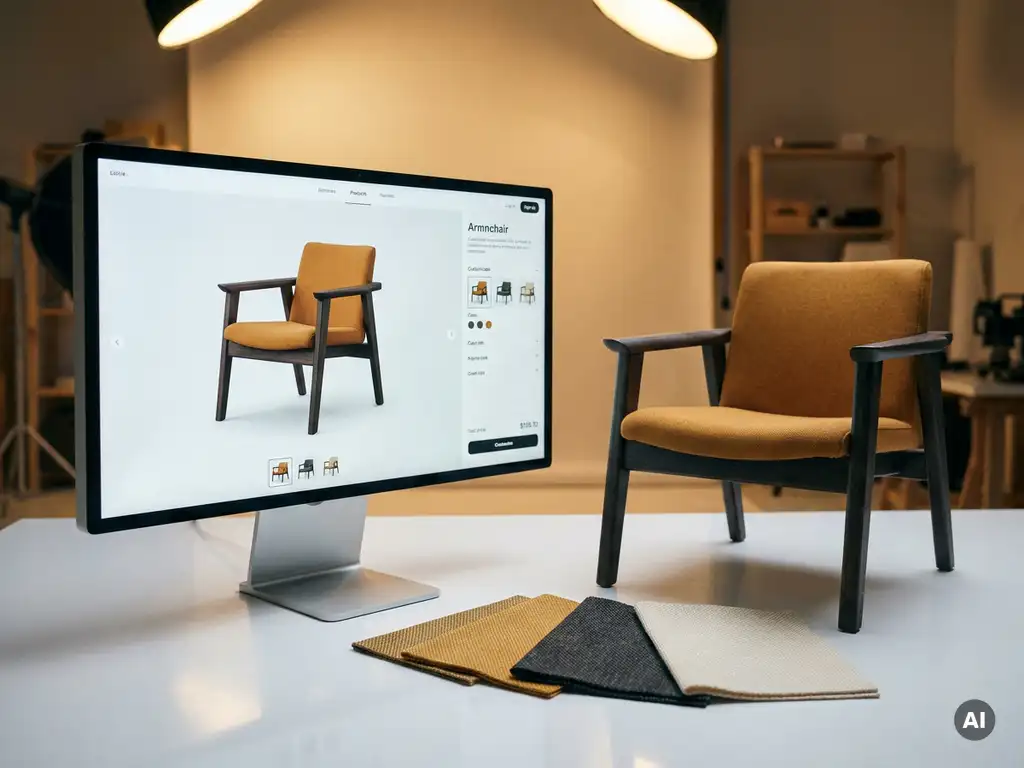
No, CPQ and a product configurator are not the same thing, though they are closely related and often confused. A CPQ tool (Configure, Price, Quote) handles the commercial side of a sale: it calculates accurate pricing and generates a formal quotation. A product configurator, on the other hand, focuses on the visual and interactive experience of building and customising a product. The two serve different purposes, but they work best when used together.
If you sell configurable products, understanding the distinction matters. It shapes which tools you invest in, how your sales process is structured, and how your customers experience your brand. Below, we unpack each question in turn.
What does CPQ software actually do?
CPQ software automates three core steps in the sales process: configuration, pricing, and quotation. When a customer or sales rep selects product options, the CPQ tool calculates the correct price based on rules, margins, and dependencies, then generates an accurate, professional quote, all without manual input or spreadsheet gymnastics.
The real value of CPQ software lies in removing human error from complex pricing scenarios. When a product has dozens of configurable options, each with its own pricing logic, manual quoting becomes slow and unreliable. CPQ eliminates that friction by encoding your pricing rules once and applying them consistently every time.
Key functions a CPQ tool typically handles:
- Applying product and pricing rules automatically based on selected options
- Preventing incompatible configurations from being quoted
- Generating branded, accurate quotation documents
- Supporting discount approval workflows
- Integrating with CRM or ERP systems to keep data aligned
For manufacturers and retailers with large, complex product ranges, CPQ software is not a luxury; it is a practical necessity for maintaining pricing accuracy and sales efficiency at scale.
What is a product configurator and what does it handle?
A product configurator is an interactive tool that lets customers or sales staff build a customised version of a product by selecting materials, colours, dimensions, components, or other variables. Its primary job is to make the configuration process intuitive, visual, and engaging, not to calculate prices or produce quotes.
At its most basic, a configurator might be a set of dropdown menus. At its most advanced, it is a fully immersive 3D experience where every choice a customer makes is reflected in real time through photorealistic visuals. The latter approach is particularly powerful in design-led industries like furniture, interiors, and premium consumer goods, where how a product looks is central to the buying decision.
A strong product configurator handles:
- Presenting all available options in a clear, guided interface
- Enforcing configuration logic so only valid combinations are selectable
- Rendering product visuals dynamically as options are chosen
- Communicating the configured product summary to downstream systems
The configurator is where the customer falls in love with the product. It is the experience layer, and in premium markets, that experience layer needs to be exceptional.
What’s the difference between CPQ and a product configurator?
The key difference between CPQ and a product configurator is their focus: a product configurator manages the what of a product (what it looks like, what options it includes), while a CPQ tool manages the commercial outcome (what it costs, what the customer receives as a formal quote). One is an experience tool; the other is a commercial tool.
Think of it this way: the configurator is the showroom floor where a customer explores and personalises a product. The CPQ is the back office that translates that personalised product into an accurate, legally sound price and quotation document.
Here is a direct comparison:
- Primary purpose: Configurator = product exploration and customisation. CPQ = pricing accuracy and quote generation.
- User experience: Configurator is customer-facing and visual. CPQ is often invisible to the customer, working behind the scenes.
- Output: Configurator outputs a defined product specification. CPQ outputs a priced quotation document.
- Logic handled: Configurator enforces product compatibility rules. CPQ enforces pricing and commercial rules.
- Standalone viability: A configurator can exist without CPQ (for inspiration or lead generation). CPQ without a configurator still works, but the configuration step is handled manually or elsewhere.
In short, they are complementary tools that address different parts of the same sales journey.
Can CPQ and a product configurator work together?
Yes, and when they do, the result is a seamless end-to-end sales experience. A customer configures their product visually, and the CPQ tool immediately translates that configuration into an accurate price and a professional quotation. No manual handoffs, no pricing errors, no delay between inspiration and commercial commitment.
This integration is particularly valuable in B2B sales environments where products are complex, prices vary by volume or market, and quotes need to be generated quickly and accurately. A sales rep using an integrated configurator and CPQ can walk a client through a full product customisation and hand over a complete, branded quote in the same conversation.
The integration also benefits the customer journey in direct-to-consumer or hybrid sales contexts. When a buyer can see their configured product rendered beautifully and receive a clear price instantly, the gap between interest and purchase narrows significantly. Friction disappears. Confidence increases. Conversion follows.
Do you need both CPQ and a product configurator?
Whether you need both depends on your product complexity, your sales process, and how much of the buying journey happens digitally. If your products have many configurable options and pricing varies by those options, combining a product configurator with a CPQ tool will almost always outperform either solution alone.
If your primary goal is inspiring customers and generating leads, a visual product configurator on its own can deliver real value. But if you want that inspiration to convert into sales, especially in a B2B context where formal quotations are expected, CPQ becomes essential.
For brands selling design-led, high-value, or highly customisable products, the combination is not just useful; it is competitive table stakes in 2026. Customers expect to see what they are buying and know what it costs, all in one fluid experience.
How 3Dimerce helps you get the most from CPQ and product configuration
We built our Ensemble Suite specifically for brands that refuse to compromise on visual quality or commercial accuracy. Here is what that means in practice:
- Photorealistic 3D configuration: Customers interact with your product in stunning, lifelike detail, every material, colour, and dimension rendered in real time.
- Integrated CPQ functionality: Our platform includes advanced CPQ capabilities that generate accurate price quotations automatically, based on every configuration choice made.
- Standalone CPQ option: Even if you are not ready for full visual configuration, our Ensemble Suite works as a powerful CPQ tool on its own, giving your team pricing accuracy and quote generation from day one.
- Seamless integration: Our headless architecture connects cleanly with your existing webshop, CRM, or ERP, so data flows without friction across your entire operation.
- Built for premium brands: We work with design-led manufacturers and retailers in the high-end segment, brands where visual quality and brand positioning are non-negotiable.
If you are ready to bring your product configuration and pricing together in one exceptional experience, we would love to show you what is possible. Get in touch with our team and let us find the right solution for your brand.
Frequently Asked Questions
How do I know if my business is ready to implement CPQ, a product configurator, or both?
A good starting point is to audit your current quoting process: if your sales team spends significant time manually calculating prices, correcting quote errors, or managing complex product option combinations, CPQ should be a priority. If customers frequently struggle to visualise what they are buying, or if your conversion rate drops at the product selection stage, a visual product configurator will address that gap. For businesses where both problems exist — complex products and a digitally active customer base — implementing both tools together will deliver the most measurable impact on sales efficiency and conversion.
What are the most common mistakes businesses make when choosing a CPQ tool?
The most frequent mistake is selecting a CPQ tool based on pricing features alone, without considering how it will integrate with existing systems like your CRM, ERP, or eCommerce platform. Poor integration leads to data silos and manual workarounds that quickly erode the efficiency gains CPQ is supposed to deliver. Another common pitfall is underestimating the setup required to encode your pricing rules accurately — the tool is only as reliable as the logic you build into it, so investing time in a thorough rules-mapping exercise before go-live is essential.
Can a product configurator work as a standalone lead generation tool without CPQ?
Absolutely — a product configurator on its own is a highly effective tool for capturing buyer intent and generating qualified leads, particularly in industries where inspiration and visualisation drive the early stages of the purchase journey. A customer who has already configured their ideal product and saved or shared it is a far warmer lead than one who has simply browsed a static catalogue. That said, without CPQ in the background, you will need a manual or separate process to translate that configuration into a formal quote, which introduces delay and potential for error.
How long does it typically take to implement an integrated CPQ and product configurator solution?
Implementation timelines vary significantly depending on product complexity, the number of configuration rules, and how deeply the solution needs to integrate with your existing tech stack. A straightforward deployment for a brand with a defined product range and clean data can be live within a few weeks, while a complex, multi-market implementation with deep ERP integration may take several months. The most reliable way to get an accurate timeline is to work with your solution provider on a scoping exercise before committing — this surfaces technical dependencies and data requirements early, preventing costly surprises later.
What should I look for in a product configurator if visual quality is critical to my brand?
If your brand competes on design and aesthetics, the rendering quality of your configurator is non-negotiable — look specifically for real-time photorealistic 3D rendering rather than static image swaps or basic 2D previews, as the latter fail to convey material texture, finish, and spatial context convincingly. You should also evaluate how the configurator handles lighting, shadow, and environmental context, since these details are what make a rendered product feel real and desirable rather than digital and flat. Finally, ensure the configurator can be updated easily as your product range evolves, so your visual experience stays current without requiring a full rebuild each season.
How does CPQ handle pricing for products with highly variable or custom options?
CPQ tools are specifically designed for this scenario — rather than relying on a static price list, they apply a rules engine that calculates price dynamically based on every selected option, including dependencies, surcharges, volume-based discounts, and market-specific pricing. This means a product with hundreds of possible configurations can be priced instantly and accurately every time, without a sales rep needing to consult a spreadsheet or call a pricing manager. The key is ensuring your pricing logic is correctly encoded during setup, as the CPQ tool will apply those rules consistently at scale.
Can CPQ and product configurator tools support both B2B and direct-to-consumer (D2C) sales channels simultaneously?
Yes, and this is one of the more powerful advantages of a well-integrated platform — the same underlying configuration and pricing logic can be surfaced differently depending on the audience. In a B2B context, the output might be a formal, branded PDF quotation with line-item pricing and approval workflows; in a D2C context, the same configuration might produce an instant price displayed on screen with a direct add-to-cart or enquiry action. Brands operating across both channels should look for a solution with flexible front-end presentation and role-based pricing rules, so the experience feels native to each channel without duplicating your product and pricing data.