
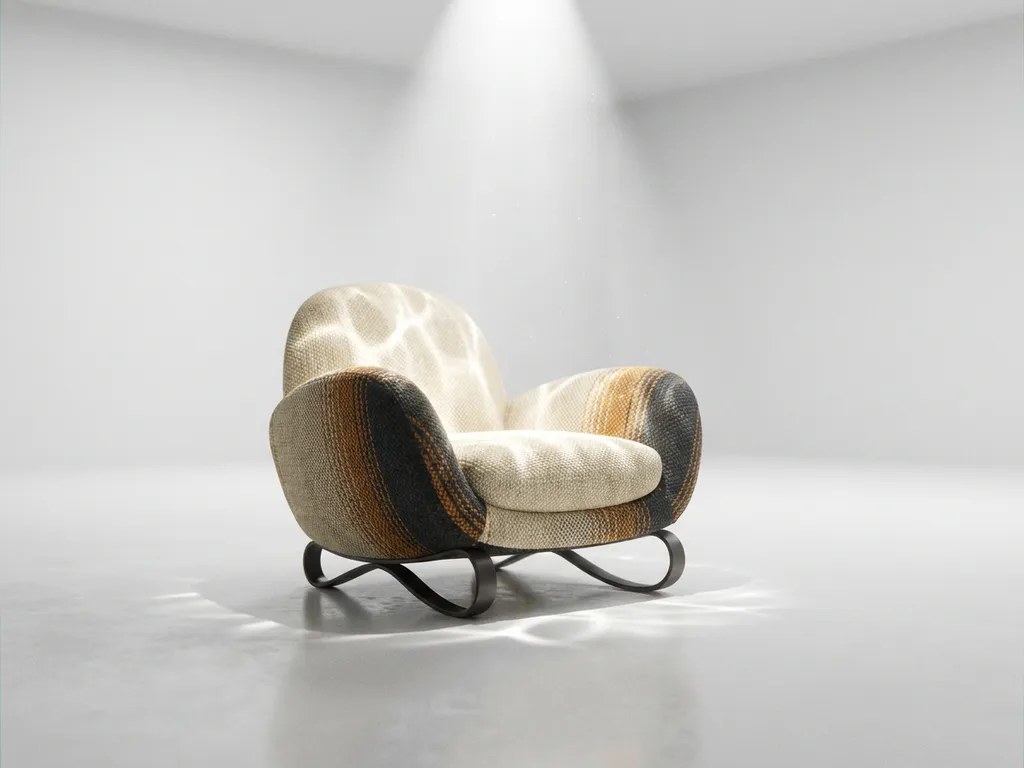
Corona Render has emerged as one of the most powerful and user-friendly rendering engines in the 3D visualization industry, offering exceptional photorealistic results with an intuitive workflow that appeals to both beginners and professionals. This physically based renderer excels at producing stunning visuals with minimal setup time, making it an ideal choice for architectural visualization, product rendering, and interior design projects where quality and efficiency are paramount.
Why is poor rendering quality undermining your product presentations?
When your 3D visualizations lack the photorealistic quality that modern customers expect, you’re essentially presenting your products with a visual handicap that directly impacts purchasing decisions. Subpar rendering creates an immediate trust barrier, as customers struggle to envision how products will actually look in their spaces, leading to hesitation, increased return rates, and lost sales opportunities. The solution lies in adopting rendering technology that delivers true-to-life materials, accurate lighting, and convincing surface details that make digital products indistinguishable from professional photography.
How are outdated rendering workflows slowing down your time to market?
Complex rendering setups and lengthy processing times create bottlenecks that can delay product launches and marketing campaigns by weeks or even months, while competitors with streamlined workflows capture market opportunities. Every hour spent wrestling with complicated rendering parameters or waiting for slow processing is time not spent on creative refinement and client communication. The key is implementing rendering solutions that offer both speed and simplicity, allowing teams to iterate quickly while maintaining the highest visual standards that luxury and design-focused brands demand.
Visual Commerce Solutions
Talk to our team about your project.
What is Corona Render and why is it popular for 3D visualization?
Corona Render is a physically based rendering engine developed by Chaos that has gained widespread adoption for its exceptional balance of photorealistic output and user-friendly interface. Originally created as an independent project, Corona Render was acquired by Chaos in 2017 and has since become a cornerstone solution for architectural visualization, product rendering, and interior design projects worldwide.
The engine’s popularity stems from its ability to produce stunning, photorealistic images with minimal technical knowledge required. Unlike many rendering engines that demand extensive lighting and material setup, Corona Render achieves impressive results straight out of the box. Its physically accurate approach to light simulation means that scenes automatically look natural and believable, making it particularly valuable for high-end product visualization projects where visual quality directly impacts customer perception and purchasing decisions.
How does Corona Render improve rendering quality and realism?
Corona Render’s strength lies in its sophisticated physically based rendering approach that accurately simulates how light behaves in the real world. The engine uses advanced algorithms to calculate light bounces, reflections, and refractions with mathematical precision, resulting in images that exhibit the subtle lighting nuances found in professional photography.
The material system in Corona Render is designed for intuitive use while delivering exceptional realism. Materials respond naturally to lighting conditions, with proper subsurface scattering for translucent objects, accurate metallic reflections, and realistic fabric and wood textures. The engine’s global illumination system ensures that indirect lighting contributes naturally to the overall scene ambiance, eliminating the artificial look that often plagues less sophisticated rendering solutions.
Corona Render also excels at handling complex lighting scenarios, from natural daylight streaming through windows to intricate artificial lighting setups. Its adaptive sampling technology focuses computational power on areas that need the most detail, ensuring that final images maintain sharpness and clarity across all elements while efficiently managing rendering resources.
What makes Corona Render faster and more efficient than other engines?
Corona Render achieves remarkable speed through its intelligent progressive rendering system that provides immediate visual feedback as the image develops. Users can see their scene taking shape in real time, allowing for quick adjustments and iterations without waiting for lengthy test renders to complete.
The engine’s adaptive sampling technology automatically identifies areas requiring more computational attention while reducing processing time in less critical regions. This smart resource allocation means that rendering times remain reasonable even for complex scenes with multiple light sources, detailed materials, and intricate geometry.
Corona Render’s denoising capabilities further enhance efficiency by producing clean, noise-free images in shorter timeframes. The built-in denoiser works seamlessly with the rendering process, eliminating the grainy artifacts that typically require extended rendering times to resolve naturally. This combination of progressive rendering and intelligent denoising makes Corona Render particularly suitable for professional workflows where time constraints are critical.
How easy is Corona Render to learn and use for beginners?
Corona Render was specifically designed with accessibility in mind, making it one of the most beginner-friendly rendering engines available. The interface follows intuitive design principles, with clearly labeled controls and logical workflows that don’t overwhelm new users with unnecessary complexity.
The learning curve is notably gentle compared to other professional rendering solutions. New users can achieve impressive results within their first few projects, as Corona Render’s default settings are carefully calibrated to produce good results without extensive customization. The material library includes a comprehensive collection of pre-built materials that serve as excellent starting points for beginners while demonstrating proper material construction techniques.
Documentation and community support for Corona Render are extensive, with detailed tutorials covering everything from basic scene setup to advanced lighting techniques. The active user community provides additional learning resources through forums, video tutorials, and shared material libraries, creating a supportive environment for skill development.
How 3Dimerce helps with Corona Render implementation
We understand that choosing the right rendering technology is just the beginning of creating exceptional product visualizations. Our expertise in Corona Render implementation ensures that your 3D product configurators leverage the full potential of this powerful rendering engine to deliver the stunning, photorealistic results your luxury brand demands.
Our comprehensive approach includes:
- Custom Corona Render pipeline optimization for your specific product categories
- Material library development that captures the exact textures and finishes of your products
- Lighting setup strategies that showcase your products in their best light
- Performance optimization to ensure blazing-fast rendering without compromising visual quality
- Integration with our visual product experience platform for seamless customer interactions
Ready to transform your product visualization with Corona Render’s exceptional capabilities? Contact our team to discover how we can implement a tailored Corona Render solution that elevates your brand’s digital presence and drives customer engagement through stunning, photorealistic product experiences.
Frequently Asked Questions
What hardware requirements do I need to run Corona Render effectively?
Corona Render is optimized for multi-core CPUs and works well on most modern systems. For optimal performance, we recommend at least 16GB RAM, a modern multi-core processor (8+ cores), and while GPU acceleration isn’t required, having a dedicated graphics card helps with viewport performance. Corona Render’s CPU-based approach means you can achieve excellent results without expensive GPU hardware.
How much does Corona Render cost and what licensing options are available?
Corona Render offers flexible licensing through Chaos, including monthly subscriptions starting around $28/month and annual licenses with significant savings. Educational discounts are available for students and institutions. The software includes all features in every license tier, making it cost-effective for both freelancers and large studios without feature restrictions.
Can Corona Render integrate with my existing 3D software workflow?
Yes, Corona Render integrates seamlessly with major 3D applications including 3ds Max, Cinema 4D, and SketchUp through dedicated plugins. The integration maintains your existing modeling workflow while adding Corona’s rendering capabilities. Most users can transition to Corona Render without changing their primary 3D software or relearning fundamental modeling techniques.
What are the most common mistakes beginners make when starting with Corona Render?
Common beginner mistakes include over-complicating lighting setups (Corona works best with simple, natural lighting), using too many high-resolution textures unnecessarily, and not utilizing the interactive rendering feature for real-time feedback. New users often also ignore the extensive material library and try to build everything from scratch instead of starting with proven presets.
How does Corona Render compare to other popular engines like V-Ray or Blender Cycles?
Corona Render excels in ease of use and speed of setup compared to V-Ray, while maintaining similar quality output. Unlike Blender Cycles, Corona offers more predictable results with less technical knowledge required. Corona’s strength lies in its balance of professional quality and accessibility, making it ideal for users who want excellent results without extensive technical expertise.
What file formats and export options does Corona Render support for product visualization?
Corona Render supports standard image formats including EXR, TIFF, PNG, and JPEG, with full HDR support for post-processing flexibility. For product visualization, it can render high-resolution images, 360-degree product spins, and even VR-ready panoramic outputs. The engine also supports multi-pass rendering for advanced compositing workflows in post-production.
How can I optimize Corona Render settings for faster product visualization workflows?
Use Corona’s Interactive Rendering for real-time feedback during scene setup, enable the denoiser to reduce render times, and utilize render regions to test specific areas quickly. For product visualization, focus on proper lighting setup first rather than increasing render quality settings, as good lighting often eliminates the need for extended render times while maintaining professional results.