
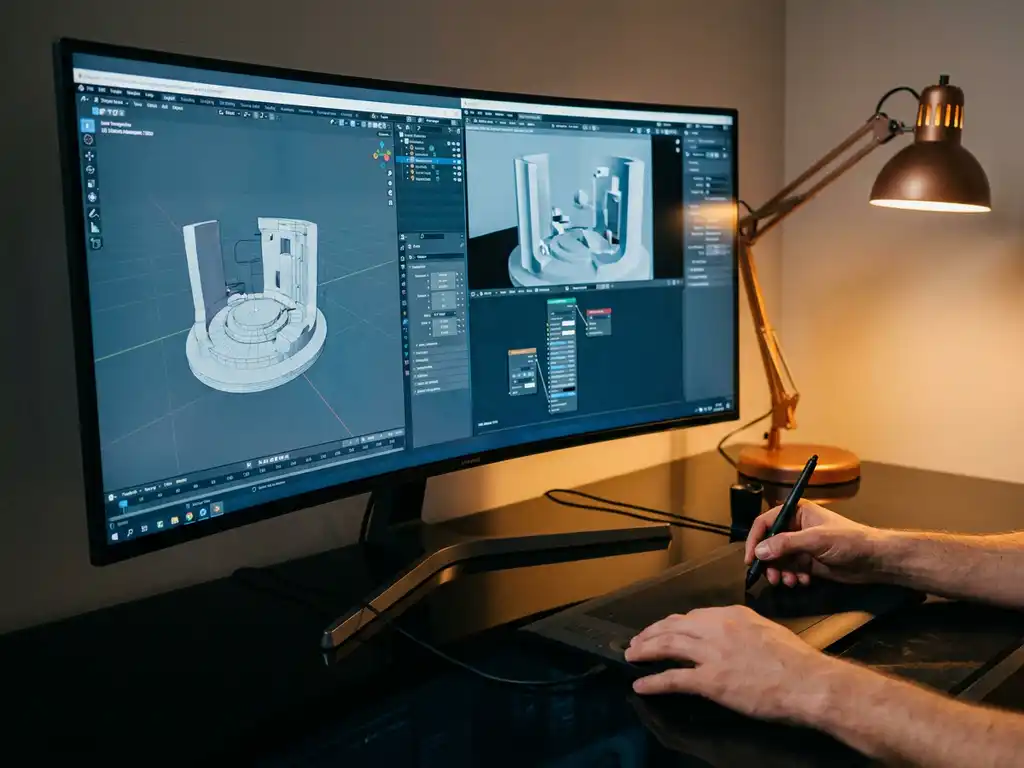
When searching for the best OctaneRender alternatives in 2026, you will find several powerful rendering engines that offer different strengths for various 3D visualization needs. The best OctaneRender alternatives and competitors in 2026 include Redshift for GPU-accelerated production rendering, Cycles for free open-source capabilities, V-Ray for industry-standard photorealism, Arnold for high-end film and animation work, KeyShot for real-time product visualization, and Corona Renderer for architectural visualization workflows. Each engine brings unique advantages depending on your specific requirements, budget, and workflow preferences.
Here is a quick look at the top OctaneRender alternatives in 2026:
- Redshift — fastest GPU production renderer, ideal for high-volume studio pipelines
- V-Ray — industry-standard photorealism for arch-viz and product rendering
- Cycles — best free OctaneRender alternative, fully open-source inside Blender
- Arnold — preferred by film and VFX studios for complex, high-fidelity shots
- Corona Renderer — intuitive CPU renderer built for architectural visualization specialists
- KeyShot — real-time product visualization with the lowest learning curve
Read on for a full comparison of each OctaneRender competitor.
Why are 3D professionals switching away from OctaneRender?
OctaneRender is a GPU-based unbiased rendering engine developed by OTOY. Despite its photorealistic output, several recurring limitations drive studios to explore octane alternatives — particularly around VRAM constraints, licensing costs, and limited software integration outside Cinema 4D.
- Strict VRAM requirements cap scene complexity, as OctaneRender demands the entire scene fit within GPU memory with no CPU fallback for overflowing assets.
- GPU-only architecture offers no CPU rendering path, creating bottlenecks on mixed hardware farms or when GPU resources are unavailable.
- Licensing costs scale steeply for multi-seat studios, making OctaneRender one of the more expensive options as team size grows.
- Deepest integration is limited to Cinema 4D, leaving users of Houdini, Maya, or 3ds Max with a comparatively less seamless experience.
- The absence of a perpetual license option in recent versions ties studios to ongoing subscription commitments regardless of project volume.
- Render times for scenes with complex volumetrics or deep global illumination can be significantly longer than biased alternatives like Redshift.
- Limited built-in denoising options compared to newer engines can extend iteration cycles for previewing work in progress.
If any of these pain points sound familiar, the OctaneRender competitors covered below offer targeted solutions for each of them.
Why render engine lock-in limits creative and business potential
Relying exclusively on one rendering engine creates invisible barriers that can stifle creative output and business growth. When teams become dependent on a single renderer like OctaneRender, they often miss opportunities to leverage specialized tools that could improve their results for specific project types. This tunnel vision leads to compromised project outcomes, longer render times for certain material types, and missed deadlines when the chosen engine is not optimal for specific visualization challenges.
The solution lies in developing a multi-engine workflow strategy, matching the right rendering technology to each project’s unique demands. Studios that treat rendering as a flexible toolkit rather than a fixed platform consistently produce better results across a wider range of project types.
What happens when rendering costs spiral beyond project budgets?
Expensive rendering solutions can quickly consume project margins, especially when licensing fees scale with team size or computational resources. Many studios discover too late that their rendering costs have grown faster than their revenue, creating unsustainable business models that force difficult choices between quality and profitability. This financial pressure often results in rushed renders, reduced quality standards, or declined projects that could have been profitable with more cost-effective rendering solutions.
The key is establishing a diverse rendering toolkit that includes both premium and cost-effective options, allowing studios to optimize expenses while maintaining the visual quality clients expect. Understanding the full cost picture — including licensing, hardware, training, and integration — is essential before committing to any single rendering platform.
Visual Commerce Solutions
Talk to our team about your project.
What are the main alternatives to OctaneRender?
The six most widely used OctaneRender alternatives are Redshift, V-Ray, Cycles, Arnold, Corona Renderer, and KeyShot. Each serves a distinct use case and production environment. Understanding how these OctaneRender competitors differ in rendering architecture, software integration, and pricing is key to making the right choice for your studio.
- Redshift — A GPU-accelerated biased renderer built for production speed and scalability. Owned by Maxon, it integrates tightly with Cinema 4D, Houdini, Maya, and 3ds Max.
- V-Ray — The industry standard for architectural visualization and high-end product rendering, known for photorealistic material accuracy and broad software support.
- Cycles — An open-source, unbiased path tracer built into Blender. Free to use, with active community development and support for both CPU and GPU rendering.
- Arnold — A CPU/GPU renderer used in major film and VFX productions, developed by Autodesk. Excels at complex lighting, subsurface scattering, and hair simulation.
- Corona Renderer — A physically based renderer popular in architectural visualization for its intuitive workflow and high-quality interior lighting.
- KeyShot — A real-time rendering and animation solution optimized for product visualization, with direct CAD file import and a scientifically accurate material library.
The right choice depends on your primary use case, hardware configuration, software pipeline, and budget. The sections below compare each OctaneRender alternative directly against OctaneRender across these dimensions.
| Engine | Render Type | Primary Use Case | Supported 3D Apps | Learning Curve | Approximate License Cost | Best For |
|---|---|---|---|---|---|---|
| Redshift | GPU / Hybrid | Production rendering | Cinema 4D, Maya, Houdini, 3ds Max | Medium | Maxon One subscription | High-volume studio pipelines |
| V-Ray | CPU / GPU Hybrid | Arch-viz and product rendering | 3ds Max, Maya, SketchUp, Rhino | Medium-High | Monthly or annual subscription | Photorealistic arch-viz and compositing |
| Cycles | CPU / GPU | General 3D | Blender only | Medium | Free | Budget-conscious artists and studios |
| Arnold | CPU / GPU | Film and animation | Maya, Houdini, Cinema 4D | High | Pay-per-render or subscription | Film, VFX, and complex scene rendering |
| Corona Renderer | CPU | Architectural visualization | 3ds Max, Cinema 4D | Low-Medium | Annual subscription | Arch-viz and interior rendering specialists |
| KeyShot | CPU | Product visualization | CAD and 3D imports | Low | Perpetual or subscription | Product designers and manufacturers |
How much do OctaneRender alternatives cost?
OctaneRender uses a subscription model that scales with the number of GPUs used, which can become a significant expense for larger studios. The six main alternatives span the full cost spectrum, from completely free render alternatives to enterprise-level subscriptions, giving studios clear options at every budget level. For studios actively searching for cheap OctaneRender alternatives or even free options, the breakdown below makes the decision straightforward.
- Cycles — completely free, included with Blender, no subscription required. This makes it the only truly free OctaneRender alternative available today and the top choice for studios seeking a cost-free option with no ongoing licensing overhead.
- Redshift — available via the Maxon One subscription, which also includes Cinema 4D and other Maxon tools, making it cost-effective for studios already in the Maxon ecosystem.
- V-Ray — available as a monthly or annual subscription per seat, with pricing tiers for individual artists and larger studio teams.
- Arnold — available as a pay-per-render (core-hour) model or annual subscription, commonly used in VFX pipelines where rendering is billed per project.
- Corona Renderer — annual subscription, one of the more affordable options for arch-viz specialists, with straightforward per-seat pricing.
- KeyShot — available as a perpetual license or annual subscription, with different tiers based on feature set and import capabilities.
For studios seeking to eliminate per-render licensing costs entirely, 3Dimerce offers a platform model where stunning real-time product visualization is built into the solution, with no per-frame billing required. Prices listed here are indicative as of 2026; always verify current pricing on each vendor’s official website.
How does Redshift compare to OctaneRender?
Redshift and OctaneRender are both GPU-accelerated rendering engines, but they use fundamentally different approaches. Redshift is a biased renderer that approximates light behavior to prioritize speed and efficiency. OctaneRender is an unbiased renderer that simulates light physically, producing exceptional realism at the cost of higher computational demand. In the OctaneRender vs Redshift comparison, speed and scene scalability are the decisive factors for most production studios. As of 2026, Redshift continues to expand its GPU architecture support, including optimized performance on the latest NVIDIA and AMD cards.
Key differences between Redshift and OctaneRender include:
- Rendering speed: Redshift is generally faster for production scenes due to its biased approach, making it better suited for high-volume studios with tight deadlines.
- VRAM management: Redshift handles scenes that exceed GPU memory more efficiently than OctaneRender, which requires the full scene to fit within VRAM.
- Material system: Redshift’s node-based shader system offers more flexibility for complex material creation; OctaneRender’s interface is more streamlined.
- Software integration: Redshift supports a broader range of 3D applications — including Cinema 4D, Maya, Houdini, and 3ds Max. OctaneRender has particularly deep integration with Cinema 4D.
- Realism ceiling: OctaneRender’s unbiased rendering produces physically accurate results that can surpass Redshift for projects where absolute photorealism is the priority.
Pros
- Significantly faster render times than OctaneRender for production scenes, reducing turnaround time on tight deadlines.
- Efficient VRAM management handles larger scenes without requiring everything to fit in GPU memory.
- Broad 3D app support across Cinema 4D, Maya, Houdini, and 3ds Max makes it a versatile studio choice.
Cons
- Biased rendering means slightly less physical accuracy than unbiased engines like OctaneRender for projects demanding ultimate photorealism.
- Requires a Maxon One subscription, which may not suit studios outside the Maxon ecosystem.
What is the best free alternative to OctaneRender?
Cycles, the rendering engine built into Blender, is the most capable free alternative to OctaneRender available in 2026. It is an open-source, unbiased path tracer that supports both CPU and GPU rendering, and includes advanced features such as volumetrics, subsurface scattering, and motion blur — all without licensing costs. With the release of Blender 4.x, Cycles has received significant performance improvements including faster GPU denoising and improved light linking, further closing the gap with commercial alternatives. For artists searching for the best free octane alternative, Cycles remains the undisputed choice in 2026.
Cycles offers both biased and unbiased rendering modes, allowing users to trade accuracy for speed depending on project requirements. The learning curve is steeper than OctaneRender’s streamlined interface, but extensive documentation and a large community make it accessible to dedicated users. For studios operating on tight budgets or individual artists building their skills, Cycles provides professional-grade capabilities at no cost.
Pros
- Completely free with no subscription or per-seat licensing, making it the most accessible OctaneRender alternative for budget-constrained studios.
- Active open-source development with regular performance improvements, including the significant updates in Blender 4.x.
- Supports both CPU and GPU rendering, offering flexibility across different hardware configurations.
Cons
- Limited to Blender, which requires studios to adopt or integrate an entirely new 3D application if they are not already using it.
- Can be slower than GPU-only engines on complex, production-scale scenes with dense geometry and lighting.
- The transition from OctaneRender’s interface and material system involves a steeper learning curve than switching to some commercial alternatives.
How does Corona Renderer compare to OctaneRender?
Corona Renderer is a physically based, primarily CPU-based rendering engine (with experimental GPU support in recent versions) developed by Chaos. Unlike OctaneRender, which requires the entire scene to fit within GPU VRAM, Corona uses system RAM, allowing it to handle significantly larger and more complex scenes without VRAM bottlenecks. For studios seeking a capable OctaneRender alternative for architectural visualization, Corona is consistently among the top recommendations.
Corona’s interactive rendering feature, LightMix, allows artists to adjust individual light contributions after a render is complete without re-rendering the entire scene. This workflow advantage saves considerable time in arch-viz and interior projects. Its physically based material system produces consistent, predictable results that are straightforward to dial in without deep knowledge of rendering theory, and its controls are designed to feel intuitive to artists coming from a design background. Corona integrates primarily with 3ds Max and Cinema 4D, which covers the majority of architectural visualization pipelines.
Corona Renderer is available as an annual subscription and is one of the more cost-effective options for studios focused exclusively on architectural and interior visualization. Its per-seat pricing scales predictably as a team grows. For studios that have been frustrated by OctaneRender’s GPU dependency and VRAM limitations in large interior scenes, Corona offers a stable and proven alternative with a lower barrier to entry.
Which OctaneRender alternative works best for product visualization?
For product visualization specifically, KeyShot is the leading alternative to OctaneRender. Its real-time rendering engine provides immediate visual feedback as you adjust materials, lighting, and camera angles, which significantly accelerates the design iteration process. KeyShot’s material library includes scientifically accurate materials validated against real-world physical properties — a critical requirement for convincing product renders in design and manufacturing contexts.
KeyShot also supports direct import from major CAD platforms, making it well-suited for manufacturers and industrial designers working from engineering files. V-Ray is a strong alternative when photorealistic compositing with photography is required — its advanced lighting and material systems produce renders that integrate seamlessly with real photography, which is essential for high-end product marketing. When comparing OctaneRender vs V-Ray for product work, V-Ray’s broader software support and hybrid CPU/GPU rendering give it a practical edge for studios working across multiple applications.
For design and luxury brands that need to go beyond static renders entirely, 3Dimerce is the superior solution. Our platform delivers photorealistic, real-time product configurators directly in the browser, with stunning materials, blazing-fast performance, and a high degree of tailored options built specifically for the premium market. No render farm, no per-frame billing, and no compromise on visual quality.
KeyShot Pros
- Lowest learning curve of any major rendering engine, enabling rapid onboarding for new team members.
- Real-time visual feedback dramatically accelerates design iteration and client review cycles.
- Excellent CAD integration allows direct import from engineering software without complex conversion workflows.
KeyShot Cons
- CPU-based rendering means final high-resolution outputs can be slower than GPU-accelerated alternatives.
- Limited scene-building and modeling tools compared to full 3D packages, making it dependent on external software for complex geometry.
V-Ray Pros
- Unmatched photorealism and material accuracy, particularly for scenes that require integration with real photography.
- Widest 3D application support of any engine on this list, covering 3ds Max, Maya, SketchUp, Rhino, and more.
V-Ray Cons
- Higher licensing cost than most alternatives, with per-seat subscription pricing that scales significantly for larger teams.
- Steeper learning curve and slower iteration speed compared to KeyShot for rapid product visualization workflows.
How do you choose between different rendering engines?
Choosing the right OctaneRender alternative requires a structured approach rather than relying on general impressions. Work through these five steps to arrive at a decision that fits your studio’s actual production context:
- Define your primary use case. Architectural visualization points to Corona Renderer or V-Ray. Product visualization points to KeyShot or 3Dimerce. Film and VFX production points to Arnold. General 3D work on a budget points to Cycles.
- Assess your budget. If cost is the primary constraint, Cycles is the only fully free option with no licensing overhead. For mid-range budgets, Redshift via Maxon One offers the best speed-to-cost ratio, especially for studios already using Cinema 4D.
- Evaluate your hardware. GPU-heavy pipelines suit Redshift or OctaneRender. CPU-based workflows or mixed render farms suit V-Ray, Arnold, or Corona, all of which handle CPU rendering efficiently without VRAM limitations.
- Check software compatibility. Confirm that your chosen engine supports your existing 3D applications. Refer to the comparison table above for a quick overview of which engines integrate with Cinema 4D, Maya, 3ds Max, Blender, and Houdini.
- Consider the learning curve. KeyShot and Corona Renderer have the lowest entry barriers and are well-suited for studios that cannot afford extended downtime during a transition. Arnold and V-Ray require the most investment in training and pipeline configuration.
For product-focused brands in the design and luxury segment, 3Dimerce eliminates the engine selection dilemma entirely. Our visual product experience platform delivers stunning, real-time photorealistic visualization built for e-commerce conversion, with no render farm required. For product visualization and configuration, our platform abstracts the rendering layer completely, delivering photorealistic results at scale without requiring per-project engine management.
Which OctaneRender alternative is right for your industry?
Different industries have fundamentally different rendering priorities. The best OctaneRender alternative for a film studio is rarely the right choice for an e-commerce brand or an architectural practice. The recommendations below are organized by industry to help you match the right engine to your specific production context.
Architectural visualization
Corona Renderer is the primary recommendation for architectural visualization specialists. Its CPU-based approach eliminates VRAM bottlenecks in large interior scenes, and the LightMix feature allows post-render light adjustments that dramatically speed up client revision cycles. V-Ray is the premium alternative for studios that require complex lighting simulations, HDR compositing, or integration with photography, and its broad software support makes it the most versatile choice for larger arch-viz practices.
Product design and e-commerce
KeyShot is the most practical starting point for product designers and e-commerce teams, offering rapid CAD-to-render workflows and real-time material feedback that supports fast iteration. For brands in the design and luxury segment that need to go beyond static renders, 3Dimerce is the superior solution. Our platform delivers blazing-fast, photorealistic real-time product configurators directly in the browser, with stunning materials and a high degree of tailored options built specifically for the high-end market. No render farm, no per-frame billing, and no compromise on visual quality.
Film and VFX
Arnold is the recommended choice for film and VFX studios, with deep integration in Maya and Houdini and industry-proven handling of complex hair, fur, and subsurface scattering across large production scenes. Its pay-per-render model also makes it cost-efficient for project-based pipelines where rendering demand fluctuates significantly between productions.
Freelance artists and small studios
Cycles is the best free OctaneRender alternative for freelancers and small studios working within Blender, offering professional-grade capabilities with zero licensing cost. For those ready to invest in a commercial upgrade, Redshift via Maxon One provides an affordable path to significantly faster GPU rendering with broad application support, making it one of the most cost-effective octane alternatives for growing studios.
How 3Dimerce helps with advanced product visualization
3Dimerce is a visual product experience platform built for design, luxury, and premium product brands that require both high-end visual quality and real-time performance. Rather than managing rendering engines per project, our platform handles the technical complexity so your team can focus on the creative and commercial outcome. We deliver photorealistic results directly in the browser, at scale, without compromising on quality or speed.
Rather than managing rendering engines per project, our platform handles the complexity so your team can focus on the creative and commercial outcome. We offer:
- Real-time 3D product configurators that enable instant customization and visualization
- Blazing fast performance across all devices without compromising visual quality
- Seamless integration with existing e-commerce and sales systems
- Stunning photorealistic materials with touchable textures and natural lighting
- Scalable solutions that grow with your product range and business needs
Our comprehensive platform combines the best aspects of multiple rendering technologies to deliver consistent, high-quality results optimized for both online and in-store environments. Ready to transform your product visualization strategy? Contact us today to discover how our tailored solutions can elevate your brand’s digital product experience.
Frequently Asked Questions
How do I transition from OctaneRender to a new rendering engine without disrupting my current projects?
Start by completing current projects in OctaneRender while setting up the new engine in parallel. Create material and lighting conversion charts to map your existing assets, and begin testing the new renderer on smaller, non-critical projects. Most studios find a gradual transition over 2-3 months allows teams to maintain productivity while building expertise in the new system.
Can I use multiple rendering engines in the same studio workflow effectively?
Absolutely, and it’s often the most strategic approach. Many successful studios use different engines for different project types – for example, KeyShot for quick product iterations, V-Ray for final photorealistic renders, and Cycles for experimental work. The key is establishing clear guidelines for when to use each engine and maintaining consistent asset libraries that work across platforms.
What are the hidden costs I should consider when switching rendering engines?
Beyond licensing fees, factor in training time (typically 40-80 hours per artist), hardware upgrades if GPU requirements differ, plugin costs for specialized features, and potential productivity loss during the transition period. Also consider ongoing costs like maintenance subscriptions, render farm compatibility, and the time needed to rebuild material libraries and presets.
How do rendering times actually compare between OctaneRender alternatives in real-world scenarios?
When comparing OctaneRender vs Redshift or OctaneRender vs V-Ray in real-world scenarios, render times vary dramatically based on scene complexity and hardware configuration. Redshift typically renders 2-3x faster than OctaneRender for production scenes, while Cycles can be slower but offers more control over quality vs. speed trade-offs. KeyShot excels in interactive rendering but may be slower for final high-resolution outputs. These benchmarks reflect typical 2026 hardware configurations — results will vary with newer GPU generations. Always test with your specific content types and hardware setup.
Which rendering engine should I choose if I work primarily with complex materials and textures?
V-Ray leads in material complexity and accuracy, especially for architectural and product visualization with its advanced shader networks. Arnold excels with complex subsurface scattering and hair/fur materials. For real-time material feedback, KeyShot’s material editor is unmatched. Consider Redshift if you need complex materials but prioritize render speed over ultimate accuracy.
How important is GPU memory when choosing between different rendering engines?
GPU memory is critical for GPU-accelerated engines like Redshift, OctaneRender, and Cycles GPU. Redshift handles memory more efficiently and can render larger scenes with less VRAM, while OctaneRender requires everything to fit in GPU memory. For complex scenes, consider engines like V-Ray or Arnold that can efficiently use both CPU and GPU resources, or invest in higher VRAM graphics cards.
What's the best way to evaluate rendering engines before making a final decision?
Download trial versions and test with your actual project files, not just demo scenes. Create a standardized test scene that represents your typical work complexity and measure render times, memory usage, and quality results. Involve your entire team in the evaluation process and test integration with your existing pipeline tools. Most vendors offer extended trial periods for serious evaluations.