
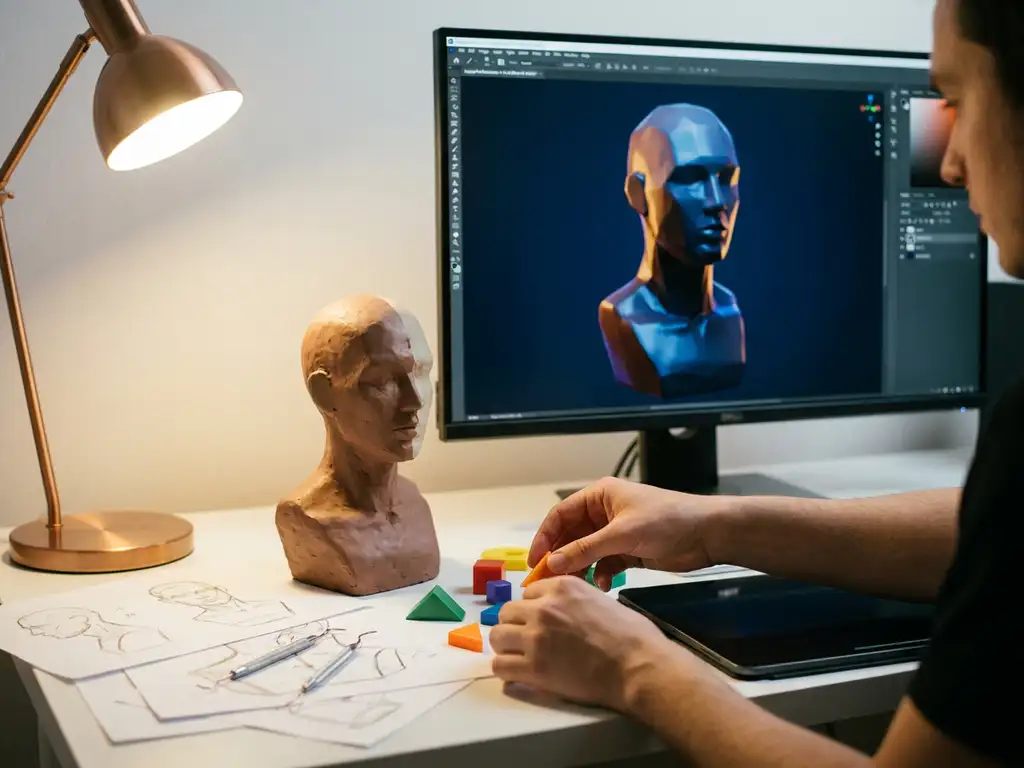
3D rendering is the process of generating photorealistic images from digital 3D models using specialized software and mathematical calculations. While the technical complexity might seem intimidating at first, 3D rendering is absolutely learnable for beginners with the right approach and dedication. Most people can grasp the fundamentals within a few months and develop professional-level skills within 1-2 years of consistent practice.
What is 3D rendering and why is it important?
3D rendering is the process of generating photorealistic images or animations from three-dimensional digital models using computer graphics software. The rendering engine calculates how light interacts with surfaces, materials, and textures, transforming mathematical representations of objects and scenes into visual content that closely mimics real-world photography.
The importance of 3D rendering extends across multiple industries, from architecture and product design to entertainment and marketing. In product visualization specifically, 3D rendering eliminates the need for expensive photography sessions and allows for unlimited variations of the same product. Companies can showcase products in different colors, materials, and configurations without manufacturing physical prototypes. This technology also enables interactive experiences where customers can customize products in real time, significantly improving engagement and conversion rates.
What are the main 3D rendering techniques?
Not all 3D rendering works the same way. The method a rendering engine uses determines the visual quality of the output, how long the render takes, and what hardware is required to produce it. Understanding the three primary techniques helps you choose the right approach for your project.
Ray tracing
Ray tracing simulates real-world light behavior by tracing the path of individual light rays as they bounce between surfaces in a scene. This produces the highest level of realism, accurately capturing reflections, refractions, shadows, and subtle color bleeding between objects. Because of the computational cost, ray tracing is typically reserved for final marketing renders and high-quality product visualization rather than real-time applications. It demands a capable GPU or extended CPU render times.
Rasterization
Rasterization works by projecting 3D geometry onto a 2D screen, determining which pixel each polygon occupies and assigning color values accordingly. It is extremely fast compared to ray tracing, which makes it the standard method for real-time applications such as video games and interactive product configurators. The trade-off is that lighting and shadow accuracy are approximated rather than physically simulated, so the results are less photorealistic at close inspection.
Path tracing
Path tracing is an advanced form of ray tracing that traces many light paths per pixel to build up a physically accurate image over time. It produces the most realistic results of any rendering method, including accurate global illumination, soft shadows, and complex material interactions. This is the technique of choice for high-end product visualization and architectural rendering, where visual accuracy is non-negotiable. Render times are the longest of the three methods, though modern GPU acceleration and AI denoising have made path tracing significantly more practical in recent years.
| Technique | Render Quality | Speed | Hardware Demand | Best Use Case |
|---|---|---|---|---|
| Rasterization | Good | Very fast (real-time) | Low to moderate | Games, interactive configurators |
| Ray Tracing | Very high | Slow to moderate | High (GPU recommended) | Final product and marketing renders |
| Path Tracing | Highest | Slowest | Very high | High-end product and architectural visualization |
Our platform uses advanced rendering technology so your products always appear in their best light, with no technical configuration required on your end.
How long does it take to learn 3D rendering?
The time it takes to learn 3D rendering depends on your goals, available hours per week, and prior experience with digital tools. Complete beginners can expect to understand basic concepts and produce simple renders within 2-3 months of dedicated study. Developing professional-level skills typically requires 12-18 months of consistent practice.
Several factors influence how quickly you progress:
- Prior experience: Familiarity with graphic design software or art fundamentals like lighting and composition accelerates learning.
- Time commitment: Learners dedicating 10-15 hours per week advance significantly faster than casual practitioners.
- Project complexity: Creating basic product renders requires less time than mastering architectural visualization or character animation.
- Software focus: Concentrating on one platform before expanding your toolkit builds a stronger foundation faster.
Most experienced 3D artists recommend choosing one software platform and staying with it through the fundamentals before exploring additional tools.
How long does a 3D render actually take to produce?
Learning time and render production time are two separate questions. How long does 3D rendering take to produce a single image depends on scene complexity, hardware, and the rendering method you use. Understanding these variables helps you plan projects realistically and avoid frustrating surprises when deadlines are tight.
Factors that affect render time
Several technical variables determine how long a render takes to complete. Scene complexity is the most significant factor: more polygons, more light sources, and more reflective or transparent surfaces all increase computation time. Resolution matters too, since a 4K output requires far more processing than a 1080p image. The number of light bounces (samples) you configure directly affects both quality and render duration. Finally, GPU rendering is substantially faster than CPU rendering for most modern workflows, sometimes reducing render times by an order of magnitude.
Typical render time ranges by project type
Render times vary widely depending on what you are creating. As a practical reference:
- Simple product render on a mid-range GPU: 1-10 minutes per image
- Complex product render with multiple materials and studio lighting: 10-45 minutes
- Architectural interior with global illumination: 30 minutes to several hours per frame
- Animation frames: Multiply your single-frame render time by the total frame count. A 10-second clip at 24 frames per second is 240 individual renders.
These ranges assume reasonably optimized scenes. Poorly structured geometry or excessive sample counts can push times far beyond these estimates.
How to reduce render times
Rendering speed can be improved significantly through good scene management. Use lower sample counts during draft iterations and only increase them for final output. Modern AI denoising tools, including those built into Blender 4.x and supported by NVIDIA DLSS technology, allow clean results at far lower sample counts than traditional methods require. Optimizing geometry by removing hidden or non-contributing polygons reduces the scene load. GPU acceleration should be enabled whenever your hardware supports it, as it typically delivers the largest single performance gain. For particularly demanding projects, cloud rendering services distribute the workload across remote servers, removing local hardware as a bottleneck entirely.
What skills do you need for 3D rendering?
3D rendering requires a combination of technical proficiency and artistic understanding. Neither alone is sufficient, as the strongest renders come from practitioners who develop both in parallel.
Technical skills for 3D rendering
On the technical side, you need familiarity with 3D software interfaces, basic computer navigation, and patience for detailed work. Mathematical concepts like geometry and spatial reasoning are helpful, though most modern software handles complex calculations automatically.
Artistic skills for 3D rendering
Artistic ability proves equally important for creating compelling renders. Understanding composition, lighting, and color theory dramatically improves output quality. Knowledge of how real-world materials interact with light helps create believable surfaces and textures. Photography principles translate directly to 3D rendering, as you are essentially setting up virtual cameras and lighting scenarios.
Workflow and problem-solving skills
Problem-solving is crucial, since 3D rendering frequently involves troubleshooting technical issues and optimizing scene performance. Attention to detail separates amateur work from professional-quality output. Patience and persistence are also essential, as rendering can be time-consuming and typically requires multiple iterations to reach the desired result.
Why model quality determines your render quality
One of the most overlooked factors in 3D rendering quality is the underlying 3D model itself. Even the most powerful rendering engine cannot compensate for a poorly built asset. A render-ready model requires clean topology (well-organized geometry without unnecessary polygons or overlapping faces), proper UV unwrapping so textures are applied accurately across surfaces, and an appropriate polygon density matched to the intended output resolution. Shortcuts at the modeling stage always show up in the final image.
Texture quality is equally decisive. Surface realism in a photorealistic 3D render depends on high-resolution PBR material maps, including base color (albedo), roughness, metallic, and normal maps. These maps define how a surface reflects light, how rough or smooth it appears, and whether it reads as metal, fabric, plastic, or any other material. Low-resolution or incorrectly configured textures produce renders that look flat and unconvincing regardless of lighting quality.
This is precisely why professional product visualization, like what we deliver at 3Dimerce, starts with meticulously built 3D assets rather than rendering settings alone. 3D rendering quality begins long before the render button is pressed. Our team builds every asset to the highest standard so that the final output reflects your product accurately and beautifully, at every resolution and from every angle.
Which 3D rendering software should beginners use?
The best 3D rendering software for beginners depends on your goals and budget. The most commonly recommended starting points are Blender, KeyShot, and Cinema 4D, each suited to different use cases.
- Blender: Free, open-source, and comprehensive. Includes modeling, rendering, and animation in one package. Best for beginners who want to learn the full 3D pipeline without upfront cost. Supported by an extensive community and tutorial library.
- KeyShot: Designed specifically for rendering rather than modeling, with real-time preview that accelerates learning. Requires a separate modeling program. Starts at approximately $99/month.
- Cinema 4D: Balances user-friendliness with professional capabilities. Approximately $94/month. Better suited to users who want a polished interface and industry-standard output.
- Maya and 3ds Max: Industry standards for animation and visual effects. Steeper learning curves and higher costs make them better suited to users with existing 3D experience or specific professional requirements.
For most beginners, starting with Blender to learn fundamental concepts is the most practical approach. Once you have established core skills, you can evaluate whether specialized software better fits your specific workflow.
| Software | Cost | Learning Curve | Best For | Rendering Engine | Min. Hardware |
|---|---|---|---|---|---|
| Blender | Free | Moderate | All-purpose | Cycles / EEVEE | 8GB RAM + GPU |
| KeyShot | ~$99/mo | Low | Product visualization | KeyShot proprietary | 8GB RAM |
| Cinema 4D | ~$94/mo | Low-Moderate | Motion graphics + product | Redshift | 16GB RAM |
| Maya | Subscription | High | Animation + VFX | Arnold | 16GB RAM + GPU |
| 3ds Max | Subscription | High | Architecture + visualization | Arnold / V-Ray | 16GB RAM + GPU |
For businesses that want none of the above complexity, our platform handles all rendering infrastructure for you.
Browser-based and cloud rendering options
Not every user has access to a high-end workstation, and that is where browser-based and cloud rendering tools offer a practical alternative. Tools like clara.io allow you to create and render 3D scenes entirely in your browser, removing the need for a high-end local machine. These platforms are ideal for beginners or teams without access to dedicated rendering hardware. For businesses that need production-ready product renders without any hardware investment at all, our platform delivers photorealistic results through a fully managed cloud infrastructure, with no GPU required on your end.
AI-powered rendering tools in 2025
In 2025, AI-powered tools are dramatically changing what beginners can achieve. Blender 4.x includes built-in AI denoising that produces clean renders in a fraction of the samples previously required. NVIDIA DLSS and similar GPU-accelerated AI upscaling technologies allow mid-range hardware to produce high-resolution renders faster than ever. These advancements mean the hardware and time barriers to quality 3D rendering are lower today than at any point in the discipline’s history.
For businesses, however, even AI-assisted tools still require setup time and expertise. That is exactly the gap our platform eliminates, giving you production-ready results without the learning investment.
How do you start learning 3D rendering step by step?
Learning 3D rendering follows a clear progression: start with software basics, build foundational skills through simple projects, and gradually increase complexity. Consistency matters more than volume, as daily 30-minute sessions typically outperform infrequent intensive study.
- Choose your software and complete introductory tutorials. Focus on viewport navigation, basic modeling tools, and material assignment before attempting complex projects.
- Start with simple objects. Practice on geometric shapes like cubes, spheres, or basic furniture pieces. Experiment with different materials and lighting setups to build core intuition.
- Study professional examples. Reviewing real-world product visualization work helps calibrate your quality targets and inspires practice projects.
- Increase complexity progressively. Add more detailed models, advanced materials, and sophisticated lighting as your confidence grows.
- Join a community and seek feedback. Online 3D communities provide critique that accelerates improvement faster than solo practice.
- Follow structured courses. Progressive skill-building courses provide better foundations than random tutorial videos.
Set specific goals for each practice session, such as mastering a particular material type, lighting technique, or render setting, rather than practicing without direction.
The 3D rendering production pipeline: from model to final image
Beyond the learning journey, it helps to understand the actual technical stages involved in producing a render. This is the standard production pipeline that professional artists follow for every project:
- Create or import your 3D model. Ensure clean topology and appropriate polygon density for the intended output resolution.
- UV unwrap the model. Define how textures are projected and applied across the model’s surfaces so materials appear correctly in the render.
- Assign materials. Configure PBR properties including base color, roughness, metallic, and normal maps to define how each surface interacts with light.
- Set up lighting. Choose between HDRI environment lighting, area lights, or studio setups depending on the mood and product type you are visualizing.
- Position the camera. Set focal length, depth of field, and framing to create a compelling and accurate product view.
- Configure render settings. Choose your rendering engine, sample count, output resolution, and file format based on the final use case.
- Run the render. Execute via GPU or CPU, using real-time preview to check progress before committing to a full-quality final output.
- Post-process. Adjust exposure, contrast, and color grading in a compositing tool or external software like Photoshop to bring the image to its final polished state.
What are the biggest challenges when learning 3D rendering?
The most common challenges beginners face in 3D rendering fall into three areas: technical complexity, slow feedback loops, and artistic development.
Technical complexity overwhelms many beginners. Modern 3D software includes hundreds of parameters and options, making it difficult to know which settings matter for your specific projects. While most software handles the underlying mathematics automatically, understanding which controls to adjust, and why, takes time to develop.
Render times create a slow feedback loop that frustrates early learners. Complex scenes can take hours to render, making it difficult to iterate quickly and learn from mistakes. Managing hardware limitations alongside this slow cycle adds another layer of friction. AI denoising tools and GPU acceleration have improved this significantly in recent years, but render time remains a real challenge for beginners working on modest hardware.
Artistic development often proves harder than technical skills. Understanding why one render looks professional while another appears amateurish requires developing an eye for lighting, composition, and material realism, skills that improve only through sustained exposure and deliberate practice. Many beginners focus exclusively on technical settings while neglecting the artistic principles that create compelling visuals.
Finally, the volume of available learning resources can paralyze beginners. Choosing a structured learning path and staying with it, rather than jumping between approaches, is one of the most effective ways to build a solid foundation.
3D rendering for architectural visualization
Architectural visualization is one of the most demanding applications of 3D rendering. It requires accurate lighting simulation across large spatial environments, physically correct material behavior for surfaces like glass, concrete, and wood, and precise camera staging to communicate scale and spatial relationships convincingly. The scenes involved are far larger and more complex than typical product renders, which means both the hardware requirements and the learning investment are considerably higher.
Software commonly used for architectural visualization includes Lumion, Enscape, and Twinmotion for real-time arch-viz workflows, and V-Ray or Corona Renderer for high-end photorealistic output. Each of these tools has a meaningful learning curve, and producing genuinely compelling architectural renders requires not only software proficiency but also a strong understanding of interior design, natural light behavior, and spatial composition. For teams without dedicated 3D specialists, cloud-based and platform-managed rendering options reduce the hardware burden and allow architects and designers to focus on the design itself rather than technical configuration.
While architectural rendering is a specialized discipline that demands significant investment to master, businesses focused on product visualization can achieve comparable visual impact through managed platforms like 3Dimerce without the associated learning curve. Our platform is built specifically for high-end product visualization, delivering the same standard of photorealistic quality that premium architectural renders are known for, but optimized entirely for product catalogs, configurators, and e-commerce environments.
For businesses: why product visualization directly affects your bottom line
For businesses, the stakes of getting product visualization right go beyond personal skill. Poor visuals have a direct impact on revenue.
Why is poor product visualization costing you sales conversions?
When customers can’t properly visualize your products online, you’re losing potential sales before they even reach the checkout. Static images and basic product photos fail to showcase the true quality and customization options of premium products, leading to uncertainty and abandoned carts. Studies in e-commerce product experience consistently show that shoppers who interact with 3D product views are significantly more likely to complete a purchase, with some retailers reporting conversion uplifts of 20-40% after introducing interactive 3D visualization. Without interactive 3D visualization, you’re forcing customers to imagine how products will look in different configurations, colors, or materials. This visualization gap directly impacts conversion rates and forces you to rely on costly physical showrooms or extensive photography shoots for every product variant. The solution lies in implementing dynamic 3D rendering that allows customers to explore products from every angle and see real-time customization options.
How is outdated product imagery holding back your brand positioning?
Your brand’s premium positioning is undermined when product visuals look inconsistent, outdated, or low-quality across different sales channels. Traditional photography struggles to keep pace with product variations and seasonal updates, leaving you with mismatched imagery that erodes customer trust. Brands that maintain visual consistency across all channels report higher customer trust scores and lower return rates, since customers receive exactly what they expected. When competitors showcase their products with stunning, interactive 3D experiences while you rely on static photos, the quality gap becomes obvious to potential customers. This visual disparity doesn’t just affect online sales. It also impacts how retailers and partners perceive your brand’s digital sophistication. The answer is adopting scalable 3D rendering technology that maintains consistent, high-quality visuals across all touchpoints while reducing dependency on expensive photo shoots and physical samples.
Visual Commerce Solutions
Talk to our team about your project.
How 3Dimerce helps with 3D rendering challenges
3Dimerce is a visual product configuration platform built specifically for the design, luxury, and high-end market. For businesses that need professional-quality product visualization without the time investment of learning 3D software from scratch, we offer a purpose-built alternative: stunning, photorealistic renders delivered through a platform designed for speed, quality, and tailored configuration at scale.
Our visual product configuration platform eliminates the steep learning curve by providing ready-to-use 3D rendering capabilities specifically designed for product visualization. Instead of spending months learning complex software, you can focus on showcasing your products with the kind of photorealistic quality that premium brands demand. We handle the technical complexity so your team doesn’t have to.
Our platform offers several key advantages for design-led and luxury brands:
- Professional-quality, photorealistic renders without requiring in-house 3D expertise
- Real-time product customization and configuration tailored to high-end product catalogs
- Seamless integration with existing e-commerce platforms
- Consistent visual quality across all product variants and sales channels
- Blazing fast performance for immediate, engaging customer interaction
Whether you’re looking to enhance your online product catalog or create interactive showroom experiences, we handle the technical complexity while you focus on growing your business. Contact us today to discover how we can transform your product visualization without the lengthy learning curve of traditional 3D rendering software.
Frequently Asked Questions
What hardware do I need to get started with 3D rendering?
A mid-range computer with a dedicated graphics card (GPU) is ideal, but you can start learning with basic hardware. For beginners, 8GB RAM, a modern CPU, and any dedicated GPU will handle simple projects. As you advance, consider upgrading to 16-32GB RAM and a more powerful GPU like RTX 3060 or better for faster render times and complex scenes.
How much should I expect to spend on 3D rendering software as a beginner?
You can start completely free with Blender, which offers professional-grade capabilities. If you prefer user-friendly options, KeyShot starts at around $99/month, while Cinema 4D costs approximately $94/month. Many professionals recommend starting with free software to learn fundamentals before investing in premium tools.
What's the difference between real-time rendering and traditional rendering?
Traditional rendering produces high-quality images but can take minutes to hours per frame, while real-time rendering creates instant visual feedback but with some quality trade-offs. Real-time rendering is perfect for interactive product configurators and immediate previews, whereas traditional rendering is used for final marketing materials and photorealistic presentations.
How do I avoid common beginner mistakes that make renders look unprofessional?
Focus on lighting quality over model complexity – poor lighting ruins even detailed models. Avoid over-saturated materials, unrealistic scale proportions, and cluttered compositions. Study real photography for lighting reference, use subtle material imperfections for realism, and always consider your camera angle and focal length to create compelling compositions.
Can I create product renders good enough for e-commerce without years of experience?
Yes, with focused learning on product-specific techniques, you can create e-commerce-quality renders within 3-6 months. Concentrate on mastering studio lighting setups, material creation for your specific product types, and efficient workflows rather than trying to learn every aspect of 3D rendering. Consider using pre-made HDR environments and material libraries to accelerate your progress.
What should I do when my renders take too long or my computer crashes?
Optimize your scenes by reducing polygon counts on non-visible surfaces, using lower resolution textures during testing, and rendering smaller image sizes for previews. Enable GPU acceleration if available, close unnecessary programs while rendering, and consider cloud rendering services for complex projects. Start with simple scenes and gradually increase complexity as you learn optimization techniques.
How do I know if learning 3D rendering is worth the time investment for my business?
Calculate your current costs for product photography, including studio time, photographer fees, and reshoots for product variations. If you spend over $5,000 annually on product imagery or need frequent updates for customizable products, learning 3D rendering typically pays off within the first year. Consider the long-term benefits of unlimited product variations and faster time-to-market for new designs.