
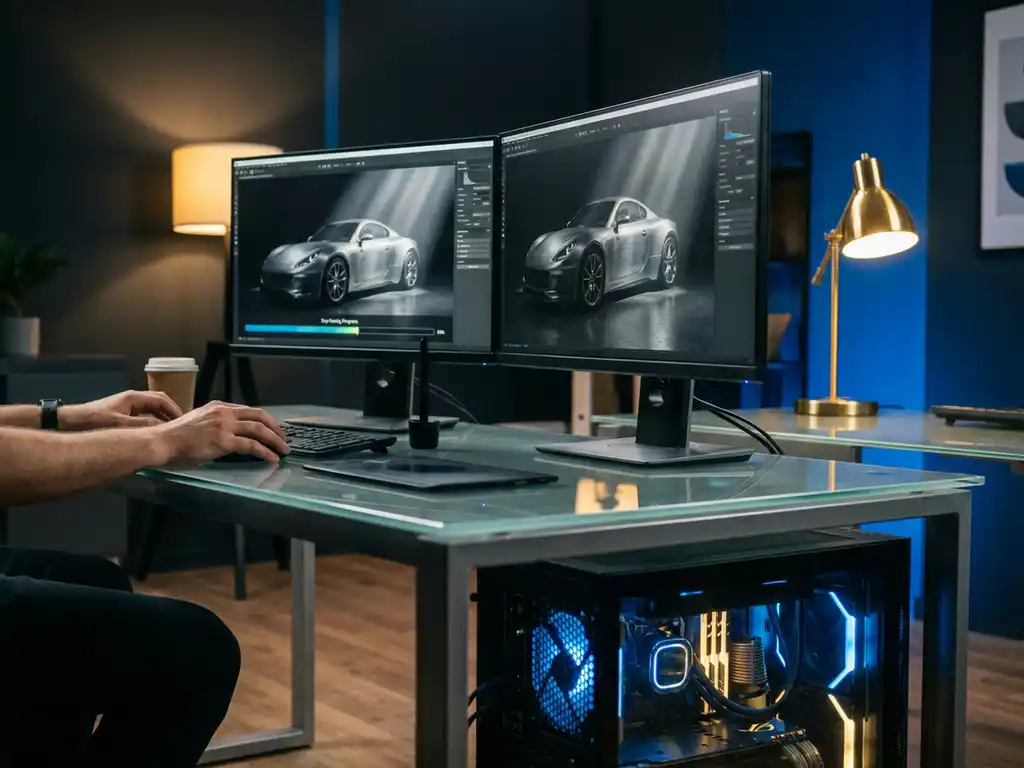
If you are searching for information about octane as a hydrocarbon compound or fuel octane ratings, this is not the right page. This page is about Octane Render, the professional GPU-accelerated rendering engine developed by OTOY, not about the chemical compound or fuel quality measurement. Understanding the octane render meaning starts here: OctaneRender is an unbiased path-tracing engine that uses NVIDIA CUDA cores to produce photorealistic 3D imagery at GPU speed, and it has become one of the most widely adopted rendering solutions in professional creative pipelines worldwide.
What is Octane Render, exactly? Octane Render, officially known as OctaneRender and developed by OTOY, is a GPU-accelerated, unbiased path-tracing engine that produces photorealistic 3D imagery by simulating physically accurate light behavior entirely on NVIDIA CUDA cores. Unlike CPU renderers that process light calculations sequentially, Octane assigns thousands of GPU cores to work in parallel, compressing render times that once took hours into minutes. The octane render meaning lies in that core distinction: it is not a renderer that approximates or shortcuts physical light behavior, it is one that calculates it with mathematical precision at GPU speed. Since its widespread professional adoption, OctaneRender has become the engine of choice for studios, product visualizers, and luxury brands that refuse to compromise on visual quality.
Why is slow rendering costing you competitive advantage?
Every hour spent waiting for renders to complete is an hour your competitors are using to iterate, refine, and deliver superior visual content to their clients. Traditional CPU rendering can take hours or even days for complex scenes, forcing creative teams into rigid workflows where experimentation becomes prohibitively expensive. This bottleneck does not just slow down individual projects. It fundamentally limits your ability to offer clients multiple design options, respond quickly to feedback, or adapt to last-minute changes.
The solution lies in GPU-accelerated rendering systems that compress rendering times from hours to minutes, enabling real-time creative decision-making and faster project delivery. For studios competing in the design, luxury, and high-end visualization market, this speed advantage directly translates into more iterations, sharper proposals, and stronger client outcomes.
What does poor visual quality signal about your rendering pipeline?
When rendered images lack the photorealistic detail that modern clients expect, it often indicates that the rendering engine is compromising quality for speed, or vice versa. Grainy textures, unrealistic lighting, and artificial-looking materials immediately signal to potential clients that your visualization capabilities may not meet premium standards. This quality gap becomes especially costly when competing for high-value projects where visual fidelity directly impacts purchasing decisions.
Modern unbiased rendering engines such as Octane Render eliminate these quality compromises by accurately simulating light behavior, delivering both speed and photorealism without forcing a trade-off between the two.
Visual Commerce Solutions
Talk to our team about your project.
What is Octane rendering and how does it work?
Octane Render is an unbiased, physically accurate rendering engine developed by OTOY that leverages GPU computing to simulate realistic light behavior. It uses path tracing algorithms to calculate how light bounces through a 3D scene, producing photorealistic images that accurately represent materials, shadows, and reflections. Because every light calculation follows physical rules rather than approximations, the output is mathematically correct, not an estimate. As a dedicated octane software 3d rendering solution, OctaneRender sets the standard for what a GPU rendering engine can achieve in a professional production environment.
Path tracing: the physics behind the render
Path tracing is the computational method that makes Octane Render’s output so convincing. Rather than relying on pre-calculated lighting shortcuts, path tracing follows individual rays of light as they travel through a scene, bounce off surfaces, and interact with materials. Each ray accumulates color and energy information along its path, and thousands of these rays are averaged together to produce a final pixel value. The result is lighting that behaves exactly as it does in the physical world, including subtle effects like color bleeding, caustics, and the soft gradients of indirect illumination.
This approach is what defines Octane as an unbiased path tracing render engine. There are no artistic approximations baked into the algorithm. The engine simply simulates physics, which is why its output is indistinguishable from studio photography when materials and lighting are set up correctly.
How CUDA parallel processing powers Octane
The core technology behind Octane Render relies on CUDA parallel processing, which allows thousands of GPU cores to work simultaneously on different aspects of the rendering calculation. This approach dramatically accelerates the rendering process compared to traditional CPU-based systems that process calculations sequentially. Where a CPU might work through light bounces one at a time, an NVIDIA GPU running Octane processes millions of light paths concurrently, which is why octane rendering can compress a multi-hour CPU job into a matter of minutes.
Key visual features: volumetrics, SSS, and material shading
The engine supports advanced features including volumetric lighting, subsurface scattering, and complex material shading. Volumetric lighting enables realistic fog, smoke, and atmospheric depth. Subsurface scattering (SSS) simulates the way light penetrates and scatters beneath translucent surfaces such as skin, wax, or marble, producing the characteristic soft glow that makes those materials look alive. Together, these capabilities contribute to Octane’s reputation for producing exceptionally realistic imagery across a wide range of material types and lighting conditions.
What is the difference between Octane and other render engines?
The primary distinction between Octane Render and competing engines is its exclusive, ground-up focus on GPU acceleration combined with an unbiased rendering methodology. While engines like V-Ray or Arnold offer both CPU and GPU rendering modes, Octane was designed specifically to maximize GPU performance, resulting in significantly faster render times for complex scenes. The table below compares the four most widely used professional rendering engines across the criteria that matter most to studio decision-makers.
| Criteria | Octane Render | V-Ray | Arnold | Redshift |
|---|---|---|---|---|
| Rendering type | Unbiased path tracing | Biased / unbiased hybrid | Unbiased path tracing | Biased (approximated) |
| Primary compute unit | GPU-only (CUDA) | CPU + GPU | CPU + GPU | GPU-primary (CUDA) |
| Real-time viewport preview | Yes, full quality | Partial (V-Ray Vision) | Limited | Yes |
| Top software integrations | Cinema 4D, Blender, Maya | 3ds Max, Maya, SketchUp | Maya, Houdini, 3ds Max | Cinema 4D, Maya, Houdini |
| Minimum VRAM (professional use) | 8 GB (24 GB recommended) | 8 GB | 8 GB | 8 GB |
| Approximate subscription tier | Mid | Mid to high | High | Mid |
| Best suited for | Pure GPU photorealism, product and luxury visualization | Architectural and generalist production | VFX and film production | Fast biased GPU rendering, animation |
Octane’s unbiased approach means it does not use shortcuts or approximations to speed up rendering. Instead, it accurately simulates physical light behavior to produce mathematically correct results. This contrasts with biased renderers that may use techniques like irradiance caching or photon mapping to reduce render times but potentially sacrifice accuracy. Additionally, Octane’s real-time viewport preview allows artists to see near-final quality results immediately as they work, eliminating the traditional guess-and-render workflow common with other engines. At 3Dimerce, we work exclusively with Octane Render because its GPU-native architecture delivers the photorealistic quality our luxury and design clients demand, without compromise.
How fast is Octane Render compared to V-Ray and Arnold?
Speed is one of the most decisive factors when choosing a rendering engine for professional production, and this is where Octane Render’s GPU-native architecture creates a measurable advantage. For a mid-complexity product scene rendered at 4K resolution, a workload that might take 2 to 4 hours on a CPU-based Arnold or V-Ray CPU setup can typically complete in 4 to 12 minutes on a single RTX 4090 running Octane. These are representative industry-reported ranges rather than controlled benchmarks, and actual results vary with scene complexity, material density, and sample targets. However, the order-of-magnitude difference in octane rendering speed is consistent across professional workflows and is one of the primary reasons studios switch from CPU-dominant pipelines.
V-Ray GPU and Redshift close the gap somewhat by also leveraging CUDA acceleration, but both make concessions to biased rendering techniques to achieve their speed, which can introduce subtle inaccuracies in complex lighting scenarios. Arnold GPU has improved significantly in recent versions but remains primarily optimized for CPU-heavy VFX pipelines. Octane Render, as a GPU-only, unbiased path tracing render engine from the ground up, does not make those trade-offs. For studios where photorealistic accuracy and fast turnaround are both non-negotiable, octane vs V-Ray and octane vs Arnold comparisons consistently favor Octane for pure product and luxury visualization workloads. We at 3Dimerce use Octane Render exclusively to ensure every project benefits from maximum GPU throughput and uncompromised image quality.
Which software applications support Octane Render?
Octane Render integrates with most major 3D software applications through dedicated plugins and native support. Cinema 4D users benefit from particularly deep integration, as Maxon acquired OTOY and has made Octane Render a core component of their rendering ecosystem. As a dedicated octane software 3d rendering solution, OctaneRender’s plugin ecosystem covers virtually every major 3D application in professional use today.
The engine also supports a wide range of professional applications:
- 3D generalist tools: Blender, Maya, 3ds Max, Houdini
- Architectural visualization: Revit, ArchiCAD, SketchUp
- Product and industrial design: Rhino, KeyShot workflows
- Standalone use: Octane Studio, a host-independent rendering environment
Web-based integration has expanded Octane’s accessibility further, with cloud rendering services allowing users to access GPU power remotely without requiring high-end local hardware. This approach has made professional-quality rendering more accessible to smaller studios and individual artists.
What hardware does Octane Render require?
Octane Render requires NVIDIA graphics cards with CUDA compute capability. GPU selection is the single most critical hardware decision for an Octane-based workstation. Modern RTX series cards deliver optimal performance, with the RTX 4090 currently offering the best single-card rendering throughput. For professional workflows, multi-GPU configurations can dramatically increase rendering capacity, as Octane scales efficiently across multiple graphics cards.
GPU selection and VRAM requirements
VRAM capacity directly determines scene complexity. 8 GB represents the practical minimum for professional work, while 24 GB or more is recommended for complex product configurations with detailed textures and high-polygon geometry. When working with large luxury product catalogs or multi-material configurations, maximizing VRAM is one of the highest-return hardware investments a studio can make. Multi-GPU setups multiply available VRAM and render throughput simultaneously, making them a common choice in high-volume production environments.
CPU, RAM, and storage considerations
Because Octane offloads rendering to the GPU, CPU requirements are less demanding. A modern multi-core processor handles scene preparation and file management effectively. System RAM requirements are comparatively modest: 32 GB is sufficient for most workflows, though larger scenes benefit from 64 GB or more. Fast SSD storage improves texture loading times and overall workflow efficiency, particularly important when working with the large texture libraries typical of product visualization projects.
How to get started with Octane Render: a typical production workflow
For artists and studios evaluating whether to adopt Octane Render, understanding the standard production workflow helps clarify both the setup requirements and the day-to-day experience of working with this GPU rendering engine. The workflow is structured and logical, and the real-time feedback Octane provides at every stage makes iteration faster than in any CPU-based pipeline.
Scene preparation and geometry optimization
Start by preparing your scene geometry for GPU memory. This means auditing polygon counts, removing hidden or redundant geometry, and using instancing for repeated objects to minimize VRAM consumption. Proper scene preparation at this stage prevents memory errors later and ensures the GPU can hold the entire scene in VRAM for maximum octane rendering speed. Organize your scene hierarchy clearly before importing into your Octane-compatible host application.
Material setup and physically based shading
Next, build your materials using Octane’s node-based material editor. Octane uses a physically based shading model, meaning material properties such as roughness, metalness, and index of refraction correspond directly to real-world physical measurements. This makes it straightforward to recreate specific materials accurately, from brushed aluminum to polished marble to soft leather. For luxury product work, this level of material fidelity is what separates photorealistic renders from merely good ones.
HDRI and studio lighting configuration
Once materials are set, configure your lighting environment. Octane supports HDRI-based environment lighting, which wraps a high-dynamic-range panoramic image around the scene to provide realistic ambient illumination and reflections. For product visualization, studio-style HDRI setups combined with targeted area lights give you precise control over highlight placement and shadow softness. Because Octane’s viewport updates in real time, you can adjust light intensity, color temperature, and position interactively and see the result immediately.
Real-time viewport tuning
With materials and lighting in place, use Octane’s real-time viewport to tune your kernel settings, sample counts, and noise thresholds. The kernel controls the fundamental rendering algorithm, and adjusting sample targets lets you balance preview speed against image cleanliness. This interactive tuning phase replaces the traditional test-render-wait-evaluate cycle entirely, which is one of the most significant workflow advantages Octane offers over CPU-based alternatives.
Final render output and color management
When the scene is dialed in, configure your final render output settings: resolution, render passes (beauty, diffuse, specular, depth, and so on), and color management pipeline. Octane outputs industry-standard passes that integrate cleanly into compositing workflows in applications like Nuke or After Effects. Color management settings should match your delivery specification from the start to avoid correction work downstream.
Cloud rendering via RNDR Network
For scenes that exceed local VRAM capacity or require faster turnaround than a single workstation can provide, the RNDR Network offers cloud-based Octane rendering billed by GPU compute usage. Upload your scene, specify render settings, and receive completed frames without needing additional local hardware. This option is particularly useful for large product catalog renders or complex animation sequences. If you would rather skip the setup complexity entirely and go straight to production-quality results, our team at 3Dimerce manages the entire Octane pipeline for you.
Why do professionals choose Octane Render for product visualization?
Product visualization demands exceptional material accuracy and lighting realism to effectively showcase design details and surface qualities. Octane Render addresses both requirements through its physically accurate material system and advanced lighting simulation. This GPU rendering engine produces photorealistic product renders that meet the exacting standards of luxury and design brands, where surface fidelity is non-negotiable and every render must be indistinguishable from a physical photograph.
Material accuracy for luxury and design products
The engine’s ability to render complex materials, including metals, fabrics, glass, and leather, with scientific accuracy makes it particularly valuable for high-end product categories. Subsurface scattering renders skin, wax, and semi-translucent polymers with the characteristic inner glow that makes them look physically convincing. Displacement mapping captures micro-surface detail in woven textiles, embossed leather, and brushed metal finishes at a level of fidelity that alternative engines struggle to match. For brands where the tactile quality of a product is central to its value proposition, this material precision is what makes digital renders commercially viable.
Speed and iteration for product teams
The real-time preview functionality allows product visualizers to iterate quickly on lighting setups, camera angles, and material adjustments without waiting for full renders. This immediate feedback accelerates the creative process and enables more experimental approaches to product presentation. For teams managing large product catalogs, Octane’s batch rendering capabilities and integration with automation tools streamline the production of consistent, high-quality imagery across entire product ranges, making real-time 3D rendering a practical production tool rather than a specialist luxury.
Consistency and color accuracy for e-commerce
Professional studios also rely on Octane’s consistent output quality and color accuracy to ensure rendered images faithfully represent final products. This reliability is essential for e-commerce applications where visual accuracy directly impacts customer satisfaction and return rates. When photorealistic product rendering is executed correctly with Octane, customers receive exactly what they expect, which reduces returns and strengthens brand trust.
Real-world applications: how Octane Render transforms industries
Octane Render’s combination of unbiased accuracy and GPU speed makes it the preferred rendering engine across a range of high-end industries. The common thread across all of them is the same: clients demand imagery that is indistinguishable from physical photography, and Octane delivers that standard faster than any alternative. Below are the primary verticals where we see Octane Render making the most decisive impact.
Luxury fashion and accessories
Luxury fashion brands demand that digital renders match physical fabric texture so precisely that they can replace physical photo shoots. This is not a minor technical requirement. Replicating the drape of silk, the grain of full-grain leather, or the faceting of a cut gemstone requires subsurface scattering, displacement mapping, and physically accurate light interaction at a micro-detail level. Octane Render handles all of these through its node-based material system, enabling studios to build material definitions that are scientifically grounded rather than artistically approximated. The result is imagery where a cashmere sweater looks soft, a patent leather bag looks lacquered, and a diamond looks like it is actually refracting light. This is exactly the level of material fidelity we deliver for our design and luxury clients at 3Dimerce.
Automotive and industrial design
Automotive visualization presents some of the most technically demanding rendering challenges in the industry. Metallic paint contains micro-flake particles that shift color and brightness depending on viewing angle and light direction. Chrome and polished aluminum produce mirror-perfect reflections that must be physically accurate to look convincing. Studio lighting setups for automotive renders require precise control over highlight shape and position. Octane Render’s unbiased path tracing handles all of these effects through pure physical simulation, producing automotive imagery with the same quality standard as a professional photography studio, at GPU speed. For industrial design clients presenting concept vehicles or premium machinery, this level of visual precision is essential for stakeholder buy-in and market positioning.
Interior architecture and high-end furniture
Interior architectural visualization relies heavily on volumetric lighting, material layering, and the subtle interplay between natural and artificial light sources. Marble surfaces require both accurate reflection and the characteristic veining that makes each slab unique. Solid wood furniture needs grain detail and the warm subsurface depth that distinguishes real timber from a flat texture. Octane Render’s volumetric lighting system handles the soft atmospheric quality of sunlight entering a room through sheer curtains, while its material layering capabilities allow designers to stack coating, base material, and micro-surface detail into a single physically accurate shader. For high-end furniture brands and luxury interior studios, these capabilities make it possible to present spaces and products with the same atmospheric warmth that physical photography achieves.
E-commerce product catalogs
For e-commerce operations managing large SKU libraries, the challenge is not just quality but consistency and throughput. Every product in a catalog must be rendered with the same lighting environment, the same color accuracy, and the same compositional standard, across hundreds or thousands of variants. Octane Render’s batch rendering workflows and integration with automation tools make this scale of production manageable without sacrificing the photorealistic product rendering quality that premium e-commerce brands require. Variant rendering, where a single base scene is rendered across multiple colorways, materials, or configurations, is particularly efficient in Octane because material swaps can be scripted and rendered in sequence without manual intervention. This is the kind of production infrastructure we have built at 3Dimerce to serve high-volume luxury e-commerce clients.
How 3Dimerce delivers Octane rendering excellence
At 3Dimerce, we work exclusively with Octane Render because our clients, luxury brands, premium product designers, and high-end e-commerce platforms, demand visuals that are indistinguishable from physical photography. The luxury and design sector has zero tolerance for renders that look digital, and Octane’s unbiased GPU rendering is the only engine that consistently meets that standard at the production speeds modern brands require. Our comprehensive platform is purpose-built for this market: combining cutting-edge rendering capabilities with intuitive configuration tools so that every product visualization meets the highest standards of quality and performance.
Our approach delivers outcomes that matter to premium brands:
- Ultra-fast GPU pipelines that deliver final-quality renders in a single working day, so your luxury brand never waits on visuals
- Advanced luxury material libraries covering high-gloss metals, exotic leathers, precision fabrics, and complex transparent materials
- Real-time interactive configuration that maintains photorealistic fidelity at every frame, enabling live client presentations and instant variant previews
- Tailored rendering workflows built around your brand’s visual identity and production schedule, not a generic template
We are the premium choice for brands that refuse to compromise on visual quality. Contact our team to discover how our advanced rendering solutions can elevate your brand’s visual presence and drive customer engagement.
Frequently Asked Questions
How much does Octane Render cost and what licensing options are available?
Octane Render uses a subscription-based licensing model with tiers for individual artists, small studios, and enterprise teams — pricing is updated periodically, so we recommend checking the official OTOY website for current rates. Individual subscriptions are generally positioned as an accessible monthly commitment, while Cinema 4D subscribers may already have access to Octane Render included in their existing plan. For studios that prefer pay-as-you-render pricing without a monthly commitment, the RNDR Network offers cloud-based Octane rendering billed by GPU compute usage.
Can I use Octane Render with AMD graphics cards or do I need NVIDIA?
Octane Render currently requires NVIDIA graphics cards with CUDA support and cannot run on AMD GPUs. This is because Octane was built specifically around NVIDIA’s CUDA architecture. If you have AMD hardware, you’ll need to consider alternative GPU renderers like Radeon ProRender or switch to an NVIDIA card to use Octane.
What's the learning curve like when switching from CPU renderers to Octane?
Most experienced 3D artists can become productive with Octane within 1-2 weeks, though mastering advanced features takes longer. The biggest adjustment is understanding GPU memory limitations and optimizing scenes for VRAM usage. Octane’s real-time viewport feedback actually makes the learning process faster since you can see results immediately rather than waiting for test renders.
How do I optimize my Octane scenes when I run out of VRAM?
Start by reducing texture resolutions, using texture compression, and simplifying geometry where possible. Enable Octane’s out-of-core geometry feature for complex models, use instancing for repeated objects, and consider rendering in passes or layers. You can also utilize Octane’s cloud rendering services when local VRAM becomes a bottleneck for large scenes.
Is Octane suitable for animation rendering or just still images?
Octane excels at both still images and animations, with features specifically designed for motion graphics and animated sequences. It handles temporal coherence well, reducing flickering between frames, and supports motion blur and depth of field effects. However, animation rendering still requires significant GPU resources and time, so proper scene optimization and render farm solutions are often necessary for complex animated projects.
What are the most common mistakes beginners make with Octane Render?
The biggest mistakes include not managing VRAM properly (leading to crashes or slow renders), using too many high-resolution textures unnecessarily, and not taking advantage of Octane’s material presets. Beginners also often overlook the importance of proper lighting setup and try to replicate CPU rendering workflows instead of embracing Octane’s real-time feedback capabilities.
How does Octane's cloud rendering work and when should I consider it?
Octane’s cloud rendering allows you to access high-end GPU power remotely through services like RNDR Network. This is ideal when your local hardware is insufficient, for handling peak workloads, or when working with extremely complex scenes. You upload your scene, specify render settings, and receive completed images without needing local GPU resources, though costs can add up for frequent use.