
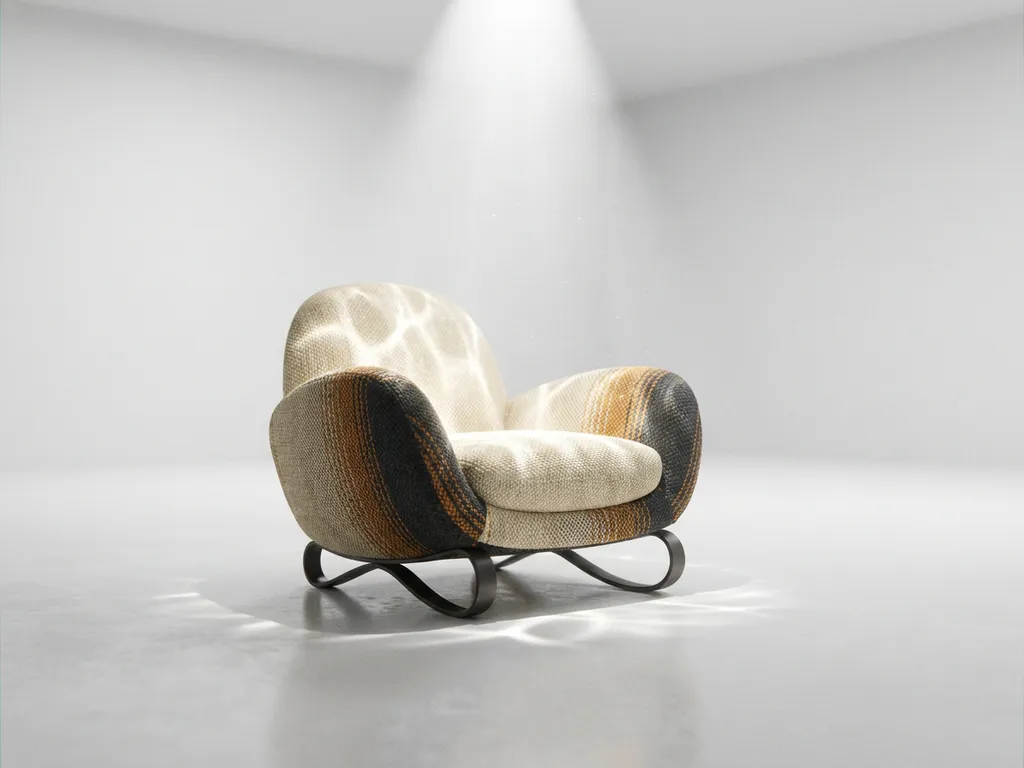
Corona Renderer has emerged as one of the most powerful and accessible physically based rendering engines in the 3D visualization industry. This advanced corona 3D renderer, developed and maintained by Chaos, delivers exceptional photorealistic results with an intuitive workflow that appeals to both beginners and seasoned professionals. Whether you are working on corona render for architecture, product visualization, or interior design, Corona Renderer achieves stunning, true-to-life output with minimal setup time, making it the go-to choice for luxury and design-focused brands where visual quality directly drives customer trust and purchasing decisions.
What is Corona Renderer?
Corona Renderer is a physically based rendering engine developed by Chaos, widely regarded as one of the most powerful and accessible 3D rendering solutions for architectural visualization, product rendering, and interior design. As a corona 3D renderer, it simulates real-world light behavior with exceptional accuracy, producing photorealistic imagery that rivals professional photography. Acquired by Chaos in 2017, Corona Renderer has since grown into an industry-leading physically based rendering engine adopted by studios and visualization professionals worldwide.
Why is poor rendering quality undermining your product presentations?
When your 3D visualizations lack photorealistic quality, you are presenting your products with a visual handicap that directly impacts customer trust and purchasing decisions. Subpar rendering creates hesitation, increases return rates, and costs you sales, because customers cannot confidently envision how a product will look in their space. Corona Renderer solves this by delivering true-to-life materials, accurate lighting, and convincing surface detail that makes digital products indistinguishable from professional photography.
How are outdated rendering workflows slowing down your time to market?
Complex rendering setups and slow processing times create bottlenecks that delay product launches and marketing campaigns by weeks, while competitors with faster workflows capture market share. Every hour spent wrestling with complicated render parameters is time not spent on creative refinement and client communication. Corona Renderer eliminates these bottlenecks with a streamlined, intuitive workflow that lets teams iterate quickly without sacrificing the visual standards that luxury and design-focused brands demand.
Visual Commerce Solutions
Talk to our team about your project.
What is Corona Render and why is it popular for 3D visualization?
Corona Render is a physically based rendering engine developed by Chaos, used primarily for architectural visualization, product rendering, and interior design. Originally an independent research project, it was acquired by Chaos — the company behind V-Ray — in 2017 and has since become one of the most widely adopted rendering engines for high-end visualization work worldwide.
It is important to note that Corona Renderer refers specifically to the 3D rendering software by Chaos, not to be confused with the astronomical term for the outer atmosphere of a star or any other use of the word corona. As a dedicated rendering engine for 3D artists and visualization professionals, Corona Renderer has been adopted by studios and agencies worldwide for its ability to produce photorealistic imagery that rivals professional photography.
Corona Render’s popularity comes from its ability to produce photorealistic images with minimal technical setup. Unlike rendering engines that require extensive manual configuration of lights and materials, Corona Render produces convincing, naturally lit results with default settings. Its physically accurate light simulation means scenes look believable without heavy customization, a quality that makes it particularly valuable for high-end product visualization projects where visual quality directly influences customer perception and purchasing decisions.
How does Corona Render improve rendering quality and realism?
Corona Render improves realism by simulating physically accurate light behavior — including bounces, reflections, refractions, and indirect illumination — using algorithms that reproduce the subtle lighting characteristics found in professional photography.
The material system in Corona Render is designed for intuitive use while delivering exceptional realism. Materials respond naturally to lighting conditions, with proper subsurface scattering for translucent objects, accurate metallic reflections, and realistic fabric and wood textures. The engine’s global illumination system ensures that indirect lighting contributes naturally to the overall scene ambiance, eliminating the artificial look that often affects less sophisticated rendering solutions.
Corona Render also handles complex lighting scenarios effectively, from natural daylight streaming through windows to intricate artificial lighting setups. Its adaptive sampling technology focuses computational power on areas that need the most detail, ensuring sharpness and clarity across all elements while managing rendering resources efficiently.
What can you render with Corona Renderer? Industry use cases
Corona Renderer for architectural visualization
Corona Renderer excels in architectural visualization by handling the full complexity of real-world exterior environments. It accurately simulates natural daylight at different times of day, renders large-scale scenes with multiple material types without excessive overhead, and reproduces exterior surface materials such as concrete, glass facades, and weathered stone with convincing fidelity. For studios and agencies delivering high-end architectural imagery, Corona Renderer provides the reliability and output quality that demanding clients expect.
Corona Renderer for product and e-commerce visualization
Corona Renderer’s physically based material system is particularly well-suited to product and e-commerce visualization, where accurate surface reproduction is critical. It renders plastics, metals, glass, and composite materials with photographic precision, giving online shoppers the visual confidence they need to make purchasing decisions. For brands selling through digital channels, this level of accuracy reduces return rates by ensuring customers receive exactly what they saw in the product presentation.
Corona Renderer for interior design
Interior design visualization demands convincing global illumination and nuanced material layering, and Corona Renderer delivers both. Its global illumination system naturally fills rooms with indirect light, eliminating the flat or artificial look that undermines interior renders. Material layering for fabrics, wood grain, stone surfaces, and soft furnishings is handled with a level of realism that makes interior presentations compelling and client-ready.
Corona Renderer for luxury goods and fashion accessories
Corona Renderer is uniquely capable when it comes to rendering luxury goods and fashion accessories, where fine surface detail defines perceived value. The engine reproduces jewelry reflections, leather grain, textile weaves, and intricate metallic finishes with photographic accuracy. For luxury brands where visual presentation is inseparable from brand equity, Corona Renderer delivers the kind of imagery that communicates craftsmanship and quality at first glance.
What makes Corona Render faster and more efficient than other engines?
Corona Render achieves efficiency through three complementary systems: progressive rendering for immediate visual feedback, adaptive sampling for smart resource allocation, and built-in denoising to reduce the render time needed to achieve clean results.
The progressive rendering system shows the scene developing in real time, allowing artists to make adjustments and catch issues without waiting for full test renders to complete. In practice, Corona Renderer’s progressive system delivers a usable preview within the first few render passes, often in under a minute for mid-complexity product scenes. Adaptive sampling automatically identifies areas requiring more computational attention while reducing processing in less critical regions, keeping render times reasonable even for complex scenes with multiple light sources, detailed materials, and intricate geometry. Scenes with ten or more light sources and detailed material stacks that might take hours in less optimized engines can reach production-ready quality in a fraction of that time with Corona Renderer’s adaptive sampling.
Corona Render’s denoiser works seamlessly within the rendering process, removing grainy artifacts that would otherwise require significantly longer render times to resolve naturally. Our team routinely achieves client-ready output with dramatically fewer render passes by pairing Corona Renderer’s built-in denoiser with a tuned sampling threshold, delivering blazing-fast turnaround without sacrificing the photorealistic quality luxury brands demand. Together, these systems make Corona Render well suited to professional workflows where speed and visual quality must coexist.
How does Corona Renderer compare to V-Ray and Blender Cycles?
Corona Renderer vs. V-Ray
Both Corona Renderer and V-Ray deliver professional photorealistic quality and share the same parent company, Chaos. The meaningful difference lies in setup time and workflow predictability. Corona Renderer requires significantly less manual configuration to produce convincing results, with defaults that are calibrated for real-world accuracy from the first render. For product and architectural visualization workflows where iteration speed matters, Corona Renderer’s more predictable behavior translates directly into faster project delivery and less time spent troubleshooting render settings.
Corona Renderer vs. Blender Cycles
Blender Cycles is free and GPU-accelerated, which makes it an attractive starting point for artists on a limited budget. However, achieving the level of realism that luxury and design-focused brands require demands considerably more technical configuration in Cycles than in Corona Renderer. Corona Renderer produces consistent, client-ready results with less manual intervention, making it the more reliable choice for commercial projects where output quality cannot be left to chance.
Which renderer is right for your project?
For luxury and design-focused brands that require a balance of photorealistic quality, workflow speed, and accessible implementation, Corona Renderer is the clear choice. Its combination of intuitive defaults, powerful material system, and efficient rendering pipeline makes it the preferred engine for high-end product and architectural visualization. We implement Corona Renderer pipelines tailored to each client’s product category, ensuring the right configuration from day one.
How easy is Corona Render to learn and use for beginners?
Corona Render is considered one of the most beginner-accessible professional rendering engines available. Its default settings are calibrated to produce strong results without extensive customization, and new users can achieve professional-quality output within their first few projects.
The interface follows intuitive design principles, with clearly labeled controls and logical workflows that don’t overwhelm new users. The built-in material library provides a comprehensive collection of pre-built materials that serve as practical starting points while demonstrating how materials should be constructed, reducing the trial-and-error typical of other engines.
Documentation and community support for Corona Render are extensive, covering everything from basic scene setup to advanced lighting techniques. An active user community contributes additional tutorials, forum guidance, and shared material libraries, creating a supportive learning environment for artists at all skill levels.
How do you get started with Corona Renderer? A practical onboarding roadmap
Getting productive with Corona Renderer follows a clear and manageable progression. The steps below outline the realistic journey from installation to your first client-ready render, giving new adopters a concrete path forward rather than an open-ended learning curve.
- Install the Corona Renderer plugin for your 3D application (3ds Max, Cinema 4D, or SketchUp) and run the included scene presets to confirm the setup is working correctly before starting any project work.
- Start with a single-product scene using one of the built-in material presets and the default HDRI lighting to understand how Corona Renderer’s physically based system responds to light without introducing unnecessary variables.
- Use Interactive Rendering to adjust materials and lighting in real time, making iterative changes without committing to a full render. This is the fastest way to develop an intuition for how the engine behaves.
- Apply the built-in denoiser and experiment with render region testing to shorten feedback cycles and evaluate specific areas of a scene before committing to a full-resolution output.
- Progress to multi-product scenes with custom materials and complex lighting setups as confidence grows. Most artists reach this stage comfortably within their first three to five projects.
We accelerate this journey for our clients by providing pre-configured Corona Renderer pipelines and material libraries tailored to their product categories, so teams can focus on creative output from the very first project.
How 3Dimerce helps with Corona Render implementation
We have built our Corona Renderer implementation practice around the needs of luxury, design-focused, and high-end product brands that cannot afford to compromise on visual quality or delivery speed. From custom material library development to full rendering pipeline optimization, our team ensures that every Corona Renderer project we deliver produces the kind of photorealistic output that makes digital products indistinguishable from professional photography.
Our comprehensive approach includes:
- Custom Corona Render pipeline optimization tailored to your specific product categories
- Material library development that captures the exact textures, finishes, and surface qualities of your products
- Lighting setup strategies designed to showcase your products at their best
- Performance optimization for blazing-fast rendering without compromising visual quality
- Integration with our visual product experience platform for seamless, high-end customer interactions
- Dedicated render quality review at every project milestone to ensure output meets luxury brand visual standards
- Corona Renderer pipeline setup for multi-SKU product catalogs, enabling consistent visual quality at scale across hundreds of product variants
We have applied these pipelines across product categories including furniture, lighting, fashion accessories, and consumer electronics, consistently delivering stunning, client-ready visuals on time.
Ready to transform your product visualization with Corona Render? Contact our team to discover how we can implement a tailored Corona Render solution that elevates your brand’s digital presence and drives customer engagement through stunning, photorealistic product experiences.
Frequently Asked Questions
What hardware requirements do I need to run Corona Render effectively?
Corona Render is optimized for multi-core CPUs and works well on most modern systems. For optimal performance, we recommend at least 16GB RAM, a modern multi-core processor (8+ cores), and while GPU acceleration isn’t required, having a dedicated graphics card helps with viewport performance. Corona Render’s CPU-based approach means you can achieve excellent results without expensive GPU hardware.
How much does Corona Render cost and what licensing options are available?
Corona Render offers flexible licensing through Chaos, including monthly subscriptions starting around $28/month and annual licenses with significant savings. Educational discounts are available for students and institutions. The software includes all features in every license tier, making it cost-effective for both freelancers and large studios without feature restrictions.
Can Corona Render integrate with my existing 3D software workflow?
Yes, Corona Render integrates seamlessly with major 3D applications including 3ds Max, Cinema 4D, and SketchUp through dedicated plugins. The integration maintains your existing modeling workflow while adding Corona’s rendering capabilities. Most users can transition to Corona Render without changing their primary 3D software or relearning fundamental modeling techniques.
What are the most common mistakes beginners make when starting with Corona Render?
Common beginner mistakes include over-complicating lighting setups (Corona works best with simple, natural lighting), using too many high-resolution textures unnecessarily, and not utilizing the interactive rendering feature for real-time feedback. New users often also ignore the extensive material library and try to build everything from scratch instead of starting with proven presets.
How does Corona Render compare to other popular engines like V-Ray or Blender Cycles?
Corona Render excels in ease of use and speed of setup compared to V-Ray, while maintaining similar quality output. Unlike Blender Cycles, Corona offers more predictable results with less technical knowledge required. Corona’s strength lies in its balance of professional quality and accessibility, making it ideal for users who want excellent results without extensive technical expertise.
What file formats and export options does Corona Render support for product visualization?
Corona Render supports standard image formats including EXR, TIFF, PNG, and JPEG, with full HDR support for post-processing flexibility. For product visualization, it can render high-resolution images, 360-degree product spins, and even VR-ready panoramic outputs. The engine also supports multi-pass rendering for advanced compositing workflows in post-production.
How can I optimize Corona Render settings for faster product visualization workflows?
Use Corona’s Interactive Rendering for real-time feedback during scene setup, enable the denoiser to reduce render times, and utilize render regions to test specific areas quickly. For product visualization, focus on proper lighting setup first rather than increasing render quality settings, as good lighting often eliminates the need for extended render times while maintaining professional results.
Is Corona Renderer good for product visualization and e-commerce?
Yes — Corona Renderer is exceptionally well-suited for product visualization and e-commerce applications. Its physically based material system reproduces plastics, metals, glass, leather, and fabric with photographic accuracy, giving online shoppers the visual confidence they need to make purchasing decisions. For luxury and design-focused brands, Corona Renderer’s ability to render fine surface details and complex material finishes makes it the preferred choice for high-end product presentations.
What is the difference between Corona Render and Corona Renderer?
Corona Render and Corona Renderer refer to the same software product — the physically based rendering engine developed by Chaos. The two names are used interchangeably in the 3D visualization community, with Corona Renderer being the more formal product name and Corona Render a widely adopted shorthand. Both terms describe the same powerful rendering engine covered throughout this guide.