
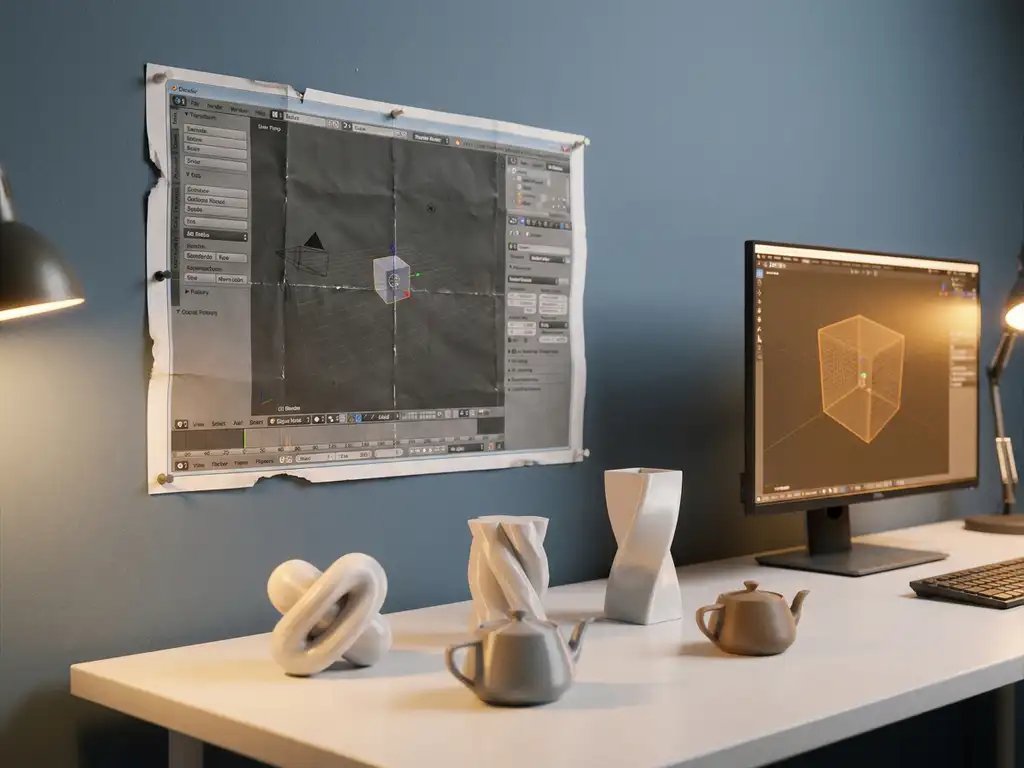
Yes, Blender 3D is absolutely worth learning in 2026. With the release of Blender 4.x, the platform has firmly established itself as professional 3D software used by studios, freelancers, and product designers worldwide. Whether you want to know if Blender is good enough to use professionally, how long it takes to learn, or what career opportunities it offers, this article answers the most common questions so you can make an informed decision about your time investment.
What can you actually do with Blender in 2026?
Blender 3D is a complete, free, open-source 3D creation suite that covers modeling, sculpting, rigging, animation, rendering, simulation, video editing, and compositing, all within a single application. In 2026, it supports real-time rendering through its EEVEE engine and photorealistic output through its Cycles engine, making it suitable for everything from game assets to cinematic visual effects.
Here is a practical overview of what Blender is used for today:
- 3D modeling and product visualization — creating detailed objects, furniture, packaging, and product renders
- Character animation and rigging — building animated characters for film, games, and interactive media
- Architectural visualization — rendering interior and exterior spaces with photorealistic lighting
- Motion graphics and VFX — creating title sequences, particle effects, and composited visuals
- Sculpting — digital sculpting for organic shapes, characters, and concept art
- 3D printing preparation — modeling objects for physical production
The scope of what Blender can handle has expanded significantly over recent major releases. It is no longer a tool you outgrow quickly — many professionals use it as their primary or sole 3D application throughout their entire career.
To give a sense of what Blender produces in practice: the open-source animated films created by the Blender Foundation, including productions like Cosmos Laundromat and Sprite Fright, demonstrate cinema-quality imagery produced entirely within Blender. Brands in the furniture and luxury goods sector use Blender for product visualizations that are indistinguishable from traditional photography. And game studios worldwide deliver assets to engines like Unreal Engine 5 via Blender’s robust GLTF export pipeline, making it a genuine production tool across industries.
Is Blender good enough to compete with paid 3D software?
Yes, Blender 3D is competitive with paid tools like Autodesk Maya, Cinema 4D, and 3ds Max for most use cases in 2026. To help you evaluate Blender on its merits against other 3D environment software, the table below gives a clear side-by-side comparison of the most relevant factors.
| Software | Price | Learning curve | Best use | Render options | Community & updates |
|---|---|---|---|---|---|
| Blender | Free | Moderate (much improved since 2.8) | Universal: freelance, indie, product viz, arch viz | EEVEE + Cycles | Very active, monthly updates, public roadmap |
| Autodesk Maya | ~€245/month | Steep | Film and game (large studios) | Arnold | Large but commercially driven |
| Cinema 4D | ~€95/month | Moderate | Motion graphics, After Effects integration | Redshift | Active |
| 3ds Max | ~€245/month | Moderate | Architecture and visualization | Arnold / V-Ray | Declining |
For product visualization, architectural rendering, indie film, and freelance work, Blender is not just a budget alternative — it is often the preferred choice. The key differences come down to specific workflows: Maya still dominates character animation pipelines at large film and game studios, and Cinema 4D remains popular in motion graphics for its tight integration with After Effects. But in the vast majority of professional contexts, Blender holds its own on quality alone.
One genuine advantage Blender holds is its community-driven development. Because it is open-source and backed by the Blender Foundation, updates are frequent, transparent, and driven by real user needs rather than subscription revenue targets. For independent creators and small studios, this makes Blender an exceptionally strong long-term investment.
Is Blender good as software? Stability, interface, and community
Yes, Blender is good software by any meaningful measure in 2026. The question used to be more debatable, but the 2.8 redesign marked a turning point that transformed both the interface and the broader perception of the platform among professionals. Here is a breakdown of the key quality dimensions:
- Interface — intuitive since the 2.8 overhaul, fully customizable, and designed with keyboard-friendly workflows that speed up production once you are past the initial learning phase
- Stability — the Blender Foundation releases Long Term Support (LTS) versions specifically for production environments, giving studios and freelancers a reliable, tested baseline
- Plugin ecosystem — hundreds of free and paid add-ons are available through Blender Market and the community, extending Blender’s capabilities for everything from procedural texturing to specialized rendering workflows
- Community — one of the largest open-source 3D communities in the world, with active forums, Discord servers, and YouTube channels producing high-quality learning content at every skill level
- Update frequency — multiple releases per year, with development priorities published transparently via the Blender Foundation’s public roadmap
What sets Blender apart structurally is that its development is accountable to users rather than shareholders. Feature requests, bug reports, and workflow improvements are driven by the community that actually uses the software every day. That model has consistently produced faster iteration and more practically useful updates than many commercial alternatives, and it shows no sign of slowing down.
How long does it take to learn Blender?
Most beginners can become functionally competent in Blender 3D within three to six months of consistent practice. Reaching a professional level — where you can produce client-ready work efficiently — typically takes one to two years, depending on your background, the complexity of your target discipline, and how much time you dedicate each week.
Learning speed depends heavily on what you want to do with it:
- Basic modeling and rendering — achievable within a few weeks for someone with no 3D background
- Product visualization and still renders — solid results within two to four months with focused practice
- Character rigging and animation — a steeper curve, often requiring six months or more to work confidently
- Simulation (cloth, fluid, particles) — intermediate to advanced territory, best tackled after mastering the fundamentals
- Full production pipeline fluency — one to two years for professionals moving into studio-quality output
The learning curve in Blender used to be notoriously steep, largely due to its non-standard interface. Since the 2.8 redesign, the interface has become significantly more intuitive, and this has made the early stages of learning considerably more approachable for newcomers.
Which learning path fits your career goal?
Global timelines are useful, but a structured path tied to your specific goal will get you to professional-level work faster and with less wasted effort. Below are four common career tracks with phased milestones to guide your progress.
3D product visualization
Product visualization is one of the most in-demand and accessible disciplines in Blender, with a clear market in e-commerce, packaging, and luxury goods. The goal is to produce renders that are indistinguishable from studio photography.
- Weeks 1 to 4: Learn the interface, viewport navigation, and basic hard-surface modeling. Model simple objects such as a bottle or a box and render them with basic lighting.
- Months 1 to 3: Study PBR materials, HDRI lighting, and Cycles rendering. Recreate real product references from scratch. Learn camera settings and depth of field.
- Months 3 to 6: Focus on compositing, post-processing in Blender’s compositor, and building a portfolio of five to ten product renders across different categories. Start reaching out for small freelance briefs or enter render challenges.
Recommended starting project: A cosmetics or beverage product rendered on a clean studio background, matching a real-world reference photo as closely as possible.
Game asset artist
Game asset creation requires a specific combination of modeling, UV unwrapping, texturing, and optimization for real-time engines. It is a highly employable skill set with demand across studios of every size.
- Weeks 1 to 4: Learn interface basics, low-poly modeling techniques, and how to navigate the UV editor. Model simple props such as a crate, a barrel, or a weapon.
- Months 1 to 3: Study normal map baking, PBR texturing with tools like Substance Painter or Blender’s own texture painting, and GLTF export. Import your first asset into Unreal Engine or Unity.
- Months 3 to 6: Build a portfolio of five to eight game-ready assets with proper LODs and texture sets. Learn environment composition and start assembling a small scene. Apply to junior artist roles or post work on ArtStation.
Recommended starting project: A stylized game prop such as a lantern or treasure chest, fully textured and imported into a game engine.
Motion graphics and VFX
Motion graphics in Blender combines 3D animation, compositing, and rendering into a workflow suited for title sequences, social content, and broadcast visuals. It overlaps with After Effects pipelines but can operate entirely within Blender.
- Weeks 1 to 4: Learn the interface, basic object animation, and the timeline. Create simple animated logo sequences and explore EEVEE’s real-time render capabilities.
- Months 1 to 3: Study the shader editor, particle systems, and Blender’s compositor. Recreate motion graphics references and experiment with text animation and abstract 3D forms.
- Months 3 to 6: Learn simulation basics, camera animation, and rendering optimization. Produce a 15 to 30 second showreel piece and begin freelancing on platforms like Upwork or Motion Array.
Recommended starting project: An animated 3D logo reveal with a particle effect, rendered in EEVEE for a fast turnaround.
Freelance 3D generalist
A 3D generalist handles a wide range of briefs across modeling, rendering, and sometimes animation. This path suits people who want maximum flexibility and the ability to take on diverse client work from day one.
- Weeks 1 to 4: Cover interface fundamentals, basic modeling, and simple lighting setups. Complete the Blender Guru donut tutorial as a structured first milestone.
- Months 1 to 3: Explore at least two disciplines — for example, product visualization and architectural rendering. Build three to five varied portfolio pieces that demonstrate range.
- Months 3 to 6: Develop a freelance rate card, create profiles on Fiverr, Upwork, or direct outreach to local businesses. Take on small paid briefs and refine your workflow based on real client feedback.
Recommended starting project: A styled interior scene with furniture, lighting, and materials, presented as a realistic architectural render.
What jobs and industries actually hire Blender users?
Blender 3D skills are in demand across a wide range of industries in 2026, including game development, film and television, product design, architecture, e-commerce, and advertising. Employers typically care more about the quality of your portfolio output than which specific software you used to create it, which gives Blender users a strong footing in the job market.
Industries actively hiring people with Blender skills include:
- Game development studios — for asset creation, environment design, and character modeling
- Film and animation production — particularly indie studios and post-production companies
- Product and industrial design — for prototyping, visualization, and presentation renders
- Interior design and architecture — for photorealistic space visualizations
- E-commerce and retail brands — for product imagery, 3D configurators, and virtual showrooms
- Advertising and marketing agencies — for motion graphics, CGI campaigns, and branded visual content
- Freelance platforms — where 3D artists work directly with brands, agencies, and designers
The e-commerce and retail sector in particular has seen strong growth in demand for 3D visualization talent. Brands increasingly need high-quality CGI product imagery and interactive configuration experiences to replace costly traditional photography at scale.
To give a realistic picture of what Blender skills can earn on the European market in 2026, the following ranges are indicative. Exact figures vary significantly by region, sector, and portfolio strength.
- Junior 3D artist: approximately €2,000 to €2,800 per month
- Senior 3D artist: approximately €3,200 to €4,500 per month
- Product visualizer: approximately €2,800 to €5,000 per month depending on specialization
- Motion designer: approximately €2,500 to €4,000 per month
- Freelance 3D generalist: approximately €45 to €120 per hour depending on experience and discipline
Portfolio quality is consistently the strongest determining factor for income at every level. A well-curated portfolio of ten strong pieces will open more doors than years of experience without visible output to back it up.
Should you learn Blender or a paid tool first?
For most beginners, learning Blender 3D first is the smarter choice. Blender is free, fully featured, and teaches the same core 3D principles — modeling, lighting, shading, rendering — that apply across every major 3D application. Once you understand those fundamentals in Blender, transitioning to a paid tool is far easier than starting from scratch.
The main reason to start with a paid tool instead would be if you are entering a specific professional environment that mandates it. If a studio you want to join runs an entirely Maya-based pipeline, learning Maya makes sense. If you are targeting motion graphics work at an agency deeply embedded in the Adobe ecosystem, Cinema 4D may be worth prioritizing. But for everyone else, Blender is the most practical and cost-effective starting point.
It is also worth noting that many professionals use Blender alongside paid tools rather than instead of them. Knowing Blender does not close doors — it opens them, while keeping your software costs at zero during the learning phase.
Where do you find the best resources to learn Blender in 2026?
The best resources for learning Blender 3D in 2026 are a mix of free YouTube channels, structured online courses, and the official Blender documentation. The community around Blender is one of the most active in the 3D world, which means high-quality tutorials are available at every skill level.
Top places to start:
- Blender Guru (YouTube) — the classic starting point, known for the beginner donut tutorial that has introduced millions of people to Blender
- Grant Abbitt (YouTube) — excellent for character modeling and game-ready assets
- CG Cookie — a structured learning platform with courses specifically designed for Blender
- Udemy — affordable paid courses with lifetime access, useful for structured learning paths
- Blender’s official documentation and tutorials — underrated and regularly updated alongside new releases
- Blender Artists community forum — a great place to get feedback on your work and learn from others
The key to learning Blender efficiently is combining structured tutorials with personal projects. Following tutorials builds knowledge; building your own projects builds skill. Starting a personal project early — even a simple one — forces you to problem-solve and retain what you learn far more effectively than passive watching alone.
Best Blender projects to start with, by level
The fastest way to learn Blender is by working on projects that challenge you just beyond your current comfort zone. Here is a practical list of starting projects grouped by experience level, each chosen to build specific, transferable skills.
Beginner (0 to 3 months):
- A coffee cup — teaches basic modeling, smoothing, and simple material assignment
- A simple room interior — introduces scale, lighting setup, and camera composition
- A product still life — combines object placement, HDRI lighting, and basic rendering, a direct foundation for product visualization work
Intermediate (3 to 6 months):
- A detailed piece of furniture with materials and lighting — develops PBR shading, material layering, and render quality judgment
- A short walk cycle animation — introduces rigging basics, the graph editor, and timing principles
- An architectural exterior shot — builds skills in environment lighting, camera work, and compositing
Advanced (6 months and beyond):
- A fully furnished room with HDRI lighting and compositing — tests end-to-end production skills from modeling through to final output
- A product configurator mockup — simulates real commercial briefs by showing multiple variants of a single product in a single scene
- A 30-second animated short — brings together modeling, animation, lighting, rendering, and editing into a complete production piece
Is Blender future-proof? AI, Geometry Nodes, and new workflows
2026 represents a genuine inflection point for AI in creative workflows, and Blender is actively evolving to meet it. Rather than being disrupted by these changes, Blender 4.x has positioned itself at the intersection of traditional 3D craft and emerging AI-assisted production, making the skills you build today more durable, not less.
AI tools and add-ons within Blender
AI-assisted features are increasingly integrated into Blender’s workflow, both natively and through third-party add-ons. AI-driven denoising in Cycles, for example, dramatically reduces render times by intelligently reconstructing clean images from low-sample renders. AI texture generation add-ons allow artists to create detailed, seamless materials from text prompts or reference images, compressing what used to take hours into minutes. These tools do not replace artistic judgment — they accelerate execution, which raises the ceiling on what a single artist can produce.
Geometry Nodes and procedural generation
Geometry Nodes, introduced in Blender 2.92 and significantly expanded in Blender 4.x, gives artists a node-based system for procedurally generating and modifying 3D geometry. This approach aligns directly with generative AI trends: instead of manually placing every element in a scene, you define rules and parameters that generate complex results automatically. For product visualization, this means generating dozens of packaging variants or surface pattern variations in seconds. For environment artists, it means building entire landscapes or cityscapes from modular, rule-driven systems.
Integration with Unreal Engine 5 and real-time pipelines
Blender’s GLTF and USD export capabilities make it a natural upstream tool in Unreal Engine 5 pipelines. Artists model and rig in Blender, export via GLTF or USD, and bring assets directly into UE5’s Lumen and Nanite systems for real-time rendering at cinematic quality. This pipeline is already in active use at indie studios and is increasingly adopted by larger teams looking for cost-effective alternatives to full Autodesk pipelines. Blender 4.x continues to refine these export workflows with each release, making interoperability more reliable and less technically demanding.
Taken together, these developments confirm that Blender is not standing still. It is actively co-evolving with the industry, and the investment you make in learning it today is built on a foundation that will remain relevant well beyond 2026.
Blender as a strategic tool for entrepreneurs and brands
Blender is not only a tool for artists and animators. For entrepreneurs, product managers, and brand teams, it represents a practical way to produce high-quality visual content without the overhead of traditional photography or external agencies. Understanding what Blender can and cannot do at a business level helps you make smarter decisions about where to invest your visual production budget.
Product visualization without a photo studio
Small brands and independent manufacturers have traditionally faced a difficult trade-off: professional product photography is expensive, slow, and inflexible when products change. Blender changes that equation. With a well-built 3D model and a solid lighting setup, you can produce photorealistic CGI renders of your products in any color, finish, or configuration without a single physical sample or studio booking. This is already standard practice in industries like furniture, cosmetics, and consumer electronics, where color variants and seasonal updates make traditional photography economically impractical. For a small brand, this can mean launching with a full visual library on day one, rather than waiting weeks for a photo shoot.
Marketing content without a large budget
Beyond static product imagery, Blender gives brand teams the ability to produce animated social media content, advertising visuals, and branded motion graphics in-house. A short animated product reveal, a looping lifestyle scene, or a 3D brand logo animation — all of these are achievable in Blender without commissioning an external studio. For brands operating with lean marketing budgets, this represents a meaningful shift in creative capacity. The time investment is real, but the long-term cost savings and creative control are significant.
When to move beyond a standalone Blender setup
Blender is a powerful tool, but it has a natural ceiling for certain commercial applications. When your product catalog grows into the hundreds of SKUs, when customers need to configure products in real time on your website, or when your team needs to manage and update 3D assets across multiple channels simultaneously, a standalone Blender workflow becomes a bottleneck rather than an advantage. That is the point at which a purpose-built platform becomes the logical next step. We built 3Dimerce specifically for brands and manufacturers at that stage: companies in the design, luxury, and high-end market that need stunning, photorealistic visuals delivered at scale, with real-time configuration, seamless webshop integration, and a high degree of tailored options. If you are approaching that threshold, we are the natural upgrade.
How 3Dimerce takes 3D visualization further for brands and manufacturers
Blender 3D gives creators a powerful foundation in 3D production — but for premium brands and manufacturers who need to deploy high-quality 3D visuals at scale, a professional platform purpose-built for that challenge makes all the difference. That is where we come in.
3Dimerce is a European visual commerce platform specializing in photorealistic CGI and interactive product configuration for the design, luxury, and high-end market. We help premium brands and manufacturers replace costly photoshoots and physical sample libraries with stunning, photorealistic CGI and interactive product experiences — delivered blazing fast, with a high degree of tailored options. Here is what working with us looks like in practice:
- Photorealistic 3D product imagery — CGI output that matches or exceeds traditional photography, produced faster and at a fraction of the cost
- Interactive product configurators — let customers explore every variant, finish, and option in real time, both online and in-store
- Virtual showrooms and digital twins — immersive brand environments that work across all devices without compromise
- Seamless integration — our platform connects directly with your existing webshop, POS system, or e-commerce environment through headless integration
- Scalable visual content — add new products and variants without additional photoshoots or proportional increases in budget
Whether you are a furniture brand looking to scale your visual content, a retailer wanting to bring product configuration into your physical stores, or a manufacturer ready to eliminate dependency on physical prototypes, we have built our platform specifically for you. Explore our visual product solutions to see what is possible, or get in touch with our team to discuss your specific needs.
Visual Commerce Solutions
Talk to our team about your project.
Frequently Asked Questions
Do I need a powerful computer to run Blender effectively?
Blender can run on modest hardware, but your system’s performance will directly affect render times and viewport responsiveness. For comfortable everyday use, a dedicated GPU (NVIDIA or AMD), at least 16GB of RAM, and a multi-core processor are recommended. Cycles rendering in particular benefits enormously from a capable GPU — tasks that take hours on a CPU can complete in minutes with GPU acceleration enabled.
Can I use Blender professionally without any formal 3D design education?
Absolutely — many working Blender professionals are entirely self-taught. What matters most to clients and employers is the quality of your portfolio, not your academic background. That said, investing time in understanding foundational design principles such as composition, lighting, and colour theory will meaningfully elevate the quality of your output, regardless of how you acquired those skills.
Are there official Blender certificates or recognized courses?
The Blender Foundation does not offer an official certification program, but platforms like CG Cookie and Udemy award course completion certificates that some employers recognize as evidence of structured learning. Accredited art academies and universities are also increasingly incorporating Blender into their curricula, which carries formal academic weight. In practice, a strong portfolio almost always carries more influence than a certificate in hiring decisions, but a demonstrable, structured learning path can meaningfully strengthen your credibility when applying for roles. For a head start, the learning resources listed earlier in this article are the best places to begin building that track record.
What is the biggest mistake beginners make when learning Blender?
The most common mistake is tutorial-hopping — watching video after video without completing projects independently. Tutorials build familiarity, but real skill develops when you attempt to create something on your own and have to problem-solve without a guide. Set a goal to finish at least one personal project for every two or three tutorials you complete, and your progress will accelerate significantly.
Is Blender suitable for creating 3D product visuals for e-commerce, or do I need specialist software?
Blender is genuinely capable of producing photorealistic product imagery suitable for e-commerce, and many freelancers and small studios use it for exactly that purpose. However, for brands that need to deploy product visuals at scale — across hundreds of SKUs, variants, and configurations — a purpose-built platform like 3Dimerce offers the workflow efficiency, integration capabilities, and scalability that a standalone Blender setup cannot easily match.
How do I know which area of Blender to focus on first?
Start by identifying the type of work you ultimately want to produce — product renders, character animation, architectural visualization, or something else — and work backwards from there. Hard-surface modeling and basic rendering are the most transferable foundations regardless of your end goal, so most learners benefit from starting there. Avoid trying to learn every feature at once; depth in one area will serve you far better than surface-level familiarity with everything.
Can Blender files and assets be used in other 3D software or game engines?
Yes — Blender supports export to widely used formats including FBX, OBJ, GLTF, and USD, which are compatible with game engines like Unreal Engine and Unity, as well as other 3D applications. GLTF in particular has become the standard format for real-time and web-based 3D, and Blender’s GLTF export is robust and well-maintained. This interoperability makes Blender a practical part of larger multi-tool pipelines.
Will the Blender skills I learn now still be relevant in a few years as the software updates?
Yes — while Blender releases updates frequently, the core principles of modeling, shading, lighting, and rendering remain consistent across versions. New features are typically additive rather than replacing existing workflows, so skills built today transfer forward cleanly. The broader 3D fundamentals you develop in Blender are also largely software-agnostic, meaning they remain valuable even if you transition to other tools later in your career.