
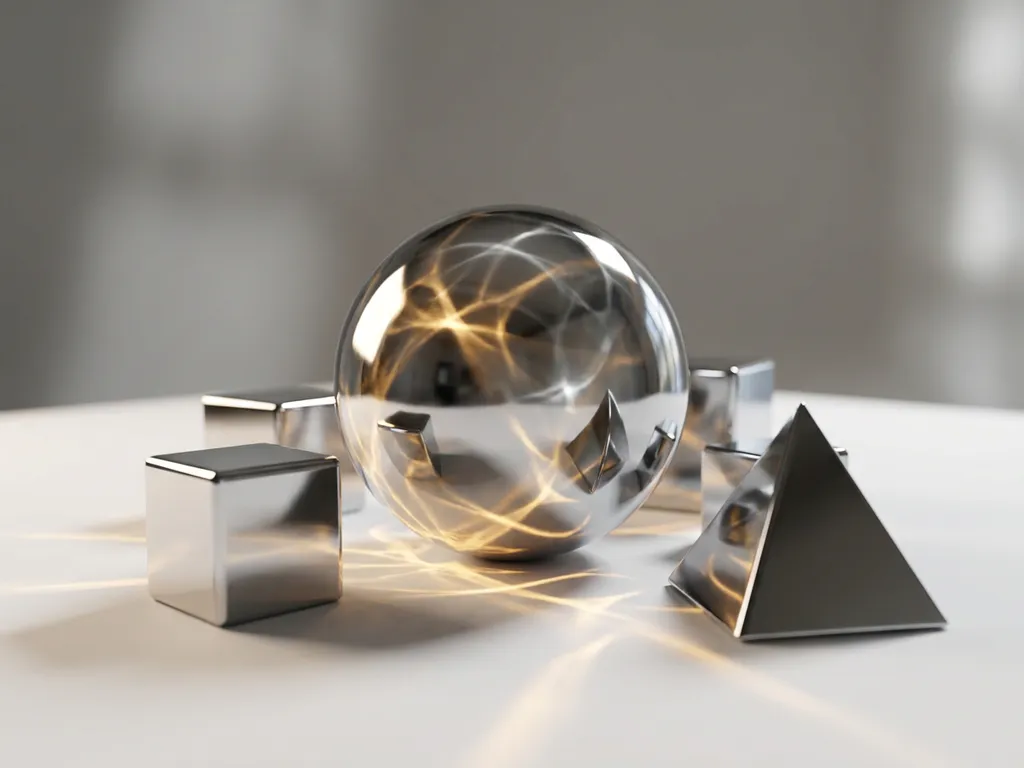
Octane Render is a GPU-accelerated, physically-based rendering engine developed by OTOY that produces photorealistic images by harnessing the parallel processing power of NVIDIA graphics cards. First released in 2010, it was among the first commercial renderers to fully commit to GPU computing, making the Octane Render meaning clear from the start: faster, physically accurate rendering without the cost of traditional CPU render farms. What is Octane Render in practical terms? It is the tool that allows 3D artists, product designers, and visualization professionals to simulate real-world light behavior, including reflections, refractions, and global illumination, at speeds that were previously unachievable with CPU-based workflows.
Why rendering speed and real-time feedback matter in professional 3D workflows
Long rendering times don’t just waste hours of your day. They fundamentally change how you approach creative work. When a single frame takes 30 minutes to render, you stop experimenting with lighting angles, material tweaks, or camera positions. Instead of iterating through dozens of variations to find the perfect shot, you settle for “good enough” because the cost of exploration feels too high. This creative paralysis is especially damaging for product visualization work, where small details like surface reflections or shadow placement can make the difference between a compelling product image and one that fails to convert customers.
When your viewport struggles to display material changes or lighting adjustments in real time, it signals a fundamental bottleneck in your creative pipeline. Choppy, delayed feedback forces you to work blind, making adjustments, waiting for updates, then discovering the change wasn’t what you intended. Modern GPU rendering engines eliminate this friction by providing near-instantaneous viewport feedback, enabling you to see material properties, lighting changes, and camera movements as they happen. This is precisely what Octane Render is designed to deliver.
Visual Commerce Solutions
Talk to our team about your project.
What is Octane Render and why is it popular?
Octane Render is a physically-based, unbiased rendering engine developed by OTOY that exclusively uses GPU (graphics processing unit) acceleration to produce photorealistic images. Launched in 2010, it was one of the first commercial renderers to fully embrace GPU computing, making high-quality rendering accessible to artists who previously couldn’t afford expensive CPU render farms.
The engine’s popularity stems from its combination of speed and visual fidelity. Octane uses path tracing algorithms to simulate how light behaves in the real world, resulting in naturally accurate reflections, refractions, and global illumination. What sets it apart is how it achieves these results: by distributing calculations across hundreds or thousands of GPU cores simultaneously, rather than processing them sequentially on CPU cores.
Professional studios and individual artists choose Octane for its predictable workflow. Unlike engines that require extensive tweaking of indirect lighting settings, Octane’s physically-based approach means that realistic lighting often works correctly by default. This reliability, combined with fast iteration times, has made it particularly popular in product visualization, architectural rendering, and motion graphics.
What does Octane Render mean?
The meaning of Octane Render goes beyond its name. “Octane” refers to OTOY’s flagship rendering product, and the term has become synonymous with GPU-accelerated, physically accurate rendering in professional 3D circles. When artists and studios say they “render in Octane,” they mean they are using a path-tracing GPU rendering engine that simulates real-world light physics to produce results indistinguishable from photography. Understanding the Octane Render meaning helps clarify why it occupies a distinct position in the rendering landscape: it is not simply a faster renderer, but a fundamentally different approach to how light and materials are calculated.
How GPU rendering differs from CPU rendering
GPU rendering and CPU rendering differ fundamentally in processing architecture. CPUs (central processing units) excel at complex, sequential calculations with their powerful individual cores, typically 4 to 16 cores in most workstations. GPUs (graphics processing units), by contrast, contain hundreds or thousands of simpler cores designed for parallel processing. This distinction makes GPUs a natural fit for use as a GPU rendering engine, where thousands of light rays must be calculated simultaneously.
In rendering terms, this means a CPU processes ray calculations with great sophistication but limited parallelism, while a GPU rendering engine can simultaneously calculate many rays with simpler operations. For path tracing, the mathematical foundation of photorealistic 3D rendering, this parallel approach proves dramatically more efficient. GPU rendering also offers more predictable scaling: adding a second graphics card can nearly double rendering speed, while adding CPU cores typically yields diminishing returns due to memory bandwidth limitations.
However, GPUs have constraints. They are limited by video memory (VRAM) capacity and can struggle with extremely complex scenes that exceed those limits. The workflow implications are significant nonetheless. A GPU rendering engine enables real-time material editing and lighting adjustments that are impractical with CPU-based engines, fundamentally changing how artists approach their work.
What makes Octane Render faster than other rendering engines?
Octane Render’s speed advantage over other rendering engines comes from several technical optimizations specifically designed for GPU architecture.
- Spectral rendering: Octane processes light wavelengths more efficiently than traditional RGB calculations, reducing the number of samples needed for clean results.
- Adaptive sampling: The engine automatically focuses computational power on areas of the image that need more refinement, while quickly resolving simpler areas, so complex materials and lighting don’t slow down the entire render unnecessarily.
- Intelligent memory management: Octane streams texture data and geometry to GPU memory as needed, rather than loading entire scenes upfront. This allows artists to work with larger, more detailed scenes without hitting memory limitations that would force other engines to fall back to slower CPU processing.
- Integrated denoising: Octane’s denoising algorithms work during rendering rather than as a post-process step, producing clean results with fewer samples and significantly reducing overall render times while maintaining image quality.
What is the future of Octane Render and GPU rendering technology?
One of the most significant developments shaping the future of GPU rendering is AI-assisted denoising. OTOY has integrated machine learning-based denoising into Octane that reduces the number of samples required to produce a clean, noise-free image. In practice, this means renders that once required thousands of samples per pixel can now converge at a fraction of that count, effectively multiplying the speed gains already provided by GPU parallelism. As AI rendering techniques continue to mature, the gap between interactive preview quality and final output quality will continue to narrow.
OTOY continues to expand Octane’s support for new NVIDIA GPU architectures, including the Ada Lovelace generation and those that follow. This commitment ensures that artists investing in Octane today are investing in a tool that will scale with next-generation hardware, taking full advantage of improvements in ray tracing cores, tensor cores, and memory bandwidth as they arrive. The result is a rendering platform that grows more capable with each hardware cycle rather than becoming a bottleneck.
Perhaps the most consequential long-term shift is the convergence of offline and real-time rendering. Octane’s development roadmap positions it for hybrid workflows where pre-rendered and real-time outputs share the same asset pipeline, allowing studios to produce cinematic-quality frames for final output while using the same assets in interactive product configurators or real-time presentations. This convergence directly supports the kind of future of GPU rendering that design-forward brands and luxury product studios need: one platform, one asset set, multiple delivery formats.
How does Octane Render compare to other GPU renderers?
For professionals evaluating octane software for 3D rendering, understanding how it stacks up against competing GPU rendering engines is essential. Each engine has a distinct profile across speed, pricing, hardware compatibility, and learning curve.
Octane Render vs. Redshift
Redshift, now owned by Maxon, is frequently cited as the closest competitor to Octane in production pipelines. It supports both NVIDIA and AMD GPUs, giving it a hardware flexibility advantage that Octane lacks. In raw throughput for animation and VFX work, Redshift is often considered marginally faster for complex, heavily instanced scenes due to its biased rendering approach, which trades some physical accuracy for speed. Octane’s unbiased path tracing, by contrast, produces results that are mathematically more accurate by default, with less manual tweaking of sampling settings. Redshift suits studios running mixed GPU fleets or VFX pipelines where render farm throughput is the primary concern. Octane suits artists who prioritize physical accuracy and real-time material feedback above all else.
Octane Render vs. V-Ray GPU
V-Ray GPU is the GPU-accelerated mode of the long-established V-Ray renderer from Chaos Group. It supports both NVIDIA and AMD hardware and benefits from V-Ray’s deep integration across nearly every major 3D application. V-Ray GPU tends to be the preferred choice in architectural visualization studios that already have V-Ray CPU licenses, since the transition requires minimal workflow changes. However, Octane’s real-time viewport feedback and physically-based material system are generally considered more intuitive for artists building photorealistic product visualization workflows from scratch. V-Ray GPU suits teams with existing V-Ray investments; Octane suits those optimizing specifically for GPU rendering engine performance and interactive iteration.
Octane Render vs. Arnold GPU
Arnold GPU, developed by Autodesk, is primarily used within Maya and 3ds Max pipelines at larger studios. It is highly accurate and well-integrated into Autodesk’s ecosystem, but its GPU mode has historically lagged behind Octane and Redshift in raw rendering speed. Arnold’s strength lies in its robustness for complex VFX and character rendering scenarios. For product visualization and architectural work where iteration speed and material accuracy are priorities, Octane typically outperforms Arnold GPU in both render time and workflow responsiveness. Arnold GPU is best suited for studios already committed to Autodesk pipelines where consistency across CPU and GPU rendering matters.
Octane Render vs. Blender Cycles
Blender’s Cycles renderer is free, open-source, and supports both NVIDIA and AMD GPUs, making it the most accessible GPU rendering engine available. For freelancers and small studios with limited budgets, Cycles is a compelling alternative. However, Octane consistently delivers faster render times, more sophisticated physically-based materials, and a more refined real-time preview experience. Cycles suits independent artists and students entering GPU rendering for the first time. Octane suits professionals and studios where render quality, speed, and the best render engine for product visualization are non-negotiable requirements.
How realistic are Octane Render results?
Octane Render produces exceptionally realistic results because it is built on physically accurate light simulation. The engine calculates how photons bounce between surfaces, accounting for properties like surface roughness, subsurface scattering, and spectral reflection. This mathematical accuracy means that materials behave as they would in reality: metals reflect light correctly, glass refracts believably, and fabrics show appropriate light absorption.
The realism extends to lighting behavior. Octane’s global illumination system captures subtle light interactions that many artists don’t consciously notice but that make images feel authentic. Color bleeding from nearby surfaces, soft shadows from area lights, and the natural falloff of illumination all contribute to results that can be difficult to distinguish from photography.
However, realism depends heavily on input quality. Octane cannot compensate for poorly created 3D models or unrealistic material settings. The engine provides the mathematical framework for photorealism, but achieving it requires an understanding of real-world material properties and lighting principles. When used skillfully, Octane consistently produces images that meet professional photography standards for product visualization and marketing applications.
Real-world applications: how professionals use Octane Render
Understanding what Octane Render is capable of in theory is useful, but seeing how it performs across specific professional disciplines makes its value concrete. The following scenarios represent the contexts where Octane’s combination of physical accuracy and GPU speed delivers the most measurable results.
Photorealistic product rendering for e-commerce
For furniture brands, consumer electronics manufacturers, and luxury goods companies, Octane Render for product visualization has replaced traditional photography as the primary method of generating product imagery. A single 3D model can be configured across hundreds of material, color, and finish variants, with each variant rendered at photographic quality without a single studio session. Octane’s spectral material system ensures that surfaces like brushed aluminum, matte ceramic, or woven fabric respond to light with the same nuance a high-end camera would capture. The result is a scalable content production pipeline where photorealistic product rendering costs a fraction of traditional photography while delivering greater consistency and flexibility.
Architectural and interior visualization
Interior designers and architectural visualizers use Octane’s real-time GPU viewport to iterate through material and lighting combinations interactively, a workflow that would require hours of CPU render time per revision using traditional approaches. A designer can switch between flooring materials, adjust the color temperature of artificial lighting, or reposition windows to evaluate natural light at different times of day, all within a live preview. GPU rendering for architecture has fundamentally changed the pace of design review: clients can evaluate photorealistic options in real time rather than waiting days for revised renders. Octane’s global illumination system is particularly well-suited to interior spaces, where light bouncing between walls, floors, and ceilings is critical to the authenticity of the result.
Luxury brand marketing and campaign visuals
Premium brands in fashion, automotive, jewelry, and cosmetics require a level of material fidelity that separates professional rendering from generic CGI. Octane’s spectral rendering captures the precise optical behavior of materials like brushed gold, polished lacquer, cut crystal, and supple leather, the kinds of surfaces where the difference between a convincing render and an unconvincing one is immediately visible to a discerning audience. Marketing teams use Octane to produce campaign-ready hero images, product detail shots, and lifestyle composites that maintain consistent brand visual standards across every touchpoint. The ability to render these assets at speed means creative teams can respond to campaign changes without the weeks-long lead time that traditional photography requires.
Motion graphics and animation
For motion designers and animation studios, Octane’s GPU-accelerated frame rendering dramatically reduces the time required to produce high-quality animated sequences. Product reveal animations, brand identity films, and architectural walkthroughs that would take days to render on a CPU farm can be completed in hours with a multi-GPU Octane setup. The engine handles camera motion, depth of field, and motion blur with the same physical accuracy it applies to still images, ensuring that animated frames maintain the same quality standard as rendered stills. Studios producing content at volume, particularly for digital advertising where multiple format variants are required, benefit most from Octane’s combination of speed and consistency.
Which 3D software works best with Octane Render?
Octane software for 3D rendering integrates with most major 3D applications through dedicated plugins, but some integrations offer deeper functionality than others.
- Cinema 4D: Provides perhaps the most seamless Octane experience, with viewport integration that feels native to the software. The plugin supports all of Cinema 4D’s procedural systems and delivers real-time material preview directly in the viewport.
- 3ds Max and Maya: Both offer robust Octane integration with full support for animation, instancing, and complex scene hierarchies. The plugins maintain compatibility with native lighting systems and can often render existing scenes with minimal conversion work.
- Blender: Octane’s free plugin for Blender provides professional-grade GPU rendering without additional licensing costs, supporting Blender’s node-based material system and working well with its modeling and animation tools.
- SketchUp and Rhino: Octane also supports these design-focused applications, maintaining consistent rendering quality across platforms.
The best choice of host application typically depends on your primary modeling workflow rather than rendering capabilities, as Octane maintains consistent quality across all supported platforms.
How to get started with Octane Render
For artists new to GPU rendering, getting started with Octane Render is a structured process that rewards methodical preparation. The steps below cover the essential path from hardware check to first completed render.
Step 1: Check your hardware requirements
Octane Render requires an NVIDIA GPU with CUDA support. For practical use, an RTX 4070 is a reasonable entry point, while an RTX 4080 or RTX 4090 is recommended for complex scenes or professional production work. Confirm your GPU model, driver version, and available VRAM before installing anything. If your VRAM is below 8GB, you will encounter limitations with detailed scenes and high-resolution textures.
Step 2: Choose your 3D software integration
Octane Render setup begins with selecting the host application you will use. If you are already working in Cinema 4D, 3ds Max, Maya, or Blender, your choice is straightforward. Refer to the software compatibility section above to understand which integration best matches your existing workflow. Each platform has a dedicated Octane plugin available through OTOY’s website.
Step 3: Download and install the Octane plugin
Visit OTOY’s official site to download the plugin for your chosen application. Installation is typically handled through a standard installer, and activation requires an OTOY account linked to your license. The free Octane Prime tier allows you to begin without an immediate subscription commitment, though it includes GPU count and feature limitations.
Step 4: Set up your first physically-based material and light rig
Once installed, open a simple scene in your host application and assign an Octane material to a test object. Use Octane’s default path tracing kernel and set up a basic three-point light rig using Octane’s area lights or an HDRI environment. This gives you an immediate sense of how the engine responds to light and material inputs. Keep the scene simple at this stage: a single object with one or two materials is sufficient to understand the core workflow.
Step 5: Run a test render and evaluate quality vs. speed
Trigger a full render and observe how Octane’s adaptive sampling distributes computational effort across the image. Note which areas converge quickly and which require more samples. Use this first render to calibrate your expectations around how to use Octane Render in production: adjust sampling limits, experiment with the integrated denoiser, and compare the result to your viewport preview. From this baseline, you can begin scaling complexity with confidence.
What are the main disadvantages of Octane Render?
Octane Render has several notable limitations that artists and studios should evaluate before committing to it.
- NVIDIA-only hardware requirement: Octane requires NVIDIA graphics cards with CUDA support, excluding users with AMD GPUs or older hardware entirely.
- VRAM constraints: Complex scenes can quickly exhaust available GPU memory, forcing artists to optimize geometry and texture resolution or invest in expensive high-memory graphics cards.
- Subscription-based licensing: Ongoing monthly fees add up significantly over time, especially compared to free alternatives like Blender’s Cycles renderer.
- Limited non-photorealistic support: Octane does not support all advanced shading techniques available in other renderers, particularly for stylized or non-photorealistic work.
- Animation workflow limitations: Certain procedural effects or complex particle systems may not translate well to Octane’s GPU-focused architecture.
Finally, while Octane excels at photorealistic rendering, it can be overkill for projects that don’t require that level of visual fidelity. Simpler rendering needs may be better served by faster, less resource-intensive engines that don’t require specialized hardware investments.
Octane Render pricing: what does a license cost?
The Octane Render free version, known as Octane Prime, provides a meaningful entry point for artists who want to evaluate the engine before committing to a paid plan. The free tier includes access to core rendering features but imposes limitations on GPU count, meaning you can only use a single GPU for rendering. Some advanced features and integrations available in paid tiers are also restricted. For artists exploring Octane for the first time or working on smaller personal projects, Octane Prime is a practical starting point.
Beyond the free tier, Octane Render subscription cost is structured around monthly and annual plans, with individual and studio licensing options available. Monthly plans offer flexibility for project-based work, while annual subscriptions reduce the per-month cost for those using Octane as a primary production tool. Studio and enterprise licensing covers teams and render farm deployments. Exact pricing tiers and current rates are published on OTOY’s official website, as these are updated periodically. As a general frame of reference, the Octane Render license cost sits competitively within the professional GPU renderer category, below some enterprise-tier alternatives and above free options like Cycles.
For professional product visualization at the level we deliver at 3Dimerce, the investment in Octane-grade rendering quality is straightforwardly justified. The time savings across an active production pipeline, combined with the quality ceiling Octane provides for luxury and design-focused clients, means the subscription pays for itself through faster project turnaround and the ability to produce output that meets uncompromising visual standards. For studios and brands where visual quality is a competitive differentiator, the cost of not using the best available tools is ultimately higher than the subscription fee.
Can you use Octane Render in the cloud or on a render farm?
For studios and freelancers who need Octane-quality results without investing in high-end local hardware, cloud rendering and render farm options provide a practical alternative. OTOY operates OctaneRender Cloud, its own cloud rendering infrastructure that allows users to submit jobs and access GPU rendering capacity on demand. This means that even artists working on machines without RTX 4080 or 4090 hardware can access the computational power needed for complex, high-resolution renders. OctaneRender Cloud is billed on a usage basis, making it cost-effective for project-based work where rendering demand is irregular.
OTOY also operates the RNDR network, a decentralized GPU rendering platform that connects artists with distributed GPU capacity contributed by network participants. RNDR supports Octane natively and allows studios to scale rendering capacity well beyond what local hardware can provide. For large animation projects or campaigns requiring hundreds of rendered frames, Octane cloud rendering via RNDR offers a scalable path that doesn’t require capital investment in additional GPUs.
Beyond OTOY’s own infrastructure, several established third-party render farms support Octane plugins directly. Services such as RebusFarm and GarageFarm maintain Octane-compatible rendering environments, allowing artists to submit scenes from their local workstations and receive completed frames without managing cloud infrastructure themselves. This render farm for Octane approach is particularly well-suited to studios that need predictable turnaround times for client deliverables. The practical conclusion is that hardware limitations, while real, are no longer a barrier to accessing Octane-quality rendering at scale.
How 3Dimerce helps with professional 3D rendering
Choosing the right rendering engine is just one piece of creating compelling product experiences. We build photorealistic product visualization systems for design-forward and luxury brands that demand uncompromising visual standards. Our visual product configuration platform combines Octane-grade rendering capabilities with interactive customization tools, delivering the photorealistic 3D rendering quality that high-end brands require while maintaining the blazing-fast performance needed for real-time customer interactions. We specialize in the design, luxury, and premium e-commerce segment, where visual precision and brand integrity are non-negotiable.
Our approach addresses the key challenges of professional product visualization:
- Unlimited photorealistic product variants rendered at Octane-grade quality: Generate consistent, photorealistic product imagery across every configuration your line demands, without a single photography session
- Interactive 3D configurators that load blazing fast across all devices: Deliver stunning visuals with the seamless, responsive experience that premium customers expect, on every screen
- Seamless integration: Connect with existing e-commerce platforms and sales tools through our headless architecture, with no disruption to your current stack
- Premium brand positioning at every touchpoint: Maintain the sophisticated visual standards that luxury and design-focused brands require, rendered with the precision and depth that sets category leaders apart
Ready to transform your product visualization workflow with professional-grade 3D rendering and configuration technology? Contact our team to discover how we can help you create stunning, interactive product experiences that drive engagement and conversions.
Frequently Asked Questions
What GPU specifications do I need to run Octane Render effectively?
For optimal Octane performance, you’ll need an NVIDIA GPU with at least 8GB of VRAM, though 16GB or more is recommended for complex scenes. Popular choices include RTX 4070, RTX 4080, or RTX 4090 for current generation cards. Multiple GPUs can be used simultaneously to increase rendering speed, and Octane scales nearly linearly with additional cards.
Can I use Octane Render with AMD graphics cards or integrated graphics?
No, Octane Render exclusively requires NVIDIA graphics cards with CUDA support. AMD GPUs and integrated graphics are not compatible. If you have AMD hardware, consider alternative GPU renderers like Radeon ProRender or Blender’s Cycles, though you won’t get Octane’s specific advantages.
How do I optimize my scenes when I run out of VRAM during rendering?
Start by reducing texture resolutions and using texture compression in your 3D software. Simplify geometry where possible, use instancing for repeated objects, and enable Octane’s out-of-core geometry feature. You can also render in smaller tiles or regions, though this increases overall render time.
Is Octane Render worth the subscription cost for freelance artists?
This depends on your project volume and client requirements. If you regularly create photorealistic product visualizations or architectural renders where speed and quality directly impact your income, the subscription often pays for itself through faster turnaround times. For occasional use, consider the monthly subscription option rather than annual commitment.
What's the learning curve like when switching from CPU renderers to Octane?
Most artists adapt to Octane’s workflow within 2-4 weeks of regular use. The biggest adjustment is learning Octane’s material system and understanding how physically-based rendering differs from traditional approaches. The real-time feedback actually makes learning faster since you can immediately see the results of your adjustments.
Can Octane handle animation rendering efficiently, or is it mainly for still images?
Octane excels at animation rendering, especially for product reveals and architectural walkthroughs. Its GPU acceleration makes frame-by-frame rendering much faster than CPU alternatives. However, complex particle systems or heavy motion blur effects may require more optimization compared to specialized animation renderers.
How do I troubleshoot common Octane rendering errors and crashes?
Most Octane issues stem from VRAM limitations or driver problems. Update your NVIDIA drivers regularly, monitor GPU memory usage during renders, and check Octane’s log files for specific error messages. Common solutions include reducing scene complexity, closing other GPU-intensive applications, and ensuring adequate system cooling to prevent thermal throttling.
What is the meaning of Octane Render and how does it work?
Octane Render is a GPU-accelerated, physically-based rendering engine developed by OTOY that simulates real-world light behavior to produce photorealistic images. It works by using the parallel processing cores of NVIDIA graphics cards to calculate how light rays interact with surfaces, materials, and environments simultaneously, producing accurate reflections, refractions, and global illumination far faster than traditional CPU-based renderers.