
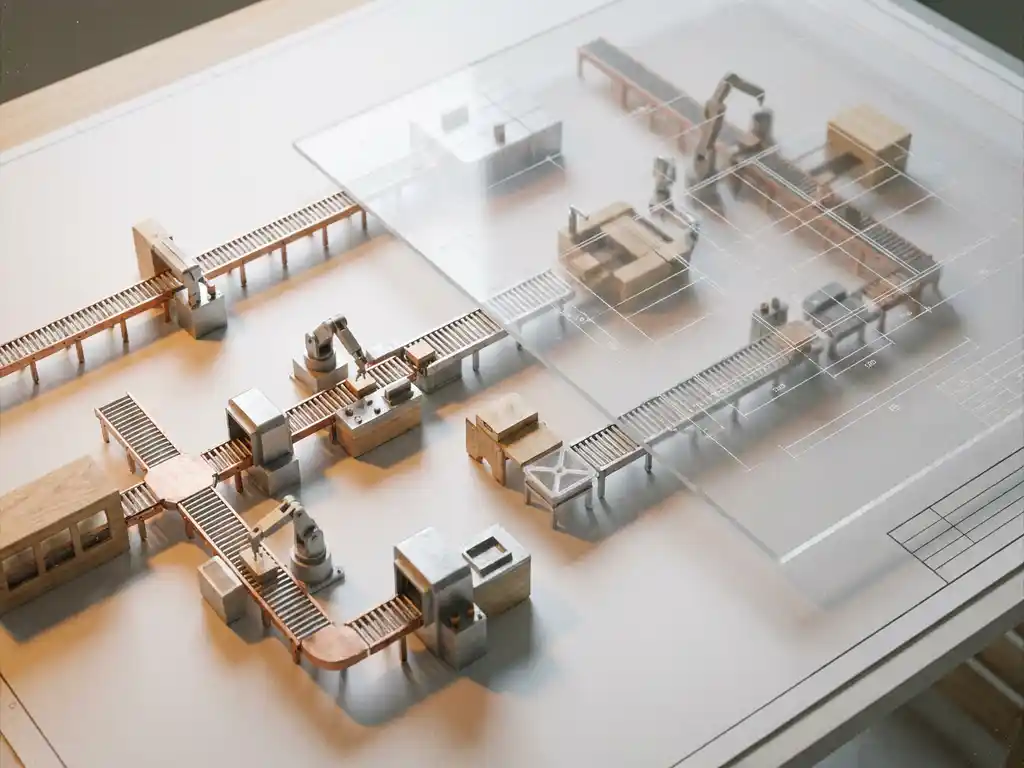
Manufacturing planning software can simulate a wide range of production and business scenarios, from capacity planning and workflow sequencing to product configuration, cost modelling, and pricing logic. These simulations allow manufacturers to test decisions virtually before committing real resources, reducing risk and accelerating time to market. The sections below answer the most common questions manufacturers ask when evaluating simulation capabilities.
What types of production scenarios can manufacturing planning software simulate?
Manufacturing planning software can simulate capacity constraints, production scheduling, resource allocation, lead time variability, bottleneck identification, and demand fluctuations. These simulations allow production teams to model “what if” scenarios, such as what happens to output if a machine goes offline, demand spikes unexpectedly, or a supplier delivers late, without disrupting live operations.
The most practically useful simulation types include:
- Capacity and throughput planning: Testing whether current equipment and staffing levels can meet projected demand volumes
- Scheduling and sequencing: Simulating different job orders to find the most efficient production sequence
- Supply chain disruption scenarios: Modelling the downstream impact of delayed materials or supplier failures
- Demand variability: Stress-testing the production plan against seasonal peaks or sudden order surges
- New product introduction: Simulating how adding a new product line affects existing production flow
For manufacturers in design-led or high-configuration industries, these scenarios extend beyond the factory floor. Simulating how a broad range of product variants flows through production, from customised finishes to bespoke dimensions, is just as important as managing machine utilisation.
How does manufacturing planning software simulate product configurations?
Manufacturing planning software simulates product configurations by encoding product rules, component relationships, and dependency logic into a configuration engine. When a user selects options, the software validates those choices in real time against predefined constraints, ensuring only manufacturable combinations are presented and automatically updating bills of materials, routing steps, and pricing.
In practice, this means a sales representative or customer can build a custom product from a set of available options, and the software simultaneously calculates what that configuration requires in terms of materials, production steps, and lead time. The simulation layer ensures that no invalid or impossible combination reaches the production floor.
For manufacturers offering high degrees of product customisation, this is where visual configuration solutions add significant value. When configuration logic is paired with photorealistic 3D visualisation, the simulated product is not just technically valid but immediately tangible for the customer, removing ambiguity before an order is placed.
Visual Commerce Solutions
Talk to our team about your project.
Can manufacturing planning software simulate costs and pricing?
Yes. Manufacturing planning software can simulate costs and pricing dynamically, calculating the total cost of a product configuration based on materials, labour, production time, and overhead, then applying pricing logic such as margin rules, tiered pricing, or customer-specific discounts to generate an accurate quotation.
This capability is the foundation of Configure, Price, Quote (CPQ) functionality. Rather than relying on manual calculation or static price lists, the software updates pricing in real time as configuration choices change. This matters particularly for complex, made-to-order products where a single change, such as upgrading a material or adding a dimension, can cascade into multiple cost adjustments.
The simulation of pricing scenarios also supports strategic decision-making. Manufacturers can model how different pricing structures affect margin, test the financial impact of offering new configuration options, or evaluate the cost implications of a new supplier before committing.
What’s the difference between a digital twin and a manufacturing simulation?
A digital twin is a live, continuously updated virtual replica of a physical asset, process, or product that reflects its real-world state in real time. A manufacturing simulation is a modelled scenario run to test a specific outcome or decision. The key distinction is that a digital twin mirrors reality dynamically, while a simulation explores hypothetical possibilities.
To put it concretely:
- A manufacturing simulation asks “what would happen if we changed X?” It runs a defined scenario using current or projected data and produces a result for analysis.
- A digital twin asks “what is happening right now, and what does it tell us?” It continuously ingests live data from sensors, systems, and processes to reflect the current state of a product or production environment.
- Combined use: Digital twins can feed real-world data into simulations, making those scenarios significantly more accurate. A simulation built on live twin data is more reliable than one built on historical averages alone.
In the context of product configuration and customer-facing experiences, a digital twin of a product, a photorealistic, interactive 3D model that mirrors every available variant, serves a different but complementary purpose: it allows customers and sales teams to explore the product virtually with full accuracy before production begins.
How accurate are manufacturing planning software simulations?
The accuracy of manufacturing planning software simulations depends directly on the quality and completeness of the data they are built on. When product rules, cost structures, lead times, and capacity data are correctly maintained, modern simulation engines can produce highly reliable outputs. Poorly maintained data produces unreliable results regardless of how sophisticated the software is.
Several factors determine simulation accuracy in practice:
- Data freshness: Simulations using outdated material costs or capacity figures will drift from reality over time
- Rule completeness: Configuration engines are only as accurate as the product rules and constraints loaded into them
- Integration depth: Software connected directly to ERP, inventory, and production systems will produce more accurate results than standalone tools working from manual inputs
- Scenario assumptions: Every simulation involves assumptions; the more explicit and realistic those assumptions are, the more useful the output
For manufacturers in high-end or design-led markets, accuracy also extends to the visual output. A configuration simulation that produces an inaccurate or unrepresentative image of the final product creates downstream problems, from customer disappointment to costly returns. Visual accuracy and technical accuracy must go hand in hand.
When should a manufacturer move from physical prototypes to software simulation?
A manufacturer should move from physical prototypes to software simulation when the cost, time, or logistical complexity of physical sampling begins to slow down sales, product development, or market responsiveness. For most mid-to-large manufacturers with broad or configurable product ranges, that point arrives well before they recognise it.
Common signals that the shift is overdue include:
- Physical sample libraries that are expensive to maintain and frequently out of date
- Long lead times between a product decision and a customer being able to visualise or approve it
- Sales teams unable to present the full product range in customer meetings or at the point of sale
- Product photography that cannot keep pace with the number of variants offered
- New product launches delayed by the time required to produce physical samples for approval
Software simulation does not eliminate the need for physical prototypes entirely, particularly in the final stages of manufacturing validation. But for the purposes of customer-facing configuration, sales support, and visual content production, virtual simulation consistently outperforms physical sampling on speed, cost, and scalability.
The transition becomes especially compelling when simulation tools produce outputs that match or exceed the quality of physical photography, removing the last remaining argument for maintaining expensive sample inventories.
How 3Dimerce helps manufacturers simulate smarter
We built our platform specifically for manufacturers and brands in the high-end, design-led market who need simulation to work at the level their products demand. Our Ensemble Suite combines visual product configuration with advanced manufacturing CPQ software capabilities, giving sales teams and customers a single environment where they can configure, visualise, price, and quote without switching tools or compromising on accuracy.
Here is what that means in practice:
- Photorealistic configuration: Every product variant is rendered in stunning, lifelike detail, so customers see exactly what they are ordering before production begins
- Real-time pricing logic: Configuration choices update pricing instantly, with advanced quotation capabilities that ensure accuracy every time
- No per-variant cost: Our platform scales across your entire product range without proportional increases in cost or production time
- Seamless integration: Headless architecture means our solution connects cleanly with your existing webshop, ERP, or in-store sales environment
- Omnichannel consistency: The same stunning visuals and accurate pricing logic work equally well online, in-store, and in sales presentations
If you are ready to replace slow prototypes and static price lists with a platform built for precision and scale, get in touch with our team and we will show you exactly what is possible for your product range.
Frequently Asked Questions
How long does it typically take to implement manufacturing planning software with simulation capabilities?
Implementation timelines vary based on the complexity of your product range and the depth of integration required with existing systems such as ERP or inventory management. For manufacturers with well-documented product rules and clean data, a foundational configuration and simulation environment can be operational within a few weeks, though full integration and refinement typically takes two to four months. The most time-consuming phase is usually data preparation — ensuring product rules, cost structures, and constraints are accurately captured before they are loaded into the system.
What data do we need to have in place before simulation results become reliable?
At a minimum, you need accurate bills of materials, up-to-date material and labour costs, current capacity figures for each production resource, and clearly defined product configuration rules including all valid and invalid option combinations. The more complete and current this data is, the more trustworthy your simulation outputs will be. A practical first step is auditing your existing product and production data for gaps or inconsistencies before onboarding any simulation platform, as even sophisticated software cannot compensate for fundamentally unreliable inputs.
Can simulation software handle highly customised or bespoke products, or is it better suited to standard product ranges?
Modern configuration-driven simulation platforms are specifically designed to handle high levels of customisation, including bespoke dimensions, material substitutions, and complex dependency rules where one choice constrains or unlocks others. In fact, the more configurable your product range, the greater the return on simulation investment, since the manual effort of quoting, visualising, and validating bespoke orders is where manufacturers typically lose the most time and margin. The key is choosing a platform whose configuration engine is built to encode complex product logic rather than one designed primarily for simple variant selection.
What are the most common mistakes manufacturers make when first adopting simulation tools?
The most frequent mistake is underinvesting in data quality while overinvesting in software features — a sophisticated simulation engine built on incomplete or outdated product rules will produce results that erode rather than build confidence. A second common error is treating simulation as a back-office planning tool only, missing the significant commercial value of bringing configuration and visualisation simulation directly into the customer-facing sales process. Finally, many manufacturers fail to establish a clear process for keeping simulation data current as products, costs, and production capacity evolve, which causes accuracy to degrade over time.
How does visual configuration simulation affect conversion rates and the customer buying experience?
When customers can see a photorealistic, accurate representation of their exact configuration before placing an order, purchase confidence increases significantly and the rate of post-order changes or cancellations drops. For high-value or design-led products, the inability to visualise a custom order is often the single biggest barrier to completing a sale, particularly in digital or remote selling environments. Manufacturers who replace static imagery or physical samples with interactive visual configuration consistently report shorter sales cycles, fewer specification errors, and higher average order values.
Is it possible to integrate simulation outputs directly into our existing quoting or ERP workflow?
Yes, and this integration is one of the most important factors in realising the full value of simulation software. When configuration, pricing, and production simulation outputs flow directly into your ERP or quoting system via API or headless architecture, you eliminate the manual re-entry that introduces errors and slows down order processing. Look for platforms that support clean integration with your existing stack rather than requiring you to replace core systems, as this significantly reduces both implementation risk and total cost of ownership.
At what point does investing in 3D visual simulation make more financial sense than maintaining a physical sample library?
The crossover point typically arrives when the combined cost of producing, storing, updating, and shipping physical samples across your product range exceeds the investment in a visual simulation platform — which for manufacturers with more than a few dozen active variants often happens sooner than expected. Beyond direct cost comparison, consider the hidden costs of physical sampling: delayed launches, sales opportunities missed because samples were unavailable, and photography that cannot scale with your variant count. A useful starting exercise is calculating your current annual spend on sample production and product photography, then comparing that against what a scalable visual simulation platform would cost over the same period.