
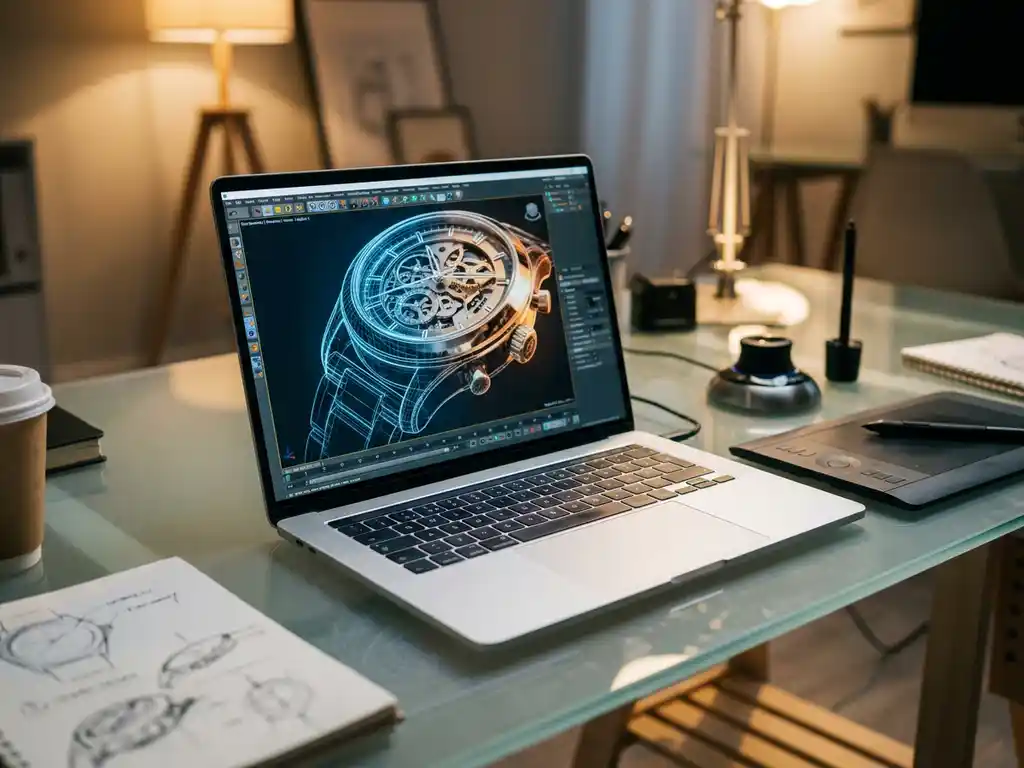
Many professionals ask whether ChatGPT can handle creative and technical tasks like 3D modeling — and the short answer for 3D model creation is no. ChatGPT is a text-based language model: it processes and generates language, not geometry, which means it fundamentally lacks the architecture needed to produce spatial data, mesh files, or rendered visuals. In this article we cover exactly where ChatGPT falls short for chatgpt for 3d modeling workflows, where it can genuinely assist, and which professional tools and services deliver the quality your brand demands.
Can ChatGPT Create 3D Models? The Direct Answer
No, ChatGPT cannot create actual 3D models. ChatGPT is a text-based AI language model that processes and generates language — it cannot produce mesh files, manipulate vertices and polygons, or generate the mathematical geometry data that a 3D model requires. It also lacks the computational architecture needed for spatial reasoning, geometric calculations, and visual rendering.
What ChatGPT can do is generate code for 3D modeling software like Blender’s Python API, write scripts for procedural modeling, or create detailed text descriptions that could guide a human 3D artist. It can also explain modeling concepts, suggest workflows, and help troubleshoot technical issues. These are supportive functions — not direct model creation.
ChatGPT’s Key Limitations for 3D Design and Visualization Work
ChatGPT faces several fundamental limitations when applied to 3D design work. Because it is a language model with no spatial processing capability, it cannot visualize or assess 3D geometry — meaning it cannot evaluate proportions, aesthetics, or the technical feasibility of a design.
Beyond spatial reasoning, ChatGPT also lacks access to real-time rendering engines. It cannot perform the complex calculations required for lighting, materials, and physics simulations that professional 3D rendering demands. Tasks like texture map creation, UV unwrapping, and geometry optimization for different output formats are outside its capabilities entirely.
Finally, ChatGPT cannot iterate visually on designs. While it can suggest modifications through text, it cannot show what those changes would look like or help refine the visual qualities — surface detail, material response to light, proportional balance — that make 3D product models compelling and commercially effective.
Why ChatGPT cannot be trusted for serious 3D projects: hallucinations and session loss
One of the most damaging failure modes for professionals who attempt to use ChatGPT in a 3D workflow is AI hallucination. ChatGPT may confidently describe generating an FBX or GLB file, provide a download link that does not work, or write Python code that references Blender functions that do not exist — wasting hours of professional time on output that cannot be used. For product managers and brand managers with tight launch schedules, this is not a minor inconvenience; it is a serious operational risk.
The second critical failure mode is session memory loss. Unlike dedicated 3D software that saves a project file with all geometry, materials, and iteration history, ChatGPT retains no memory between sessions. Any geometry logic, parametric decisions, or iterative refinements developed during one conversation are permanently lost when the session ends — making multi-day or complex projects impossible to manage reliably through ChatGPT alone. A professional visualization partner who owns the project file and manages all iterations eliminates this risk entirely.
Which AI Tools Can Actually Generate 3D Models — and Where Do They Fall Short?
Beyond ChatGPT, a new category of AI-native 3D generation tools has emerged that can produce actual geometry from text prompts or images. Understanding what these tools deliver — and where they consistently fall short — is essential for any brand evaluating its visualization options in 2026.
Meshy AI
Meshy AI generates textured 3D meshes from text prompts or reference images, making it one of the more accessible entry points into AI-driven 3D art creation. Output quality is improving rapidly, but polygon density is often irregular and textures lack the material precision required for premium product marketing. For a luxury sofa or a high-end lighting fixture, Meshy’s outputs require substantial manual cleanup before they are usable in any commercial context.
Luma AI
Luma AI specializes in NeRF (Neural Radiance Field) scene capture, producing photorealistic 3D scenes from video footage of real objects. The visual fidelity can be impressive, but the output is a NeRF scene rather than a clean, editable mesh — meaning it cannot be reconfigured for variant generation, embedded in a product configurator, or adapted for 3D industrial design workflows that require precise geometry.
Shap-E
Shap-E, developed by OpenAI, generates 3D objects as implicit functions or textured meshes from text or image inputs. It is genuinely capable of producing rough 3D geometry, but the outputs are low-resolution, lack brand-controlled styling, and are not suitable for photorealistic product visualization. It is a research-grade tool, not a production-ready solution for commercial 3D visualisation.
Point-E
Point-E generates 3D point clouds from text prompts — essentially a sparse collection of points in space that approximates a shape. While technically impressive as a research output, point clouds require extensive post-processing to become usable meshes, and the resulting geometry is far too coarse for any professional product marketing application.
Even the most capable AI-generated meshes in this category share a common limitation: they require significant manual cleanup, lack brand-controlled photorealism, and cannot reliably replicate the material fidelity, lighting precision, and configurability that premium markets demand. For brands in furniture, luxury goods, or high-end design, these tools represent a starting point at best — not a production-ready visualization solution.
ChatGPT 3D Output vs. Professional 3D Visualization — What Is the Real Difference?
| Criteria | ChatGPT / Script-based output | Professional 3D visualization service |
|---|---|---|
| Output type | Raw geometry only (STL or basic OBJ) | Fully refined, render-ready 3D model |
| Texture and material quality | No textures; no material assignments | Photorealistic PBR materials, fully brand-controlled |
| Photorealism level | None — no lighting or rendering capability | Studio-quality lighting and composition |
| Brand customization | Not possible — output is generic geometry | Built to exact brand specifications and style guidelines |
| File formats delivered | STL or basic OBJ only | GLB, FBX, OBJ, and web-ready formats for configurators |
| Iteration process | Text-based only; no visual feedback; session memory lost | Visual iteration with a dedicated specialist who owns the project file |
| Suitability for premium product marketing | Not suitable | Purpose-built for luxury and design markets |
Contact us today to see exactly how professional 3D visualization compares to AI-generated output for your specific product range.
Why AI Text Tools Like ChatGPT Cannot Replace Professional 3D Modeling Expertise
Many professionals mistakenly believe that AI language models like ChatGPT can replace specialized 3D modeling software and expertise. This misconception leads to wasted time, frustrated clients, and missed opportunities in competitive markets. When you attempt to use general AI tools for specialized visual tasks, you’re essentially bringing a calculator to an architectural drafting session. The result is often subpar output that fails to meet industry standards for 3D rendering quality, precision, and professional presentation.
In the furniture and luxury goods sector — where visual presentation is a primary driver of perceived value — the gap between AI-assisted shortcuts and purpose-built visualization is immediately visible to buyers. Instead of chasing AI shortcuts, focus on mastering purpose-built 3D modeling software or partnering with specialists who understand the technical requirements of professional visualization work.
What Poor 3D Visualization Costs Your Brand in Premium Markets
Inadequate 3D models and renderings immediately communicate to customers that your brand cuts corners on quality and attention to detail. In premium markets, especially furniture and luxury goods, visual presentation directly impacts perceived value and purchase decisions. When your product visualization looks amateurish or lacks the photorealistic quality that customers expect, you’re signaling that your products might be similarly lacking in craftsmanship.
Professional 3D rendering capabilities demonstrate technical sophistication and commitment to excellence, while poor visuals suggest the opposite. Investing in high-quality visualization tools and expertise ensures your digital presence matches your product quality and brand standards — a non-negotiable in high-end markets where first impressions are formed entirely online.
There is also a compelling financial case for professional 3D visualisation that decision-makers should factor into their planning. Traditional product photography requires a new shoot for every color variant, material option, and configuration change — with associated studio fees, logistics costs, and lead times that multiply rapidly across a complex product range. A professionally built 3D model, created once to exact specifications, can generate unlimited visual outputs across every variant, angle, and lighting scenario at near-zero marginal cost. For brands in furniture and luxury goods managing dozens or even hundreds of SKU variants, this scalability advantage makes professional 3D visualization economically superior at scale. Industry research suggests that brands using interactive 3D visualization also benefit from measurable improvements in conversion rates and reductions in product returns — outcomes your team can validate against your own category benchmarks.
Visual Commerce Solutions
Talk to our team about your project.
How ChatGPT Can Support (But Not Replace) 3D Modeling Projects
Despite its limitations, ChatGPT can provide meaningful support in a 3D modeling workflow — particularly for tasks that are text- or code-based rather than visual. It excels at generating automation scripts, such as Blender Python code for repetitive modeling operations or batch processing tasks.
ChatGPT is also useful for project planning: suggesting modeling approaches, breaking complex projects into steps, and recommending appropriate tools for specific tasks. It can explain technical concepts clearly, help troubleshoot software issues, and summarize industry best practices in accessible language.
For teams managing complex visualization projects, ChatGPT can assist with documentation — drafting project specifications, establishing naming conventions, and standardizing workflows to improve communication between technical and creative contributors. These are genuine productivity gains, provided expectations are set correctly: ChatGPT supports 3D work, it does not perform it.
A practical example: using ChatGPT to generate a Blender Python script
Consider a realistic scenario: a product designer prompts ChatGPT to write a Python script that generates a parametric table leg shape inside Blender. The steps are straightforward — open Blender’s Scripting tab, paste the generated code, and run it. In many cases, ChatGPT will produce a functional script that creates basic geometry in the viewport. For someone learning chatgpt for 3d modeling workflows or automating repetitive tasks, this is genuinely useful.
However, the output is raw geometry with no materials, no lighting, no brand-specific proportions, and no surface detail. It requires a skilled 3D artist to refine the mesh, apply physically accurate materials, set up a lighting environment, and produce renders that meet any commercial standard. The script is a starting point — not a finished asset. For professional product visualization, the gap between a ChatGPT-generated script and a publication-ready render is measured in days of skilled work.
The OpenSCAD approach: when ChatGPT scripts produce real geometry
The closest ChatGPT comes to producing actual 3D output is through OpenSCAD — a code-based 3D modeling application where geometry is defined entirely through script. ChatGPT can write OpenSCAD code that compiles into downloadable STL files, making it the most direct path from a ChatGPT prompt to a tangible 3D object. For beginners exploring 3d modeling software for beginners 2026, this workflow is an accessible entry point into understanding parametric geometry.
That said, STL files produced through this route are bare geometry: no textures, no materials, no photorealistic rendering capability, and no brand-controlled visual styling. They are suitable for 3D printing prototypes or basic structural validation — not for product marketing, e-commerce imagery, or the kind of immersive 3D visualisation that drives purchasing decisions in premium markets. The OpenSCAD workflow illustrates both the genuine utility and the hard ceiling of ChatGPT in a 3D context.
Is ChatGPT useful for learning 3D modeling as a beginner?
Beginners often discover ChatGPT as a first step into 3D modeling, and for this purpose it genuinely has value. ChatGPT can explain foundational concepts — mesh topology, UV mapping, render passes, the difference between polygonal and NURBS modeling — in plain, accessible language. For students and self-learners exploring 3d modeling software for educational purposes, it functions as a patient, always-available tutor that can answer questions at any level of detail.
When it comes to choosing where to start, ChatGPT can point beginners toward the right tools: Blender is the most powerful free option and has a vast community of tutorials; Tinkercad is ideal for absolute beginners who want to create simple geometry quickly; and SketchUp remains a popular choice for architectural and spatial beginners. Framing these as tools that ChatGPT can help you learn — rather than tools it can replace — is the right mental model for anyone starting out in 3d modeling software for beginners 2026.
For anyone moving from learning into professional or commercial 3D visualization, however, the gap between beginner-level output and market-ready product imagery is significant. Even skilled beginners benefit from partnering with specialists who bring not just technical execution but brand understanding, photorealistic rendering pipelines, and the configurability that modern e-commerce demands. That is precisely where we come in.
Best Software for Professional 3D Modeling and Visualization in 2026
Professional 3D modeling requires specialized software built for geometric manipulation and visual rendering. The choice of tool depends on the application, budget, and required output quality.
- Autodesk Maya and 3ds Max — industry standards for animation, character modeling, and complex scene construction
- Blender — a powerful open-source option suitable for modeling, rendering, and scripted automation
- Cinema 4D — widely used for motion graphics and product visualization
- SolidWorks and Fusion 360 — CAD tools that excel at precise mechanical and industrial modeling
- KeyShot — a dedicated rendering application optimized for photorealistic product marketing imagery
For furniture and product manufacturers specifically, standalone modeling tools often need to be paired with business infrastructure. Integrated visualization platforms that combine rendering capabilities with product configuration systems and e-commerce integration typically deliver better commercial outcomes than assembling a pipeline from separate tools.
How we help with professional 3D visualization
At 3Dimerce, we specialize in high-end visual product experiences for the furniture and luxury goods market — where rendering quality, configurability, and performance are non-negotiable. Our platform is built specifically for brands that cannot afford the gap between physical product quality and digital presentation.
Our comprehensive visual product experience platform delivers:
- Photorealistic rendering quality that matches premium brand positioning
- Scalable configuration systems that handle complex product variants
- Seamless integration with existing e-commerce and sales environments
- Blazing fast performance across all devices and platforms
We create sophisticated 3D product configurators that bring products to life with touchable textures, natural lighting, and precise detail — eliminating the constraints of traditional photography while giving brands the flexibility and speed that modern commerce demands.
Consider a furniture brand launching a new sofa collection with 12 fabric variants and 3 leg finishes — 36 visual combinations in total. Attempting to brief this through ChatGPT prompts or AI-generated scripts produces unusable raw geometry: no materials, no lighting, no brand-consistent styling, and no path to photorealistic output. Briefing it through a traditional photography shoot means 36 separate setups, significant studio costs, and a lead time that rarely fits a product launch window. Our approach is different: we build a single professional 3D model to your exact specifications — proportions, surface detail, material behaviour — and render all 36 combinations with photorealistic PBR materials, delivered web-ready for configurator integration. This is the kind of scalable 3D visualisation and 3d industrial design precision that transforms how luxury brands present their products online, and it is what we do every day. The result is stunning 3d art creation that reflects the true quality of your products — at a fraction of the time and cost of traditional photography.
Ready to transform your product visualization? Contact us today to discover how our 3D rendering expertise can elevate your brand’s digital presence and drive sales performance.
Frequently Asked Questions
How long does it typically take to create a professional 3D model for product visualization?
The timeline varies significantly based on complexity, but a typical product model takes 1-3 days for basic items and 1-2 weeks for complex products with multiple materials and configurations. Factors like the number of variants, level of detail required, and integration needs can extend this timeline. Working with experienced 3D visualization specialists can streamline the process and ensure faster turnaround times.
What file formats should I request when commissioning 3D models for my business?
Request multiple formats to ensure flexibility: high-resolution renders (PNG/JPEG) for immediate use, 3D files in common formats like OBJ or FBX for future modifications, and web-optimized formats like GLB for interactive applications. Also ask for source files in the native software format (like .blend or .max) to enable future updates and modifications by other professionals.
Can I use AI-generated descriptions to brief 3D artists more effectively?
Yes, ChatGPT can help create detailed briefs by organizing your requirements, suggesting technical specifications, and ensuring you communicate important details like materials, dimensions, and intended use. However, always include reference images, technical drawings, or physical samples alongside text descriptions, as visual references are crucial for accurate 3D modeling.
What’s the difference between 3D modeling and 3D rendering, and why does it matter for my budget?
3D modeling creates the digital geometry and structure of a product, while 3D rendering produces the final photorealistic images with lighting, materials, and visual effects applied. Modeling is typically a one-time cost per product, but rendering costs multiply with each variation, camera angle, or lighting scenario you need. Understanding this distinction helps you budget accurately and request exactly what your marketing materials require.
How do I know if my products are suitable for 3D visualization instead of traditional photography?
3D visualization excels for products with multiple variants (colors, materials, configurations), complex customization options, or items that are difficult to photograph consistently — such as large furniture or technical equipment. If you frequently need new product shots, have seasonal collections, or want interactive features like 360-degree views, 3D modeling typically offers better long-term ROI than repeated photography sessions.
What common mistakes should I avoid when working with 3D visualization providers?
Avoid providers who promise unrealistic timelines, don’t ask for detailed specifications, or can’t show relevant portfolio work in your industry. Don’t skimp on the initial brief — unclear requirements lead to expensive revisions. Also, ensure you understand what’s included: lighting setups, material variations, and file formats should be clearly specified upfront to prevent scope creep and additional costs.