
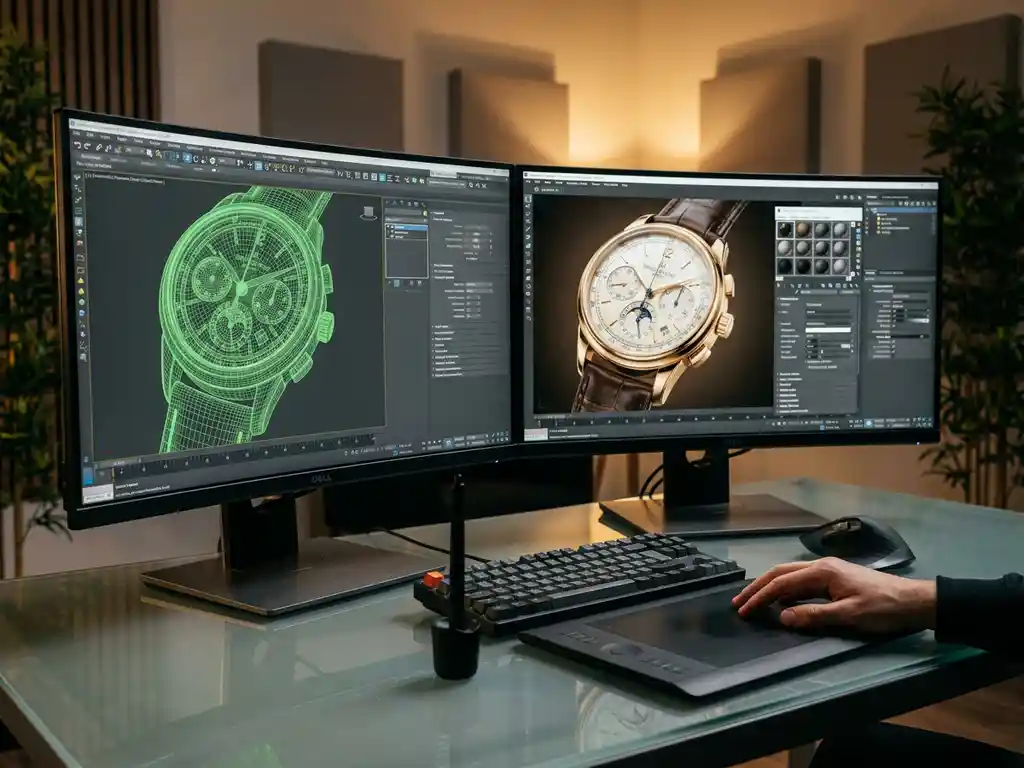
Choosing the right 3D rendering software for product visualization depends on your specific needs, budget, and technical requirements. The best solution combines powerful rendering capabilities with user-friendly interfaces, seamless integration options, and scalable performance that grows with your business. For product manufacturers and retailers, the software should deliver photorealistic visuals while supporting real-time customization and configuration features.
Why is outdated visualization technology costing you sales opportunities?
Traditional product photography and basic rendering tools create a significant bottleneck in your sales process. When customers cannot properly visualize product variations, customization options, or how items look in different environments, conversion rates plummet. This limitation becomes especially costly for configurable products where customers need to see multiple combinations before making purchasing decisions. The result is abandoned shopping carts, longer sales cycles, and frustrated customers who turn to competitors offering better visual experiences. Modern 3D rendering software solves this by enabling real-time product visualization, allowing customers to explore every configuration instantly and complete their purchases confidently.
What does poor rendering quality signal about your brand positioning?
Low-quality product visuals immediately communicate that your brand lacks attention to detail and professional standards. When your 3D renderings appear artificial, pixelated, or inconsistent across different platforms, customers question the quality of your actual products. This perception problem is particularly damaging for premium and luxury brands where visual excellence directly correlates with perceived value. Poor rendering quality also creates operational inefficiencies, as marketing teams spend excessive time trying to enhance subpar visuals or resort to expensive photography for every product variant. Investing in professional-grade 3D rendering software ensures your digital presence matches your product quality and brand positioning.
Visual Commerce Solutions
Talk to our team about your project.
What is 3D rendering software and why do you need it for product visualization?
3D rendering software transforms digital product models into photorealistic images and interactive experiences. This technology uses advanced algorithms to simulate lighting, materials, and textures, creating visuals that are often indistinguishable from professional photography. For product visualization, this software enables manufacturers and retailers to showcase items in multiple configurations, colors, and environments without the time and cost constraints of traditional photography.
The primary advantage lies in scalability and flexibility. While photographing every product variant requires extensive resources and time, 3D rendering software can generate unlimited variations instantly. This capability becomes essential for businesses offering customizable products, as customers can visualize their specific configurations in real time. Additionally, the software supports interactive features like 360-degree rotation, zoom functionality, and environmental changes, creating engaging customer experiences that drive higher conversion rates.
What’s the difference between cloud-based and desktop 3D rendering software?
Cloud-based 3D rendering software operates entirely online, with processing power handled by remote servers. This approach offers several advantages, including automatic updates, device flexibility, and reduced hardware requirements. Users can access their projects from any location and device, making collaboration easier across teams. Cloud solutions also provide scalable computing power, handling complex rendering tasks without requiring expensive local hardware investments.
Desktop 3D rendering software runs locally on your computer, offering complete control over the rendering process and data security. This option typically provides faster real-time performance for interactive tasks and eliminates dependency on internet connectivity. Desktop solutions often feature more advanced customization options and can integrate directly with existing design workflows. However, they require significant hardware investments and regular manual updates.
The choice between cloud and desktop depends on your specific needs. Cloud-based solutions work well for teams requiring collaboration and scalability, while desktop software suits organizations prioritizing data control and consistent performance. Many modern businesses opt for hybrid approaches, using cloud services for heavy rendering tasks and desktop applications for real-time interaction and design work.
How much does professional 3D rendering software cost?
Professional 3D rendering software pricing varies significantly based on features, licensing models, and target markets. Entry-level solutions typically range from $50 to $200 per month for basic functionality, while enterprise-grade platforms can cost $500 to $2,000 monthly or more. Many providers offer tiered pricing structures, allowing businesses to start with essential features and upgrade as their needs grow.
Licensing models include subscription-based pricing, perpetual licenses, and usage-based billing. Subscription models provide predictable monthly costs and include regular updates, making them popular for growing businesses. Perpetual licenses require larger upfront investments but eliminate ongoing subscription fees. Usage-based pricing charges based on rendering volume or computational resources, which can be cost-effective for businesses with variable rendering needs.
When evaluating costs, consider the total cost of ownership, including training, implementation, and ongoing support. Many software providers offer specialized solutions for different industries, with pricing reflecting the specific features and support levels required. Factor in potential savings from reduced photography costs, faster time-to-market, and improved conversion rates when calculating return on investment.
What features should you look for in product visualization software?
Essential features for product visualization software include real-time rendering capabilities, material and lighting controls, and seamless integration options. Real-time rendering enables instant visual feedback when customers modify product configurations, creating engaging interactive experiences. Advanced material systems should accurately simulate various textures, finishes, and surface properties to ensure photorealistic results.
Configuration management tools are crucial for businesses offering customizable products. Look for software that supports complex product rules, pricing integration, and automated visual updates when customers change specifications. The platform should handle multiple product variants efficiently while maintaining consistent visual quality across all configurations.
Integration capabilities determine how well the software fits into your existing technology stack. Prioritize solutions offering robust APIs, e-commerce platform compatibility, and CRM system integration. Mobile optimization ensures consistent experiences across all devices, while analytics features provide insights into customer interaction patterns and popular configurations. Additional valuable features include virtual showroom capabilities, augmented reality support, and collaborative tools for team-based design workflows.
How do you evaluate rendering quality and performance?
Rendering quality evaluation focuses on photorealism, consistency, and technical accuracy. Examine how well the software handles complex materials like metals, fabrics, and transparent surfaces. High-quality rendering should produce realistic lighting effects, accurate shadows, and natural reflections that match real-world physics. Test the software with your specific product types to ensure it handles your materials and design requirements effectively.
Performance metrics include rendering speed, system responsiveness, and scalability under load. Measure how quickly the software generates high-resolution images and how smoothly it handles real-time interactions during product configuration. Consider both initial rendering times and the responsiveness of interactive features like rotation and zoom. Performance testing should cover peak usage scenarios to ensure consistent customer experiences during high-traffic periods.
Consistency across different devices and platforms is equally important. Evaluate how renderings appear on various screen sizes, operating systems, and web browsers. The software should maintain visual quality and performance standards whether accessed on desktop computers, tablets, or smartphones. Request demonstrations with your actual product data and test the software in your specific use cases to make informed decisions about quality and performance capabilities.
How we help with 3D rendering software selection
We specialize in delivering professional-grade 3D product visualization solutions that combine stunning visual quality with blazing-fast performance. Our platform offers:
- Photorealistic rendering technology that showcases products with exceptional detail and accuracy
- Real-time configuration capabilities enabling customers to visualize unlimited product variations instantly
- Seamless integration with existing e-commerce platforms and sales systems
- Cloud-based architecture ensuring consistent performance across all devices and locations
- Comprehensive visualization solutions tailored for premium and luxury product brands
With over 20 years of experience in virtual art and CGI, we understand the unique requirements of high-end product visualization. Our SaaS solution eliminates the complexity of choosing and managing multiple software tools by providing a complete platform designed specifically for sophisticated product configuration and visualization needs.
Ready to transform your product visualization strategy? Contact our team to discuss your specific requirements and discover how our platform can enhance your customer experience while streamlining your visualization workflow.
Frequently Asked Questions
How long does it typically take to implement 3D rendering software in an existing workflow?
Implementation timelines vary from 2-8 weeks depending on complexity and integration requirements. Simple setups with basic product catalogs can be operational within 2-3 weeks, while complex configurations requiring custom integrations and extensive product rule sets may take 6-8 weeks. Most providers offer implementation support and training to ensure smooth transitions from existing visualization methods.
What happens to my existing product photography and visual assets when switching to 3D rendering?
Your existing photography can complement 3D rendering rather than being completely replaced. Many businesses use photography for lifestyle and contextual shots while leveraging 3D rendering for product configurations and technical specifications. Some software can even use existing photos as reference materials to ensure color and texture accuracy in 3D models.
How do I ensure my 3D product models accurately represent the actual products?
Model accuracy requires detailed reference materials including technical drawings, material samples, and high-resolution photos from multiple angles. Work with experienced 3D artists who understand your industry’s specific requirements, and establish a quality review process that includes stakeholder approval at key milestones. Regular calibration with physical samples ensures ongoing accuracy.
Can 3D rendering software handle products with complex materials like fabrics, metals, or glass?
Modern professional 3D rendering software excels at simulating complex materials through advanced shader systems and physically-based rendering. Fabrics can show texture weaves and draping behavior, metals display accurate reflections and surface variations, and glass materials simulate transparency and refraction effects. The key is choosing software with robust material libraries and customization capabilities.
What technical requirements do my customers need to view 3D product visualizations?
Most modern 3D visualization solutions are designed to work on standard devices without special requirements. Cloud-based platforms typically run in web browsers using WebGL technology, requiring only a reasonably current browser and basic graphics capabilities. Mobile optimization ensures smooth performance on smartphones and tablets without additional apps or plugins.
How do I measure the ROI of investing in 3D rendering software?
Track key metrics including conversion rate improvements, reduced photography costs, faster time-to-market for new products, and decreased return rates due to better customer expectations. Many businesses see 15-30% conversion rate increases and 60-80% reductions in photography expenses. Factor in operational efficiencies like faster product launches and reduced customer service inquiries about product specifications.
What should I do if my team lacks technical expertise to manage 3D rendering software?
Look for solutions offering comprehensive training programs, intuitive user interfaces, and dedicated support teams. Many providers offer managed services where they handle technical aspects while you focus on business decisions. Consider starting with user-friendly platforms that require minimal technical knowledge, then gradually building internal capabilities as your team gains experience.