
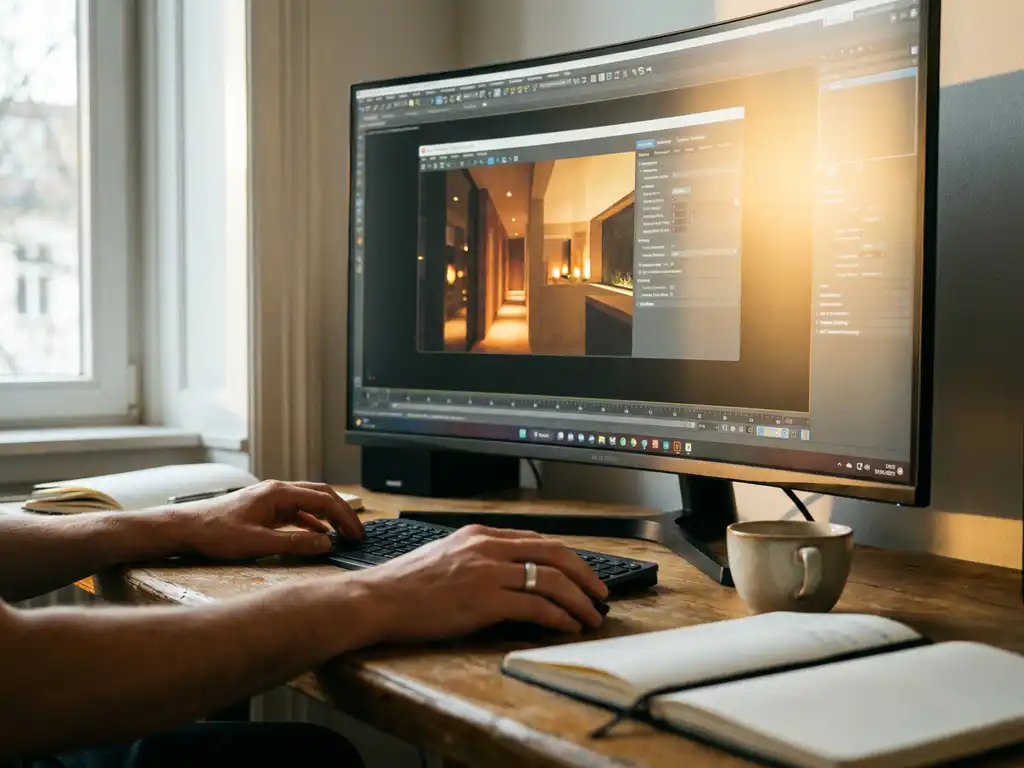
Corona Render is a photorealistic rendering engine that is relatively easy to learn compared to other professional rendering tools, making it an excellent choice for both beginners and experienced 3D artists. Its intuitive interface, streamlined workflow, and comprehensive documentation allow most users to create professional-quality renders within weeks rather than months of dedicated practice.
Why is poor rendering quality limiting your design presentations?
When your 3D visualizations lack photorealistic quality, clients struggle to envision the final product, leading to longer decision-making processes and reduced conversion rates. Poor lighting, unrealistic materials, or subpar image quality can undermine even the most innovative designs, causing potential customers to question your brand’s professionalism. This visual disconnect costs businesses significant revenue in lost sales opportunities, as clients often judge product quality based on the presentation they see rather than technical specifications alone.
Upgrading to a professional rendering engine like Corona Render addresses these issues by delivering photorealistic results with minimal technical complexity, allowing designers to focus on creativity rather than wrestling with complicated settings.
How is complex rendering software slowing down your creative workflow?
Traditional rendering engines often require extensive technical knowledge, forcing creative professionals to spend hours tweaking parameters instead of refining their designs. This steep learning curve creates bottlenecks in project timelines, increases training costs, and can frustrate talented designers who want to focus on visual storytelling rather than mastering complex software interfaces.
Corona Render eliminates these workflow barriers through its user-friendly approach, enabling teams to produce high-quality results faster while maintaining creative momentum throughout the design process.
Visual Commerce Solutions
Talk to our team about your project.
What is Corona Render and why is it popular?
Corona Render is a photorealistic, physically based rendering engine developed for Autodesk 3ds Max and Cinema 4D. Originally created as an academic project, it was acquired by Chaos Group and has since become one of the most widely adopted rendering engines in architectural visualization and product rendering. Its popularity is built on a combination of simplicity, predictable output, and professional-grade quality.
The software uses unbiased path tracing algorithms that simulate real-world light behavior, making it easier for artists to achieve realistic results without complex setup procedures. Corona Render handles global illumination, caustics, and subsurface scattering automatically, reducing the guesswork typically associated with rendering. Professional studios also appreciate its interactive rendering capabilities, which provide real-time visual feedback during the creative process — significantly accelerating iteration compared to traditional test-render workflows.
How steep is the Corona Render learning curve?
Corona Render has one of the gentlest learning curves among professional rendering engines. Most 3D artists with basic modeling experience can start producing quality renders within their first week of using the software. The intuitive material system uses familiar real-world properties — reflection, refraction, bump mapping — without requiring a deep understanding of rendering algorithms.
Corona Render’s default settings produce excellent results out of the box, allowing new users to achieve professional-looking renders while gradually learning more advanced techniques. Beginners can focus on composition and lighting rather than navigating complex technical menus. For experienced users transitioning from other rendering engines such as V-Ray or Arnold, most professionals become proficient within 2–3 weeks of regular use, aided by Corona’s logical workflow and comprehensive official documentation.
What’s the difference between Corona Render and V-Ray for beginners?
For beginners, Corona Render offers significant advantages over V-Ray in terms of accessibility. V-Ray provides extensive control over every aspect of the rendering process, but that flexibility comes with complexity that can overwhelm newcomers. Corona Render simplifies many of those decisions through intelligent defaults and automated processes, making it the more approachable starting point for designers without a deep rendering background.
Corona Render’s material system maps directly to real-world material properties, using straightforward parameters that are easy to interpret. V-Ray’s material system, while powerful, requires a stronger understanding of rendering theory to use effectively. The interactive rendering experience also differs: Corona Render’s live preview updates smoothly and predictably, while V-Ray’s interactive mode can be more resource-intensive and less responsive on average hardware. For beginners who rely on immediate visual feedback to learn, this distinction is meaningful.
How long does it take to become proficient with Corona Render?
Proficiency with Corona Render develops in three broadly recognized stages, each building on the previous one.
- Basic proficiency (2–4 weeks): Users can set up lighting, create materials, and optimize basic render settings. This assumes approximately 1–2 hours of daily practice with tutorials and test scenes.
- Intermediate proficiency (2–3 months): Users can handle complex scenes independently, apply advanced lighting techniques, create custom materials, and optimize render settings for different output requirements.
- Advanced mastery (6–12 months): Users can produce photorealistic architectural visualizations or commercial product renders. The exact timeline depends on prior 3D software experience, artistic background, and project complexity.
These timelines reflect consistent, deliberate practice. Users with prior experience in other rendering engines or strong 3D modeling backgrounds typically progress faster through each stage.
What are the best resources to learn Corona Render quickly?
The official Corona Render documentation and tutorials provide the most comprehensive learning foundation, covering everything from basic setup to advanced techniques with step-by-step instructions and practical examples. These resources are regularly updated to reflect the latest software features and best practices, making them the most reliable starting point for new users.
Online learning platforms — including YouTube, Udemy, and specialized 3D training sites — offer extensive Corona Render courses taught by working professionals. Many experienced 3D artists share detailed workflow breakdowns that go beyond what official documentation covers. Industry case studies can also provide valuable context for understanding how rendering fits into professional production pipelines.
Active community forums and Discord channels dedicated to Corona Render offer immediate peer support and troubleshooting assistance from experienced users. These communities are particularly useful for diagnosing specific technical issues and discovering advanced techniques not covered in formal courses.
Structured practice projects — starting with simple single-material scenes and progressing to complex multi-light environments — accelerate learning by building confidence alongside technical skill. Focusing each session on a specific material type or lighting scenario produces faster, more measurable progress than working through random tutorials.
How 3Dimerce helps with professional rendering solutions
Learning Corona Render builds valuable skills, but creating production-ready product configurators and CGI imagery at commercial scale requires specialized expertise, infrastructure, and a deep understanding of how visuals drive purchasing decisions. At 3Dimerce, we combine advanced rendering technologies with tailored visual product configuration solutions built specifically for the design, luxury, and high-end market — where image quality is not a nice-to-have, it is the standard.
Our platform is purpose-built for businesses that demand stunning, photorealistic results delivered at scale and speed. Key advantages include:
- Blazing-fast rendering performance optimized for real-time product configuration
- Seamless integration with existing e-commerce and sales platforms
- Automated workflow management that eliminates manual rendering bottlenecks
- Consistent, high-quality output across all product variants and configurations
- Scalable infrastructure that grows with your product catalog
For businesses in the design and luxury segment, the visual standard is non-negotiable. We deliver the photorealistic output your clients expect — without requiring your team to manage rendering infrastructure in-house. Contact our team to discuss how we can elevate your product visualization workflow.
Frequently Asked Questions
What system requirements do I need to run Corona Render effectively?
Corona Render requires a 64-bit Windows system with at least 8GB of RAM, though 16GB or more is recommended for complex scenes. A modern multi-core CPU will significantly impact render times, and while a dedicated graphics card isn’t strictly necessary, it helps with viewport performance. The software integrates with 3ds Max 2014 or newer, or Cinema 4D R18 and above.
Can I use Corona Render for commercial projects, and what's the licensing cost?
Yes, Corona Render offers commercial licenses starting around $25-30 per month for individual users, with volume discounts available for studios. Educational licenses are significantly discounted for students and academic institutions. The software includes all features in every license tier, with the main difference being the number of render nodes allowed for network rendering.
How do I troubleshoot slow render times when starting with Corona Render?
Start by reducing the noise limit in render settings (try 3-5% for test renders), limit subdivision levels on displacement maps, and use Corona’s denoising feature to clean up grainy images faster. Check your lighting setup – too many light sources or overly complex materials can dramatically increase render times. The Corona Performance Profiler can help identify which scene elements are causing bottlenecks.
What's the biggest mistake beginners make when learning Corona Render?
The most common mistake is over-complicating material setups and lighting when Corona’s strength lies in simplicity. Beginners often try to recreate complex V-Ray workflows instead of embracing Corona’s streamlined approach. Start with basic Corona materials and simple lighting setups – the software is designed to produce great results with minimal tweaking.
How do I transition my existing V-Ray materials and scenes to Corona Render?
Corona Render includes a V-Ray to Corona converter that automatically translates most materials and lights, though manual refinement is often needed. Focus on recreating the look rather than exact parameter matching, as Corona’s physically-based approach may require different values to achieve the same visual result. Plan to spend time re-optimizing your lighting setup to take advantage of Corona’s more intuitive workflow.
Is Corona Render suitable for animation projects, or just still images?
Corona Render handles both still images and animations effectively, with features like distributed rendering for faster animation workflows. However, render times can be longer compared to GPU-based engines like Octane or Redshift for complex animations. Corona’s strength lies in high-quality architectural visualization and product rendering, where image quality often takes priority over speed.
What should I do if my Corona renders look flat or unrealistic despite following tutorials?
This usually indicates issues with lighting contrast or material setup. Ensure you’re using proper HDR environment maps for realistic lighting, add practical lights for accent lighting, and pay attention to material roughness values – perfectly smooth materials rarely exist in reality. Study reference photography to understand how light behaves in real environments, and don’t be afraid to add subtle imperfections to your materials.
Related Articles
- How does 3D product rendering improve customer experience?
- Can Octane Render improve product visualization quality?
- What is the difference between 3D animation and traditional video?
- How do you measure 3D product rendering success?
- What problems does 3D product rendering solve for product manufacturers?