
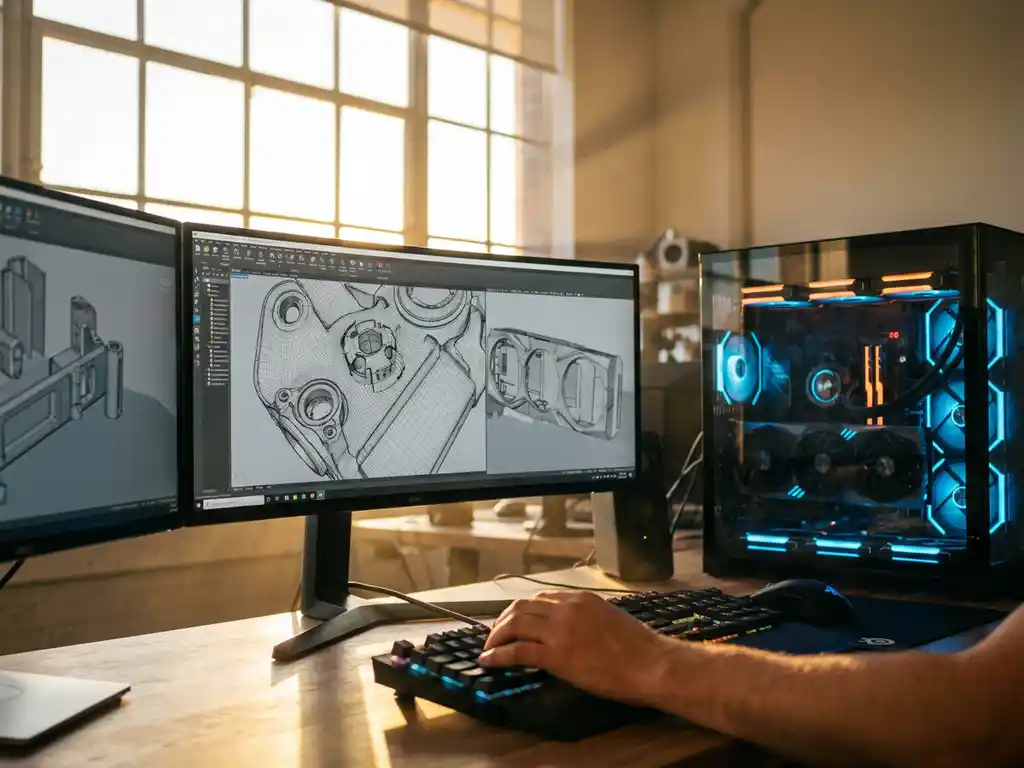
The best AI rendering solutions apply advanced photorealistic rendering techniques powered by machine learning to produce studio-quality visuals at speeds and costs that traditional photography and rendering simply cannot match. AI rendering combines GPU acceleration with trained neural networks to deliver consistent, high-volume visual content that scales with your product range, giving brands a decisive competitive advantage in omnichannel marketing.
Why are slow rendering times killing your product launches?
Traditional rendering workflows can take hours or even days to produce a single high-quality image, creating bottlenecks that delay product launches and limit your ability to respond quickly to market demands. When your competitors are launching new product variants weekly while you’re still waiting for renders to complete, you’re losing valuable market share and revenue opportunities. Each delayed launch represents thousands of potential customers who might choose alternative products simply because yours isn’t visually available when they’re ready to buy.
To understand how significant the gap really is, consider the phase-by-phase reality of a traditional product visualization workflow versus an AI-powered one:
Traditional workflow:
- Brief and concept alignment: 3 to 5 days
- 3D modeling or physical prototype creation: 2 to 4 weeks
- Manual scene setup and lighting: 3 to 5 days
- Rendering queue and processing: 1 to 3 days per batch
- Review, revision, and re-rendering: 1 to 2 weeks
- Total: 6 to 10 weeks per product launch
AI-powered workflow:
- Asset preparation and material configuration: 1 to 2 days
- Automated scene and lighting setup: hours
- AI render generation across all variants: minutes to hours
- Quality review and export: 1 day
- Total: 3 to 5 days per product launch
Brands using AI rendering can launch visual content up to 10x faster, enabling weekly product refreshes instead of quarterly ones. That is not just an operational improvement; it is a fundamental competitive advantage in markets where visual presence drives purchase decisions.
Visual Commerce Solutions
Talk to our team about your project.
How does outdated rendering technology limit product visualization?
Legacy rendering systems lock teams into rigid workflows that cannot adapt to the dynamic needs of modern product marketing. Predetermined camera angles, lighting setups, and material configurations established during the initial setup make it difficult to create the diverse visual content needed for omnichannel marketing campaigns. This inflexibility means missing opportunities to showcase products in lifestyle contexts, create seasonal variations, or respond to customer feedback with updated visuals.
AI rendering platforms break these constraints by enabling real-time adjustments and infinite variations without starting from scratch. You can modify lighting conditions, swap materials, adjust camera positions, and generate entirely new scenes on demand, giving your team the agility to match visual content strategy to rapidly changing market conditions.
What is AI rendering and how do photorealistic rendering techniques work?
AI rendering is the process of generating photorealistic images and animations using machine learning algorithms, rather than calculating every light ray mathematically as traditional rendering does. AI rendering systems are trained on large datasets of real-world imagery to recognize patterns in lighting, shadows, reflections, and material behavior, then apply those learned patterns to produce accurate visual output significantly faster.
The process begins with neural networks analyzing the 3D scene geometry, material properties, and lighting conditions. These networks predict pixel values based on learned relationships between scene elements and their visual appearance. Advanced AI rendering systems generate photorealistic images using techniques such as neural radiance fields and diffusion-based rendering to refine these predictions, ensuring the final output maintains photorealistic quality while dramatically reducing computation time.
Modern AI rendering workflows integrate with existing 3D modeling software, allowing designers to work with familiar tools while benefiting from accelerated output generation. The AI continuously improves as it processes new data, expanding its understanding of complex visual phenomena such as subsurface scattering, volumetric effects, and intricate material interactions.
Which AI technique produces the best photorealistic rendering results?
Not all AI rendering engines work the same way. The three dominant approaches each carry distinct strengths and trade-offs, and understanding them helps you evaluate which platform is the right fit for your product visualization goals.
Generative Adversarial Networks (GANs)
GANs work by pitting two neural networks against each other: a generator that produces images and a discriminator that judges their realism. This adversarial process pushes the generator toward increasingly convincing output. The primary strength of GANs for product rendering is speed combined with strong material variation, making them well suited to real-time product configurators where customers expect instant visual feedback. The main limitation is training instability, which can produce inconsistent results if the model is not carefully tuned. For luxury brands, we harness GAN-based techniques within our platform to power real-time configuration experiences that never compromise on visual quality.
Variational Autoencoders (VAEs)
VAEs encode product scenes into a compact latent space and then decode them into rendered images, allowing smooth and controlled interpolation between visual variants. This makes them particularly effective for systematic product library generation, where you need to produce a complete, coherent set of images across all colorways, finishes, and configurations. The trade-off is a marginal reduction in sharpness compared to GANs or diffusion models at the highest resolution levels. We incorporate VAE-based approaches where catalog consistency and variant coverage are the primary objectives, ensuring every SKU looks like it belongs to the same premium family.
Diffusion Models
Diffusion models work by progressively denoising a random signal into a fully formed image, guided by learned representations of lighting, material, and geometry. This iterative process delivers the highest level of photorealism and material fidelity currently achievable in AI image generation, making diffusion models the preferred choice for hero imagery, campaign visuals, and any context where absolute visual excellence is required. The trade-off is longer generation time compared to GANs. For luxury product visualization, where a single hero image may define a season’s campaign, the quality advantage is non-negotiable. Our platform leverages diffusion-based rendering for exactly these high-stakes outputs.
How does AI rendering speed compare to traditional methods?
AI rendering is typically 10x to 100x faster than traditional CPU-based rendering. Where conventional rendering may require 2 to 8 hours for a single high-resolution product image, AI-powered systems can generate equivalent quality in 2 to 10 minutes. The speed advantage grows further when generating multiple product variations simultaneously.
Traditional workflows require a separate render job for each color, material, or configuration option, multiplying time requirements with every variant. AI rendering systems generate dozens of product variants in parallel, sharing computational resources and learned patterns across variations, reducing what was once a days-long process to hours.
AI-powered real-time 3D rendering delivers interactive product configuration experiences that were previously impractical at scale. Customers can modify colors, materials, and components and see photorealistic updates in real time, eliminating the wait between customer input and visual confirmation. This immediate feedback loop supports higher engagement and stronger conversion performance.
At the workflow level, AI rendering platforms can automatically generate comprehensive product libraries covering multiple angles, lighting conditions, and environmental contexts, completing in hours what would traditionally require weeks of manual setup and rendering time.
How does an AI rendering workflow work in practice?
For product marketers evaluating AI rendering, the process can feel abstract until you see it mapped step by step. Here is how a product goes from physical object to a complete AI-rendered image library, without requiring deep technical expertise at every stage.
Step 1: Asset preparation
The workflow begins with preparing or creating a 3D model of your product in a standard format such as FBX or glTF. Existing models from your design software can typically be used directly, though optimizing polygon count (generally under 500,000 polygons for most product types) ensures the AI engine processes them efficiently without sacrificing output quality.
Step 2: Material configuration
Once the geometry is ready, you assign AI-powered material descriptors to every surface: properties such as finish type, reflectivity, texture scale, and sheen behavior. Specificity matters here. Describing a surface as “matte brushed brass” or “heavyweight linen weave” gives the AI far more to work with than a generic label, and the output quality reflects that precision directly.
Step 3: Lighting setup
You then select from preset lighting environments or define custom HDR lighting conditions that match your brand’s visual standards. For luxury products, lighting is not a neutral backdrop; it is a core part of the visual story. Standardized lighting templates ensure that every product in your catalog is lit consistently, reinforcing brand identity across thousands of images.
Step 4: Scene and camera definition
Camera angles, depth of field, and environmental context are defined for each intended use case: e-commerce product page, lifestyle editorial, in-store display, or mobile thumbnail. This step determines how the product will be presented to each audience, and the AI can generate all defined angles simultaneously rather than sequentially.
Step 5: AI render generation
The configured scene is submitted to the AI rendering engine, which uses trained neural networks to predict pixel values and generate all variants simultaneously. What would have been dozens of separate render jobs in a traditional pipeline becomes a single parallel process, completing in minutes to hours depending on the number of variants and the complexity of the materials involved.
Step 6: Quality review and export
Outputs are reviewed against your brand color profiles and checked for material accuracy before export in the formats required for each channel: web, mobile, print, and in-store. A structured pilot review of five to ten representative images before full batch generation is strongly recommended, as it catches any configuration issues before they multiply across hundreds of SKUs.
With us at 3Dimerce, this entire process is streamlined into a single platform. Our onboarding process guides your team through each step, reducing typical setup time to days rather than weeks, and ensuring that even teams with no prior AI rendering experience are producing premium-quality visuals from the outset.
Which AI rendering software offers the best quality?
The leading AI rendering platforms deliver photorealistic quality through different technological approaches, each suited to specific use cases. When comparing real-time 3D rendering engines using AI optimization, the key factors to evaluate are denoising quality, frame latency, and material fidelity, as these determine both the visual output standard and the practical speed of your production workflow.
- NVIDIA Omniverse and RTX: Excel at real-time ray tracing with AI denoising, making them well-suited for interactive applications and live product configuration.
- Adobe Substance suite: Integrates AI-powered material generation with advanced rendering capabilities, particularly strong for product visualization workflows.
- Chaos V-Ray (AI features) and Autodesk Arnold: Incorporate machine learning for noise reduction and sampling optimization, delivering production-quality results for high-end visualization projects.
- Cloud-based AI rendering services: For product configuration and e-commerce applications, these platforms offer the strongest balance of quality, speed, and scalability, handling complex product variants and material combinations while delivering consistent results across devices and viewing conditions.
The key differentiator across platforms is not raw image quality alone, but the ability to maintain visual consistency across thousands of product variations while supporting real-time customization features. This is a critical requirement for brands managing large or frequently updated product catalogs.
How AI rendering handles complex materials: fabrics, metals, and transparent surfaces
Material fidelity is where AI rendering platforms are most meaningfully differentiated, particularly for luxury and design-sector brands where the tactile quality of a product must be communicated entirely through a screen. Advanced fabric rendering techniques in AI image generation represent one of the most demanding challenges in the field, and modern systems have made significant advances in addressing it.
For fabrics, AI rendering models drape behavior and surface microstructure using a combination of simulation data and learned material descriptors. This enables accurate representation of materials such as brushed cotton, silk charmeuse, or stone-washed denim, each with distinct light scattering and sheen properties. Subsurface scattering algorithms handle translucent weaves, while normal maps capture weave texture at scale, giving the rendered fabric a physical presence that static photography often struggles to replicate consistently across variants.
For metals, AI systems model specular reflection curves and anisotropic highlights with high precision, distinguishing between brushed aluminum, polished chrome, and matte powder-coat finishes. The difference between a product that looks premium and one that looks flat often comes down to the accuracy of these specular models, and AI rendering engines trained on extensive real-world material datasets handle these distinctions reliably.
For transparent and glass surfaces, AI rendering uses learned refraction indices and caustic prediction to simulate glass, lacquer, and acrylic without the computational cost of full ray-traced caustics. This makes it practical to render transparent product elements, packaging, and decorative surfaces at scale without sacrificing accuracy. Our platform handles all of these material categories natively, so luxury brands never need to choose between speed and material accuracy.
What are the costs of AI rendering solutions?
AI rendering costs vary based on implementation approach. The three primary models are cloud-based subscriptions, pay-per-use cloud rendering, and on-premises GPU infrastructure.
- Cloud-based subscription platforms: Enterprise-grade solutions typically range from $500 to $5,000 per month for mid-sized operations, with pricing scaling based on rendering volume, resolution requirements, and feature complexity.
- Pay-per-use cloud rendering: Charges approximately $0.10 to $2.00 per high-resolution image depending on complexity and processing time. This model eliminates upfront hardware investment and suits businesses with variable rendering needs. Volume discounts reduce per-image costs significantly at scale.
- On-premises AI rendering: Requires substantial initial hardware investment. Professional GPU clusters range from $50,000 to $500,000 depending on performance requirements. Per-image costs are lower at high volume, and this model offers complete control over rendering processes and data security.
The total cost equation should account for expenses that AI rendering replaces: photographer fees, studio rentals, physical prototypes, and the time cost of lengthy rendering cycles. The table below makes this comparison concrete across the three main production approaches.
| Parameter | Traditional Methods (Photography + 3D) | AI Rendering (e.g., 3Dimerce) |
|---|---|---|
| Cost per image | Photography: $200 to $2,000 | Traditional 3D: $150 to $800 | $0.10 to $2.00 |
| Time per image | Photography: 1 to 5 days (including studio setup) | Traditional 3D: 2 to 8 hours | 2 to 10 minutes |
| Variants per session | Limited by reshooting or re-rendering each variant separately | Dozens to hundreds generated in parallel |
| Flexibility for changes | Low: changes require new shoots or new render jobs | High: material, lighting, and angle changes on demand |
| Scalability | Linear cost and time increase per additional SKU | Near-flat marginal cost at scale |
| Brand consistency | Variable across shoots and studios | Enforced through standardized lighting and material templates |
| Sustainability impact | High: physical prototypes, studio energy, travel, set construction | Low: fully virtual, no physical production required |
| Overall ROI timeline | 12 to 18 months | 3 to 6 months |
Many businesses find that AI rendering solutions recover their investment within 3 to 6 months through reduced photography budgets and faster time-to-market.
AI rendering reduces physical waste and supports sustainable product development
Beyond cost savings, AI rendering eliminates the need for physical product samples and prototypes at the visualization stage entirely. In industries like furniture and high-end manufacturing, this typically means avoiding the production of three to eight physical prototypes per product line, each of which consumes materials, labor, and logistics resources that generate no lasting business value.
Better pre-launch visualization also reduces return rates. When customers see accurate, photorealistic representations of products including true material colors, surface textures, and scale, their purchase decisions are better informed. Fewer surprises at delivery means fewer returns, which is both a financial and an environmental benefit.
Virtual photo shoots eliminate the travel, studio energy consumption, and physical set construction associated with traditional photography. For brands with global product lines that would otherwise require multiple regional shoots per season, this reduction in carbon footprint is substantial and increasingly relevant to ESG reporting requirements.
We position 3Dimerce as a partner that helps luxury brands meet their sustainability commitments without sacrificing visual quality. Eliminating physical sampling also compresses the product development timeline itself, which is a competitive advantage that compounds across every product launch cycle.
How 3Dimerce helps with AI-powered product rendering
3Dimerce is a visual product configuration platform built for luxury, design, and high-end manufacturing brands. We combine advanced AI rendering technology with over 20 years of expertise in 3D visualization to deliver stunning photorealistic results: fast, consistent, and tailored to the premium standards your products demand.
Our AI-enhanced rendering capabilities include:
- Real-time photorealistic visualization that adapts instantly to customer configurations
- Automated generation of comprehensive product libraries across all variants and viewing angles
- Seamless integration with existing e-commerce platforms and omnichannel solutions
- Consistent visual quality across web, mobile, and in-store environments
- Scalable cloud infrastructure that grows with your product range
Luxury furniture brands
Photographing large, heavy furniture in every fabric and finish combination is logistically demanding and prohibitively expensive at scale. A single sofa line with ten upholstery options, four leg finishes, and three arm configurations represents over a hundred visual combinations, each of which would require a separate studio setup in a traditional workflow. AI rendering enables a complete variant library to be generated from a single 3D model in hours, covering every permissible configuration with consistent lighting and camera treatment. We deliver the photorealistic material quality that luxury furniture consumers expect, with no compromise on the subtlety of fabric weave, cushion drape, or wood grain.
Interior design and architecture studios
Interior designers and architects need to present custom-specified products within client-specific room environments, often across multiple design directions in a single client meeting. AI rendering makes real-time scene swapping practical: a sofa can be presented in five different room contexts, with different flooring, wall colors, and ambient lighting, within minutes. This capability shortens client approval cycles significantly, reducing the back-and-forth that traditionally extends project timelines by weeks. We enable design studios to present with confidence and close approvals faster, without the cost of commissioning multiple bespoke visualizations per project.
High-end manufacturing and OEM suppliers
Complex configurable products with hundreds of SKUs present a visual content challenge that traditional methods simply cannot address at an acceptable cost. AI rendering automates the generation of a complete visual product catalog from a single validated 3D asset set, ensuring consistency in lighting, perspective, and material treatment across every SKU. We scale to thousands of variants without quality degradation, giving OEM suppliers and high-end manufacturers the visual infrastructure to support both direct sales and retailer partner channels simultaneously.
What are the most common AI rendering mistakes in product visualization, and how to avoid them?
Adopting AI rendering does not automatically guarantee great results. Teams that are new to the technology frequently encounter the same set of avoidable errors. Understanding them in advance is the fastest way to protect your investment and reach full-quality output from the start.
- Using unoptimized 3D models: High-polygon models slow AI processing without improving output quality. For most product types, optimizing geometry to under 500,000 polygons delivers the same visual result in a fraction of the processing time.
- Inconsistent lighting across product variants: Using different lighting setups per variant breaks visual cohesion across a catalog. Always apply a standardized lighting template across all SKUs so that every image reads as part of the same premium family.
- Generic material descriptors: Assigning a material simply as “fabric” or “metal” gives the AI insufficient information to produce accurate results. Specific descriptors such as “matte brushed brass” or “heavyweight linen weave” produce dramatically better output and are worth the extra few seconds to define correctly.
- Skipping color profile calibration: Rendering without a defined color management profile causes brand color drift across devices and channels. Always link renders to an ICC profile matched to your brand standards to ensure consistency from screen to print to in-store display.
- Generating all variants before reviewing a pilot batch: Scaling to hundreds of variants without first validating a representative set of five to ten images multiplies any configuration error across the entire batch. A structured pilot review before full batch generation is a small time investment that prevents large-scale rework.
Our onboarding process at 3Dimerce is specifically designed to prevent these mistakes from the start. Even teams with no prior AI rendering experience are guided through asset preparation, material configuration, and quality review in a structured way that gets premium results from the first batch.
Where is AI rendering technology headed? Key trends for 2026 and beyond
For business decision-makers evaluating a long-term platform commitment, understanding where AI rendering technology is heading is as important as understanding where it stands today. The developments already in progress will expand what is possible and raise the baseline expectation for visual quality across every industry.
Real-time photorealistic rendering at consumer device level
Next-generation AI denoising and neural rendering are bringing real-time photorealistic quality to browser-based configurators without requiring dedicated GPUs on the customer’s device. This means that the interactive, photorealistic product configuration experience that currently requires specialized infrastructure will soon be deliverable natively in a standard web browser. For brands investing in on-site product experiences, this shift will dramatically raise the quality ceiling for what customers expect to see before purchasing.
Multimodal AI for scene generation from text and image inputs
Emerging multimodal models allow brands to generate full product scenes by combining text descriptions with reference images, reducing the need for manual 3D scene setup substantially. A creative director will be able to describe a scene in natural language, reference a mood board image, and receive a fully rendered product visual in return. This democratizes access to professional-grade rendering capabilities without requiring technical expertise at every step of the creative process.
AI-driven visual consistency at massive SKU scale
AI orchestration layers are emerging that manage visual consistency rules across tens of thousands of product variants automatically, making enterprise-scale catalog generation feasible without manual quality assurance at every step. For brands with large and frequently updated product ranges, this capability removes one of the last remaining barriers to fully automated visual content production at scale.
Integration of rendering with generative product design
The boundary between AI rendering and AI-assisted product design is blurring. Platforms are beginning to offer tools that suggest design variations based on market trend data and then immediately render them for evaluation, compressing the feedback loop between design ideation and visual validation. This integration will change how product development teams work, enabling faster iteration and more informed decisions earlier in the design process.
We continuously evolve our platform at 3Dimerce to incorporate these advances, ensuring our clients are always positioned at the leading edge of AI-powered product visualization.
Frequently Asked Questions
How long does it typically take to implement AI rendering into an existing product visualization workflow?
Implementation timelines vary based on your current setup and requirements, but most businesses can integrate AI rendering solutions within 2-6 weeks. Cloud-based platforms often require minimal setup time, while on-premises solutions may need additional hardware configuration and staff training. The key is starting with a pilot project to test compatibility with your existing 3D assets and gradually scaling up production.
Can AI rendering handle complex materials like fabrics, metals, and transparent surfaces with the same quality as traditional rendering?
Modern AI rendering systems excel at reproducing complex materials, often matching or exceeding traditional rendering quality for most applications. Advanced neural networks have been trained on extensive datasets of real-world materials, enabling accurate representation of fabric textures, metallic reflections, and glass transparency. However, extremely specialized materials or unique surface properties may still require traditional rendering techniques for absolute precision.
What happens to rendering quality when generating hundreds of product variations simultaneously?
AI rendering systems maintain consistent quality across large batches of variations because they leverage shared computational patterns and learned material behaviors. Unlike traditional rendering where each variation requires independent processing, AI systems can apply consistent lighting and material rules across all variants. Quality remains stable, though processing time may increase proportionally with the number of variations being generated.
Do I need to recreate all my existing 3D models to work with AI rendering platforms?
Most AI rendering platforms support standard 3D file formats (FBX, OBJ, glTF) and can work with existing models with minimal modification. However, you may need to optimize textures and materials to take full advantage of AI rendering capabilities. Many platforms offer conversion tools and optimization services to help migrate existing assets efficiently without starting from scratch.
How do I ensure AI-rendered images match my brand's specific visual standards and color accuracy?
Professional AI rendering platforms offer extensive customization controls including color management profiles, lighting templates, and brand-specific material libraries. You can establish consistent visual standards through custom training data and style guides. Many solutions also provide color-accurate preview systems and integration with professional color management workflows to ensure brand consistency across all rendered content.
What are the main technical requirements for running AI rendering software in-house?
In-house AI rendering requires powerful GPU hardware (typically NVIDIA RTX series or higher), substantial RAM (32GB minimum), and fast storage systems. You’ll also need reliable high-speed internet for cloud processing integration and adequate cooling systems for sustained GPU operation. Most importantly, ensure your team has technical expertise for system maintenance and troubleshooting, or consider managed cloud solutions to avoid these infrastructure challenges.
Can AI rendering integrate with real-time product configurators for live customer interactions?
Yes, modern AI rendering platforms are specifically designed for real-time integration with product configurators. They can generate photorealistic updates within seconds as customers modify colors, materials, or components. This capability requires optimized 3D models and sufficient processing power, but enables engaging interactive experiences that significantly improve customer engagement and conversion rates compared to static product images.