
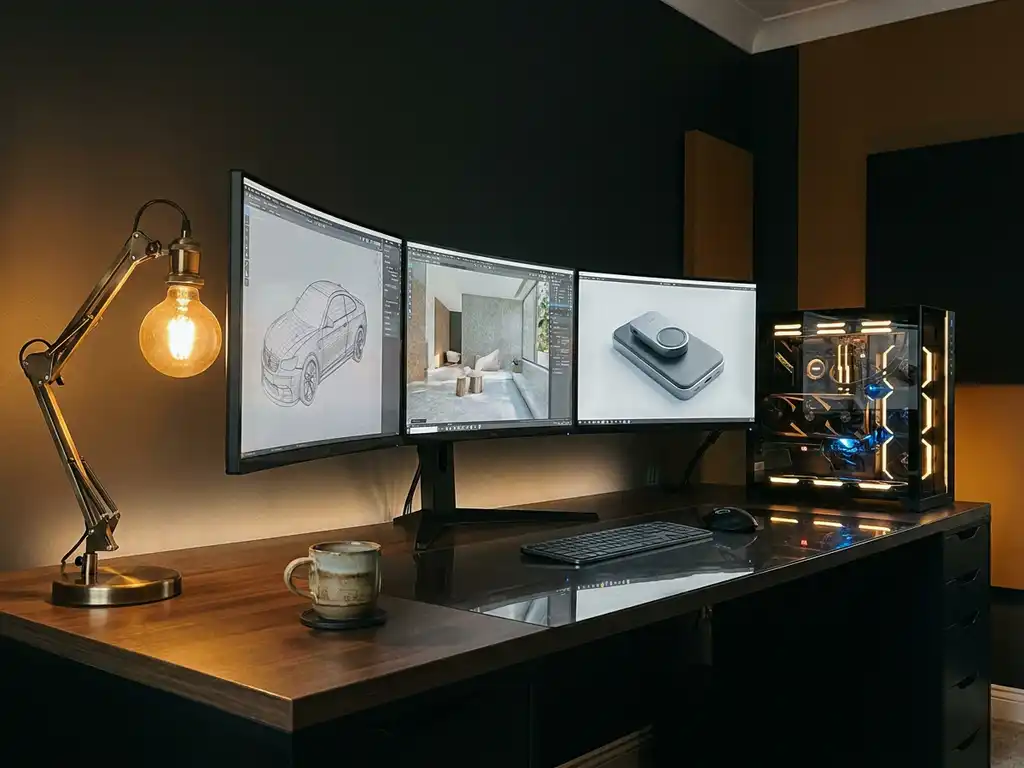
In 2026, 3D rendering software transforms digital 3D models into photorealistic images or animations by calculating lighting, shadows, textures, and materials. The best choice depends on your specific needs: beginners should start with user-friendly options like Blender or SketchUp, while professionals often prefer industry-standard tools like Maya, 3ds Max, or Cinema 4D for their advanced features and rendering engines.
Why is outdated rendering software costing you a competitive advantage?
Using legacy or inadequate 3D rendering tools creates a cascade of problems that directly impact your bottom line. Poor rendering quality makes your products look amateurish compared to competitors using modern solutions, while slow rendering times delay project delivery and increase labor costs. When your team struggles with complex interfaces or limited features, productivity drops and client satisfaction suffers. The solution lies in adopting contemporary rendering software that balances power with usability, ensuring your visual output meets professional standards while maintaining efficient workflows.
For businesses in design, luxury, and high-end markets, the stakes are especially high. Premium brand positioning depends on visual quality that matches the product itself — and outdated rendering tools make that impossible to sustain at scale.
How does choosing the wrong rendering approach limit your project scalability?
Many businesses get trapped using rendering methods that work for small projects but collapse under larger demands. Single-threaded rendering engines become bottlenecks when handling complex scenes, while software without proper asset management creates chaos as project libraries grow. This limitation forces teams to either compromise on quality or invest exponentially more time in manual workarounds. The key is selecting rendering platforms designed for scalability from the ground up, with distributed rendering capabilities and robust project management features that grow with your business needs.
Visual Commerce Solutions
Talk to our team about your project.
What is 3D rendering software and why do you need it?
3D rendering software converts three-dimensional digital models into two-dimensional images or video sequences through complex mathematical calculations. The software simulates how light interacts with virtual objects, calculating reflections, refractions, shadows, and surface properties to create photorealistic results.
Modern businesses need 3D rendering for several critical reasons. Product manufacturers use it to visualize designs before physical production, saving significant costs on physical prototyping. Marketing teams create compelling visuals for campaigns without expensive photography setups. Architects and interior designers present concepts to clients with stunning realism that traditional drawings cannot match.
The software processes geometry, materials, lighting, and camera settings to generate final images. Advanced 3D render engines simulate real-world physics, producing images indistinguishable from photographs. This capability has transformed industries from automotive design to film production, enabling creative possibilities that were previously impossible or prohibitively expensive.
How do the top 3D rendering software tools compare?
Choosing the right 3D render software means evaluating tools across several dimensions. Here is a side-by-side overview to help you decide which of the leading 3D renderers best fits your workflow, team skill level, and budget.
| Tool | Best For | Render Type | Platform | Skill Level | Approx. Annual Cost |
|---|---|---|---|---|---|
| Blender | General 3D, animation, product visualization | Offline (Cycles) / Real-time (EEVEE) | Windows, macOS, Linux | Beginner–Advanced | Free |
| Maya | Film, VFX, character animation | Offline (Arnold) | Windows, macOS, Linux | Advanced | ~$1,700 |
| 3ds Max | Architecture, product design, visualization | Offline (Arnold, V-Ray) | Windows | Intermediate–Advanced | ~$1,600 |
| Cinema 4D | Motion graphics, product visualization | Offline / Real-time (Redshift, Octane) | Windows, macOS | Intermediate | $700–$3,000 |
| KeyShot | Product visualization, industrial design | Real-time ray tracing | Windows, macOS | Beginner–Intermediate | ~$2,000 |
| V-Ray | Architecture, interiors, product rendering | Offline / Hybrid | Windows, macOS (host-dependent) | Intermediate–Advanced | $600–$1,200 |
| Octane Render | High-speed GPU rendering, product and fashion | Real-time GPU | Windows, macOS, Linux | Intermediate–Advanced | ~$400+ |
| Unreal Engine | Interactive experiences, archviz, real-time config | Real-time | Windows, macOS, Linux | Intermediate–Advanced | Free (royalty model) |
Blender is the most versatile free option across the board. Maya remains the gold standard for film and VFX pipelines. 3ds Max is a go-to for architectural and product visualization studios on Windows. Cinema 4D strikes the best balance between usability and professional output for motion-heavy work. KeyShot is the fastest path to high-quality 3D product render software results with minimal setup. V-Ray is the most widely adopted render engine across architecture and interiors. Octane Render delivers unmatched GPU-accelerated speed for studios that prioritize throughput. Unreal Engine leads for real-time interactive visualization and configurator-driven experiences.
What does a professional 3D rendering workflow look like?
Professional 3D rendering rarely relies on a single tool. Instead, studios and in-house teams build a pipeline that moves from initial design through rendering to final post-production. Understanding this pipeline helps you make smarter software investments and avoid costly bottlenecks at each stage.
Phase 1: Design and modeling
The pipeline begins with CAD or BIM authoring tools that define the geometry and spatial relationships of a design. In architecture and construction, this typically means Revit, ArchiCAD, or Vectorworks, which produce BIM-native files with embedded metadata. Product designers often work in Rhino, SolidWorks, or Fusion 360, generating precise NURBS or parametric geometry. At the end of this phase, files are exported in interchange formats — most commonly FBX, OBJ, or STEP — so they can be imported cleanly into a DCC (digital content creation) application for rendering. Getting this handoff right is critical: mesh quality, scale, and material assignment at the modeling stage directly affect rendering efficiency downstream.
SketchUp also plays a role here, particularly for early-stage architectural concepts where speed of iteration matters more than parametric precision. Its geometry exports cleanly to most rendering environments, making it a practical entry point for 3D architectural visualization software workflows.
Phase 2: Rendering and refinement
Once geometry arrives in the DCC environment — typically 3ds Max, Cinema 4D, Maya, or Blender — the team applies materials, sets up lighting rigs, and configures camera angles. This is where the choice of 3D render engine has the most direct impact on output quality and turnaround time. GPU-accelerated 3D render engines like Octane and Redshift dramatically compress iteration cycles, while CPU-based engines like Arnold and V-Ray offer more predictable scaling across large render farms. For product visualization specifically, this phase often involves building a library of reusable material presets — metals, plastics, fabrics, leathers — that can be applied consistently across an entire product catalog. Lighting setup, HDRI environment selection, and camera lens simulation all happen here before the final render pass is initiated.
Phase 3: Post-production
Raw render output is rarely the finished deliverable. Post-production in Adobe Photoshop handles color grading, compositing of render passes (beauty, shadow, reflection, ambient occlusion), and retouching for campaign-grade output. For animation projects, Adobe Premiere Pro or DaVinci Resolve assembles individual frame sequences into final video deliverables, adds motion graphics, and handles audio synchronization. This phase is also where render passes prove their value: by rendering lighting, shadow, and reflection as separate layers, post-production artists can make targeted adjustments without re-rendering the full scene — a significant time saving on complex 3D product render software projects.
Which 3D rendering software is best for architectural visualization?
Architectural visualization has unique software requirements. Unlike product rendering, archviz workflows must handle large BIM datasets, complex exterior lighting conditions, and real-time client walkthroughs — often all within the same project. The software stack that serves a product photographer will rarely be adequate for a firm delivering planning-approval renders or investor-grade development visualizations.
BIM-to-render workflows
The most common challenge in 3D architectural visualization software workflows is the translation of BIM data into a render-ready scene without losing structural accuracy or material assignments. Revit and ArchiCAD are the dominant BIM authoring platforms, and both support IFC (Industry Foundation Classes) export as a neutral interchange format. V-Ray for Revit and Enscape offer live-sync rendering directly inside Revit, eliminating the file export step entirely and allowing architects to iterate on materials and lighting without leaving their modeling environment. ArchiCAD users can similarly leverage Twinmotion’s direct link for real-time visualization. For larger or more complex projects, exporting to 3ds Max or Cinema 4D via FBX gives studios finer control over scene optimization and render engine selection.
Best render engines for architecture
Lumion and Twinmotion dominate real-time archviz rendering, particularly for firms that need to produce walkthrough animations and client presentation videos quickly. Both tools import standard 3D formats and offer extensive libraries of architectural assets — trees, people, vehicles, furniture — that populate scenes convincingly without manual modeling. For still imagery and marketing-grade output, Corona Renderer and V-Ray remain the professional benchmarks, delivering the nuanced interior lighting and material realism that luxury residential and commercial projects demand. These 3D render engines integrate directly with 3ds Max and Cinema 4D, fitting naturally into established studio pipelines.
Archviz by project type
Residential projects typically prioritize warm interior lighting, material texture fidelity, and lifestyle staging — areas where Corona and V-Ray excel. Commercial and mixed-use developments often require exterior massing renders and urban context visualizations, where Lumion’s speed and asset library provide a practical advantage. Interior design projects benefit from real-time engines like Enscape, which allow clients to walk through spaces interactively during design review meetings. Urban planning and infrastructure projects, with their large-scale geometry and complex site data, increasingly rely on Unreal Engine for its ability to handle massive scene complexity at real-time frame rates.
How is AI changing 3D rendering software in 2026?
Artificial intelligence is reshaping what 3D render software can do in 2026, compressing timelines and lowering the technical barrier to photorealistic results. For business decision-makers evaluating long-term software investments, understanding these AI-driven shifts is as important as understanding the tools themselves — because the capabilities gap between AI-enhanced and legacy rendering workflows is widening rapidly.
AI denoising
AI denoising is the most immediately impactful development in modern 3D render engines. Tools like NVIDIA DLSS and Intel’s OpenImageDenoise use trained neural networks to reconstruct clean, high-quality images from renders that have completed far fewer light-sampling passes than would traditionally be required. In practical terms, this means render times that once took hours can now be achieved in minutes, with output quality that is largely indistinguishable from a fully converged render. Both Octane and Redshift have integrated AI denoising natively, and V-Ray’s denoiser has become a standard part of professional archviz and product visualization pipelines.
AI-assisted material creation
Creating physically accurate PBR (physically based rendering) materials from reference photographs has historically required significant technical expertise. AI-powered tools now analyze a reference image and automatically generate a full PBR material set — diffuse, roughness, metalness, normal, and displacement maps — in seconds. This capability dramatically accelerates the material library building that underpins large-scale product visualization and 3D architectural visualization software workflows, where hundreds of unique surface treatments may need to be recreated digitally.
Generative AI for scene building
Generative AI is beginning to influence how 3D scenes are populated and composed. Tools integrated into leading DCC applications can suggest lighting setups, auto-populate environments with contextually appropriate assets, and generate background elements that complement hero product or architectural subjects. While generative AI is not yet replacing skilled 3D artists in high-end work, it is meaningfully accelerating the pre-visualization and concepting phases that precede final production renders.
AI upscaling
AI upscaling allows studios to render at lower resolutions — reducing compute time and hardware load — and then use neural upscaling to produce output at two to four times the native resolution with minimal quality loss. For businesses managing large product catalogs that require consistent visual output across many SKUs, this approach offers a compelling efficiency gain without compromising the premium image quality that design-led and luxury brands demand. Our platform is built to leverage these advances, delivering blazing-fast, AI-enhanced visualizations without requiring users to manage the underlying complexity.
What hardware do you need for professional 3D rendering?
Hardware selection is one of the most consequential decisions in any 3D rendering setup, and it is directly tied to your software choices. The wrong hardware configuration does not just slow you down — it can make certain 3D render engines entirely unusable for your scene complexity. Understanding the trade-offs between GPU and CPU rendering, and knowing when cloud rendering is the smarter investment, will save significant time and capital.
GPU vs. CPU rendering: which is right for you?
GPU rendering uses the parallel processing architecture of graphics cards to accelerate ray tracing and light simulation, delivering results dramatically faster than CPU-only approaches for most production workloads. Octane Render is exclusively GPU-based, and Redshift was built GPU-first before adding CPU support. For product visualization and most archviz work, GPU rendering is now the professional standard. CPU rendering, as used by Arnold and the CPU mode of V-Ray, scales predictably across multiple processor cores and is not constrained by GPU VRAM limits — making it the preferred choice for extremely complex scenes with very high polygon counts or massive texture sets that exceed available graphics memory. Many studios use both: GPU rendering for fast iteration and client previews, CPU rendering or render farms for final high-resolution output.
How much VRAM do you actually need?
VRAM capacity is the most common hardware bottleneck in GPU-accelerated 3D rendering workflows. As a practical guide: 8GB VRAM is sufficient for beginner to mid-level work — product shots with moderate scene complexity and texture resolution up to 4K. 16GB VRAM handles professional product visualization and interior architectural scenes comfortably, including high-resolution HDRIs and complex material stacks. 24GB VRAM or more is required for large-scale 3D architectural visualization software projects, film-grade scenes with heavy geometry, or any workflow involving multiple 8K texture sets simultaneously. When a scene exceeds available VRAM, most 3D render engines fall back to out-of-core rendering — offloading data to system RAM or storage — which can slow GPU rendering to a fraction of its normal speed. Investing in adequate VRAM upfront is consistently more cost-effective than managing out-of-core workarounds on production deadlines.
When to use cloud rendering instead of local hardware
Cloud rendering services provide access to large pools of GPU or CPU compute on demand, billed per frame or per compute hour. They are the right choice when project frequency is irregular — paying for cloud capacity on occasional large jobs costs far less than maintaining the hardware to handle peak loads in-house. Cloud rendering is also valuable when a project deadline requires more parallel compute than local hardware can provide, enabling dozens of frames to render simultaneously rather than sequentially. The key limitations are data sensitivity and latency: studios working with confidential client assets or proprietary product designs should evaluate whether their cloud rendering provider’s data handling policies are acceptable before committing. For businesses that render daily at consistent volumes, local hardware investment typically delivers better cost predictability over a two-to-three year horizon. Among 3D rendering companies offering managed cloud-based visualization, our platform eliminates this decision entirely by handling all rendering infrastructure on your behalf.
Which 3D rendering software is best for beginners?
The best 3D rendering software for beginners depends on the use case and budget. Blender is the most capable free option, SketchUp suits architectural work, Cinema 4D offers a gentler learning curve among professional tools, and KeyShot is purpose-built for product visualization with minimal setup required.
Blender stands out as the top choice for newcomers to 3D rendering. This free, open-source software offers professional-grade features without the financial barrier, making it ideal for learning fundamental concepts. Its active community and extensive online tutorials help beginners master basic modeling, texturing, and rendering techniques.
SketchUp provides another excellent entry point, particularly for architectural visualization. Its simple push-pull modeling approach feels natural to new users, while built-in rendering capabilities produce impressive results with a minimal learning curve. The software excels at creating clean, geometric designs quickly.
Cinema 4D deserves consideration for those prioritizing ease of use alongside professional output. Its streamlined interface and procedural workflow make complex operations more accessible than competing professional tools. The software supports powerful rendering engines like Octane and Redshift, providing clear room for growth as skills develop.
KeyShot offers specialized advantages for product visualization beginners. Its real-time rendering engine provides immediate visual feedback, while the material library and lighting presets eliminate much of the technical complexity that intimidates newcomers to 3D rendering.
What’s the difference between real-time and offline rendering software?
Real-time rendering generates images instantly as you work, updating the view continuously as you make changes. This approach prioritizes speed over absolute quality, using optimized algorithms and GPU acceleration to maintain smooth performance. Game engines like Unreal Engine and Unity exemplify real-time rendering, creating interactive experiences where immediate feedback is essential.
Offline rendering, also called pre-rendering, takes significantly longer but produces superior image quality. The software can spend minutes or hours calculating complex lighting interactions, subsurface scattering, and detailed reflections that real-time engines cannot handle. Professional tools like V-Ray, Arnold, and RenderMan use offline rendering for film and advertising work where quality trumps speed.
The choice between approaches depends on your specific needs. Real-time rendering suits interactive applications, design iteration, and client presentations where immediate feedback matters most. Offline rendering serves final production work, marketing materials, and situations where photorealistic quality is non-negotiable.
Modern hybrid solutions blur these distinctions. GPU-accelerated 3D render engines like Octane and Redshift offer near-real-time feedback while maintaining high quality. Some software packages include both engines, letting users switch between fast preview modes and high-quality final renders as needed.
How to choose the right 3D rendering software for your project
Before committing to any 3D render software, evaluate it against these eight criteria to ensure it fits your workflow, budget, and growth plans. Skipping this step is one of the most common — and most expensive — mistakes teams make when building or upgrading their visualization stack.
- Workflow fit and pipeline compatibility. Does the software integrate cleanly with the tools your team already uses? A 3D product render software solution that cannot import your CAD files or export to your delivery format creates friction at every project stage.
- Render engine type (real-time vs. offline vs. hybrid). Real-time engines suit interactive presentations and fast iteration; offline 3D render engines deliver the highest quality for final marketing output. Hybrid options offer a practical middle ground for teams that need both.
- CAD/BIM interoperability requirements. If your source geometry originates in Revit, SolidWorks, or ArchiCAD, confirm that your chosen 3D renderers can import those formats cleanly — ideally with material assignments and metadata preserved.
- Asset library availability. A strong built-in library of materials, HDRIs, and scene assets significantly accelerates production. Evaluate both the quality and the breadth of what ships with the software versus what requires third-party purchase.
- Hardware requirements and scalability. GPU-dependent 3D render engines like Octane require substantial VRAM investment. Confirm that your current or planned hardware meets the software’s minimum and recommended specifications before purchasing licenses.
- Learning curve vs. team skill level. The most powerful tool is worthless if your team cannot use it productively within a reasonable onboarding period. Match the software’s complexity to your team’s existing 3D skills and available training time.
- Licensing model and total cost of ownership. Subscription pricing, perpetual licenses, floating licenses, and render node fees all affect your true annual cost. Factor in training, plugin costs, and hardware investment alongside the headline software price.
- Cloud rendering support. As projects scale, local hardware often becomes the bottleneck. Confirm whether your chosen software integrates with cloud rendering services, and evaluate the cost model for occasional versus frequent cloud rendering use.
If managing this complexity sounds daunting, a managed platform like 3Dimerce eliminates most of these variables by delivering a fully integrated, cloud-based visualization solution tailored to high-end product and luxury brands.
How much does professional 3D rendering software cost in 2026?
Professional 3D rendering software costs vary dramatically based on features, licensing models, and target markets. Entry-level professional tools range from $200 to $1,000 annually, while industry-standard packages can cost $3,000 to $10,000 per year for full licenses.
Subscription models have become the dominant pricing structure. Autodesk Maya costs approximately $1,700 annually, while 3ds Max runs about $1,600 per year. Cinema 4D offers various tiers starting around $700 annually for the basic version, scaling up to $3,000 for the full studio package with advanced rendering engines.
Specialized rendering engines add extra costs. V-Ray licenses typically range from $600 to $1,200 annually depending on the host application. Arnold, now included with Maya and 3ds Max, previously cost around $500 annually as a standalone product. Octane Render subscriptions start at approximately $400 per year.
Budget-conscious professionals can find capable alternatives. Blender remains completely free while offering professional capabilities. KeyShot provides strong value at around $2,000 annually for product visualization needs. Some studios opt for render farm services, paying per frame rather than maintaining expensive software licenses for occasional high-end rendering needs. For businesses that prefer not to manage software in-house, outsourcing 3D rendering — known in the industry as 3D rendering laten maken — to a specialist platform like 3Dimerce offers predictable costs and professional-grade results without capital investment in hardware or software licenses.
Which rendering software works best for product visualization?
The most widely used rendering tools for product visualization are KeyShot, Cinema 4D with Octane Render, Blender with the Cycles engine, and Unreal Engine for interactive configuration. Each suits different workflows, budgets, and output requirements.
KeyShot dominates product visualization with its specialized focus on this application. The software excels at rendering materials like metals, plastics, and fabrics with exceptional realism. Its real-time ray tracing engine provides immediate visual feedback, while extensive material libraries cover virtually any product surface you might need to visualize.
Cinema 4D with Octane Render creates another powerful combination for product work. Cinema 4D’s modeling tools handle complex product geometries efficiently, while Octane’s GPU acceleration delivers high-quality results quickly. This pairing particularly suits brands requiring both individual product shots and complex scene compositions.
Blender’s Cycles rendering engine produces professional product visualization results without licensing costs. Its node-based material system offers complete control over surface properties, while recent updates have significantly improved rendering speed and quality. The software handles everything from simple product shots to complex configurator animations, making it one of the most capable free 3D product render software options available in 2026.
For brands requiring interactive product experiences, real-time engines like Unreal Engine provide compelling alternatives. These tools enable dynamic product configuration where customers can customize materials, colors, and features instantly. The immediate visual feedback enhances customer engagement and reduces decision-making friction.
Specialized cloud-based solutions offer another approach, particularly for businesses needing consistent output across multiple products. These platforms often integrate directly with e-commerce systems, automatically generating product visuals as new variants are added to catalogs.
When do you need animation and motion in product rendering?
Static product renders are only part of the story. For campaign visuals, product launches, and interactive e-commerce experiences, animation adds a dimension that still images cannot match — and the choice of 3D product render software directly determines which animation types are achievable within your production timeline.
Turntable and 360° spin animations are the most common animated format for e-commerce, allowing customers to inspect a product from every angle before purchase. Blender and KeyShot both handle turntable animation efficiently, and the output integrates cleanly with most e-commerce platforms. Exploded-view animations serve technical storytelling — separating a product into its component parts to demonstrate assembly, materials, or engineering detail. Cinema 4D’s motion graphics toolset makes this type of animation particularly accessible, with precise control over timing and spatial relationships between components. Real-time configurator animations allow customers to interact with a product dynamically — changing colors, materials, and configurations and seeing the result instantly. This is where purpose-built platforms outperform traditional 3D renderers: our platform supports real-time configurator animations natively, enabling customers to interact with products dynamically without any additional rendering time. Cinematic flythrough sequences for brand campaigns demand the highest production values, combining carefully choreographed camera moves with premium lighting and post-production compositing. Unreal Engine is increasingly the tool of choice for this format, delivering film-quality real-time sequences that would require days of offline rendering in traditional pipelines.
The 3D render style you choose for animation — photorealistic, stylized, or hybrid — should be determined by the brand positioning and the platform where the content will be displayed. For luxury and high-end brands, photorealistic animation that matches the physical product precisely is non-negotiable.
Why leading brands choose 3Dimerce for 3D product visualization
For design-led and luxury brands, 3Dimerce delivers what traditional 3D render software cannot: a fully managed, blazing-fast visualization platform built for the high end of the market. Where conventional rendering workflows demand specialized technical staff, expensive hardware, and complex software stacks, our platform delivers stunning, photorealistic product visualization as a service — with the tailored quality and configurability that premium positioning demands.
Photorealistic quality at scale
Our platform is engineered to produce the kind of visuals that luxury and design-led brands require: richly detailed materials, precise lighting calibration, and output that is indistinguishable from high-end product photography. Critically, this quality is delivered consistently across every SKU in a catalog, not just hero products. As your product range grows, our platform scales with it — generating unlimited variants across colors, materials, and configurations without incremental photography costs or render queue delays.
Seamless e-commerce integration
Our headless architecture is designed to connect with existing e-commerce platforms and point-of-sale systems without disrupting your current technology stack. Product configurators built on our platform load blazing fast across all devices, delivering an interactive experience that matches the premium feel of the brands we work with. Whether you are running a direct-to-consumer flagship store or supplying visual assets to a network of retail partners, our integration layer ensures consistent, on-brand visuals at every touchpoint.
Zero technical overhead
Unlike traditional 3D rendering companies that deliver files and leave your team to manage the rest, we handle every layer of the visualization stack — from 3D modeling and material setup to rendering infrastructure and delivery optimization. Marketing managers and product teams work directly with the output, not the underlying technology. This means faster time-to-market, lower operational complexity, and a visual commerce capability that does not depend on hiring specialized 3D talent in-house.
Brands that move to 3Dimerce consistently report eliminating costly product photography sessions, scaling their visual content across hundreds of SKUs, and delivering a premium customer experience that matches their brand positioning. The result is a visualization capability that is faster, more flexible, and more cost-efficient than any traditional rendering software workflow can provide at equivalent quality.
Ready to see what a purpose-built luxury visualization platform looks like? Contact our team to discuss your project.
What are the benefits of 3D rendering for your industry?
The business case for 3D rendering varies significantly by sector. Understanding the specific advantages for your industry — and the workflows that deliver them — is essential for making the right software and platform investment. Below are the three verticals where 3D rendering delivers the most measurable commercial impact.
Architecture and real estate
For architects, 3D architectural visualization software provides a level of design control and client communication that no other medium can match. Photorealistic renders allow design teams to explore material choices, lighting conditions, and spatial configurations before a single physical element is committed to — compressing the iteration cycle and reducing costly late-stage design changes. For property developers and investors, pre-sale visualization enables projects to be marketed and sold before construction begins, with scenario modeling that supports project ROI analysis across different design and specification options. End clients benefit from transparent collaboration: being able to walk through a proposed space virtually, evaluate finish options in context, and give informed feedback at each design stage. In planning and approvals processes, high-quality archviz renders have become standard supporting documentation, helping projects communicate their design intent clearly to planning authorities and community stakeholders.
Product design and manufacturing
Product teams that integrate 3D product render software into their development process reduce physical prototyping costs significantly — digital renders can validate form, finish, and material combinations that would otherwise require expensive physical samples. Variant scalability is a particular advantage: once a base product model is established, generating renders across dozens of colorways, material options, or configuration states is a fraction of the cost and time of equivalent physical photography. For regulated industries, photorealistic renders also accelerate internal approvals and stakeholder sign-off, allowing go-to-market timelines to compress without sacrificing the visual quality that retail buyers and brand teams expect. As 3D rendering laten maken becomes an increasingly mainstream option, product teams can access professional-grade visualization without building in-house 3D capability.
E-commerce and luxury brands
For e-commerce businesses, consistent omnichannel visuals are a foundational requirement — product images must look identical whether viewed on a mobile device, a desktop browser, or a printed catalog. 3D rendering makes this consistency achievable at scale, with every image generated from the same digital asset under controlled lighting conditions. For brands with large or frequently updated product catalogs, the ability to generate infinite SKU coverage from a single 3D model eliminates the logistical complexity and cost of coordinating photography for every new variant. For luxury and high-end brands, our platform delivers the stunning, photorealistic visuals that premium positioning demands, at a fraction of traditional photography costs. The result is a visual commerce capability that scales with the business, maintains brand integrity across every touchpoint, and supports the kind of immersive, interactive product experience that today’s premium consumers expect.
Frequently Asked Questions
How much GPU memory do I need for professional 3D rendering?
For professional 3D rendering, the right amount of VRAM depends on your scene complexity and chosen render engine. As a practical guide: 8GB VRAM is sufficient for beginner to mid-level work with moderate texture resolution; 16GB handles professional product visualization and interior architectural scenes comfortably; 24GB or more is required for large-scale 3D architectural visualization software projects or film-grade scenes with heavy geometry and multiple high-resolution texture sets. GPU-accelerated 3D render engines like Octane and Redshift are particularly VRAM-sensitive — when a scene exceeds available GPU memory, rendering falls back to slower out-of-core processing or fails entirely. If your workload is growing, investing in adequate VRAM upfront is consistently more cost-effective than managing workarounds under deadline pressure.
Can I use multiple rendering engines within the same 3D software?
Yes, most professional 3D software supports multiple rendering engines through plugins. For example, Maya works with Arnold, V-Ray, Redshift, and others, allowing you to switch engines based on project requirements. This flexibility lets you use fast preview engines during development and switch to high-quality engines for final output.
What's the biggest mistake beginners make when choosing rendering software?
The most common mistake is choosing software based solely on final image quality rather than workflow efficiency and learning curve. Beginners often select complex professional tools like Maya or 3ds Max without accounting for the months of training required to use them productively. Starting with user-friendly options like Blender or Cinema 4D builds fundamental skills more effectively before moving to more demanding tools.
How do I know if my current rendering software is holding back my business?
Key warning signs include consistently missing deadlines due to slow rendering times, clients commenting that your visuals look outdated compared to competitors, or your team avoiding complex projects because the software can’t handle them efficiently. If rendering a single high-quality image takes more than a few hours, or if you’re regularly working around software limitations manually, it’s time to upgrade.
Should I invest in cloud rendering services or upgrade my local hardware?
Cloud rendering services work best for occasional high-end projects or when you need to scale up quickly for large jobs. They’re cost-effective if you render sporadically but become expensive for daily use. Invest in local hardware if you render regularly, need immediate control over the process, or work with confidential client data that shouldn’t leave your premises. For businesses that prefer to avoid hardware investment entirely, a managed platform like 3Dimerce handles all rendering infrastructure on your behalf, offering predictable costs and professional-grade output without capital expenditure.
What file formats should my rendering software support for maximum compatibility?
Essential formats include OBJ and FBX for 3D models, EXR and TIFF for high-quality rendered images, and common texture formats like PNG, JPG, and HDR. For professional workflows, ensure your software can import CAD formats like STEP or IGES if you work with engineering data, and export to formats required by your clients or downstream applications.
How can I speed up my rendering workflow without sacrificing quality?
Use progressive rendering engines that show results quickly and refine over time, optimize your scenes by using instancing for repeated objects, and render at lower resolutions during development. Set up render regions to test lighting on small areas, use GPU acceleration where possible, and consider hybrid approaches that combine fast preview renders with selective high-quality final passes.