
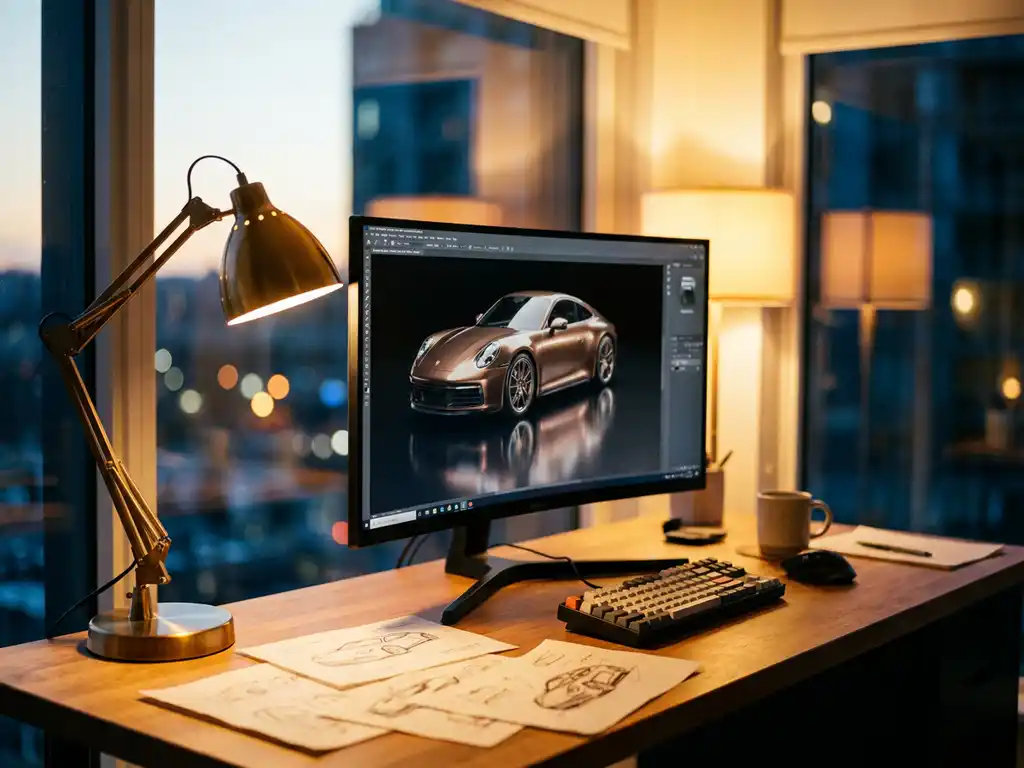
OctaneRender is a powerful GPU-based rendering engine that delivers exceptional speed and photorealistic results for 3D artists and designers. Known for its unbiased rendering capabilities and real-time viewport updates, OctaneRender has become a go-to solution for professionals who need high-quality renders without the lengthy wait times associated with traditional CPU rendering.
Why are slow render times killing your project deadlines?
When your rendering engine takes hours or even days to produce a single high-quality image, you’re not just losing time—you’re losing money and creative momentum. Slow renders force you into a cycle of guesswork, where you set up a scene, wait hours for results, then discover you need adjustments that require another lengthy render cycle. This bottleneck becomes especially painful when working with complex materials, lighting setups, or animation sequences where multiple iterations are essential.
The solution lies in switching to GPU-accelerated rendering engines like OctaneRender, which can reduce render times from hours to minutes. This speed boost transforms your workflow from reactive to interactive, allowing you to experiment freely with lighting, materials, and camera angles while seeing results in real-time or near real-time.
Visual Commerce Solutions
Talk to our team about your project.
What does poor render quality signal about your visual pipeline?
If your current rendering setup produces images that look artificial, lack proper light behavior, or fail to convincingly represent materials like glass, metal, or fabric, you’re likely dealing with biased rendering algorithms that cut corners to save time. These compromises become glaringly obvious when presenting work to clients who expect photorealistic quality, especially in industries where visual fidelity directly impacts purchasing decisions.
Upgrading to an unbiased rendering engine ensures that light behaves naturally, materials respond realistically to illumination, and the final output meets professional standards. This investment in quality pays dividends when your visuals can compete with traditional photography and support premium brand positioning.
What is OctaneRender and How Does It Work?
OctaneRender is a GPU-accelerated, unbiased rendering engine that uses CUDA technology to harness the parallel processing power of NVIDIA graphics cards. Unlike traditional CPU-based renderers that process calculations sequentially, OctaneRender distributes rendering tasks across hundreds or thousands of GPU cores simultaneously, dramatically reducing render times while maintaining photorealistic quality.
The engine works by simulating real-world light behavior through path tracing algorithms. When light rays hit surfaces in your 3D scene, OctaneRender calculates how they bounce, reflect, refract, and scatter based on physically accurate material properties. This unbiased approach means the software doesn’t take shortcuts or make approximations—it renders exactly how light would behave in reality.
OctaneRender integrates with popular 3D software through dedicated plugins, providing real-time viewport rendering that updates as you make changes to your scene. This immediate feedback loop allows artists to iterate quickly and see the impact of lighting, material, and geometry adjustments without waiting for lengthy test renders.
How Fast is OctaneRender Compared to Other Render Engines?
OctaneRender consistently outperforms CPU-based rendering engines by factors of 10x to 50x in most scenarios, depending on scene complexity and hardware configuration. A render that might take 8 hours with a traditional CPU engine like Arnold or V-Ray can often be completed in 15-30 minutes with OctaneRender on a high-end GPU setup.
The speed advantage becomes even more pronounced with multiple GPUs. OctaneRender scales nearly linearly with additional graphics cards, so a four-GPU workstation can deliver rendering speeds that would require dozens of CPU cores to match. This scalability makes OctaneRender particularly attractive for studios handling high-volume rendering projects or tight deadlines.
However, actual performance depends heavily on scene characteristics. OctaneRender excels with scenes featuring complex lighting, transparency, and volumetric effects, but may show less dramatic improvements with simple scenes that don’t fully utilize GPU parallelization. Memory limitations can also impact performance, as entire scenes must fit within GPU VRAM.
What Are the Pros and Cons of Using OctaneRender?
OctaneRender’s primary advantages center around speed and quality. The real-time viewport rendering transforms the creative process, allowing artists to experiment freely without workflow interruptions. The unbiased rendering produces exceptionally realistic results, particularly for materials like glass, water, and metals that benefit from accurate light simulation. The engine also handles complex lighting scenarios, subsurface scattering, and volumetric effects with impressive efficiency.
On the downside, OctaneRender requires NVIDIA GPUs with CUDA support, limiting hardware options and potentially requiring significant upfront investment. VRAM limitations can restrict scene complexity, forcing artists to optimize geometry and texture resolution more carefully than with CPU renderers. The learning curve can be steep for artists transitioning from traditional rendering workflows, and some advanced features found in established CPU engines may be missing or implemented differently.
Additionally, OctaneRender’s GPU dependency means render farms and cloud rendering services may have limited availability compared to CPU-based alternatives, potentially complicating large-scale production workflows.
How Much Does OctaneRender Cost and Is It Worth It?
OctaneRender offers several pricing tiers to accommodate different user needs. The Studio edition, suitable for individual artists and small studios, typically costs around $700-900 for a perpetual license. The Enterprise edition, designed for larger studios with network rendering requirements, commands a higher price point. Subscription options are also available, starting at approximately $20-30 per month for basic access.
The value proposition depends largely on your rendering volume and time constraints. For professionals who regularly produce high-quality renders, the time savings alone often justify the cost within weeks or months. A single project that would normally take several days to render can be completed in hours, freeing up valuable time for additional client work or creative exploration.
The investment becomes particularly worthwhile when factoring in hardware efficiency. A single high-end GPU running OctaneRender can often outperform a multi-CPU workstation costing significantly more, making the software an economical choice for performance-conscious users. However, occasional users or those working primarily with simple scenes may find it harder to justify the expense.
Which 3D Software Works Best with OctaneRender?
OctaneRender integrates seamlessly with most major 3D applications through dedicated plugins. Cinema 4D users benefit from the most mature integration, with OctaneRender often considered the go-to rendering solution for C4D workflows. The plugin provides deep integration with Cinema 4D’s material system, lighting tools, and animation features.
Maya, 3ds Max, and Blender also offer robust OctaneRender support through well-maintained plugins. These integrations provide access to OctaneRender’s full feature set while maintaining familiar workflows within each application. Houdini users can leverage OctaneRender for both traditional rendering and specialized procedural workflows.
For standalone workflows, OctaneRender’s native application provides complete control over all rendering features and often receives new capabilities before they’re available in third-party plugins. This makes it an excellent choice for users who want to maximize OctaneRender’s potential or work with multiple 3D applications. The choice ultimately depends on your primary 3D software and the depth of integration required for your specific workflows.
How 3Dimerce Supports Professional Rendering Solutions
We at 3Dimerce understand that exceptional rendering quality is just one piece of the puzzle when creating compelling product experiences. Our visual product configuration platform combines advanced rendering capabilities with interactive customization tools, delivering the photorealistic quality that OctaneRender users appreciate while adding powerful business functionality.
Our solution offers several key advantages for businesses seeking professional-grade product visualization:
- Real-time 3D product configurators that maintain photorealistic quality across all customization options
- Seamless integration with existing e-commerce platforms and sales environments
- Scalable rendering infrastructure that eliminates the need for expensive hardware investments
- Consistent visual quality across all channels, from web to in-store displays
Whether you’re currently using OctaneRender or exploring rendering solutions for your business, our team can demonstrate how our platform transforms product visualization into a powerful sales and marketing tool. Explore our successful implementations across various industries, or contact us to discuss how we can elevate your product presentation with stunning visuals delivered blazingly fast.
Frequently Asked Questions
What GPU requirements do I need to run OctaneRender effectively?
OctaneRender requires an NVIDIA GPU with CUDA support and at least 4GB of VRAM for basic scenes, though 8GB or more is recommended for complex projects. High-end cards like RTX 3080/4080 or RTX 3090/4090 provide optimal performance. Multiple GPU setups scale almost linearly, so adding a second identical GPU nearly doubles your rendering speed.
How do I transition my existing scenes from CPU renderers to OctaneRender?
Start by converting materials using OctaneRender’s material conversion tools or rebuild them using physically-based principles. Lighting setups often need adjustment since OctaneRender handles light behavior differently than biased renderers. Begin with simple scenes to learn the workflow, then gradually tackle more complex projects as you become familiar with OctaneRender’s material and lighting systems.
What should I do when my scene exceeds GPU memory limits?
Optimize texture resolution by using lower-resolution textures where detail isn’t critical, enable OctaneRender’s out-of-core geometry feature to handle large meshes, or break complex scenes into multiple render passes. Consider upgrading to GPUs with more VRAM or using OctaneRender’s network rendering to distribute the workload across multiple machines.
Can I use OctaneRender for animation projects, and what are the considerations?
Yes, OctaneRender excels at animation rendering due to its speed advantages. Key considerations include ensuring consistent lighting across frames, managing motion blur settings, and planning for increased VRAM usage with animated geometry. Network rendering becomes especially valuable for animation projects to distribute frame rendering across multiple GPUs or workstations.
How does OctaneRender handle common material types like glass and metals?
OctaneRender’s unbiased approach makes it particularly strong with physically accurate materials. Use the Glossy material for metals with appropriate roughness and IOR values, and the Specular material for glass with correct transmission settings. The real-time viewport helps you dial in these materials quickly, showing accurate reflections and refractions as you adjust parameters.
What are the most common mistakes when starting with OctaneRender?
New users often over-complicate lighting setups (OctaneRender works well with simple HDRI environments), use incorrect material settings from other renderers, or don’t optimize scenes for GPU memory limits. Another common mistake is not taking advantage of the real-time viewport for material and lighting adjustments, instead relying on traditional test-render workflows.
Is OctaneRender suitable for architectural visualization compared to V-Ray or Corona?
OctaneRender is excellent for architectural visualization, particularly for exterior scenes with complex lighting and materials like glass facades. While V-Ray and Corona offer more specialized architectural features, OctaneRender’s speed advantage allows for more design iterations and client presentations. The choice depends on your specific workflow needs and whether you prioritize speed over specialized architectural tools.