
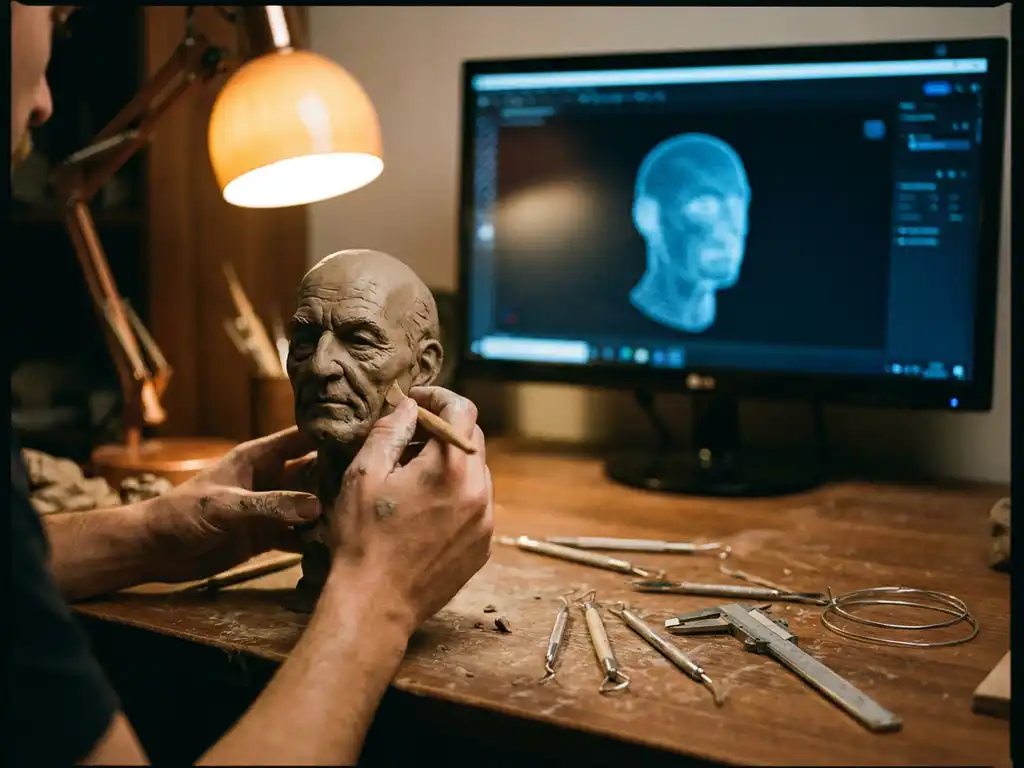
Getting into 3D animation requires dedication, creativity, and technical skill, but it’s absolutely achievable with the right approach. The difficulty largely depends on your starting point, learning commitment, and career goals. Most aspiring animators can build foundational skills within 6-12 months of focused practice, though mastering professional-level techniques typically takes 2-4 years of consistent work.
Is 3D animation hard to learn? What beginners should realistically expect
Is 3D animation hard? The honest answer is: yes, it has a steep initial learning curve — but it is entirely manageable with the right approach. How hard is 3D animation really depends on three key factors: your prior artistic experience, the software you choose to start with, and the consistency of your practice. Beginners often find the early stages most challenging, particularly understanding 3D space and getting to grips with rigging, but these hurdles become smaller with structured learning and daily repetition.
How hard is it to learn 3D animation to a professional standard is a different question. Reaching a job-ready level typically takes 18–36 months of focused effort, but you will see meaningful progress much sooner. The key is to set realistic expectations, celebrate incremental wins, and commit to a workflow that builds both artistic and technical skills in parallel. The sections below walk you through exactly what that looks like in practice.
How to start learning 3D animation today: a practical beginner roadmap
Knowing how to animate 3D models and how to animate models in general starts with taking concrete first steps rather than waiting until conditions feel perfect. The following roadmap gives you a clear sequence of actions you can begin immediately, regardless of your current skill level.
- Download Blender for free and complete the official Donut tutorial. This beginner-friendly project introduces the interface, basic modeling, and rendering in a structured, approachable way.
- Study the 12 principles of animation using free YouTube resources. Channels dedicated to animation fundamentals will teach you timing, spacing, and squash-and-stretch — the artistic foundation that applies to every method and tool.
- Animate simple mechanical objects before attempting characters. A bouncing ball or a swinging pendulum teaches core timing principles without the complexity of rigs and facial expressions.
- Set a daily practice goal of 30–60 minutes. Consistency beats intensity. Short, regular sessions build muscle memory and software fluency faster than occasional marathon sessions.
- Join the Blender Artists or CG Cookie community for feedback. Constructive critique from more experienced animators accelerates your growth significantly and keeps you accountable.
- Build a portfolio folder from day one — save every project. Even early, imperfect work documents your progress and gives you material to reflect on as your skills improve.
- Choose a specialization direction after 3 months of broad exploration. Once you have a feel for modeling, rigging, and animation, you will have enough context to decide whether character animation, product visualization, or another niche excites you most.
What skills do you need to get into 3D animation?
3D animation requires a blend of artistic vision and technical expertise. Core artistic skills include understanding timing, spacing, and the fundamental principles of animation — squash and stretch, anticipation, and follow-through. Strong observation skills are equally important: the ability to study real-world movement and translate it into believable digital motion underpins all professional animation work.
On the technical side, proficiency in industry-standard software is essential. Most professionals work with tools like Maya, Blender, or Cinema 4D for modeling and animation, along with rendering engines such as Arnold, V-Ray, or Cycles. Understanding rigging basics, lighting principles, and texturing workflows makes an animator more versatile and employable across different production environments.
Modern 3D animation also demands knowledge of real-time engines like Unreal Engine or Unity, especially for interactive projects and virtual production workflows. Communication skills are equally important, as animators frequently collaborate with directors, designers, and technical teams to bring creative visions to life.
Keyframe, motion capture, or procedural: which animation method should you learn first?
There are three primary methods used in professional 3D animation, and each has a different difficulty level, cost profile, and typical use case. Understanding the differences helps you choose the right starting point.
Keyframe animation offers the highest degree of artistic control and is the most widely taught method. It requires mastery of timing and spacing principles and has the steepest learning curve, but it builds a foundational understanding that transfers directly to every other method. It is used extensively in film and games and is the best starting point for most beginners. Motion capture lowers the artistic barrier to creating naturalistic movement but requires access to mocap equipment or licensed data libraries. Post-processing and cleanup of captured data is still a skilled discipline in its own right. Procedural and simulation-based animation is used for cloth, hair, fluid, and physics-driven effects. It demands technical understanding of simulation parameters rather than frame-by-frame artistry, making it a natural specialization for technically inclined animators. For beginners, keyframe animation is the recommended starting point because the principles you learn — weight, anticipation, follow-through — inform every other method you will encounter later.
How is 3D animation done? A step-by-step workflow for beginners
Understanding how is 3D animation done at a pipeline level helps beginners see the full picture before diving into any single stage. Professional 3D animation follows a structured sequence of stages, each building on the last. Here is how that workflow unfolds from start to finish.
1. Concept and reference gathering
Every animation begins with a clear concept and a reference library. Animators collect video references of real-world movement, mood boards, and storyboards to guide their creative decisions. This stage is low difficulty but critically important — the quality of your references directly influences the quality of your final animation.
2. 3D modeling
Modeling is the process of building the 3D objects, characters, or environments that will be animated. Tools like Blender and Maya are the industry standard for this stage. For beginners, modeling simple hard-surface objects (furniture, products, vehicles) is a moderate-difficulty starting point before progressing to organic character modeling.
3. Rigging and skinning
Rigging means creating a skeleton system inside a 3D model so it can move naturally — think of it as building the bones and joints that control how a character or object deforms. Skinning then defines how the model’s surface follows those bones. This is one of the hardest stages for beginners because it requires both technical precision and an understanding of anatomy or mechanical structure. Fortunately, modern auto-rigging tools like Rigify (which ships built-in with Blender) significantly reduce the manual work and make this stage more accessible to newcomers.
4. Keyframe animation or motion capture
Once a rig is in place, the animator brings the model to life — either by setting keyframes manually to define poses at specific points in time, or by applying and cleaning up motion capture data. This is where the 12 principles of animation become essential. Difficulty is moderate to high depending on the complexity of the performance being created.
5. Lighting and rendering
Lighting defines the mood, realism, and visual quality of the final output. Rendering is the computational process of converting the 3D scene into finished frames or a video. Common rendering engines include Arnold and V-Ray for film-quality output, and Cycles or EEVEE (both built into Blender) for versatile, high-quality results. Rendering can be time-intensive but is largely a technical rather than artistic challenge for beginners.
6. Compositing and export
Compositing combines rendered elements — characters, backgrounds, effects, color grades — into a final polished output. Software like Blender’s compositor, After Effects, or Nuke is used at this stage. For beginners, basic compositing is approachable; advanced multi-layer compositing is a specialist skill developed over time. The final export is formatted for its intended destination: web, broadcast, or interactive platform.
How long does it take to learn 3D animation professionally?
The time it takes to reach professional competency in 3D animation depends on dedication, prior experience, and learning approach. With consistent daily practice, most people can grasp basic 3D animation concepts within 3-6 months. Developing the refined skills needed for professional work typically requires 18-36 months of focused study and practice.
Intensive training programs and bootcamps can accelerate this timeline, often providing job-ready skills within 6-12 months. These programs work best when combined with personal projects and portfolio development outside of class time. Self-taught animators may take longer but often develop stronger problem-solving skills and distinctive artistic voices.
Learning never truly stops in 3D animation. Software updates, new techniques, and evolving industry standards require continuous skill development, and even experienced professionals dedicate time each year to learning new tools and refining their craft.
Self-taught, bootcamp, or degree: which learning path is right for you?
How hard is it to learn 3D animation also depends heavily on the route you choose to get there. Each learning path has a different cost, duration, and suitability depending on your personal circumstances and career goals. Here is a practical breakdown of the three main options.
Self-taught
Duration: 1–3 years. Estimated cost: near-zero, especially using Blender and free resources such as YouTube tutorials, CG Cookie’s free content, and the Blender community forums. The self-taught path suits highly motivated individuals who are comfortable setting their own structure and learning pace. The main risk is developing gaps in foundational knowledge without realizing it, which is why actively seeking community feedback is essential. The upside is that self-taught animators often develop a distinctive creative voice and strong problem-solving instincts.
Bootcamp
Duration: 6–12 months. Estimated cost: $5,000–$20,000 depending on the program and location. Bootcamps suit those who want structured accountability, a clear curriculum, and faster pathways to job placement. The compressed timeline means you will cover a lot of ground quickly, which works best for learners who can dedicate full-time hours to the program. Many bootcamps also offer career support and industry connections that accelerate the job-search process after graduation.
Formal degree
Duration: 3–4 years. Cost varies widely by institution and country. A formal degree in animation or digital arts provides the most comprehensive artistic training, including life drawing, film theory, and storytelling — disciplines that inform the quality of your animation at a deep level. It also offers the strongest networking opportunities through faculty connections and alumni networks. The trade-off is the significant time and financial investment required. Regardless of which route you choose, one principle holds true across all three: portfolio quality matters more than credentials to most studios. A strong reel from a self-taught animator will outperform a weak one from a degree graduate every time.
What’s the difference between 2D and 3D animation careers?
2D and 3D animation careers differ significantly in industry applications, required skills, and earning potential. 2D animation remains dominant in traditional television, web content, and mobile games, with a focus on character performance and storytelling efficiency. 2D animators typically specialize in hand-drawn techniques, digital illustration, and frame-by-frame animation.
3D animation careers span a broader range of industries, including film, gaming, advertising, architecture, and product visualization. 3D animators often command higher salaries due to the technical complexity of their work and the diverse applications of their skills. The field offers more specialization opportunities, from character animation and visual effects to technical animation and simulation work.
3D product animation, in particular, has emerged as a lucrative specialization, as brands increasingly rely on photorealistic digital content for marketing and sales. This niche combines technical precision with creative storytelling, making it an attractive career path for animators who enjoy both artistic and commercial challenges.
How much do 3D animators earn? Salary ranges by level and specialization
Understanding 3D animator salary expectations is one of the most practical pieces of information any aspiring animator needs before committing to the career path. How much does a 3D animator make varies considerably by experience level, specialization, studio size, and geography — but the figures below reflect realistic ranges based on widely reported industry data.
Junior 3D Animator (0–2 years)
Junior animators entering the industry with a solid portfolio and foundational software skills typically earn in the range of $38,000–$60,000 per year in the United States. In the UK, equivalent roles generally fall between £24,000–£35,000 annually, while EU markets vary significantly by country, with Western European studios offering broadly comparable rates to the UK. Remote junior roles have become more accessible since 2024, which can allow animators based in lower-cost regions to access higher-paying markets. At this stage, 3D animation career earnings are modest, but the growth trajectory is strong for those who specialize early.
Mid-Level 3D Animator (2–5 years)
With 2–5 years of professional experience and a demonstrable specialization, mid-level animators in the US typically earn $60,000–$90,000 per year. At this stage, animators who have developed expertise in a specific niche — such as product animation, character performance, or technical animation — consistently out-earn generalists. Studio size also plays a significant role: large entertainment studios and AAA game developers tend to pay at the higher end of this range, while smaller studios and agencies may offer lower base salaries offset by greater creative variety.
Senior 3D Animator (5+ years)
Senior animators with 5 or more years of experience and a strong specialist portfolio can realistically target $90,000–$130,000+ per year in the US market, with lead and supervisor roles at major studios sometimes exceeding this range. In the UK and EU, senior salaries at top-tier studios are broadly competitive, though the highest figures are typically concentrated in major production hubs such as London, Amsterdam, and Berlin. Remote senior roles are increasingly available and can command rates comparable to on-site positions at established studios.
Salary variation by specialization
Specialization has a meaningful impact on 3D animation career earnings across all experience levels. Product animation and technical animation roles consistently command a premium over generalist character work, reflecting the precision and commercial value these skills deliver to clients and studios. VFX animation for film and streaming productions also tends to attract strong compensation, particularly at established visual effects houses. Real-time and game animation offers competitive salaries with the added benefit of a large and growing job market driven by the gaming industry’s continued expansion. Character animation for film and television remains highly sought after but is also the most competitive specialization, meaning salary growth is closely tied to the prestige of the productions you work on. Regional differences remain significant: US markets, particularly Los Angeles and Vancouver, offer the highest absolute salaries, while remote work continues to open access to these rates for animators worldwide.
Which 3D animation software should beginners start with?
Choosing the best 3D animation software for beginners is one of the most common questions aspiring animators face. The right choice depends on your goals, budget, and the industry you want to work in. Here is a structured breakdown of the main options to help you decide.
For most beginners, Blender is the recommended starting point. It is free, includes a comprehensive feature set covering modeling, animation, rendering, and compositing, and is backed by an active community. Recent updates have significantly improved its interface and performance, bringing it closer to industry-standard tools and making it a credible choice for professional pipelines.
Maya remains the industry standard for character animation in film and gaming, offering sophisticated rigging and animation tools. While expensive, many schools provide student licenses, and the investment often pays off through better job prospects. Maya’s node-based workflow and extensive customization options make it powerful but potentially overwhelming for newcomers.
Cinema 4D excels in motion graphics and product visualization, with an intuitive interface that beginners often find more approachable than Maya. Its strong integration with Adobe Creative Suite and excellent rendering capabilities make it popular for advertising and broadcast work. For those interested in product animation specifically, Cinema 4D’s procedural workflows and material systems offer significant advantages.
Here is a quick comparison to help you weigh your options:
- Blender — Free | Moderate learning curve | Best for: all-round learning, product visualization, indie projects | Widely used in studios and freelance workflows
- Maya — Paid (student licenses available) | Steep learning curve | Best for: character animation, film, AAA games | The dominant tool in major entertainment studios
- Cinema 4D — Paid (subscription) | Gentle to moderate learning curve | Best for: motion graphics, product animation, broadcast | Strong in advertising and design-led industries
- AI-assisted animation tools — Varies (many browser-based options are free or low-cost) | Low barrier to entry | Best for: rapid prototyping, beginners exploring motion without software installation | An emerging category that automates rigging and basic motion, ideal for experimentation
If your goal is games or film character work, prioritize Maya. If you are drawn to product visualization or motion graphics, Cinema 4D or Blender are both excellent choices. If you simply want to start exploring 3D animation today at zero cost, Blender is the clear answer.
Free and open-source tools: starting without a budget
Free 3D animation software goes further than most beginners realize. Blender is the obvious starting point, but the broader ecosystem around it means you can build a complete, professional-grade pipeline at zero cost. Blender’s built-in Cycles and EEVEE renderers eliminate the need for paid rendering software entirely — both are capable of producing high-quality, photorealistic output. The Rigify add-on, which ships with Blender, provides a powerful auto-rigging system that significantly reduces the manual work involved in character setup. Free community texture libraries give you access to high-resolution, physically accurate materials for any surface type. Blender Cloud and community forums such as Blender Artists provide free tutorials, assets, and peer feedback. For a cost-conscious beginner, this ecosystem means the financial barrier to entering 3D animation is effectively zero — the only real investment required is time.
Is the 3D animation job market worth entering in 2026? What the data shows
Key takeaways for aspiring animators considering the 3D animation job market in 2026:
- Growing demand in gaming, streaming, and virtual production continues to create new roles across experience levels
- Remote opportunities have expanded significantly since 2024, opening global markets to animators regardless of location
- Specialization — in areas such as facial animation, product animation, and technical animation — reduces competition and commands higher rates
- Entry-level roles are competitive: portfolio quality is the primary differentiator, not credentials
The 3D animation job market is highly competitive, but demand is growing steadily across multiple industries. Entry-level positions often attract hundreds of applicants, making portfolio quality and specialization crucial for standing out. Strong opportunities exist in gaming, streaming content, virtual production, and emerging technologies like augmented reality. The 3D animator job market rewards those who specialize early and build a body of work that demonstrates real-world application rather than generic exercises.
Geographic location significantly impacts competition levels and salary potential. Major entertainment hubs like Los Angeles, London, and Vancouver offer the most opportunities but also face the highest competition. Remote work opportunities have expanded since 2024, allowing talented animators to access global markets while living in lower-cost areas.
Specialization provides a consistent competitive advantage over generalist approaches. Animators who develop expertise in specific areas — such as facial animation, creature work, technical animation, or product visualization — typically face less competition and command higher rates. The key is identifying growing market segments and developing skills that align with industry trends.
How is AI changing 3D animation — and should beginners be worried?
AI-assisted animation is reshaping parts of the 3D animation pipeline, and it is a topic every aspiring animator should understand clearly rather than fear. The reality is nuanced: AI tools are changing how certain tasks are performed, but they are not replacing the skilled human judgment that defines high-quality animation work.
What AI animation tools currently do
AI tools in the current landscape primarily automate repetitive and technically demanding tasks that previously required significant manual effort. Auto-rigging platforms can generate a working skeleton for a character model in seconds rather than hours. Text-to-3D and motion preset tools allow beginners to see animated results quickly, lowering the barrier to experimentation. Browser-based AI animation workflows mean that some prototyping can happen without any software installation at all. For beginners, these tools are genuinely useful for accelerating the early learning phase and building motivation through faster visible results.
What AI cannot replace
The future of 3D animation remains firmly rooted in human creative direction. AI tools cannot replicate the stylistic judgment, brand alignment, and storytelling instincts that define exceptional animation work. Complex character performance — the kind that conveys emotion, personality, and narrative intent — still requires a skilled animator who understands both the technical craft and the human experience being depicted. High-end photorealistic product visualization, the kind we deliver at 3Dimerce for design-forward and luxury brands, demands a level of creative and technical precision that no automated tool currently approaches. Client communication, creative problem-solving, and the ability to translate a brand’s identity into compelling visual storytelling remain irreplaceable human skills.
How beginners can use AI tools to accelerate learning
Rather than viewing AI as a threat, the most effective approach for beginners is to use AI tools for rapid prototyping while learning traditional animation principles in parallel. Use auto-rigging tools to get a character moving quickly, then study why the motion looks the way it does and how you would improve it manually. This combination — AI-assisted speed plus traditional understanding — produces animators who are both efficient and genuinely skilled. The animators who will thrive in the years ahead are those who understand the craft deeply enough to direct and refine what AI tools produce, rather than those who rely on automation without understanding the underlying principles.
How 3Dimerce helps with 3D product animation
We specialize in creating high-end 3D product animations for design-forward and luxury brands — delivering photorealistic visuals that showcase products with a level of precision, texture, and lighting that traditional photography cannot match. Our visual product experience platform is built for the higher segment: tailored, fast, and uncompromisingly detailed.
Our comprehensive solution includes:
- High-quality 3D product configurators that enable real-time customization and animation
- Seamless integration with existing e-commerce platforms and point-of-sale systems
- Scalable animation workflows that eliminate the need for costly photoshoots and physical prototypes
- Omnichannel consistency across web, mobile, and in-store experiences
Ready to elevate your product visualization with professional 3D animation? Contact our team to discover how our expertise can transform your product presentation and drive measurable improvements in customer engagement and sales conversion.
Frequently Asked Questions
What's the biggest mistake beginners make when starting 3D animation?
The most common mistake is jumping straight into complex character animation without mastering the fundamentals. Many beginners skip learning basic modeling, texturing, and lighting principles, which are essential for creating professional-quality work. Start with simple objects and mechanical animations before attempting character work, and focus on understanding the 12 principles of animation through practical exercises.
How much should I expect to invest in hardware and software to get started?
You can start learning 3D animation for free using Blender on a mid-range computer (8GB RAM, dedicated graphics card). A complete beginner setup costs $800-1500 for hardware, while professional software licenses like Maya can add $200+ annually. However, many students qualify for free educational licenses, and cloud-based solutions are making high-end tools more accessible without major upfront investments.
Should I focus on freelancing or seeking employment as a new 3D animator?
Employment typically offers better learning opportunities and stable income for beginners, as you’ll work alongside experienced professionals and gain exposure to industry-standard workflows. Freelancing can be viable once you have a strong portfolio and 1-2 years of experience, especially in specialized niches like product animation. Many successful animators combine both approaches, maintaining steady employment while taking on select freelance projects.
How do I know if my animation skills are ready for professional work?
Your work is likely professional-ready when you can consistently create animations that match industry quality standards and complete projects within realistic deadlines. Seek feedback from industry professionals, compare your work to current commercial projects, and test your skills by participating in animation challenges or contests. If studios are requesting interviews based on your portfolio, you’re on the right track.
What's the most effective way to network and find job opportunities in 3D animation?
Build genuine relationships within the animation community through online forums, social media, and local meetups. Share your work regularly on platforms like ArtStation and LinkedIn, engage with other artists’ content, and attend industry events when possible. Many opportunities come through referrals, so focus on building authentic connections rather than just promoting yourself. Contributing to open-source projects or creating tutorial content can also increase your visibility.
Is it worth specializing in product animation over character animation?
Product animation offers excellent career prospects with potentially less competition than character animation. The field combines technical precision with creative problem-solving and serves growing markets in e-commerce, advertising, and industrial visualization. While character animation remains popular, product animation specialists often enjoy more consistent work opportunities and can command competitive rates, especially as brands increasingly rely on 3D content for marketing.
How do I stay current with rapidly evolving 3D animation technology?
Follow industry publications, YouTube channels, and podcasts focused on 3D animation and VFX. Join professional organizations and online communities where practitioners share insights about new tools and techniques. Set aside time each month to experiment with new features in your software and consider taking short courses on emerging technologies like real-time rendering or AI-assisted animation. The key is consistent, small investments in learning rather than trying to master everything at once.