
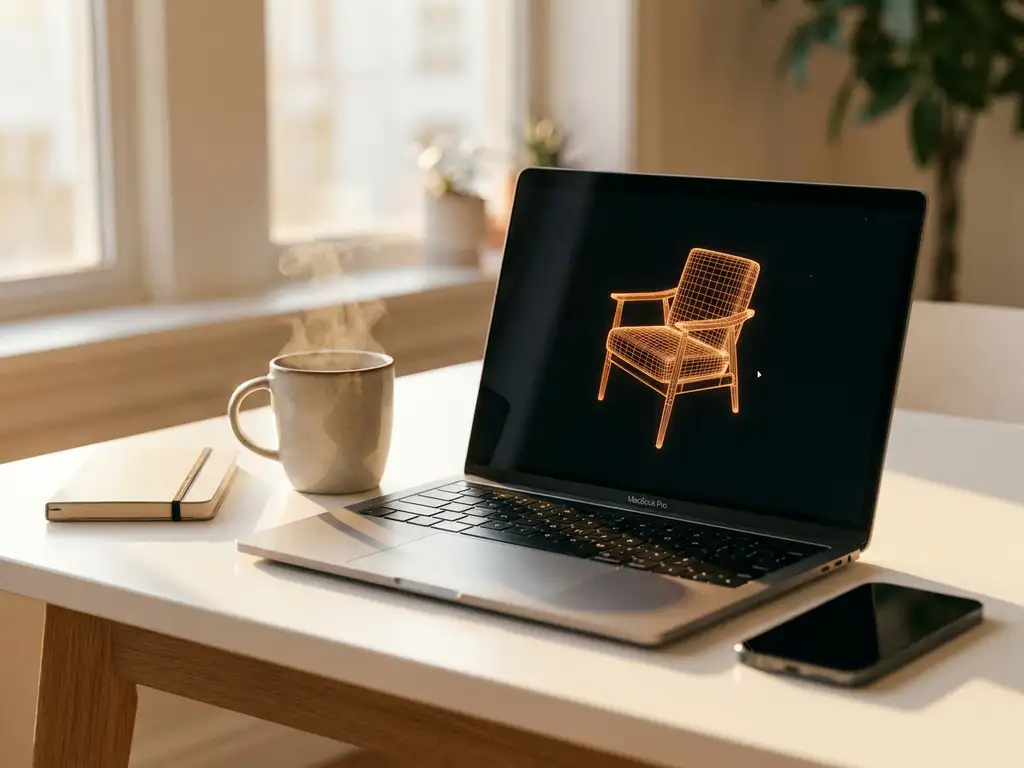
Yes, you can absolutely 3D model for free using several powerful software options available today. Free 3D modeling tools like Blender, FreeCAD, and Tinkercad provide robust capabilities for creating everything from basic shapes to complex professional models. While these tools offer impressive functionality at no cost, they often come with learning curves and limitations that may impact your workflow depending on your specific needs and project requirements.
Why are free tools limiting your 3D modeling potential?
Free 3D modeling software often restricts your creative output through hidden constraints that become apparent only when you’re deep into a project. Limited file export options mean you might create stunning models that can’t be shared in industry-standard formats, forcing time-consuming conversions or complete rebuilds. Restricted rendering capabilities cap your visual quality, making it difficult to produce the photorealistic results clients expect in today’s competitive market.
The solution lies in understanding these limitations upfront and choosing tools that align with your long-term goals. If you’re creating models for professional use, invest time in learning software that grows with your needs rather than switching platforms mid-project when free tools hit their ceiling.
How is inadequate technical support costing you project deadlines?
Free 3D modeling software typically offers minimal customer support, leaving you stranded when technical issues arise during critical project phases. Community forums and documentation often provide incomplete answers, forcing you to spend hours troubleshooting instead of creating. This lack of reliable support becomes expensive when missed deadlines damage client relationships or force you to outsource work you could have completed in-house.
Combat this by building a reliable workflow that includes backup plans and alternative approaches. Test your chosen free software thoroughly on smaller projects before committing to larger ones, and develop relationships with experienced users in the community who can provide guidance when official support falls short.
Visual Commerce Solutions
Talk to our team about your project.
What free 3D modeling software options are available?
The landscape of free 3D modeling software offers several compelling options for different skill levels and project types. Blender stands out as the most comprehensive free solution, providing professional-grade modeling, animation, and rendering capabilities that rival expensive commercial software. Its open-source nature means continuous updates and a massive community contributing tutorials and plugins.
FreeCAD excels in parametric modeling and engineering applications, making it ideal for mechanical parts and architectural elements. Tinkercad offers browser-based simplicity perfect for beginners and educational use, while Fusion 360 provides free access for personal and startup use with some limitations. SketchUp Free delivers intuitive architectural modeling through a web interface, and Wings 3D focuses specifically on polygon modeling with a clean, straightforward interface.
What are the limitations of free 3D modeling tools?
Free 3D modeling software typically imposes several constraints that can impact your workflow and final output quality. Export limitations often restrict file formats, preventing seamless integration with other professional tools or client systems. Rendering capabilities may be capped, limiting your ability to create photorealistic visualizations that meet modern market standards.
Feature restrictions become apparent in complex projects where advanced modeling tools, sophisticated material systems, or enterprise-level collaboration features are essential. Technical support limitations mean you’re often relying on community forums rather than dedicated customer service when issues arise. Additionally, free versions may include watermarks, usage limits, or require online connectivity that can disrupt your workflow during critical project phases.
Learning resources for free software can be inconsistent, with gaps in documentation that slow down skill development compared to commercial alternatives with structured training programs.
How much does professional 3D modeling software cost?
Professional 3D modeling software pricing varies significantly based on features, licensing models, and target industries. Industry-standard applications like Autodesk Maya or 3ds Max typically cost between $200-300 per month for subscription licenses, while perpetual licenses can reach $4,000-7,000 upfront. Specialized software like ZBrush for digital sculpting costs around $40 monthly or $895 for a perpetual license.
CAD-focused solutions like SolidWorks range from $4,000-8,000 annually depending on modules and support levels. Mid-tier options like Cinema 4D offer more accessible pricing at approximately $100 monthly. Many professional packages also require additional costs for plugins, training, and technical support that can add 20-30% to the base software price.
Enterprise licensing often provides volume discounts but requires minimum user commitments and multi-year contracts that can represent substantial financial commitments for growing businesses.
Can free 3D modeling software create professional results?
Free 3D modeling software can absolutely produce professional-quality results when used skillfully and appropriately. Blender, in particular, has been used in major film productions, architectural visualizations, and product design projects that meet the highest industry standards. The key lies in understanding that professional results depend more on user expertise, workflow efficiency, and project requirements than software cost.
However, achieving professional outcomes with free tools often requires more time investment in learning complex interfaces and workarounds for missing features. You’ll need to develop strong technical skills to compensate for limited automated functions and may need to use multiple free tools together to achieve what single commercial packages accomplish seamlessly.
The definition of “professional results” also matters greatly. If you need basic product visualizations or concept models, free software often exceeds requirements. For complex simulations, advanced materials, or enterprise-level collaboration, commercial solutions typically provide better efficiency and reliability. Consider exploring real-world applications to understand what level of quality your specific projects demand.
What’s the difference between 3D modeling and product configuration?
3D modeling involves creating digital representations of objects using specialized software, focusing on geometry, textures, and visual appearance. It’s primarily a creative and technical process where artists and designers build models from scratch or modify existing ones. Product configuration, by contrast, is a business process that allows customers to customize existing products by selecting from predefined options like colors, materials, sizes, or features.
While 3D modeling creates the foundation assets, product configuration systems use these models to generate real-time visualizations of customer choices. The modeling phase happens once during development, but configuration happens repeatedly as customers interact with the system. Product configurators require sophisticated software that can dynamically combine model components, apply materials, and render results instantly across web and mobile platforms.
The technical requirements differ significantly as well. 3D modeling prioritizes creative flexibility and detailed control, while product configuration demands speed, reliability, and seamless integration with e-commerce and sales systems. Configuration platforms must handle thousands of possible combinations while maintaining consistent visual quality and performance.
How 3Dimerce helps with professional product configuration
We specialize in transforming static 3D models into dynamic, interactive product experiences that drive sales and enhance customer engagement. Our visual product configuration platform goes beyond basic 3D modeling to deliver real-time customization tools that integrate seamlessly with your existing sales channels.
Our comprehensive solutions include:
- High-quality 3D product configurators that showcase every detail with photorealistic rendering
- Blazing-fast performance across all devices, ensuring smooth customer experiences
- Seamless integration with e-commerce platforms and point-of-sale systems
- Scalable SaaS solution that grows with your product range without per-variant costs
- Professional CGI imagery that eliminates expensive photoshoot requirements
Ready to transform your product visualization strategy? Contact us to discover how our 20+ years of expertise in visual product configuration can elevate your brand’s digital presence and drive measurable sales growth.
Frequently Asked Questions
How do I choose between free and paid 3D modeling software for my first project?
Start by defining your project’s end goals and timeline. If you’re learning 3D modeling or creating personal projects, begin with Blender or Tinkercad to build skills without financial commitment. However, if you’re working on client projects with tight deadlines or need specific file formats for collaboration, consider the time cost of learning free software versus investing in paid tools with better support and documentation.
What's the biggest mistake beginners make when starting with free 3D modeling software?
The most common mistake is jumping into complex projects without mastering the basics, leading to frustration and abandoned projects. Start with simple geometric shapes and gradually increase complexity. Also, avoid switching between multiple free programs too quickly—pick one tool and become proficient before exploring alternatives, as each software has unique workflows and interface conventions.
Can I use free 3D modeling software for commercial projects legally?
Most free 3D modeling software allows commercial use, but always check the specific license terms. Blender, FreeCAD, and Wings 3D are completely open-source with no commercial restrictions. However, some ‘free’ versions like Fusion 360 Personal have commercial use limitations and revenue caps. Always read the end-user license agreement before using any software for paid client work.
How can I overcome the learning curve of free 3D modeling software without formal training?
Leverage the strong communities around free software by following structured YouTube tutorials, joining Discord servers, and participating in forums like BlenderArtists. Set aside dedicated practice time daily, even if just 30 minutes, and work on progressively challenging projects. Many free tools also offer built-in tutorials and sample projects that provide hands-on learning within the software interface.
What hardware requirements should I consider when using free 3D modeling software?
Free 3D software can be surprisingly demanding on system resources. Ensure you have at least 8GB RAM (16GB preferred), a dedicated graphics card with 4GB+ VRAM, and sufficient storage for project files. Blender and FreeCAD work on modest systems but performance improves significantly with better hardware. Consider your target project complexity when evaluating if your current setup can handle your modeling ambitions.
When should I consider transitioning from free to paid 3D modeling software?
Consider upgrading when free software limitations consistently impact your productivity or project quality. Key indicators include: needing specific file formats for client delivery, requiring advanced rendering features, hitting performance bottlenecks on complex models, or spending more time on workarounds than actual modeling. If software limitations are costing you time or clients, the investment in paid tools often pays for itself quickly.
How do I ensure my free 3D models are compatible with product configuration systems?
Focus on creating clean, well-structured geometry with proper naming conventions and organized material assignments. Export models in widely-supported formats like FBX or OBJ, and maintain consistent scale and orientation. Test your models in the target configuration platform early in the process, as some systems have specific requirements for polygon counts, UV mapping, or material setups that are easier to address during modeling than after completion.