
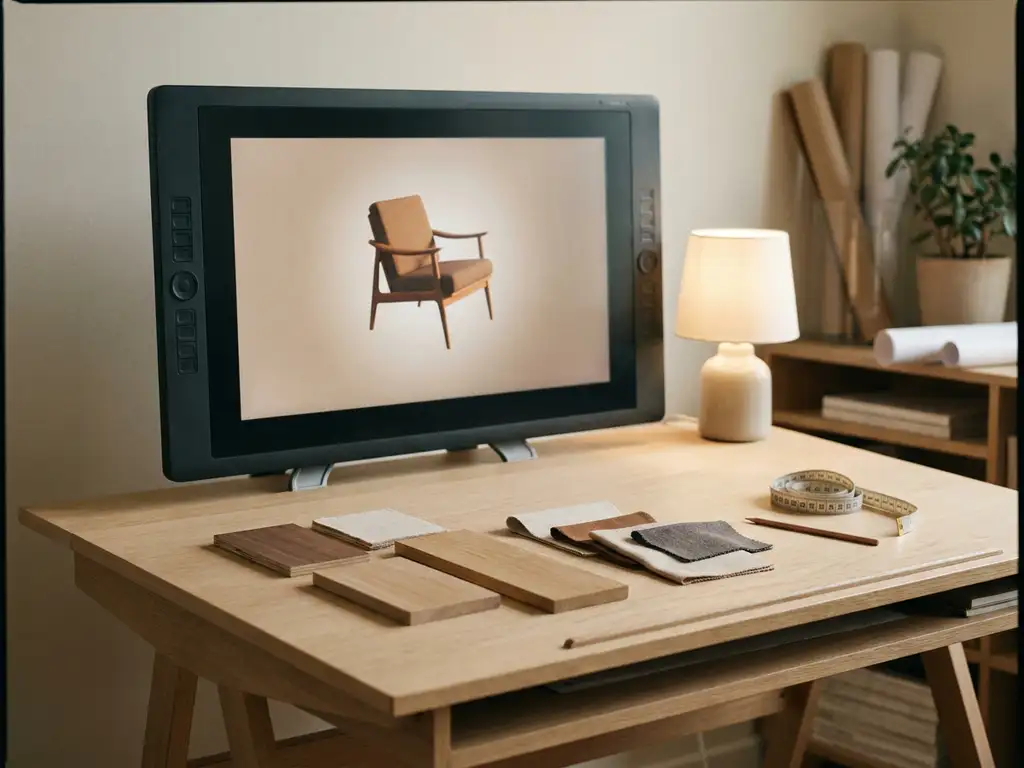
A free furniture CAD program, sometimes called a draft furniture program or furniture drafting tool, is design software that lets you draft, model, and visualize furniture pieces without paying a license fee. Popular options include Blender, FreeCAD, and SketchUp Free. These tools are primarily aimed at designers, makers, and hobbyists who need to create technical drawings or basic 3D models of furniture pieces. This article walks through what these tools can do, where they fall short, and when a furniture brand needs something more powerful.
What can free furniture CAD programs actually do?
Free furniture CAD programs allow you to create 2D technical drawings, basic 3D models, and simple renderings of furniture designs. They support tasks like measuring dimensions, testing proportions, and visualizing how a piece will look before it is built. For individual designers and small workshops, this level of functionality is often enough to move from sketch to production.
Most free CAD tools for furniture cover a practical range of design tasks:
- Creating precise dimensional drawings for joinery and production
- Building 3D geometry to explore form and proportion
- Generating basic rendered images for internal review
- Exporting files in standard formats like DXF, OBJ, or STL
- Experimenting with different materials or finishes at a surface level
Free CAD tools can also generate a range of production-oriented outputs that are directly useful to woodworkers and small furniture manufacturers:
- Technical cutting drawings with precise dimensions suitable for CNC or hand-cutting workflows
- Basic material quantity estimates derived from the modeled geometry
- CNC-compatible export of DXF files for use with CNC routers and laser cutters
- Orthographic projection views (front, side, and top) formatted for workshop use
It is worth noting that while some tools support basic cutlist-style outputs, automated cutlist optimization and drilling diagram generation are typically features of specialized woodworking software rather than general-purpose free CAD tools. These production-ready drawings serve the manufacturing phase well. They do not, however, serve the sales phase, a distinction that becomes important in the CAD-vs-configurator section below.
Where free tools genuinely shine is in the early design phase. A furniture designer working on a custom commission can use FreeCAD or SketchUp Free to communicate their concept clearly to a client or craftsperson. The barrier to entry is low, and for straightforward projects, the output is more than adequate.
Which free CAD programs are used for furniture design?
The most widely used free CAD programs for furniture design are Blender, SketchUp Free, FreeCAD, and Sweet Home 3D. Each serves a slightly different purpose: FreeCAD and Sweet Home 3D lean toward technical drafting, while Blender is favored for artistic modeling and rendering. SketchUp Free sits in the middle, offering an accessible interface for spatial and furniture design. Choosing the right free CAD software for furniture design depends on whether your priority is technical precision, visual output, or ease of use.
Here is a quick breakdown of the most common options and what they are best suited for:
- Blender — A powerful open-source tool with advanced modeling and rendering capabilities. Steep learning curve, but capable of producing photorealistic visuals when used by an experienced designer. A designer uses Blender to produce a photorealistic rendering of a walnut dining table for a client presentation, complete with realistic wood grain and soft shadows.
- SketchUp Free — Browser-based and beginner-friendly. Great for room layouts and furniture placement, though limited in technical precision and rendering quality. A maker uses SketchUp Free to draft a furniture placement plan for a living room, testing how a new sofa and shelving unit fit the space before ordering materials.
- FreeCAD — Parametric modeling software suited for technical drawings and production-ready designs. Parametric modeling means you can go back into the model history and change a dimension, such as a shelf height or panel thickness, and have all dependent geometry update automatically, much like changing the height of a table leg and watching the entire model adjust itself. This makes FreeCAD especially practical for furniture drafting and iterative design work. FreeCAD supports a wide range of file formats including STEP, IGES, STL, SVG, DXF, OBJ, IFC, and DAE, making it compatible with CNC workflows and other design software. A small workshop uses FreeCAD to draft a flat-pack bookshelf with precise mortise-and-tenon joinery, then exports the DXF file directly to their CNC router. This kind of parametric furniture modeling is one of the most practical FreeCAD projects for small manufacturers working with free CAD software for furniture design.
- Sweet Home 3D — Focused on interior design and room planning. Useful for furniture placement and basic visualization, but not a true CAD tool in the engineering sense. An interior designer uses Sweet Home 3D to show a client how a custom sideboard will look in their dining room before the piece is built.
Each of these programs has an active community and plenty of online tutorials, which helps flatten the learning curve. That said, the free versions of tools like SketchUp come with meaningful restrictions compared to their paid counterparts.
Quick comparison: free furniture CAD tools at a glance
| Tool | Platform | Learning Curve | Best For | Key Export Formats | Production-Ready |
|---|---|---|---|---|---|
| Blender | Windows, Mac, Linux | Steep | Photorealistic rendering and artistic modeling | OBJ, STL, FBX | Partial |
| SketchUp Free | Browser-based | Low | Room layouts and furniture placement | SKP, STL | No |
| FreeCAD | Windows, Mac, Linux | Moderate | Technical drawings and parametric furniture modeling | DXF, OBJ, STL, SVG, STEP | Yes |
| Sweet Home 3D | Windows, Mac, Linux | Low | Interior planning and basic visualization | OBJ, SVG | No |
Getting started with free furniture CAD tools
If you are new to furniture CAD software, the practical starting point is simpler than it might seem. FreeCAD and Blender require no account or registration and can be downloaded and used immediately. SketchUp Free requires a free Trimble account to access the browser-based version. From there, official documentation and community tutorial libraries for each tool offer structured beginner guides that walk through the core modeling workflow step by step.
The most effective approach is to start with a single-material furniture piece, such as a small side table or a simple shelf unit, before moving on to more complex projects. This keeps the learning focused on spatial modeling and dimensioning without the added complexity of multi-component assemblies or material configurations. Once you are comfortable with the basics, the jump to more ambitious FreeCAD projects or Blender renders is much more manageable.
Are there AI-powered alternatives to traditional free furniture CAD programs?
A growing category of AI-driven design tools now allows users to describe a furniture piece in plain language, upload a sketch, or provide a rough reference image and receive a generated 3D model or technical drawing in return. These tools lower the barrier to entry further, removing much of the manual modeling work that makes Blender or FreeCAD time-consuming for beginners.
However, regardless of how a 3D model is generated, whether by hand in FreeCAD, rendered in Blender, or created instantly by an AI tool, the resulting asset is still a static file. It cannot interact with a buyer, apply pricing logic, respond to configuration choices, or drive a sale. AI-generated furniture models share the same core commercial limitations as traditional free CAD outputs: they produce a design asset, not a sales experience. That distinction is exactly what the next section addresses.
What are the limitations of free furniture CAD software?
Even the most capable free CAD software for furniture design stops short of what a commercial brand needs to sell products online. Tools like Blender, FreeCAD, and SketchUp Free are limited in rendering quality, collaboration features, scalability, and commercial usability. Most free tools lack photorealistic output, restrict cloud storage or file sharing, and are not designed to handle large product catalogs or variant-heavy configurations. For professional furniture brand use, these gaps become significant very quickly.
The most common limitations furniture brands run into include:
- Rendering quality: Free tools rarely produce the kind of photorealistic imagery that premium furniture brands need for marketing and e-commerce.
- No configuration logic: Free CAD programs cannot handle dynamic product variations like fabric options, leg finishes, or size combinations in an interactive way.
- Limited integration: These tools do not connect to webshops, ERP systems, or pricing engines without significant custom development.
- Scalability issues: Managing dozens or hundreds of product variants across a full catalog is not what free CAD tools are built for.
- No real-time interaction: Customers and sales teams cannot interact with or customize a model in real time through a browser or in-store screen.
For an individual designer or small workshop, these limitations are manageable. For a furniture brand operating at scale across multiple channels, they represent real commercial constraints.
The hidden time cost of free furniture CAD tools
Beyond the functional gaps, there is a commercial cost to free CAD tools that is easy to overlook: the time investment required to become productive in them. Blender typically requires weeks to months of practice before a designer can produce usable furniture models with confidence. FreeCAD has a moderate learning curve concentrated around understanding its workbench system and parametric constraints. Even SketchUp Free, while beginner-friendly, requires meaningful time investment before a designer can produce production-ready technical drawings.
For a furniture brand onboarding a new designer, or a team that needs to produce 20 product visuals in a quarter, these time costs translate directly into staff training hours, slower design iteration, and delayed time-to-market. The software is free, but the productivity cost is not. This is one of the clearest reasons why the distinction between a design tool and a commercial sales tool matters so much, a distinction explored in the next section.
How does furniture CAD software differ from a 3D product configurator?
Furniture CAD software is a design and drafting tool used internally by designers and engineers to create and refine product geometry. A 3D product configurator is a customer-facing platform that lets buyers interactively customize a product in real time, see accurate visuals instantly, and move toward a purchase. The two tools serve entirely different purposes at different stages of the product lifecycle.
CAD software is about creating the product. A 3D configurator is about selling it. When a furniture brand uses a configurator, the 3D assets built in CAD are translated into an interactive experience where a customer can select a fabric, change the leg color, adjust the dimensions, and see the result rendered accurately within seconds.
A configurator also connects directly to commercial logic. It can calculate pricing dynamically based on the selected options, generate a quote, and feed that information into an order management or ERP system. This is where CPQ software — Configure, Price, Quote — becomes relevant: CPQ functionality transforms a visual product experience into a complete sales tool. Free CAD programs have no equivalent commercial layer.
In short: CAD is a production tool. A 3D configurator is a revenue tool.
When should a furniture brand move beyond free CAD tools?
A furniture brand should move beyond free CAD tools when it needs to present product visuals to customers, handle multiple configurable variants, or support sales across digital and physical channels. If your design process depends on free CAD but your commercial workflow still relies on physical samples, printed catalogs, or inconsistent photography, that gap is costing you time and revenue.
What about paid professional CAD software?
Some furniture brands consider upgrading to paid CAD tools such as AutoCAD, Rhino, or SolidWorks before committing to a configurator platform. These tools genuinely add value over free options: higher geometric precision, more capable rendering pipelines, professional support, and better team collaboration features. For brands with complex engineering requirements or large internal design teams, paid CAD software is a meaningful upgrade.
The important distinction, however, is that paid CAD software is still a design tool, not a sales tool. AutoCAD, Rhino, and SolidWorks are built to help designers and engineers create products, not to help buyers configure and purchase them. No CAD tool, free or paid, is designed to present configurable products to buyers in real time, generate dynamic pricing, or connect to a webshop. That is the commercial layer that neither free nor paid CAD can provide, and it is exactly what a platform like 3Dimerce is built to deliver.
The clearest signals that it is time to upgrade include:
- Launching a new product line with many finish, fabric, or size options
- Running an e-commerce channel where product imagery is inconsistent or incomplete
- Relying on physical showrooms or sample libraries that are expensive to maintain
- Sales teams struggling to guide customers through complex configuration choices
- A growing product range that photography cannot keep up with
Buyer expectations, both online and in-store, are that they can see exactly what they are getting before they commit. Free CAD tools were never designed to meet that expectation. They are a starting point for design, not a commercial platform.
How 3Dimerce helps furniture brands go beyond CAD
3Dimerce is a visual product experience platform built specifically for design-led furniture and interior brands in the mid-to-high segment — brands that demand more than static visuals or basic drafting tools. Where free CAD software ends, we begin.
To make this concrete, consider what a typical transition looks like in practice. A mid-sized European upholstery brand was using Blender to produce static renders for their catalog: one image per fabric option, per model, requiring weeks of rendering time each season. After onboarding with our 3D product configurator for furniture, their entire sofa range became interactively configurable online. Buyers could select from 40 fabric options and 6 leg finishes and see an accurate photorealistic result in under two seconds. Photography costs dropped significantly, and the brand launched new variants without a single additional photoshoot. This kind of transition from static CAD output to live commercial configurator is what we are built for, and it is the difference that furniture brands in the design and luxury segment consistently tell us matters most.
Our platform gives furniture brands:
- Photorealistic 3D configuration: Customers can interactively customize products and see stunningly accurate visuals in real time, across any device.
- Built-in CPQ software: Our Ensemble Suite handles Configure, Price, Quote logic automatically, so every configuration generates an accurate price and quote without manual intervention.
- Seamless integration: We connect directly to your webshop, ERP, and in-store sales environment through headless integration, with no friction in the buying journey.
- Virtual photo studio: Replace costly photoshoots with CGI imagery that covers every variant in your catalog at a fraction of the cost and time.
- Scalability without extra cost per variant: As your product range grows, your visual content scales with it automatically.
We work with mid-to-large furniture brands and manufacturers across Europe who are serious about their visual identity and want a platform that reflects the quality of their products. If your current tools are holding your commercial ambitions back, we would love to show you what is possible.
Get in touch with our team and let us walk you through what a tailored 3Dimerce solution looks like for your brand.
Visual Commerce Solutions
Talk to our team about your project.
Frequently Asked Questions
Can I use 3D models created in free CAD software directly in a product configurator?
In most cases, the models need to be optimized before they can be used in a real-time 3D configurator. CAD files are typically built for engineering precision rather than real-time rendering, so they often need to be retopologized, textured, and converted into web-friendly formats like glTF or WebGL. A platform like 3Dimerce handles this conversion process as part of onboarding, so your existing CAD assets are not wasted — they become the foundation for your interactive product experience.
What is the best free CAD program to start with if I have no prior experience?
SketchUp Free is generally the most beginner-friendly option for furniture designers with no prior CAD experience, thanks to its intuitive interface and large library of online tutorials. Sweet Home 3D is also worth considering if your primary goal is room planning and furniture placement rather than technical drafting. Once you have a feel for 3D space and basic modeling concepts, you can progress to more powerful tools like FreeCAD or Blender depending on whether your focus is technical precision or visual output.
How much does it typically cost to transition from free CAD tools to a professional 3D configurator platform?
The cost varies depending on the size of your product catalog, the complexity of your configuration logic, and the level of integration required with your existing systems. Rather than a one-size-fits-all price, most professional platforms like 3Dimerce offer tailored solutions based on your specific commercial setup. The more relevant question is the return on investment: brands that replace physical sample libraries, reduce photography costs, and increase online conversion rates typically recover the platform investment quickly.
What common mistakes do furniture brands make when relying too long on free CAD tools?
The most common mistake is treating free CAD software as a complete commercial workflow rather than a design-phase tool. Brands often spend years producing inconsistent product photography, maintaining costly sample libraries, and manually handling configuration requests — all because their CAD tool cannot bridge the gap to the sales environment. Another frequent mistake is underestimating how much time is lost when sales teams cannot show customers accurate, customized visuals in real time, leading to longer sales cycles and higher drop-off rates.
Can a small furniture brand or independent designer benefit from a 3D configurator, or is it only for large manufacturers?
While large manufacturers with extensive catalogs see the most immediate ROI, growing furniture brands with even a modest range of configurable products can benefit significantly from a 3D configurator. If you sell products with multiple finish, fabric, or size options and rely on e-commerce or showroom sales, the ability to show accurate real-time visuals can meaningfully improve conversion rates and reduce costly order errors. The key question is not company size but whether your product complexity and sales volume justify the investment.
How long does it take to set up a 3D product configurator for a furniture catalog?
The timeline depends on the number of products, the complexity of configuration rules, and whether existing 3D assets are available. For a focused initial product range, brands typically go live within a few weeks to a couple of months after onboarding. Starting with your best-selling or most configurable product lines is a common approach that delivers fast commercial impact while the rest of the catalog is being prepared in parallel.
What happens to my existing CAD workflow once I adopt a 3D configurator platform?
Your internal CAD workflow does not need to change — designers and engineers can continue using FreeCAD, Blender, or any other tool they prefer for the product development and production phase. The configurator platform sits downstream of that process, taking the finalized designs and transforming them into interactive customer-facing experiences. Think of it as adding a commercial layer on top of your existing design process rather than replacing it.