
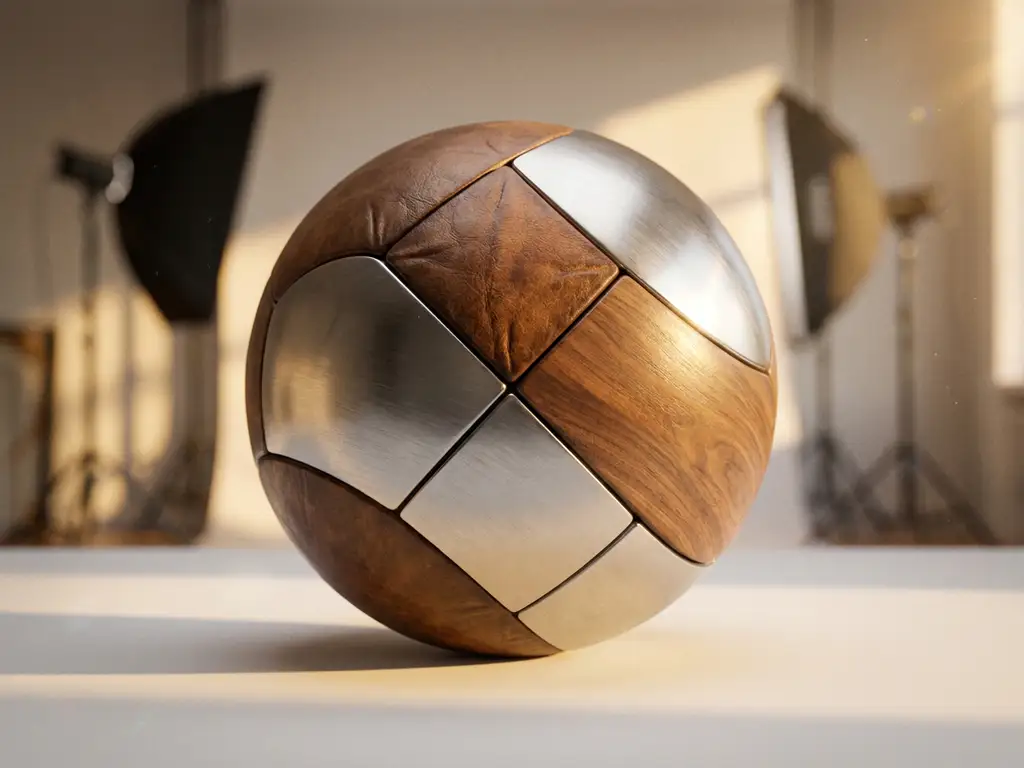
PBR materials, or Physically Based Rendering materials, are digital textures that simulate how light interacts with surfaces in the real world. They use scientific principles to create realistic material appearances by calculating how light bounces, is absorbed, and reflects off different surfaces. For 3D product visualization, PBR materials ensure your digital products look authentic and convincing across different lighting conditions, making them essential for high-quality product configurators and virtual showrooms.
Why are unrealistic material appearances killing your product sales?
When your 3D product visuals use basic materials instead of PBR, customers immediately notice that something feels “off” about your products. The surfaces look flat, plastic-like, or artificially shiny, creating an uncanny valley effect that destroys trust in your brand. This visual disconnect costs you conversions because customers can’t confidently assess product quality from unrealistic representations. Research in visual psychology shows that poor material rendering triggers subconscious rejection responses, leading customers to abandon their purchase journey. To fix this, implement PBR materials that accurately represent your product’s true surface properties, ensuring customers see exactly what they’ll receive.
What does inconsistent lighting reveal about your rendering workflow?
If your product images look dramatically different under various lighting conditions or appear inconsistent across your website and marketing materials, your rendering workflow lacks proper PBR implementation. This inconsistency signals to customers that your brand lacks attention to detail and professional standards. The cost extends beyond lost sales to damaged brand perception and increased return rates when delivered products don’t match expectations. Establish a PBR-based rendering pipeline that maintains consistent material appearance regardless of environmental lighting, creating a cohesive visual experience that reinforces your brand’s quality standards.
Visual Commerce Solutions
Talk to our team about your project.
What is a PBR material and why does it matter for 3D rendering?
PBR materials are sophisticated digital representations of real-world surfaces that follow physically accurate principles of light interaction. Unlike traditional materials that rely on artistic interpretation, PBR materials use measurable properties like albedo, roughness, and metallic values to simulate authentic surface behavior. This scientific approach ensures materials look consistent under different lighting environments, making them crucial for professional product visualization.
For 3D rendering, PBR materials matter because they eliminate the guesswork in material creation. Traditional workflows required artists to manually adjust materials for each lighting scenario, leading to inconsistencies and unrealistic results. PBR materials automatically respond correctly to environmental lighting, producing believable results that match customer expectations. This consistency is particularly vital for product configurators, where customers need to trust the visual representation of customizable options.
What are the essential properties of PBR materials?
PBR materials rely on several key properties that work together to create realistic surface appearance. Understanding these properties helps you create convincing materials for your 3D products:
- Albedo or Base Color: The underlying color of the material without any lighting information, representing what the surface would look like under pure white light
- Metallic: A binary value indicating whether the surface is metallic or non-metallic, affecting how light reflects and the appearance of specular highlights
- Roughness: Controls the microsurface detail that determines how sharp or blurry reflections appear on the surface
- Normal Maps: Simulate surface detail and bumps without adding geometry, creating the illusion of depth and texture
- Ambient Occlusion: Adds subtle shadowing in crevices and contact areas, enhancing the perception of depth and realism
- Emission: Makes surfaces appear to emit light, useful for screens, LEDs, or glowing elements
These properties work mathematically to ensure accurate light behavior across all viewing angles and lighting conditions, providing the foundation for photorealistic material representation.
How do you set up PBR materials in 3D software?
Setting up PBR materials requires a systematic approach regardless of your chosen 3D software. Start by gathering reference materials and measurements from your actual products to ensure accuracy. Most modern 3D applications like Blender, Maya, or specialized product visualization tools support PBR workflows through dedicated material nodes.
Begin by creating a new PBR material and connecting your texture maps to the appropriate inputs. Load your albedo texture into the base color channel, ensuring it contains no lighting information. Connect your roughness map to control microsurface variation, with white areas representing rough surfaces and black areas indicating smooth, mirror-like surfaces. Apply your metallic map to distinguish between metallic and non-metallic areas of your material.
For optimal results, use proper texture resolution based on your final output requirements. Product close-ups require higher resolution textures than overview shots. Always work in linear color space and ensure your normal maps are set to the correct format for your rendering engine. Test your materials under various lighting conditions to verify they behave realistically across different scenarios. Many software packages include material preview spheres or environments specifically designed for PBR material evaluation.
What’s the difference between metallic and non-metallic PBR workflows?
The metallic and non-metallic distinction forms the core of PBR material classification, with each type following different rules for light interaction. Understanding this difference ensures accurate material representation for your products.
Metallic materials, such as gold, silver, or aluminum, conduct electricity and exhibit specific optical properties. In PBR workflows, metals have no albedo color contribution to diffuse reflection. Instead, their base color directly controls the specular reflection color, creating the characteristic colored reflections seen in real metals. Metallic materials typically have high reflectivity values and low roughness, though this varies based on surface treatment and oxidation.
Non-metallic materials, including plastics, wood, fabric, and ceramics, behave differently. They exhibit both diffuse and specular reflection, with the albedo color controlling the diffuse component. Non-metallic materials have colorless specular reflections, meaning their highlights appear white or tinted by the light source color, not the material’s base color. These materials generally have lower reflectivity values compared to metals.
Some materials combine both properties, such as painted metals or materials with metallic flakes. These hybrid materials require careful balancing of metallic and non-metallic properties to achieve realistic results. Understanding these distinctions helps you make informed decisions when creating materials for different product types and surface treatments.
How do you optimize PBR materials for real-time rendering?
Real-time rendering optimization requires balancing visual quality with performance constraints, especially important for interactive product configurators and web-based applications. Start by optimizing your texture resolutions based on viewing distance and importance. Use higher resolution textures for hero products or close-up views, while reducing resolution for background elements or distant objects.
Implement texture atlasing to combine multiple material maps into single textures, reducing draw calls and improving performance. Consider using compressed texture formats appropriate for your target platform, such as DXT compression for PC or ASTC for mobile devices. These formats significantly reduce memory usage while maintaining acceptable visual quality.
For complex materials, use Level of Detail (LOD) systems that automatically switch between high and low-quality versions based on viewing distance. Simplify material complexity for distant objects by removing unnecessary detail maps or reducing the number of material layers. Real-world applications often benefit from this approach, maintaining visual quality where it matters most while optimizing performance overall.
Consider using material instancing to share materials across multiple objects, reducing memory overhead. Implement proper mip-mapping for all textures to improve performance and reduce aliasing artifacts. For web-based applications, optimize loading times by using progressive texture loading or streaming systems that load high-resolution textures only when needed.
How 3Dimerce helps with PBR materials
We specialize in creating photorealistic PBR materials that bring your products to life with stunning visual quality. Our platform handles the technical complexity of PBR implementation, allowing you to focus on showcasing your products rather than wrestling with material setup. Here’s how we make PBR materials work for your business:
- Automated material optimization: Our system automatically adjusts PBR materials for optimal performance across all devices while maintaining visual excellence
- Industry-specific material libraries: Pre-built PBR materials tailored for furniture, luxury goods, and design-led products that match real-world surface properties
- Seamless integration: Our configurator solutions handle PBR material rendering automatically, ensuring consistent quality across web and in-store applications
- Real-time customization: Customers can modify material properties like color and finish in real-time while maintaining photorealistic quality
Transform your product visualization with professional PBR materials that showcase your products’ true quality and craftsmanship. Contact us today to discover how our PBR-powered platform can elevate your product presentation and drive conversions.
Frequently Asked Questions
How long does it typically take to convert existing product materials to PBR?
The conversion timeline depends on your product catalog size and complexity, but most businesses can transition their core products within 2-4 weeks. Simple materials like solid colors or basic textures convert quickly, while complex multi-layered materials or those requiring custom texture creation may take longer. Working with experienced PBR specialists can significantly accelerate this process and ensure optimal results.
What's the biggest mistake companies make when implementing PBR materials?
The most common mistake is using incorrect albedo values, particularly making materials too bright or including lighting information in the base color maps. This creates unrealistic results that defeat the purpose of PBR. Another frequent error is not properly calibrating metallic and roughness values, leading to materials that look artificial or inconsistent across different lighting conditions.
Can PBR materials work effectively on mobile devices and tablets?
Yes, PBR materials can work excellently on mobile devices when properly optimized. The key is using appropriate texture resolutions, efficient compression formats, and simplified material setups for mobile rendering. Modern mobile GPUs handle PBR workflows well, and the visual improvement in product representation often justifies the slightly higher performance requirements compared to basic materials.
How do you measure the ROI of implementing PBR materials for product visualization?
Track key metrics like conversion rates, time spent on product pages, return rates due to expectation mismatches, and customer satisfaction scores. Most businesses see 15-30% improvement in conversion rates and significant reduction in returns when customers can accurately assess product quality through realistic PBR rendering. The investment typically pays for itself within 3-6 months through increased sales and reduced support costs.
What should you do if your PBR materials look different across various devices or browsers?
Inconsistent PBR appearance usually stems from color space management issues or different rendering engines interpreting materials differently. Ensure you’re working in linear color space, use standardized texture formats, and test across your target platforms. Consider implementing color profile management and use consistent lighting environments for material preview to maintain visual consistency.
How do you create PBR materials for products that don't physically exist yet?
For conceptual or unreleased products, base your PBR materials on similar real-world references and material samples from your intended manufacturing process. Work closely with your design and manufacturing teams to understand planned surface treatments, finishes, and material compositions. Create material variations that represent different manufacturing options, allowing stakeholders to visualize and approve materials before physical production begins.