
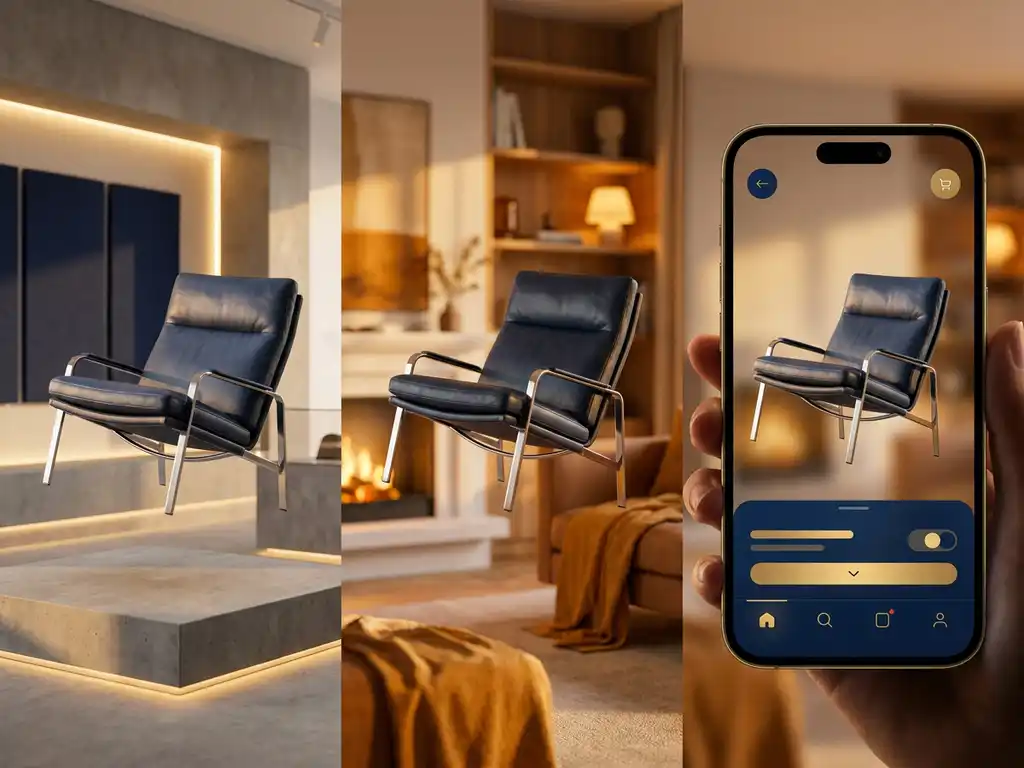
Yes, one 3D model can absolutely be used across multiple channels, and it’s becoming the standard approach for brands that want consistent, high-quality product visualization everywhere their customers interact with them. A single, well-crafted 3D model can seamlessly adapt to websites, mobile apps, in-store displays, print materials, and social media platforms, delivering the same stunning visual quality while dramatically reducing production costs and time-to-market.
Why is inconsistent product visualization costing you customer trust?
When your product looks different across channels, customers notice immediately. A sleek sofa that appears warm and inviting on your website but cold and sterile in your printed catalog creates doubt about what they’re actually buying. This visual inconsistency doesn’t just confuse customers; it erodes the premium brand perception you’ve worked so hard to build. Every mismatched angle, different lighting, or color variation between your online store and physical showroom signals to customers that attention to detail isn’t your priority. The solution lies in establishing a single source of visual truth through unified 3D product rendering that maintains your brand’s quality standards across every touchpoint.
How are outdated visualization workflows holding back your speed to market?
Traditional photography workflows create bottlenecks that can delay product launches by weeks or months. Each new product variant requires separate photoshoots, different lighting setups, and multiple rounds of editing before you can even think about rolling out content across channels. Meanwhile, your competitors are already showcasing their latest collections while you’re still waiting for the photographer’s availability. A unified 3D approach eliminates these delays entirely, allowing you to generate stunning visuals for any product configuration instantly. You can launch new variants, test different color options, and update your entire visual library without scheduling a single photoshoot or waiting for physical samples.
Visual Commerce Solutions
Talk to our team about your project.
What Does It Mean to Use One 3D Model Across Multiple Channels?
Using one 3D model across multiple channels means creating a single, comprehensive digital representation of your product that can be deployed everywhere your customers encounter your brand. This master model contains all the geometric data, material properties, and configuration options needed to generate consistent visuals whether someone is browsing your website, using your mobile app, or interacting with an in-store display.
The beauty of this approach lies in its adaptability. The same core 3D model can automatically adjust its resolution, lighting, and viewing angles to match the specific requirements of each platform. Your e-commerce site might display the model in an interactive 360-degree viewer, while your print catalog uses high-resolution static renders, and your social media posts feature dynamic animations, all derived from the same source file.
Why Should Brands Use the Same 3D Model Everywhere?
Brand consistency becomes effortless when every channel draws from the same visual source. Customers develop trust when they see identical product details, proportions, and finishes whether they’re shopping online or visiting your showroom. This consistency reinforces your brand’s premium positioning and eliminates the confusion that leads to abandoned purchases.
Cost efficiency represents another compelling advantage. Instead of organizing separate photoshoots for web, print, and in-store materials, you create one 3D model that generates unlimited variations. This approach typically reduces visual content production costs by 60-80% while accelerating time-to-market significantly. When you launch a new product line, you can have professional-quality visuals ready for all channels simultaneously.
Scalability becomes virtually unlimited with 3D product rendering. Adding new color options, material finishes, or configuration combinations doesn’t require additional photography sessions. You simply update the master model, and every channel automatically reflects the changes. This flexibility proves invaluable for brands with extensive product catalogs or frequent updates.
How Does One 3D Model Work on Different Platforms?
Modern 3D models are designed with platform flexibility in mind. The core model contains high-resolution geometry and detailed material information that can be optimized for different output requirements. Web platforms might use compressed versions for faster loading, while print applications access the full resolution data for sharp, detailed imagery.
Interactive platforms like websites and mobile apps can display the model in real-time 3D viewers, allowing customers to rotate, zoom, and configure products dynamically. These same models generate static renders for print catalogs, social media posts, and advertising materials. The rendering engine automatically adjusts lighting, shadows, and camera angles to match each platform’s specific needs.
Integration capabilities ensure seamless deployment across your technology stack. Whether you’re using Shopify, Magento, or custom e-commerce solutions, the 3D model can be embedded directly into product pages. For retail environments, the same model powers interactive displays and point-of-sale configurators that help customers make confident purchasing decisions.
What Are the Technical Requirements for Cross-Channel 3D Models?
Creating effective cross-channel 3D models requires careful attention to file structure and optimization. The master model should be built with sufficient geometric detail to support close-up views while maintaining efficient file sizes for web deployment. This typically involves creating multiple levels of detail that automatically load based on viewing distance and platform capabilities.
Material definitions must be comprehensive enough to render accurately under different lighting conditions. This includes proper texture mapping, surface properties like roughness and reflectivity, and color accuracy that translates consistently from screen to print. The model should include metadata about product specifications, available configurations, and pricing information to support automated content generation.
File format compatibility ensures broad platform support. Modern 3D models often use standards like glTF or USD that work across different rendering engines and applications. Cloud-based delivery systems enable real-time access to updated models while maintaining fast loading speeds through content distribution networks.
How Do You Maintain Visual Consistency Across All Channels?
Establishing clear visual standards from the beginning ensures consistency across all applications. This includes defining standard lighting setups, camera angles, and background treatments that reinforce your brand identity. These standards should be built into the 3D model’s metadata so they’re automatically applied regardless of the output channel.
Color management becomes critical when the same model appears on screens and in print. Professional 3D rendering systems include color profiles that ensure accurate reproduction across different media types. Regular calibration and testing help maintain consistency as new platforms and devices are added to your ecosystem.
Version control prevents inconsistencies from creeping in over time. When product specifications change or new configurations are added, updates should flow automatically to all channels from the master model. This centralized approach eliminates the risk of outdated visuals appearing on some platforms while others show the latest version.
How 3Dimerce Helps with Cross-Channel 3D Product Visualization
We specialize in creating sophisticated 3D product configurators that deliver stunning visuals blazing fast across every channel where your customers encounter your brand. Our platform transforms a single master 3D model into a complete visual ecosystem that maintains premium quality whether deployed on websites, mobile apps, in-store displays, or print materials.
Our comprehensive solution includes:
- High-quality 3D model creation with unlimited configuration options
- Seamless integration across all digital and physical touchpoints
- Real-time rendering that delivers a consistent brand experience
- Automated visual content generation for rapid market deployment
- A scalable platform that grows with your product range without additional per-variant costs
Ready to revolutionize your product visualization strategy with a unified 3D approach? Contact our team to discover how we can help you deliver consistent, premium-quality product experiences across every channel while reducing costs and accelerating time-to-market.
Frequently Asked Questions
How long does it typically take to create a master 3D model that works across all channels?
The timeline depends on product complexity, but most master 3D models can be created within 1-3 weeks. Simple products like furniture or accessories typically take 5-10 business days, while complex products with multiple materials and configurations may require 2-3 weeks. Once created, the model can generate visuals for all channels instantly, eliminating the weeks or months traditionally needed for separate photoshoots.
What happens if we need to update our product specifications after the 3D model is complete?
Updates to the master 3D model automatically propagate across all channels where it’s deployed. Whether you’re changing dimensions, adding new color options, or updating materials, the modifications flow seamlessly to your website, mobile app, print materials, and in-store displays. This centralized update system ensures consistency and eliminates the costly process of re-shooting photography for each channel.
Can customers interact with 3D models on mobile devices without performance issues?
Yes, modern 3D models are optimized with multiple levels of detail that automatically adjust based on device capabilities and network conditions. Mobile versions use compressed geometry and textures for smooth performance while maintaining visual quality. The same master model that powers high-resolution print materials can deliver interactive experiences on smartphones without lag or loading delays.
How do we ensure color accuracy between what customers see on screen and the actual product?
Professional 3D rendering systems include comprehensive color management profiles that account for different display types and printing processes. The master model contains calibrated color data that translates accurately across digital screens and physical materials. Regular color calibration testing ensures consistency, and many brands also provide color reference guides to help customers understand how colors may appear under different lighting conditions.
What's the learning curve for our team to manage and deploy 3D models across channels?
Most teams can effectively manage 3D model deployment within 2-4 weeks of training. Modern platforms feature intuitive interfaces that don’t require technical 3D expertise. Your team learns to update configurations, generate new renders, and deploy content across channels through user-friendly dashboards. Many solutions also include automated workflows that handle routine tasks like generating social media assets or updating e-commerce product pages.
How do 3D models handle products with complex textures like fabric or wood grain?
Advanced 3D models capture intricate surface details through high-resolution texture mapping and material properties that define how light interacts with different surfaces. Fabric weaves, wood grain patterns, and metal finishes are all accurately represented through specialized rendering techniques. The same detailed textures that create photorealistic close-ups for print catalogs also power interactive web experiences where customers can zoom in to examine material quality.
Can we integrate 3D models with our existing e-commerce platform and inventory management system?
Yes, modern 3D solutions offer robust API integrations that connect with popular e-commerce platforms like Shopify, Magento, and WooCommerce, as well as inventory management systems. The integration automatically syncs product configurations, pricing, and availability data with the 3D models. When inventory levels change or new variants become available, the visual configurator updates automatically to reflect current options.