
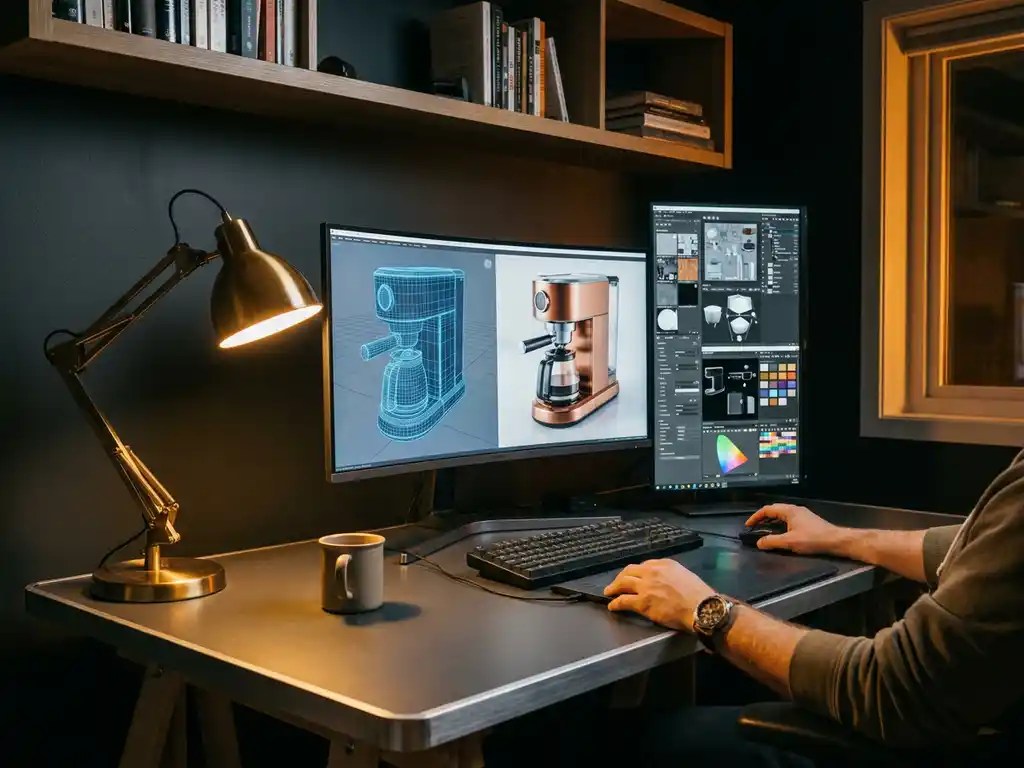
What if a digital image could be completely indistinguishable from a photograph? That is the ultimate ambition behind photorealistic 3D rendering — and achieving it demands precision at every stage of the process. Mastering lighting, materials, and rendering settings each require deep technical knowledge, but when they align, the result is imagery that stops a viewer cold. This guide covers the core techniques professionals use to achieve photorealistic renders and photorealistic 3D designs, from lighting setup and material creation to software selection and render configuration. You will also learn when it makes sense to partner with a specialist studio to reach that standard consistently and at scale.
Why are unrealistic renders costing you customer trust?
Renders that look artificial or cartoonish cause potential customers to immediately question the quality and authenticity of your brand. Poor rendering quality creates a disconnect between expectation and reality, leading to higher return rates, negative reviews, and lost sales. Customers in today’s market expect premium visual experiences that match the sophistication of your products.
The solution starts with investing in proper lighting techniques and understanding material properties. Study real-world lighting conditions and how different surfaces respond to light, then apply these observations systematically to your rendering workflow.
What does inconsistent visual quality signal about your brand?
Inconsistent rendering quality across a product line signals a lack of attention to detail and undermines professional standards. When some products look stunning while others appear flat or unconvincing, customers begin to doubt a brand’s commitment to excellence. This visual inconsistency is especially damaging for luxury and design-focused brands, where aesthetic quality directly reflects product value.
The fix involves establishing clear rendering standards and workflows that ensure every product receives the same level of visual treatment. Create detailed style guides for lighting, material properties, and composition that your team can follow consistently across all product visualizations.
Visual Commerce Solutions
Talk to our team about your project.
What makes a render truly photorealistic?
A photorealistic render is one that convincingly mimics how light interacts with surfaces in the real world. The foundation lies in accurate material properties, realistic lighting conditions, and precise attention to subtle details that the human eye naturally expects to see — including surface imperfections, subsurface scattering, and believable reflections.
The most critical technical elements include proper surface roughness mapping, accurate color temperature in lighting, and realistic shadow behavior. Materials must exhibit the correct reflectance values for their real-world counterparts, while lighting should follow physically accurate intensity falloff and color temperature variations. Environmental factors like atmospheric perspective and depth of field also play crucial roles in selling the illusion of reality.
What separates an average render from a photorealistic one?
Understanding what makes a render fall short is just as important as knowing the techniques that elevate it. The gap between an average render and a truly photorealistic one is almost always traceable to a handful of specific, correctable problems. The table below maps the most common issues to their professional solutions.
| Common render problem | Professional solution |
|---|---|
| Flat, even lighting with no contrast | Three-point lighting setup combined with HDRI environmental fill |
| Perfectly clean, flawless materials | Layered imperfection maps with roughness variation and wear details |
| Hard, pixelated shadow edges | Area lights with high sample counts and AI-based denoising |
| Uniform, featureless background | Depth of field blur with contextual environmental elements |
| Oversaturated, artificially vivid colors | Linear color space workflow with calibrated color grading |
Achieving the professional standard consistently — and at scale across an entire product catalog — is precisely where we at 3Dimerce deliver measurable results for design and luxury brands.
What is the step-by-step workflow for a photorealistic render?
Lighting, materials, and render settings are each covered in depth below, but before diving into individual techniques it helps to understand how they fit into a coherent production process. Whether you are creating photorealistic 3D designs in-house or evaluating what to expect from an outsourced partner, this workflow gives you a clear picture of every stage involved.
- Define scene goals and collect reference photography. Establish the mood, camera angle, and surface qualities you are targeting. Reference images prevent subjective drift and give every team member a shared benchmark for quality.
- Build or import a high-polygon model with clean topology. Geometry errors surface immediately under close-up lighting. Clean, well-constructed meshes are the non-negotiable foundation of any photorealistic result.
- Set up physically based materials using PBR texture maps. Assign diffuse, roughness, metalness, normal, and specular maps to each surface. Physically based rendering ensures materials respond to light the way their real-world counterparts do.
- Establish lighting using a three-point setup combined with HDRI environmental lighting. This is where the question of how is lighting set up for realistic renders gets its most practical answer: start with a key, fill, and rim structure, then layer in an HDRI map for accurate ambient reflections and fill light.
- Configure render settings — resolution, sampling, color space, and denoising. Match your settings to the delivery tier: draft, production, or final. See the render settings section below for specific values.
- Execute test renders at reduced resolution to evaluate lighting and material quality. Catching problems at this stage costs minutes, not hours. Check shadow behavior, material response, and overall composition before committing to a full-resolution pass.
- Run the final high-resolution render with full sampling. Apply your production or final-delivery settings and allow the render to complete without interruption. GPU acceleration significantly reduces this step for scenes that would otherwise require overnight processing.
- Apply compositing passes for color grading and lens effects. Use render passes — beauty, shadow, reflection, ambient occlusion — to make targeted adjustments without re-rendering. Add subtle lens effects and color grading to align the final image with your brand’s visual language.
Each step involves decisions that compound in their effect on the final image. Skipping or rushing any stage — particularly reference collection or test rendering — is the most common reason projects require costly rework at the end of the pipeline.
What software is best for creating photorealistic renders?
The best software for photorealistic rendering depends on your use case, team expertise, and budget. Industry-leading options each offer distinct advantages:
- Autodesk Maya and 3ds Max — comprehensive toolsets with robust material editors and lighting systems, widely used in professional production pipelines
- Blender (Cycles engine) — powerful GPU-based rendering at no cost, accessible for smaller teams and independent designers
- Cinema 4D — excels in motion graphics and product visualization with intuitive, designer-friendly workflows
- KeyShot and V-Ray — dedicated product rendering solutions with extensive material libraries and lighting presets built specifically for product visualization
Many professionals combine multiple tools, using specialized software for specific tasks while maintaining a primary platform for overall project management. The right choice depends on integration requirements with existing workflows as much as on feature sets.
How do you achieve photorealism in Blender Cycles?
Blender’s Cycles engine is one of the most capable physically based render engines available, and it is entirely free. Achieving genuine blender photorealism, however, requires moving well beyond default settings. The two areas that make the greatest difference are render configuration and lighting strategy.
Cycles render settings for photorealistic results
The noise threshold is the single most important Cycles setting for balancing quality and render time. A value of 0.03–0.04 produces clean, publication-ready results for most product and interior scenes. Setting it too high (above 0.1) leaves visible grain in shadow areas; setting it too low extends render times without meaningful visual improvement.
Sample counts work in tandem with the noise threshold. For final delivery renders, a range of 1024 to 2600 samples covers the majority of scenarios — complex scenes with caustics or translucent materials sit at the higher end of that range. Light bounce configuration also has a significant impact on both quality and speed: for product renders without volumetric effects, recommended values are diffuse 4, glossy 8, transmission 8, and volume bounces set to zero. Disabling volume bounces alone can substantially reduce render times in interior scenes that do not require volumetric fog or smoke.
HDRI lighting combined with internal light sources in Blender
An HDRI sky texture provides realistic ambient light and environment reflections, but for interior scenes or controlled studio setups it rarely works alone. The most effective approach combines the HDRI with internal emissive mesh lights using a Blackbody node to set color temperature precisely: 2700K replicates warm incandescent bulbs, while 6500K matches neutral daylight. This gives you independent control over the mood of the scene without fighting against the HDRI’s own color cast.
For interior scenes with large window openings, placing light portals at each opening guides Cycles’ sampling algorithm toward the exterior light source. This reduces the number of samples needed to achieve a clean result, which translates directly into shorter render times without sacrificing quality. Together, HDRI environmental lighting and precisely tuned internal light sources form the backbone of professional blender photorealism workflows for both product and architectural visualization.
How do you set up realistic lighting for 3D renders?
Realistic lighting in 3D rendering is built on the three-point lighting system — key light, fill light, and rim light. The key light provides primary illumination and establishes the mood. Fill light softens harsh shadows without eliminating them entirely. Rim lighting separates subjects from backgrounds and adds dimensional depth.
HDRI (High Dynamic Range Image) environmental maps are essential for authentic reflections and ambient illumination that matches real-world conditions. Position the key light to create natural shadow patterns, typically at a 45-degree angle from the subject. Use area lights rather than point lights for softer, more natural shadows. Maintain color temperature consistency throughout the scene so that warm and cool light sources complement rather than conflict with each other.
HDRI map selection should be driven by the intended mood of the scene. An overcast HDRI produces soft, diffuse light with minimal directional shadows — ideal for clean product shots where surface detail takes priority. A golden hour HDRI introduces warm, directional light with long shadows that add drama and depth to lifestyle or architectural scenes. Rotating the HDRI within the scene gives you precise control over shadow direction without repositioning any physical lights.
For scenes that require interior artificial light alongside exterior HDRI illumination, supplement the environment map with emissive mesh planes or spheres driven by a Blackbody shader. This approach replicates real bulb color temperatures accurately — a detail that is immediately visible in the warmth and quality of shadows cast on nearby surfaces. In photorealistic interior rendering, light portals placed at window openings help the render engine sample exterior light more efficiently, reducing noise at lower sample counts and keeping render times manageable without compromising quality.
How does camera simulation make renders look like real photographs?
A render engine’s camera is far more than a viewpoint — it is a simulation of a physical lens, and configuring it like a real DSLR or cinema camera is one of the most effective ways to close the gap between a render and a photograph. Most of the visual cues that signal “this is a real image” to a viewer are rooted in optical properties that a default render camera deliberately omits.
Focal length and depth of field
Focal length determines how the scene is compressed or expanded within the frame. Wide lenses in the 24–35mm range suit architectural and interior scenes, where showing spatial context is important and some perspective distortion is expected. Telephoto lenses in the 85–135mm range are the standard choice for product isolation — the longer focal length compresses the background into a smooth blur while keeping the subject sharp, which is the visual signature of professional product photography.
Aperture (f-stop) controls depth of field. Lower values such as f/1.8 to f/2.8 create a shallow focus plane that isolates the subject from the background — a hallmark of premium photography that signals quality and intentionality. Higher f-stop values keep more of the scene in focus, which is appropriate for architectural exteriors or multi-product scenes where context matters as much as the individual object.
Motion blur and lens imperfections
Motion blur is relevant primarily for animated renders and lifestyle scenes where implying real-world movement adds energy and authenticity. Even a subtle amount of motion blur on a rotating product or a lifestyle figure makes the scene feel captured rather than constructed.
Lens imperfections — including subtle chromatic aberration, vignetting, and mild lens distortion — are among the most effective authenticity signals available in compositing. Applied with restraint, they shift the viewer’s perception from “this is a 3D render” to “this is a photograph.” Our rendering team at 3Dimerce configures every camera parameter to match each brand’s visual language and photography style, ensuring that the final image feels native to the brand’s existing content rather than visually out of place.
How do you create realistic materials and textures for rendering?
Realistic materials in 3D rendering require a layered approach that combines diffuse color, normal maps, roughness maps, and specular information. Start with high-quality texture maps that capture surface details at appropriate resolutions. Normal maps add surface detail without increasing geometry complexity, while roughness maps control how light scatters across surfaces.
Studying real-world materials is essential for accuracy. Metal surfaces typically have low diffuse values but high reflectance, while fabric exhibits complex subsurface scattering behavior. Adding subtle imperfections — fingerprints, dust, or wear patterns — prevents materials from looking artificially perfect and contributes significantly to photorealistic results. Check out our use cases to see how different material approaches work in practice.
Surface imperfections can be controlled with precision using layered texture masks. The technique involves blending a clean base material with a worn or smudged variant, using a noise texture or a hand-painted mask to define exactly where scratches, fingerprints, or dust accumulate. This approach gives you art-directed control over aging and wear rather than relying on uniform degradation across the entire surface. For extreme close-up renders — jewelry, watch mechanisms, or high-end packaging — particle systems can scatter micro-geometry such as dust particles or fiber strands across surfaces, adding a level of tactile realism that flat texture maps cannot replicate.
For teams building or calibrating PBR material libraries, the following values serve as reliable starting points: polished metal (metalness 1.0, roughness 0.05–0.15), matte ceramic (metalness 0.0, roughness 0.6–0.8), brushed aluminum (metalness 1.0, roughness 0.3–0.5), and frosted glass (transmission 0.95, roughness 0.2). These are the baseline configurations we use at 3Dimerce, refined through iterative testing on each project to match the specific material behavior of the product being visualized.
What rendering settings produce the highest quality results?
High-quality photorealistic renders depend on balanced settings across sampling, resolution, and color management. The most effective approach is to structure your settings around three clearly defined quality tiers, each serving a different stage of the production process.
- Draft renders — 128–256 samples, noise threshold 0.1, resolution 1080p. Used for evaluating lighting placement, composition, and material direction before committing to longer render times.
- Production renders — 1024–1500 samples, noise threshold 0.05, resolution 2K. Used for client review and approval stages where quality needs to be representative of the final output.
- Final delivery renders — 2000–2600 samples, noise threshold 0.03–0.04, resolution 4K (3840 × 2160 px). Used for all marketing assets, e-commerce imagery, and print materials.
Light bounce configuration matters as much as sample count. For product renders without volumetric effects, the recommended values are: diffuse 4, glossy 8, transmission 8, volume 0. Keeping volume bounces at zero eliminates a significant source of unnecessary computation in scenes that do not require fog, smoke, or atmospheric scattering.
Additional settings that directly affect output quality include global illumination for accurate indirect light bouncing between surfaces, anti-aliasing to eliminate jagged edges on curved geometry, color space rendering in linear to maintain accurate color relationships throughout the pipeline, and render layers to separate beauty, shadow, and reflection passes for compositing control. AI-based denoising — such as OptiX or OpenImageDenoise — should be applied as a final compositing pass rather than mid-render, preserving fine surface detail that in-render denoising tends to soften. These are the baseline configurations we use at 3Dimerce, adapted per project based on scene complexity and delivery requirements.
How long does it take to create a photorealistic render?
Photorealistic rendering timelines vary based on scene complexity, quality level, and available computing power. As a general guide: simple product renders require 2–4 hours for setup and 30 minutes to 2 hours for rendering, while complex multi-product scenes with sophisticated lighting can take several days from start to finish.
The modeling phase typically accounts for 40–60% of total project time, followed by material creation and lighting setup. Modern GPU rendering has significantly reduced processing times — high-end graphics cards can complete renders in minutes that previously required overnight CPU processing. Plan for multiple test renders during development to refine quality before final output. Our solutions optimize these workflows for faster turnaround times.
How 3Dimerce helps with photorealistic rendering
3Dimerce specializes in creating photorealistic product renders for design, luxury, and high-end brands that demand visual precision at every touchpoint. Our advanced rendering platform is built for teams that cannot afford inconsistency — delivering stunning quality at scale, with turnaround times that keep pace with demanding production schedules.
Working with us means access to:
- Blazing-fast render processing that reduces project timelines from days to hours
- Automated material and lighting optimization for consistent, premium-quality results across your entire product catalog
- Seamless integration with your existing workflows and e-commerce platforms
- Scalable solutions that grow with your product range without proportional cost increases
- Expert support from our team of 3D visualization specialists with deep experience in high-end product categories
To illustrate what this looks like in practice: a luxury homeware brand came to us with a library of over 200 SKUs that had been photographed inconsistently across multiple shoots and locations. The challenge was delivering studio-quality visuals for the entire catalog within a four-week production window. We built a standardized lighting rig and a brand-matched material library that could be applied systematically across every product, eliminating the visual inconsistency that had been generating customer complaints and return requests. The result was a cohesive, premium-quality image set that the brand’s marketing team could deploy directly — with no reshoots, no back-and-forth corrections, and a production timeline that would have been impossible with conventional photography. This is representative of the work we do regularly for clients in the design and luxury sector.
Ready to transform your product visualization with photorealistic rendering that matches your premium brand positioning? Contact us today to discuss how our tailored rendering solutions can streamline your visual content production while delivering the quality your customers expect.
Photorealistic rendering across industries: from luxury products to interior visualization
Photorealistic rendering is not a single discipline — the techniques, priorities, and challenges shift significantly depending on the sector. A luxury watch render demands different expertise than an architectural exterior, and photorealistic interior rendering presents its own distinct set of lighting and material challenges. Understanding these differences is part of what makes a rendering partner genuinely valuable rather than merely technically capable.
Luxury and high-end product rendering
Rendering reflective and translucent materials — jewelry, watches, perfume bottles, high-end packaging — is among the most technically demanding work in product visualization. Reflective surfaces require a carefully controlled studio HDRI that produces clean, shaped highlights without introducing distracting reflections of the environment. Roughness gradients must be applied with precision: a brushed metal surface, for example, needs directional roughness variation that follows the grain of the brushing, not a uniform value applied across the entire object. Translucent materials such as glass, crystal, or colored resin require subsurface scattering and transmission settings tuned to the specific optical properties of the material. We work with luxury brands to achieve the level of surface accuracy that makes a rendered image credible to a viewer who handles these products daily.
Photorealistic interior and property rendering
Interior rendering presents the challenge of balancing natural window light with interior artificial light sources — two very different color temperatures that must coexist convincingly in the same scene. Achieving photorealistic interior rendering requires careful attention to how daylight enters the space, how it falls across different surface materials, and how artificial light sources warm the areas the natural light does not reach. Fabric, wood, and stone textures each require specific roughness and normal map configurations to read correctly at the scale of an interior scene. Architectural proportion and spatial depth must also be preserved — a room that looks slightly too small or too large immediately reads as artificial. For photo-realistic property renders, we combine technically accurate lighting simulation with the compositional instincts of professional interior photography to produce images that sell spaces as effectively as they document them.
Architectural and exterior visualization
Exterior architectural visualization demands accurate daylight simulation matched to a specific time of day, season, and geographic location. Sky and environment matching — ensuring that the building’s lighting is consistent with the surrounding landscape and sky — is a critical quality marker that separates professional architectural renders from amateur attempts. Material weathering effects, such as concrete aging, oxidized metal cladding, or moss on stone, add environmental credibility and help clients visualize how a building will look over time rather than only on the day it opens. We bring the same commitment to precision and quality to architectural visualization as we do to product rendering, positioning every project as a premium visual asset rather than a technical deliverable.
Frequently Asked Questions
What hardware specifications do I need for efficient photorealistic rendering?
For efficient photorealistic rendering, the recommended minimum specifications are: a high-end GPU with at least 8GB VRAM (NVIDIA RTX 3080 or equivalent), 32GB or more of system RAM, and a modern multi-core CPU. GPU rendering significantly outperforms CPU rendering for most tasks, reducing render times from hours to minutes. For complex scenes that exceed local hardware capabilities, render farms and cloud rendering services are practical alternatives.
How can I troubleshoot renders that look flat or lack depth?
Flat-looking renders typically result from insufficient lighting contrast or missing environmental reflections. To fix this: add rim lighting to separate subjects from backgrounds, increase the contrast ratio between your key and fill lights, and use HDRI environmental maps to introduce realistic reflections. Also verify that your materials have appropriate roughness variation and that global illumination is properly enabled in your render settings.
What’s the biggest mistake beginners make when starting with photorealistic rendering?
The most common beginner mistake is over-lighting scenes with too many bright light sources, which flattens the image and eliminates natural shadow contrast. Start with a single key light source and add fill lighting only where needed. Equally important: avoid using perfectly clean, flawless materials — real-world surfaces always carry subtle imperfections that are essential to perceived authenticity.
How do I maintain rendering quality while meeting tight project deadlines?
Build and maintain a library of pre-approved materials, lighting setups, and render settings that can be quickly applied to new projects. Use progressive rendering to evaluate quality early in the process, and render at lower resolutions during the development phase. Render layers allow targeted adjustments in post-production compositing, avoiding full scene re-renders when only one element needs correction.
Should I render everything in-house or outsource to a specialized service?
In-house rendering gives you complete control but requires significant hardware investment and specialized expertise. Outsourcing to a specialist like 3Dimerce is the stronger choice when you need consistent quality across large product catalogs, faster turnaround times, or want to avoid the overhead of maintaining rendering infrastructure. For high-end brands where visual quality is a direct reflection of brand value, the consistency and speed advantages of a dedicated service typically outweigh the cost of in-house setup.
How do I ensure color accuracy between my renders and final printed materials?
Color accuracy between renders and print requires a calibrated color workflow throughout the pipeline. Use industry-standard color profiles — sRGB for web output, Adobe RGB for print — and render in linear color space. Calibrate your monitor regularly and always request printed proofs before large print runs. Factor in the viewing conditions of the final output environment when configuring your lighting setup.
What post-production techniques can enhance photorealistic renders without starting over?
Render passes — including beauty, shadow, reflection, and ambient occlusion passes — allow targeted adjustments in compositing software without re-rendering the full scene. Subtle lens effects such as chromatic aberration and vignetting mimic real camera characteristics and increase perceived realism. Additional texture overlays can enhance material detail, and color grading can align renders with specific brand aesthetics or environmental conditions efficiently.